Adding Context Item to right place

Posted by: ondrej.durica on 3 March 2026, 8:46 am EST

  • Posted 3 March 2026, 8:46 am EST - Updated 3 March 2026, 8:52 am EST

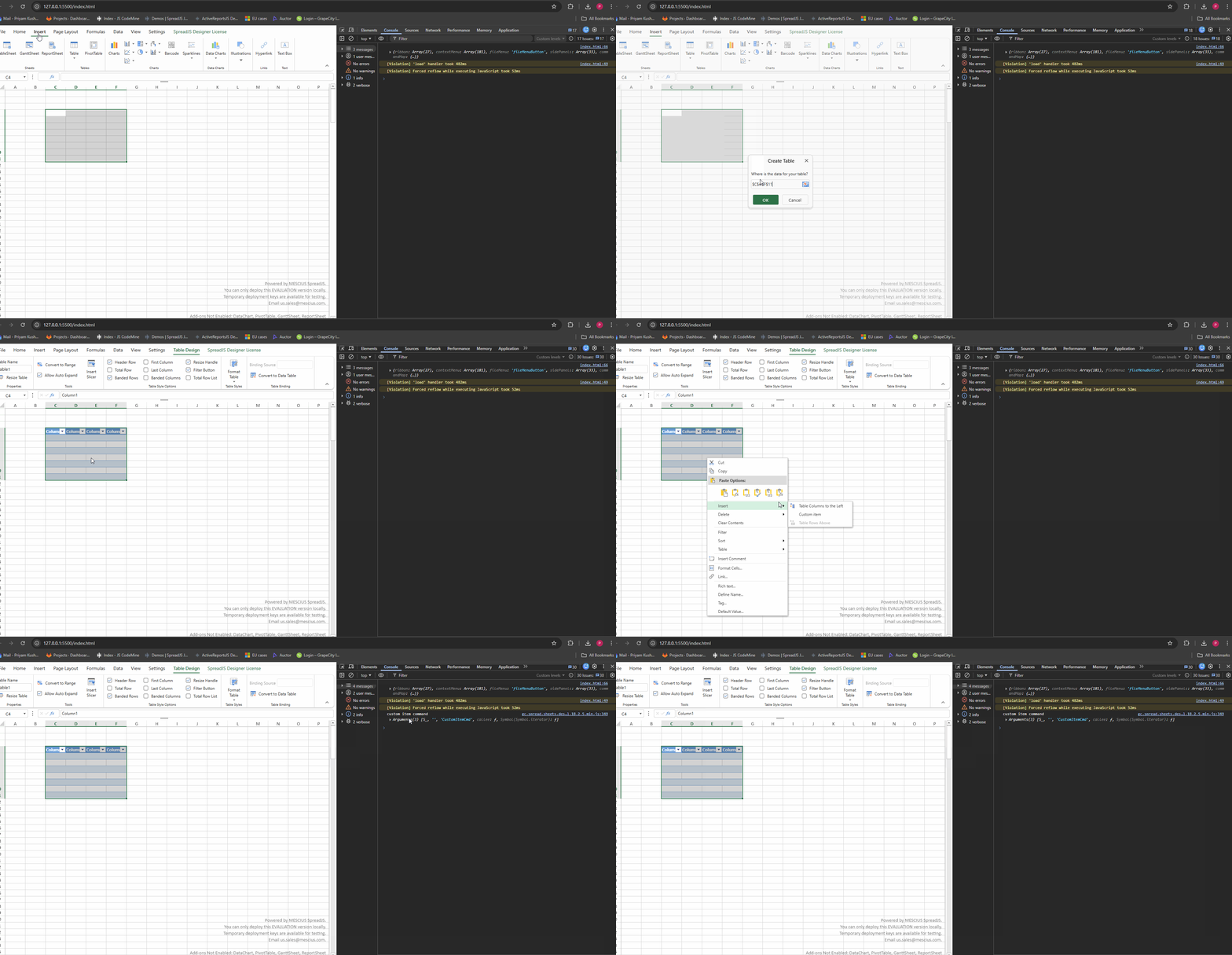
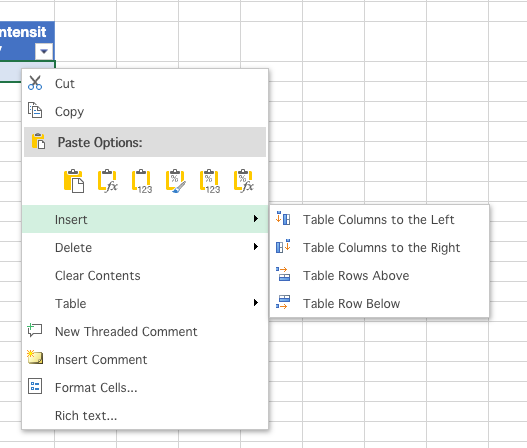
    Hi, I would like to add one item to table context menu, next to Items Table Columns to the Left and Right. I’m able to add item/command to context menu, but I’m struggling with adding it to right place/context. Could you please help me?

    Thanks
  • Posted 5 March 2026, 1:48 pm EST

    Hi,

    We are still investigating the issue at our end. We will let you know about our findings as soon as possible.

    Regards,

    Priyam

  • Posted 6 March 2026, 3:03 am EST - Updated 6 March 2026, 3:08 am EST

    Hi,

    As per my understanding, you want to add your custom item next to Table Columns to the Left and Table Columns to the Right.

    This can be achieved by getting the “tableInsert” command, which is responsible for these options, overriding it, and then adding your custom item to the subCommands property of “tableInsert”. Please refer to the attached GIF and sample for reference: Sample.zip

    GIF:

    You can also refer to the following documentation for more information:

    https://developer.mescius.com/spreadjs/docs/spreadjs-designer-component/customizations/add_context_menu_item

    Regards,

    Priyam

Need extra support?

Upgrade your support plan and get personal unlimited phone support with our customer engagement team

Learn More

Forum Channels