
Active cell background color — separate from selection range fill?

Posted by: averma on 6 August 2026, 12:24 am EST

  • Posted 6 August 2026, 12:24 am EST - Updated 6 August 2026, 12:29 am EST

    ISSUE:

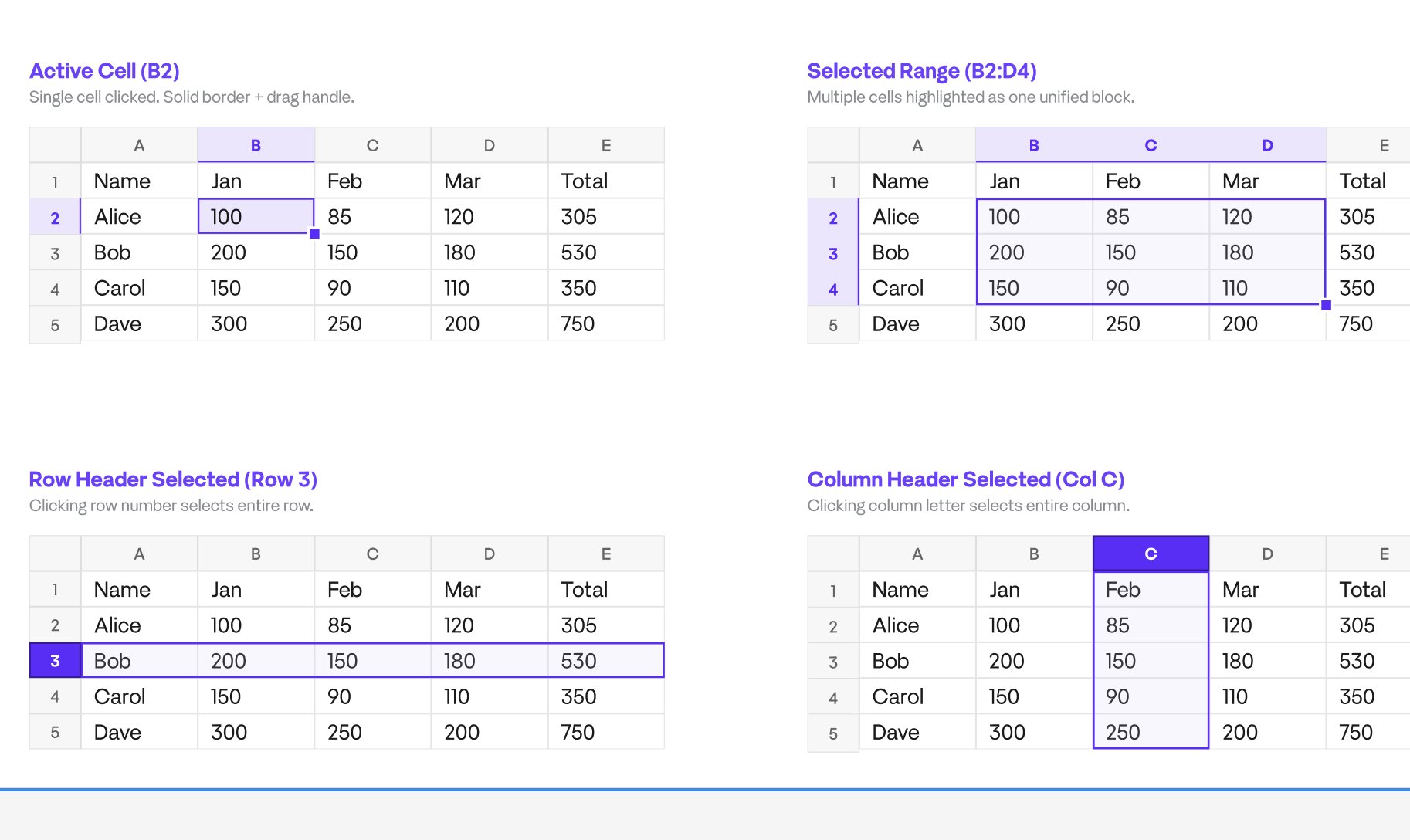
    Need active cell and selected range to render with DIFFERENT background

    colors simultaneously.

    Current behavior (confirmed via docs + testing):

    • sheet.options.selectionBackColor / selectionBorderColor apply to the

      WHOLE selection fill+border.
    • Active cell within that selection renders BORDER-ONLY, no fill —

      no option found to give it its own backColor.

    Target design:

    • Light mode: active cell #EDE6FF, range fill #D9C7FF26
    • Dark mode: active cell #FFFFFF12, range fill #40268C4D
    • Cell content + gridline/border must stay visible through both.

    QUESTIONS:

    1. Is there a documented API for active-cell-only backColor (separate

      from selectionBackColor)? Couldn’t find one in Style/Options docs.
    2. If not — is PaintCell override on the active cell, or a

      TopLeftCellChanged/SelectionChanged canvas overlay draw, the

      recommended supported approach? Any perf caveats for large sheets?
    3. Does selectionBackColor accept 8-digit #RRGGBBAA directly, or must

      we pre-resolve to rgba() ourselves? (testing suggests hex+alpha

      works, want to confirm it’s supported not incidental.)

    ENV: @mescius/spread-sheets 18.2.3, React/TS, MUI theming layer.

    ATTACHED SCREENSHOT FOR REFERENCE:-
  • Posted 6 August 2026, 8:07 am EST

    Hi,

    Thank you for the detailed report and the screenshot.

    Based on our testing, the behavior you observed matches the default behavior of SpreadJS. The good news is that you do not need to use a custom paint override or canvas overlay to achieve your desired result. SpreadJS provides a built-in feature called Cell States, which is the recommended approach for this scenario.

    Answers to your questions:

    1. Is there a documented API to set the background color of only the active cell?

    No. The selectionBackColor and selectionBorderColor options are the only built-in selection styling options, and they apply to the selected range as a whole. There is currently no activeCellBackColor option.

    1. What is the recommended approach?

      We recommend using the Cell States feature (sheet.cellStates) instead of overriding the paint logic or drawing a custom canvas overlay.

    You can register styles for different cell states using:

    sheet.cellStates.add(range, GC.Spread.Sheets.CellStatesType.active, style)

    Since Cell States follow the built-in priority (edit > hover > active > selected), the active cell automatically displays the active style while the remaining selected cells retain the selection styling.

    The recommended implementation is:

    Use sheet.options.selectionBackColor to style the selected range.

    Register a CellStatesType.active style to apply a different background to the active cell.

    This approach is preferred because:

    It is fully supported by SpreadJS.

    It integrates with the built-in rendering pipeline and does not require custom painting.

    It performs efficiently, even on large worksheets, since Cell States are range-based rather than applied on a per-cell basis.

    1. Can selectionBackColor use an 8-digit hex color (#RRGGBBAA)?

      Although SpreadJS currently accepts 8-digit hexadecimal colors, this format is not officially documented. For better compatibility and future-proofing, we recommend using the rgba() format instead.

      For example:

    Light theme: rgba(237, 230, 255, 1)

    Dark theme: rgba(255, 255, 255, 0.07)

    A runnable sample demonstrating this approach has been attached. It includes:

    Light and dark theme support.

    Different background colors for the active cell and selected range.

    Sample data to verify that cell contents and gridlines remain visible.

    Sample: Sample.zip

    Regards,

    Priyam

Need extra support?

Upgrade your support plan and get personal unlimited phone support with our customer engagement team

Learn More

Forum Channels
