Posted 6 August 2026, 5:56 am EST
- Updated 6 August 2026, 6:01 am EST
Hi,
Thank you for reaching out and for providing the detailed case description.
The selectionBackColor option is designed to apply the same background color to the entire selected range except active cell. Refer to the attached gif.
GIF: 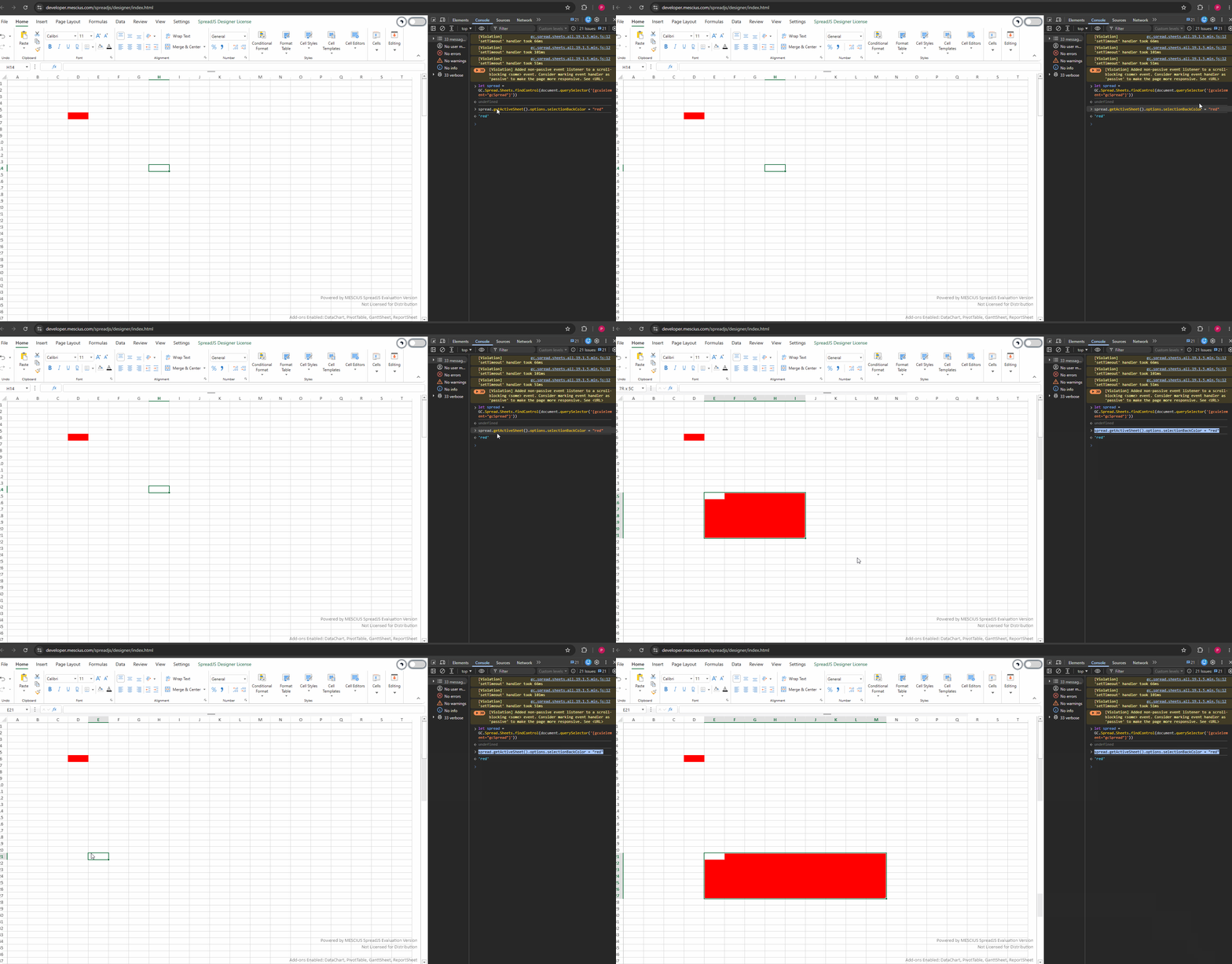
Based on our understanding, selectionBackColor should not be applied to the active cell. Therefore, we’re not sure why you are seeing this behavior.
Could you please share a runnable sample that reproduces the issue, along with a GIF or video demonstrating the behavior? This will help us investigate the issue further.
Similarly, using the EditStarting event together with setStyle is not a reliable approach because SpreadJS manages the painting lifecycle internally. As a result, any style applied this way may be overwritten during repaint, and restoring the original style in EditEnded can also lead to issues such as color string comparisons (#ffffff vs. #FFFFFF).
The recommended approach is to use Cell States (sheet.cellStates), which is specifically designed for this scenario. Cell States allow you to define different styles for various cell states, and these styles are applied by the SpreadJS rendering engine itself, so they are not overridden during repaint. This also eliminates the need for manually applying and restoring styles.
Answers to your questions:
Is there a supported API to set a different background for the active cell versus the rest of the selection?
Yes. Use sheet.cellStates.add(range, state, style) with:
GC.Spread.Sheets.CellStatesType.active for the active (anchor) cell.
GC.Spread.Sheets.CellStatesType.selected for the remaining selected cells.
Does SpreadJS provide an activeCellBackColor option?
No. There is no activeCellBackColor option. Cell States are the supported way to achieve this behavior.
Is there a supported way to style the active cell during editing without it being overridden?
Yes. Use GC.Spread.Sheets.CellStatesType.edit. Cell State styles are handled by the rendering engine and follow the built-in priority (edit > hover > active > selected), so they are automatically applied and removed as the cell state changes.
Is there a specific event or timing required for EditStarting?
No. You do not need to handle any edit events. Simply register the Cell State styles once, and SpreadJS will automatically switch between the active and edit states during the editing lifecycle.
A working sample is attached below (also available online). Please note that Cell States were introduced in SpreadJS v13.0.0, so this solution requires SpreadJS v13.0.0 or later. You can verify your version using spread.version.
Sample: Sample.zip
Please also note that eight-digit hex values such as #FFFFFF12 represent ARGB colors (white with approximately 7% opacity). If you require a fully opaque color, use an opaque hexadecimal value such as #2A2440 for more consistent rendering.
Best regards,
Priyam