Posted 3 February 2022, 11:29 am EST - Updated 30 September 2022, 1:13 pm EST
Using Spread15
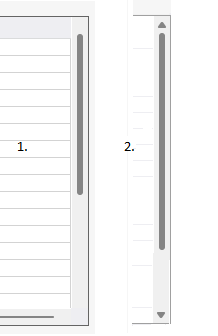
In Windows 11, the default scroll bars are no longer displayed properly.
See the image in the attachment.
- is Spread
- is how it should look like
Regards Piet
Forums Home / Spread / Spread for WinForms
Posted by: p.feenstra on 3 February 2022, 11:29 am EST

p.feenstra
Posted 3 February 2022, 11:29 am EST - Updated 30 September 2022, 1:13 pm EST
Using Spread15
In Windows 11, the default scroll bars are no longer displayed properly.
See the image in the attachment.
Regards Piet

avnish.kumar

Posted 6 February 2022, 11:33 pm EST
Hi,
We could observe the issue with Spread11Defalut skin, the arrows were only shown when hovered. We have escalated the issue to the development team and will let you know as soon as there is an update.
Regards
Avnish
[Tracking ID : SPNET-22646]
avnish.kumar
Posted 8 February 2022, 11:29 pm EST
Hi Piet,
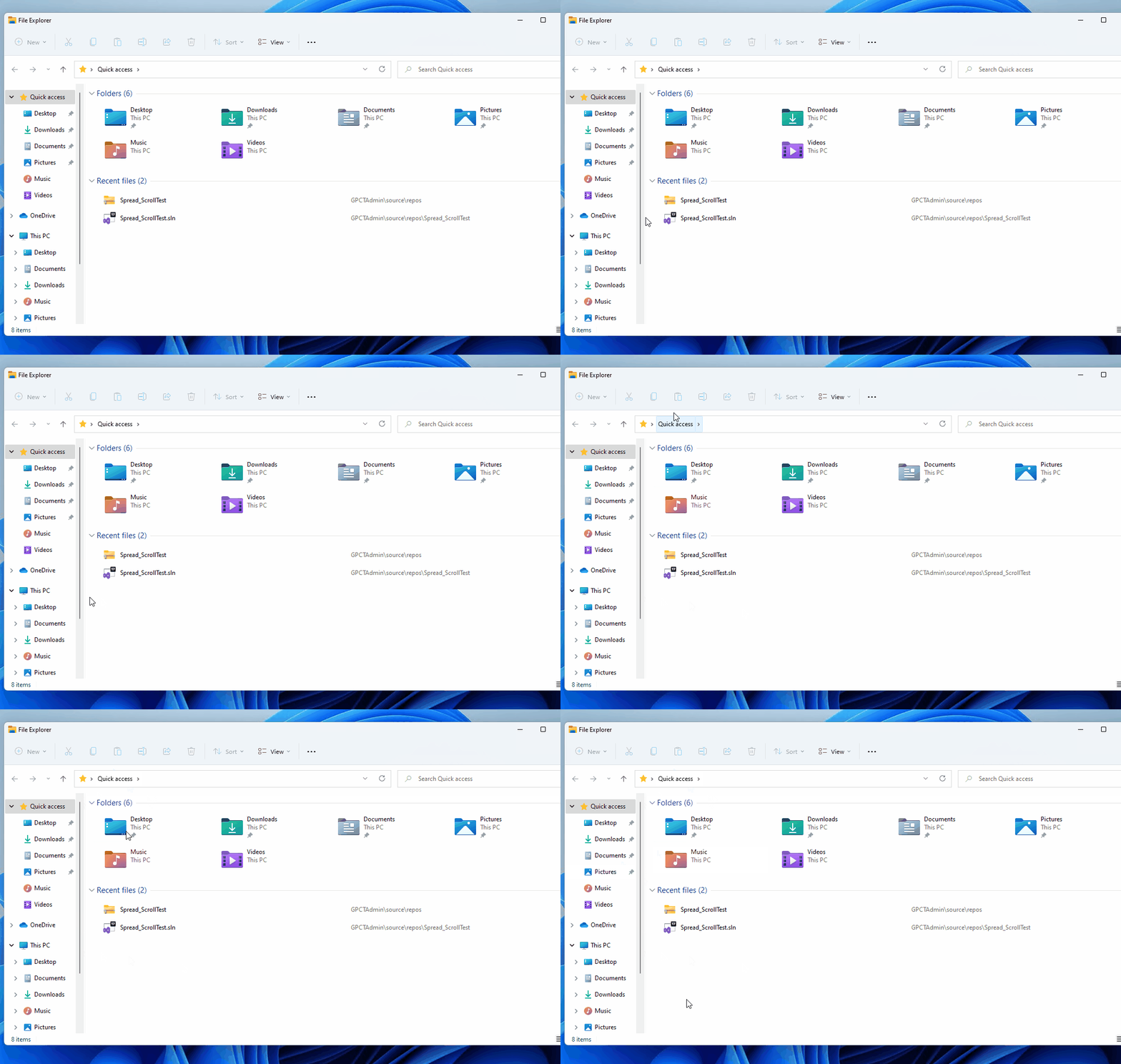
As per the development team, In Windows 11, the same behavior can also be observed with Explorer as shown in the attached GIF. And when you use Spread11Default skin, the scrollbar of spread will use ScrollBarRenderer to paint scrollbars. ScrollBarRenderer will paint scrollbars like scrollbar of windows. It is the behavior of spread.
Regards
Avnish
p.feenstra
Posted 9 February 2022, 9:51 am EST
Hi Avnish,
In my environment Explorer behaves correct.
Also, I don’t see the GIF.
Regards Piet
Quintera Software
avnish.kumar
Posted 10 February 2022, 4:09 am EST - Updated 30 September 2022, 1:13 pm EST
Hi,
Please find the GIF attached.
If the same scrollbar works fine at our end, please share a GIF and the OS build.
Regards.
Avnish
p.feenstra
Posted 18 March 2022, 11:30 am EST
Hi Avnish,
sorry for my late response.
But look at my first post:
My Windows version is: 21H2 (22000.556)
Regards Piet
avnish.kumar
Posted 23 March 2022, 12:23 am EST
Hi Piet,
We have escalated the information to the development team to get their insights on this and will let you know as soon as we have an update.
Regards
Avnish