Hi,
We are glad to hear that the async function issue is resolved!
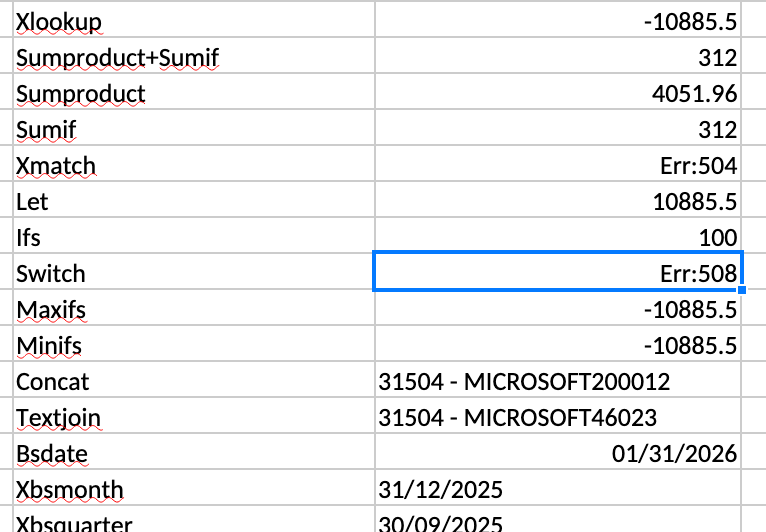
Regarding the two formulas you reported, we tested them across MS Excel, DsExcel, and SpreadJS. Here are our findings for each case:
Formula: =XMATCH(T3,A1:A22,0,0)
Observation: When tested with this syntax, MS Excel and DsExcel both returns #VALUE! error value. However, the formula executes without any error in SpreadJS.
Reason for Error: This formula violates standard Excel syntax because the fourth parameter (search mode) only accepts specific defined values (1, -1, 2, -2). Passing 0 causes a validation failure in Excel and DsExcel.
However, by-design, SpreadJS provides an additional built-in search option value of 0, which is not present in Excel. You can refer to the documentation SpreadJS-XMATCH. This is the reason, no error was thrown in SpreadJS.
Formula: =SWITCH(F25,1,End Balance,2,Start Balance,10)
Observation: We tested this formula in Excel, DsExcel, and SpreadJS. In our testing, all three returned a #NAME! error value. The behavior was identical across all platforms, and SpreadJS behaved as expected.
Reason for Error: The error is caused by a syntax validation failure due to unquoted text strings. The string values End Balance and Start Balance were provided without quotation marks. Whenever there is a match case, returning an unquoted string throws an unrecognized text error. When we enclosed the strings in quotes (eg. “End Balance”), all the products showed the expected behavior.
If you have a different observation or are still facing issues, please modify the attached Excel file to reproduce the behavior and send it back to us for further investigation.
In case you observe any unexpected behavior specific to SpreadJS controls, you can create a case directly in the SpreadJS Forum.
Attachment: Book1.zip
Best Regards,
Kartik