Template Binding Syntax

Posted by: ahines1 on 5 June 2026, 6:11 pm EST

    • Post Options:
    • Link

    Posted 5 June 2026, 6:11 pm EST

    Hello,

    I need help with how to bind data to a template from a json file. I have been successful with instances but the documentation is not helping me with my use case. I have a sample schema below where I have elements at the root level and then an array of objects (a datatable), and I need to know how to bind the array. I do not know how many elements/rows are in the array but I DO know that the schema (columns) is always the same.

    schema

    {
        "id": 1111,
        "nb": "2016-02-19",
        "rb": "2016-04-01",
        "pd": "P",
        "chgRows": [
            {
                "sid": 1234,
                "cv": "010",
                "pr": 100.00,
                "rt": 150.00
            },
            {
                "sid": 1523,
                "cv": "020",
                "pr": 180.00,
                "rt": 140.00
            }]
    }


    Source code

    
    public static void Template()
        {
            WorkbookOptions options = new WorkbookOptions();
            options.setPixelBasedColumnWidth(true);
            String realData="";
            IWorkbook workbook = new Workbook(options);
            workbook.open("C:/files/Exceltemplate.xlsx");
            realData = new String(Files.readAllBytes(Paths.get("c:/temp/real.json")));
            JsonDataSource real = new JsonDataSource(realData);
            workbook.addDataSource("real",real);
            workbook.processTemplate();
            workbook.save("c:/temp/results.xlsx" );
        }

  • Posted 8 June 2026, 4:54 am EST - Updated 8 June 2026, 5:00 am EST

    Hi Aaron,

    Thank you for contacting us.

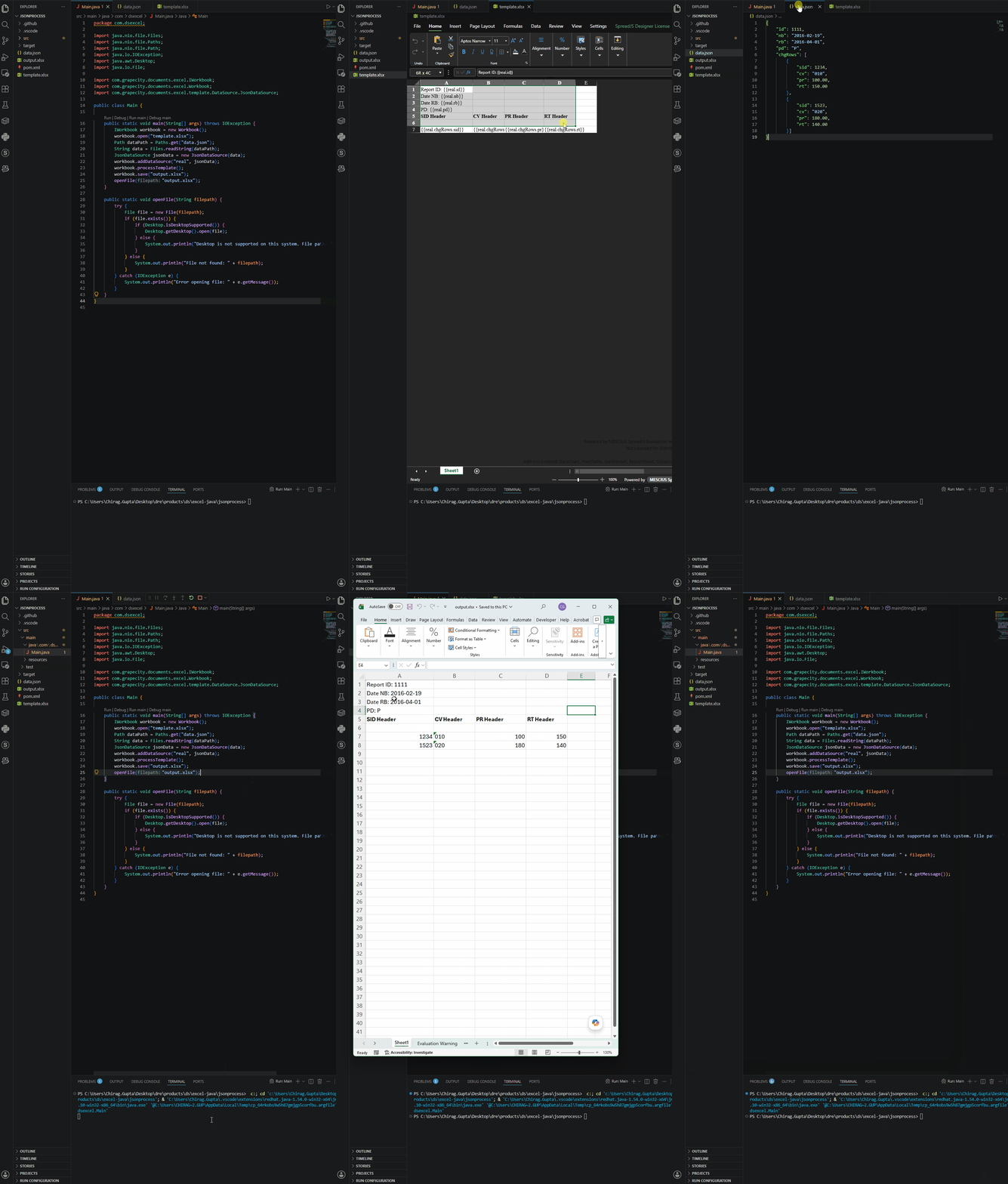
    The Java code you shared appears to be correct. After adding the JSON data source and calling processTemplate(), the binding is handled through the template itself.

    Using your sample JSON schema, we created an Excel template that will process as expected, as per the JSON code and the data structure.

    When the template is processed, DsExcel automatically expands the array data and generates the required rows based on the number of objects present in

    chgRows
    . Therefore, you do not need to know the number of rows in advance or write any additional looping code.

    You can also configure the expansion behavior as needed. Please refer to the cell expansion documentation for more details.

    Please refer to the attached code sample for your reference and let us know if you require any further assistance.

    Kind Regards,

    Chirag

    Attachment: jsonprocess.zip

    Working:

Need extra support?

Upgrade your support plan and get personal unlimited phone support with our customer engagement team

Learn More

Forum Channels