Zoom mode from report is not applied

Posted by: gregor.mueller on 18 May 2026, 4:46 am EST

  • Posted 18 May 2026, 4:46 am EST - Updated 18 May 2026, 4:52 am EST

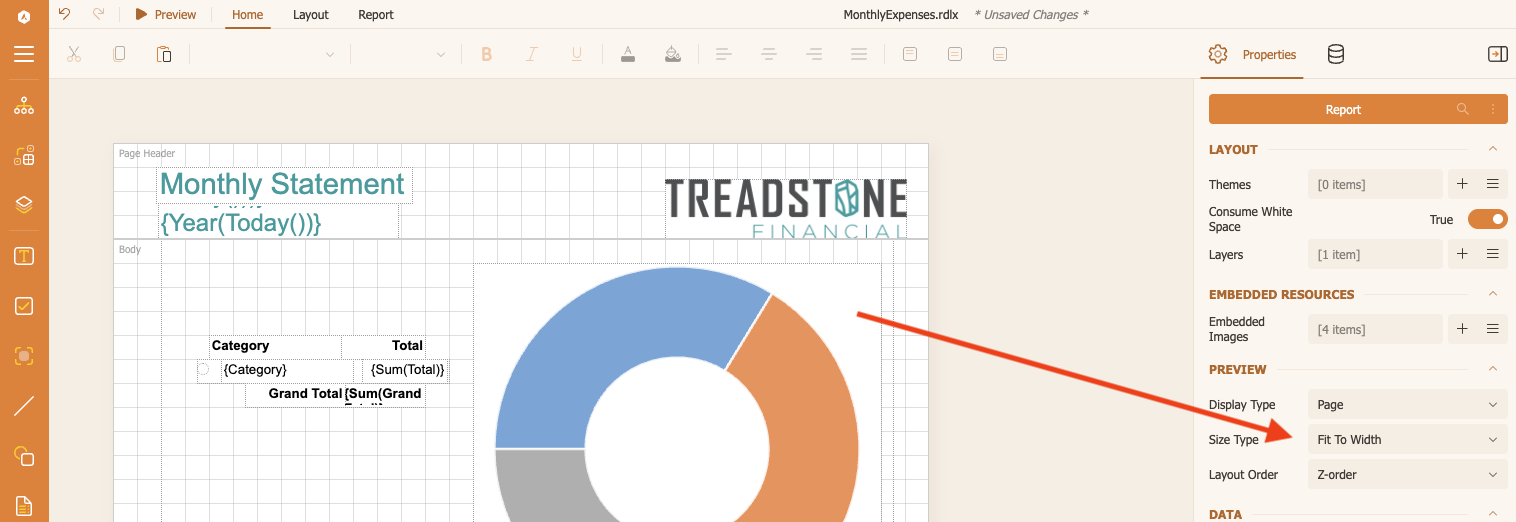
    In Version 19 and 20 (and maybe earlier), there is a bug that prevents the report’s

    Size Type
    value from being applied in both the editor preview and in the viewer.

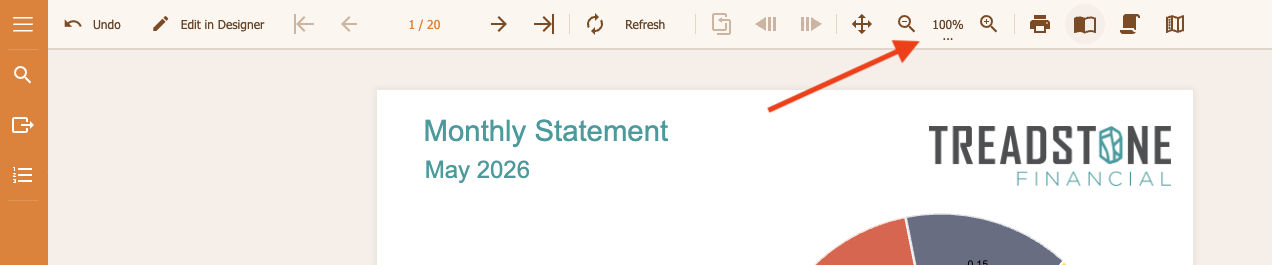
    The zoom in the preview and the viewer is always

    100%
    , no matter what the report has configured.

    You can try this out in any editable demo, like this one:

    https://developer.mescius.com/activereportsnet/demos/interactive/interactive-charts

    1. Set the

      Size Type
      from
      Default
      to something else (e.g.
      Fit To Width
      ).

    2. Click on

      Preview
      .

    Instead of the selected value, the default is used (

    100%
    ).

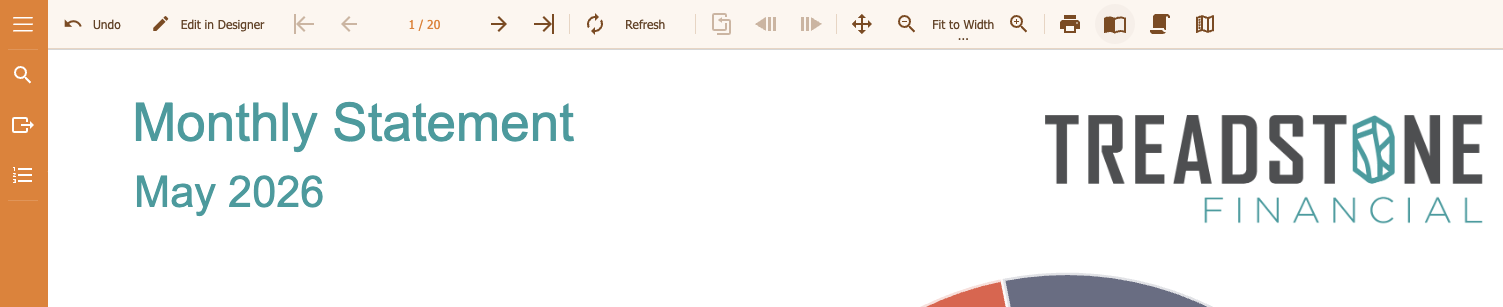
    This is, what I would expect:

    I was able to monkey patch it but that’s not a viable way forward for us.

  • Posted 18 May 2026, 11:59 pm EST

    Hi Gregor,

    Thank you for sharing the detailed information and screenshots.

    We were able to replicate the same behaviour at our end. We are currently investigating this behaviour further with our development team [Internal Tracking ID: AR-37475]. We will update you as soon as we receive any updates from them.

    Thank you for your patience.

    Regards,

    Anand

Need extra support?

Upgrade your support plan and get personal unlimited phone support with our customer engagement team

Learn More

Forum Channels