



Skip to main content Skip to footer

AI-Powered Formula Generation & Data Analysis for JavaScript Spreadsheets

Empower your users to become [the goto] spreadsheet experts to create, explain, and analyze spreadsheet data using natural-language prompts. The SpreadJS AI-Assistant optional add-on integrates with OpenAI or any AI provider, including your own, that complies with OpenAI Schema to deliver intelligent formulas, dynamic PivotTables, and context-aware spreadsheet functions, all inside your web app.

Download Free SpreadJS Trial Online AI-Assistant Demos

Try the JavaScript AI-Assistant Formula Editor UI

Experience in action the AI-Assisted Formula Editor demo below. Instantly generate or explain formulas from plain text, then explore more AI-powered capabilities like PivotTable generation and intelligent AI spreadsheet functions.

Ultimate JavaScript AI Spreadsheet Tool

Simplify Complex Formulas with Natural Language Input using a JavaScript Spreadsheet AI-Assistant Add-On

Simplify Complex Formulas with Natural Language Input

Use natural language in the AI Formula Editor to instantly generate Excel-style formulas and get clear, step-by-step explanations of complex formulas—all in one streamlined experience.

Build JavaScript Pivot Table Reports Instantly from Plain-Language Prompts

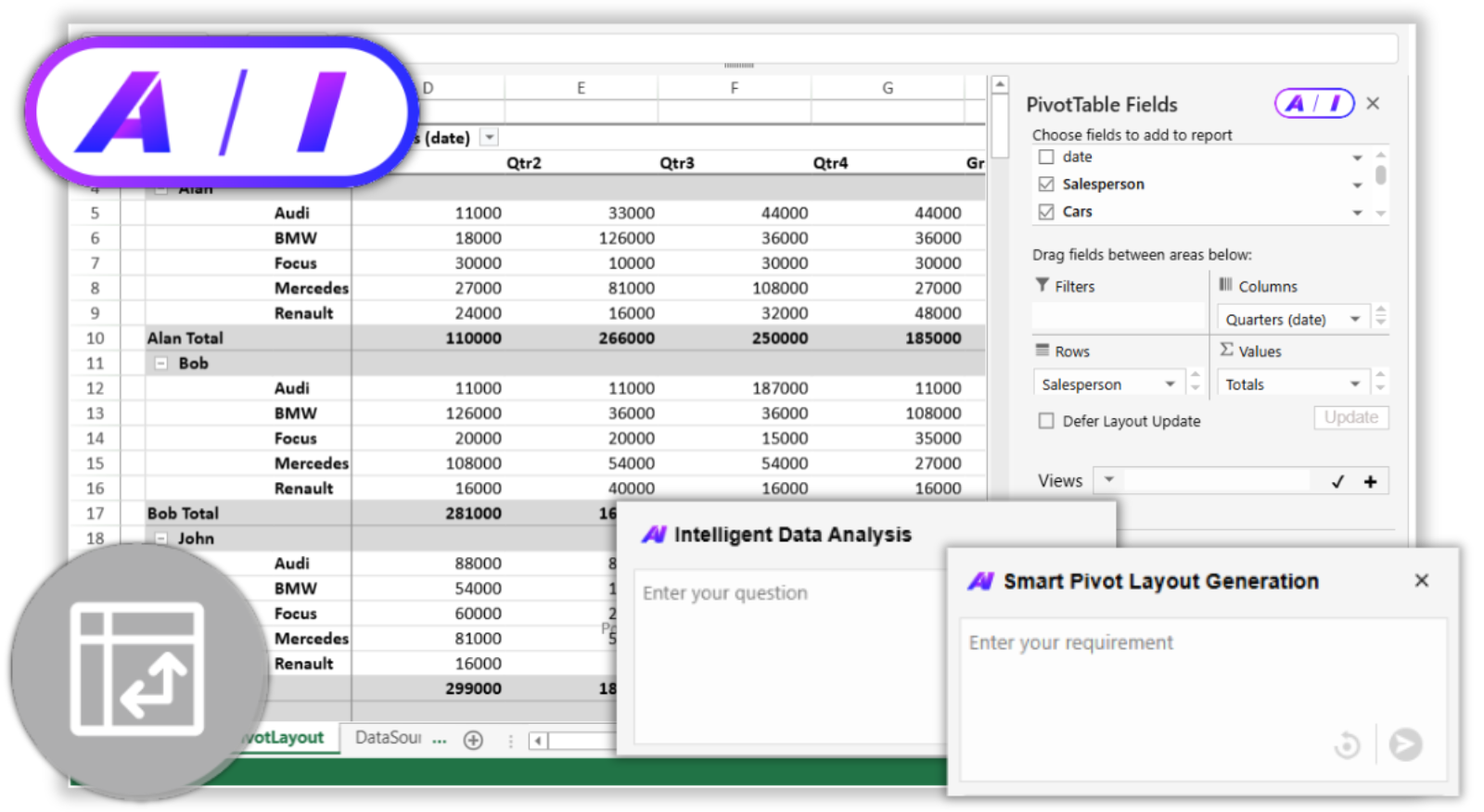
Use AI-powered PivotTable tools in SpreadJS to instantly generate layouts and get intelligent data insights—all through simple natural language input.

Build JavaScript Pivot Table Reports Instantly from Plain-Language Prompts
Bring Natural Language Intelligence to Every Cell in JavaScript Spreadsheet Applications

Bring Natural Language Intelligence to Every Cell

AI functions in SpreadJS let you query data, translate content, and analyze sentiment directly in cells—bringing natural language intelligence to every part of your spreadsheet.

Build Your Own AI-Assisted JavaScript Spreadsheet

Quick Start Guide
1. Install needed packages using npm.

Install NPM Packages: @mescius/spread-sheets, @mescius/spread-sheets-ai-addon

npm install @mescius/spread-sheets @mescius/spread-sheets-ai-addon
2. Create server-side proxy service.

In order to protect your credentials, you should host a proxy service instead of calling AI services directly from client. 

Below is a snippet, but follow detailed instructions in our AI documentation

import express from "express";
import { OpenAI } from "openai";
import dotenv from "dotenv";

dotenv.config();

const app = express();
const port = process.env.PORT || 3000;

app.use(express.json());
app.use(express.static("public"));

const openai = new OpenAI({
	apiKey: process.env.AI_API_KEY,
	baseURL: process.env.AI_SERVER_URL,
});
app.post("/api/queryAI", async (req, res) => {
	// call and handle openai.chat.completions.create(req.body)
    ...
});
app.listen(port, () => {
	console.log(`Server is running on port ${port}`);
});
3. Create an HTML container as the JS spreadsheet host element.
<!doctype html>
<meta charset="utf-8">
<div id="ss" style="width:100vw;height:95vh"></div>
<script defer src="/client.bundle.js">
</script>
4. Initialize the Client JavaScript Spreadsheet Workbook and Inject AI (via proxy)
import * as GC from "@mescius/spread-sheets";
import '@mescius/spread-sheets-ai-addon';

// Initialize SpreadJS workbook
const workbook = new GC.Spread.Sheets.Workbook('ss');
const serverCallback = async (requestBody) => {
    requestBody.model = 'your model name';
    let response = await fetch('/api/queryAI', {
        method: 'POST',
        headers: { 'Content-Type': 'application/json' },
        body: JSON.stringify(requestBody)
    });
    return response;
}
//Inject AI using proxy service
workbook.injectAI(serverCallback);

Learn more with our interactive online demos or tutorial documentation.

Supercharge Your JavaScript Spreadsheets with an AI Assistant

FAQs about the SpreadJS AI Assistant

A: No. SpreadJS was developed solely by human effort. It does not involve the use of any artificial intelligence technology in its code creation.

A: Yes, using a separate add-on. SpreadJS has an optional paid AI Add-on that integrates it directly with 3rd-party AI services. This optional set of features adds “smart tools” to your spreadsheets.

SpreadJS does not require the use of AI for any of its core functionality and features. AI integration is purely optional using a separate add-on.

MESCIUS does not offer AI services. Some MESCIUS products like SpreadJS integrate directly with 3rd-party AI services to add specialized AI features.

MESCIUS does not see, save or store any of the information used in the SpreadJS AI add-on. SpreadJS passes the data directly to the 3rd-party AI service that you have chosen and configured. No data is ever sent to MESCIUS servers.

A: No. SpreadJS does not see, save, or store any data processed by the SpreadJS AI add-on. All information is sent directly to the third-party AI service you configure, and no data is ever transmitted to MESCIUS servers.

No. SpreadJS does not provide any AI services, but instead we support integration with the LLM of your choosing. You can use any AI service provider that complies with the Open AI schema. All you need to do is point the SpreadJS AI Assistant to your endpoint and tell it which model to use! 

Easy Licensing & Distribution

After Purchasing, Users Generate AI Add-On Enabled SpreadJS Distribution Keys for Applications Through Their MESCIUS Account.

Licensing & FAQs

The AI-Assistant add-on is enabled through a SpreadJS distribution key. SpreadJS is licensed per developer and deployed hostname, with deployment licenses varying by commercial or non-commercial use.

Learn More About Optional Add-On Licensing

Request a AI-Assistant Add-On Enabled Trial Key

Our sales team can provide a 30-day AI-Assistant enabled trial key upon request, allowing you to deploy SpreadJS and this optional add-on during your trial period.

Contact Our Sales Team

Have Questions? We're Here to Help

Email us.sales@mescius.com to schedule a call with our product specialists or request a personalized demo through support to discuss your project needs.

Contact Support

Award-Winning Products and First-Class Support

Five Star Rating

"I have been using a various form of Spread back to the COM days. Spread is the most reliable spreadsheet that retrieves and stores data, whether interacting with a database or simply an Excel file. Try it out, and you will not go back to any other control"

TRUSTED CUSTOMER

Five Star Rating

"Great support through evaluation process, Spread is my favorite development add-in, adds great, high value capabilities to applications!"

TRUSTED CUSTOMER

Five Star Rating

"Excellent Products. I have been using their products for around 15 years. Always there to help."

TRUSTED CUSTOMER

ComponentSource Award 2024 Top 50 Product Top 50 Product (#31) - Component Source 2025

Trusted by the World's Leading Companies

"Thanks for providing the best [JavaScript] spreadsheet widget in the world, we're very happy customers. Your product has saved us a TON of time relative to other solutions we used in the past."

Jan Domanski, Labstep

"We have been using Spread in our desk and web products (PerpetualBudget) for over a decade. Not only are the Spread grids great controls but the support at GrapeCity [now known as MESCIUS] is the best. When you need them, they're there!"

Jim Spicer, Spicer-Baer Associates

"I haven't come across such a feature-rich solid Spread before. Thanks for giving such a nice component."

Adavesh Managaon, MVP, Visual C#

"Spread benefits my company because our clients can now see the immediate benefit the websites we create for them provide."

Michael Stark, Owner, StarkNetwork.com