Recalculation of custom functions

Posted by: tovarnakm on 15 July 2021, 12:01 pm EST

    • Post Options:
    • Link

    Posted 15 July 2021, 12:01 pm EST - Updated 3 October 2022, 9:43 am EST

    Custom function are not recalculated if json data are loaded to spreadSheet, I tried everything. When I‘m writing function, it is working, but when I have saved data to json using spread.toJSON(), I‘m getting #NAME. Could you help me please ?

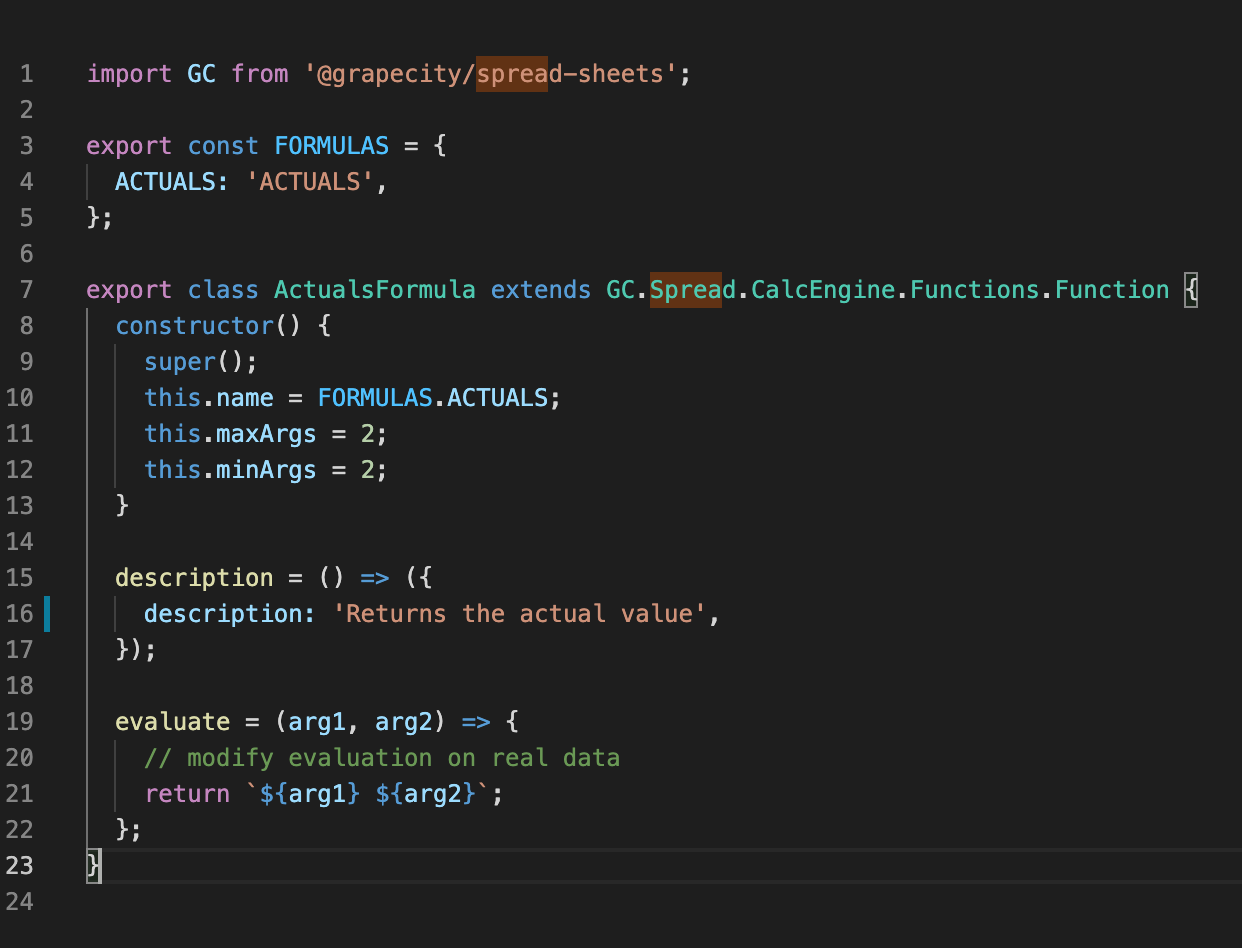
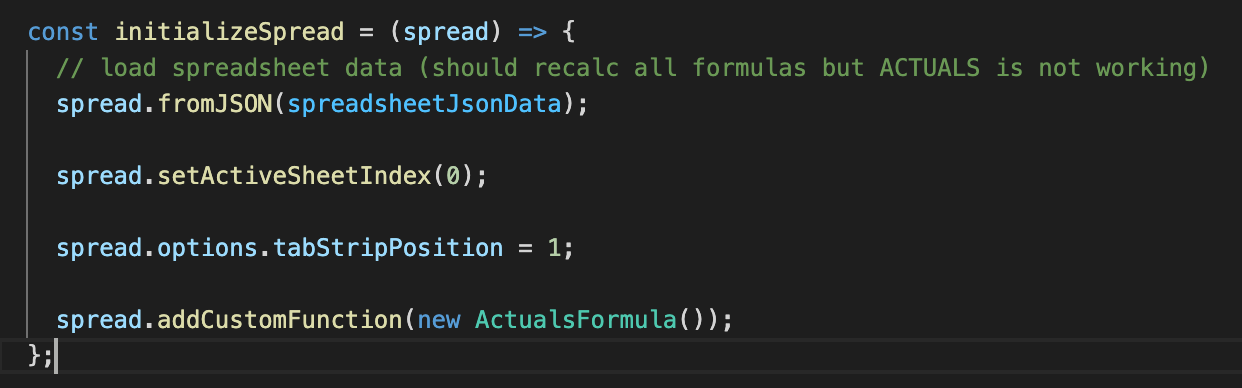
    In attachment I‘m sending spread initialization and custom formula definition.

    Thank you

  • Posted 16 July 2021, 2:26 am EST

    Hi,

    This is expected behavior in order to serialize the custom function we need to wrap it inside the namespace and provide the typename to the custom function. Please refer to the following code snippet and attached that demonstrates the same.

        var mynamespace = {};
        (function () {
           function MyFunction() {
               GC.Spread.CalcEngine.Functions.Function.apply(this, ["MyFunction", 0, 0]);
               this.typeName = "mynamespace.MyFunction";
           }
           MyFunction.prototype = new GC.Spread.CalcEngine.Functions.Function();
           MyFunction.prototype.evaluate = function (args) {
               var now = new Date();
               return now.getFullYear() + "/" + (now.getMonth() + 1) + "/" + now.getDate();
           };
           mynamespace.MyFunction = MyFunction;
        })();
    

    Custom Item serialization: https://www.grapecity.com/spreadjs/demos/features/workbook/custom-item-serialization#demo_source_name

    Regards

    Avinash

  • Posted 16 July 2021, 4:51 am EST

    Yes, I came up with this solution when I applied my custom function for a particular cell. However, I would need a solution where after loading the data, the function would be applied to all cells / sheets

    Is it necessary to loop through all the cells of all the sheets and find out where it should be evaluated?

    Thank you for response,

    Tovarnak

  • Posted 19 July 2021, 2:00 am EST

    Hi,

    If I understand correctly you want to set the formula to the cell Range. For this, you may use the setArray method. Please refer to the following code snippet and let us know if you face any issues.

    
    var array = [["=1+1","=2+2","=3+3"],["=4+4","=5+5"],["=6+6","=7+7","=8+8","=9+9"]];
    activeSheet.setArray(1, 2, array, true);


    setArray: https://www.grapecity.com/spreadjs/docs/v14/online/SpreadJS~GC.Spread.Sheets.Worksheet~setArray.html

    Regards

    Avinash

  • Posted 19 July 2021, 7:26 am EST - Updated 3 October 2022, 9:44 am EST

    Hi,

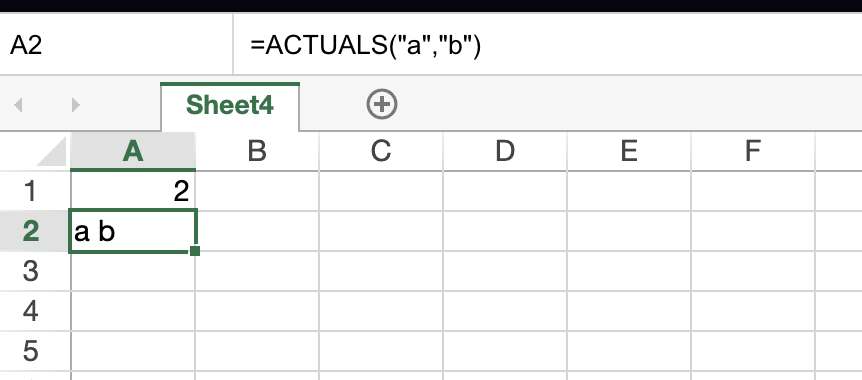
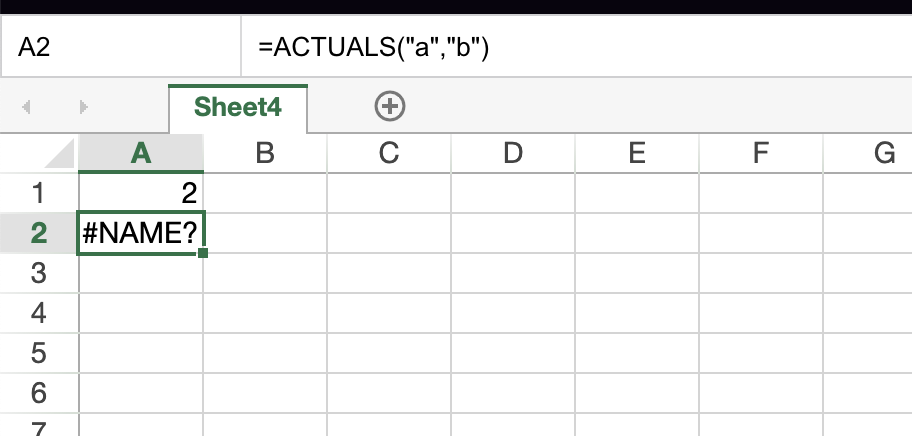
    Not completely, I will try to explain it in more details using screens. I defined custom function =ACTUALS (prints 1 string from parameters):

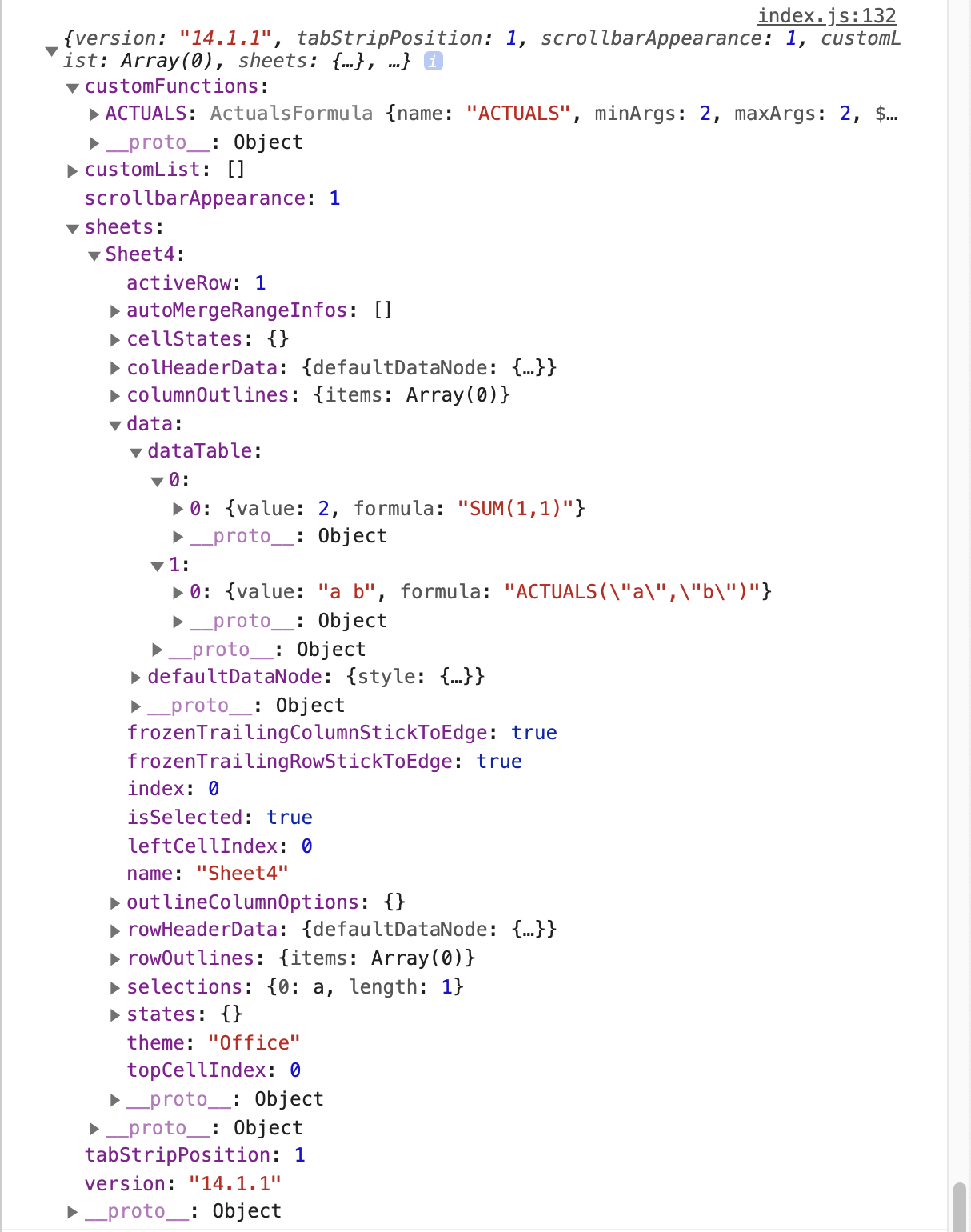
    Next, I have saved spread sheet data in JSON format using spread.toJSON().

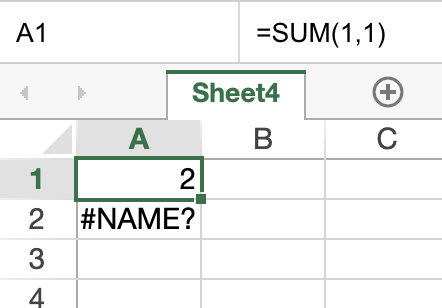
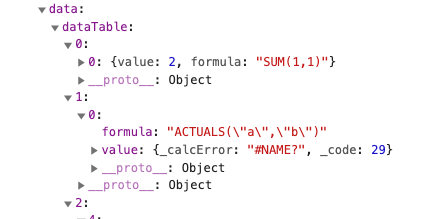
    Why is after JSON initialization (when I loaded this JSON e.g. from local file or backend) custom formula #NAME ? In future I would like to have 20 sheets and in each sheet 100x defined formula based on data. Have I always to use setArrays or setFormulas manually in spread initialization ? JSON has information about formula position in spreadsheet‘s cell, so why I‘m getting #NAME ?

    I need after loaded JSON automatic recalculation of custom formula, exactly same principle as for the native function e.g. SUM (but after load data, I’m getting calcError)
    Thank you very much,

    Tovarnak

  • Posted 19 July 2021, 4:25 pm EST

  • Posted 20 July 2021, 1:08 am EST

    Hi Kristina,

    Thanks for sharing the solution.

    Tovarnak, you may also refer to the following demo that demonstrates the same.

    https://www.grapecity.com/spreadjs/demos/features/workbook/custom-item-serialization#demo_source_name

    Regards,

    Avinash

Need extra support?

Upgrade your support plan and get personal unlimited phone support with our customer engagement team

Learn More

Forum Channels