Slow creation of C1FlexGrid when using the BorderStyle property

Posted by: dung.itcdt on 30 December 2025, 12:07 am EST

  • Posted 30 December 2025, 12:07 am EST

    I have a custom class inherited from C1FlexGrid as follows:

    private class CustomGrid : C1FlexGrid
    {
        public CustomGrid()
        {
            BorderStyle = BorderStyleEnum.XpThemes;
        }
    }

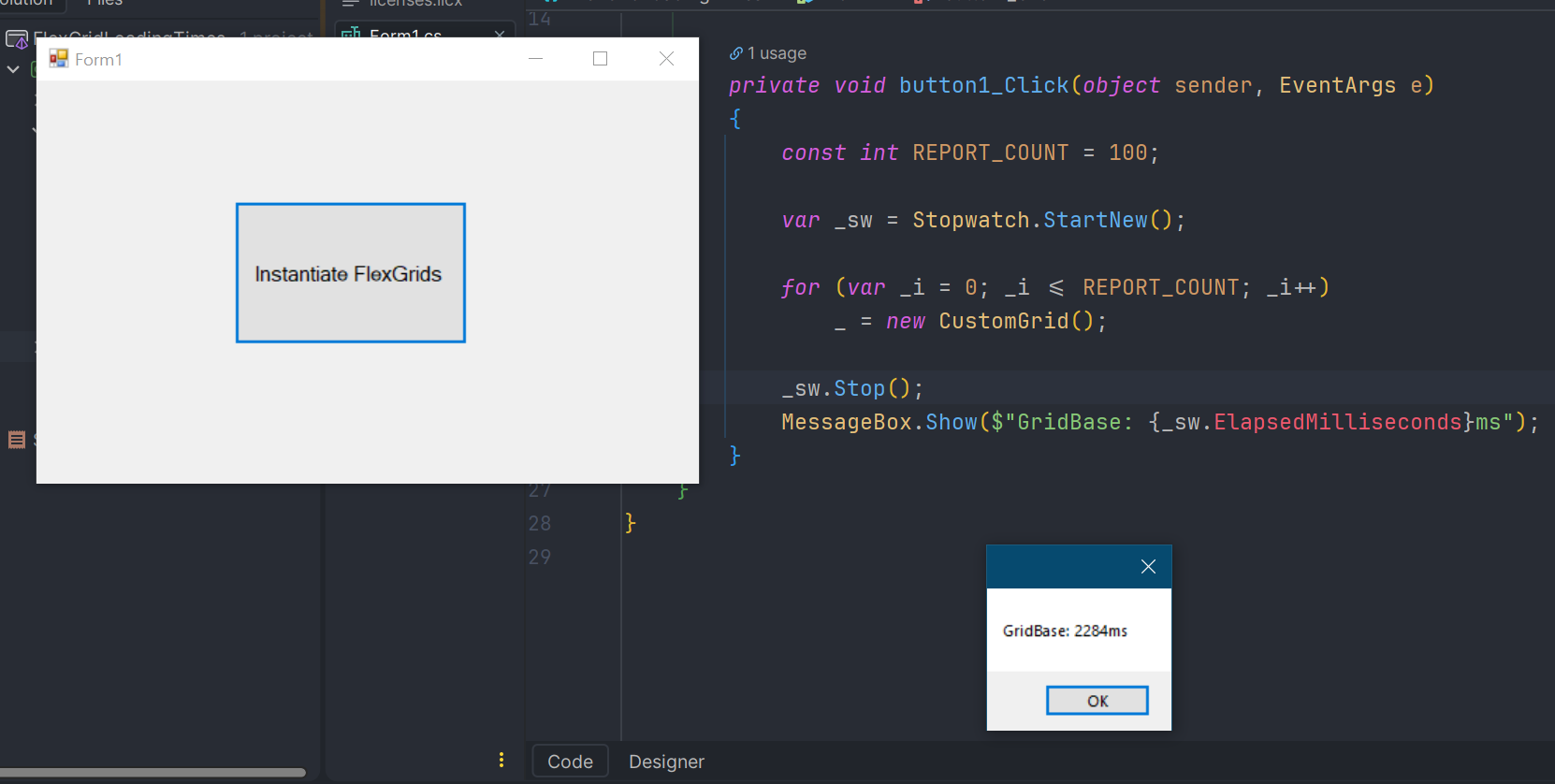
    Then I have a piece of code that creates 100 CustomGrid instances (only creating them, doing nothing else), and it takes about ~1.8 seconds to complete.

    const int REPORT_COUNT = 100;
    
    var _sw = Stopwatch.StartNew();
    for (var _i = 0; _i <= REPORT_COUNT; _i++)
        _ = new CustomGrid();
    _sw.Stop();
    Console.WriteLine($"GridBase: [{_sw.ElapsedMilliseconds}]");

    Please check the BorderStyle property again. When I reflected the code, I saw that it calls Win32.FrameChanged(this.Handle);. Could this be the cause of the slowdown?

    I am using version 2023.3.631

  • Posted 30 December 2025, 5:30 am EST

    Hi,

    Thank you for sharing your sample code. We tested it and observed approximately 900-1000ms to create 100 instances when setting the BorderStyle property.

    When BorderStyle is set, the FlexGrid must update its window frame. This cannot be handled purely in managed code, so internally it triggers Win32 calls (Win32.FrameChanged) to let Windows recalculate and redraw the control’s borders. These native operations are relatively expensive, and their cost can vary depending on OS version, DPI/theme settings, and hardware. This explains why you may see different total times (for eg, ~900-1000ms on our machine versus ~1.8 seconds on yours).

    That said, since you are using an old version of FlexGrid, there have been many internal changes since then. Could you please test the same scenario with the latest 2025v2 release and let us know the timings? We have attached a sample project using the latest version.

    Attachment: FlexGridLoadingTimes.zip


    Additionally, creating a large number of FlexGrid instances is generally not a recommended or representative usage pattern. FlexGrid is a relatively heavy, windowed UI control that allocates internal resources and participates in layout and message processing, so it is designed to be created in comparatively less numbers and reused, or created lazily when required, rather than instantiating many of them at application startup.

    Could you please let us know if there is a specific use case or requirement that requires creating such a large number of FlexGrid instances? Understanding the scenario will help us suggest a more appropriate or optimized approach, if possible.

    Best Regards,

    Kartik

  • Posted 30 December 2025, 6:08 am EST - Updated 30 December 2025, 6:14 am EST

    My licensed version is 2023, so I cannot run it on the latest version (2025).

    However, when I tested with version 2023.3.643, it took 2284 ms (WAO).

    Additional information: the reason I have to create many grids is that my reporting module is dynamic. Users can design a custom report template themselves. Since rows/columns can be merged or not merged, and the content is returned from the database, creating grids dynamically is mandatory.

    However, creating controls without actually doing anything with them is obviously not a good practice, right? :slightly_smiling_face:

  • Posted 31 December 2025, 3:51 am EST

    Hi,

    Thank you for sharing the details.

    Could you please provide some additional information, such as the OS build and hardware specifications (CPU and RAM), so we can try testing the timings on a similar setup? This will help us better understand whether the behavior is specific to your environment.

    Also, to test with the latest version, if you have access to another extra machine, you may try installing the latest C1 controls on that system. This will give you a 30-day trial period, which you can use for testing purposes.

    Having this additional information will help us discuss the scenario with the development team and see if they can suggest any insights.

    Best Regards,

    Kartik

  • Posted 31 December 2025, 3:56 am EST

    Hi Kartik,

    Here is the information about my computer configuration:

    • Processor: 13th Gen Intel(R) Core™ i5-1345U @ 1.60 GHz
    • Installed RAM: 32.0 GB (31.7 GB usable)
    • Storage: 477 GB SSD P41PL NVMe SOLIDIGM 512GB
    • Graphics Card: Intel(R) Iris(R) Xe Graphics (128 MB)
    • System Type: 64-bit operating system, x64-based processor
    • Edition: Windows 10 Pro
    • Version: 22H2
    • Installed on: 10/2/25
    • OS Build: 19045.6456

    Best Regards

  • Posted 31 December 2025, 6:38 am EST

    Hi,

    Thank you for sharing the details. We are discussing the scenario with the development team to get their insights on it and will let you know the details as soon as possible.

    [Internal Tracking ID: C1WIN-34862]

    Best Regards,

    Kartik

Need extra support?

Upgrade your support plan and get personal unlimited phone support with our customer engagement team

Learn More

Forum Channels