
Posted 23 March 2018, 9:18 am EST - Updated 3 October 2022, 8:32 pm EST
Hello everyone!
I got the following problem, I can’t autosize row headers and top left cells which also contain some header data.
My questions:
- How can I autosize row headers? (or better is there any method that can autosize the whole grid including row headers & column headers)
- How can I add text wrapping to the whole table (including row headers & column headers)?
- How can I autosize the whole table so there won’t be spaces on the right side as you can see on the first screenshot.
Here is how my grid looks right now:
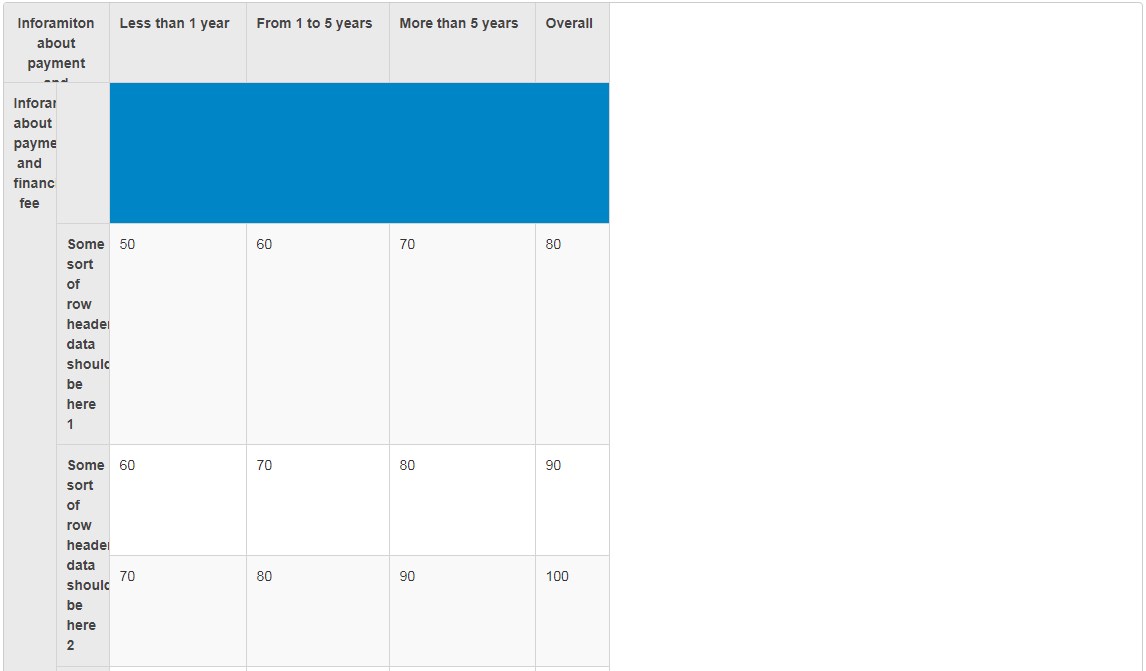
That is how I want it to be:
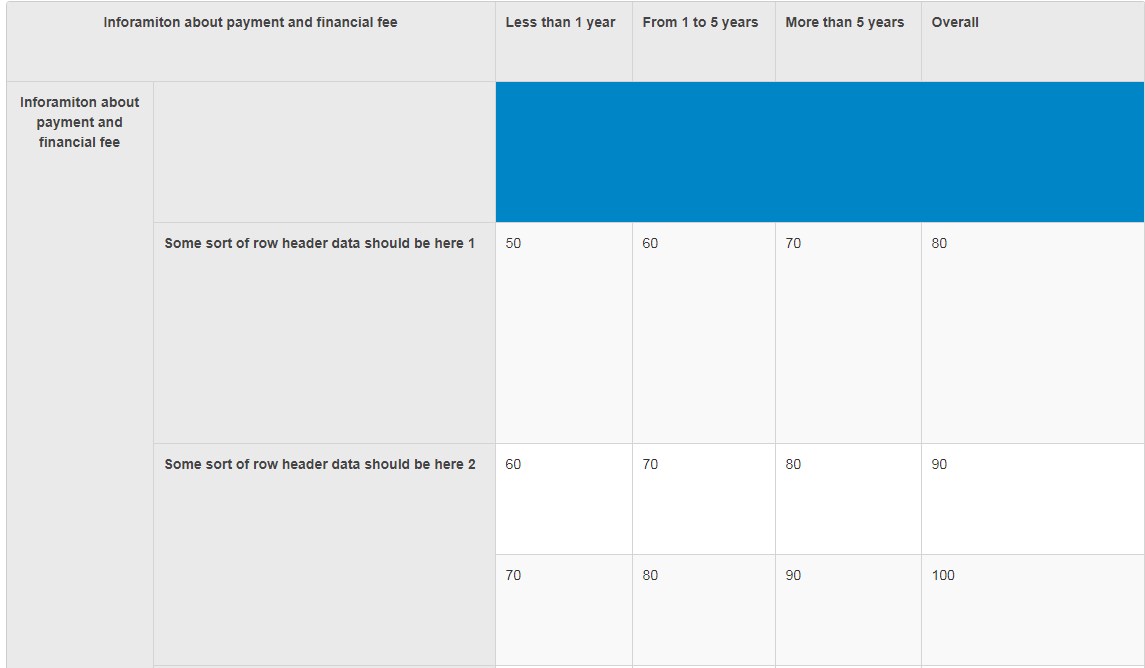
Here is my code which is responsible for grid initilization and data filling:
        //Initializing my FlexGrid
        var grid = new wijmo.grid.FlexGrid('#myFlexGrid', {
            //itemsSource: dataTableCollectionView
        });

        // create rows and columns
        while (grid.columns.length < numberOfCols - coordinates.col + 1) {
            grid.columns.push(new wijmo.grid.Column());
        }
        while (grid.rows.length < numberOfRows - 1) {
            grid.rows.push(new wijmo.grid.Row());
        }

        //Adding additional columns in row headers
        if(coordinates.col - 1 > 1){
            for(var i = 0; i < coordinates.col - 2; i++){
                grid.rowHeaders.columns.push(new wijmo.grid.Column());
            }
        }

        //ADDING DATA FROM ARRAY TO FLEX GRID
        for(var i = 0; i < coordinates.row - 1; i++){
            for(var j = 0; j < numberOfCols - coordinates.col + 1; j++){
                grid.columnHeaders.setCellData(0, j, columnHeadersArray[i][j]);
            }
        }

        for(var i = 0; i < numberOfRows - coordinates.row + 1; i++){
            for(var j = 0; j < coordinates.col - 1; j++){
                grid.cells.grid.rowHeaders.setCellData(i, j, rowHeadersArray[i][j]);
            }
        }

        for(var i = 0; i < coordinates.row - 1; i++){
            for(var j = 0; j < coordinates.col - 1; j++){
                grid.topLeftCells.setCellData(i, j, topLeftColumnHeadersArray[i][j]);
            }
        }

        for(var i = 0; i < numberOfRows - coordinates.row + 1; i++){
            for(var j = 0; j < numberOfCols - coordinates.col + 1; j++){
                grid.cells.setCellData(i, j, itemSourceArray[i][j]);
            }
        }

