[Angular 2] Issue with wj-input-time + valueChanged event + data binding

Posted by: nuno1 on 14 September 2017, 11:44 am EST

    • Post Options:
    • Link

    Posted 14 September 2017, 11:44 am EST

    I have the following code that runs a function whenever the user changes the value of the

    wj-input-time
    :

    import { Component } from '@angular/core';
    
    @Component({
        selector: 'my-app',
        template: '<wj-input-time [step]="1" (valueChanged)="test()"></wj-input-time>'
    })
    export class AppComponent {
    
      test() {
        console.log('test');
      }
    
    }

    The above works fine but when I add data binding to the input the

    valueChanged
    event is fired when the app loads and also when the user simply clicks the input which is not the desired outcome:

    import { Component } from '@angular/core';
    
    @Component({
        selector: 'my-app',
        template: '<wj-input-time [(value)]="testDate" [step]="1" (valueChanged)="test()"></wj-input-time>'
    })
    export class AppComponent {
    
      testDate: Date = new Date();
    
      test() {
        console.log('test');
      }
    
    }

    I have spent a lot of time reading Wijmo’s documentation but it was not helpful. What am I missing or doing wrong?

    I’m using Angular 2 final and Wijmo 5.20162.211 eval

  • Posted 14 September 2017, 11:44 am EST

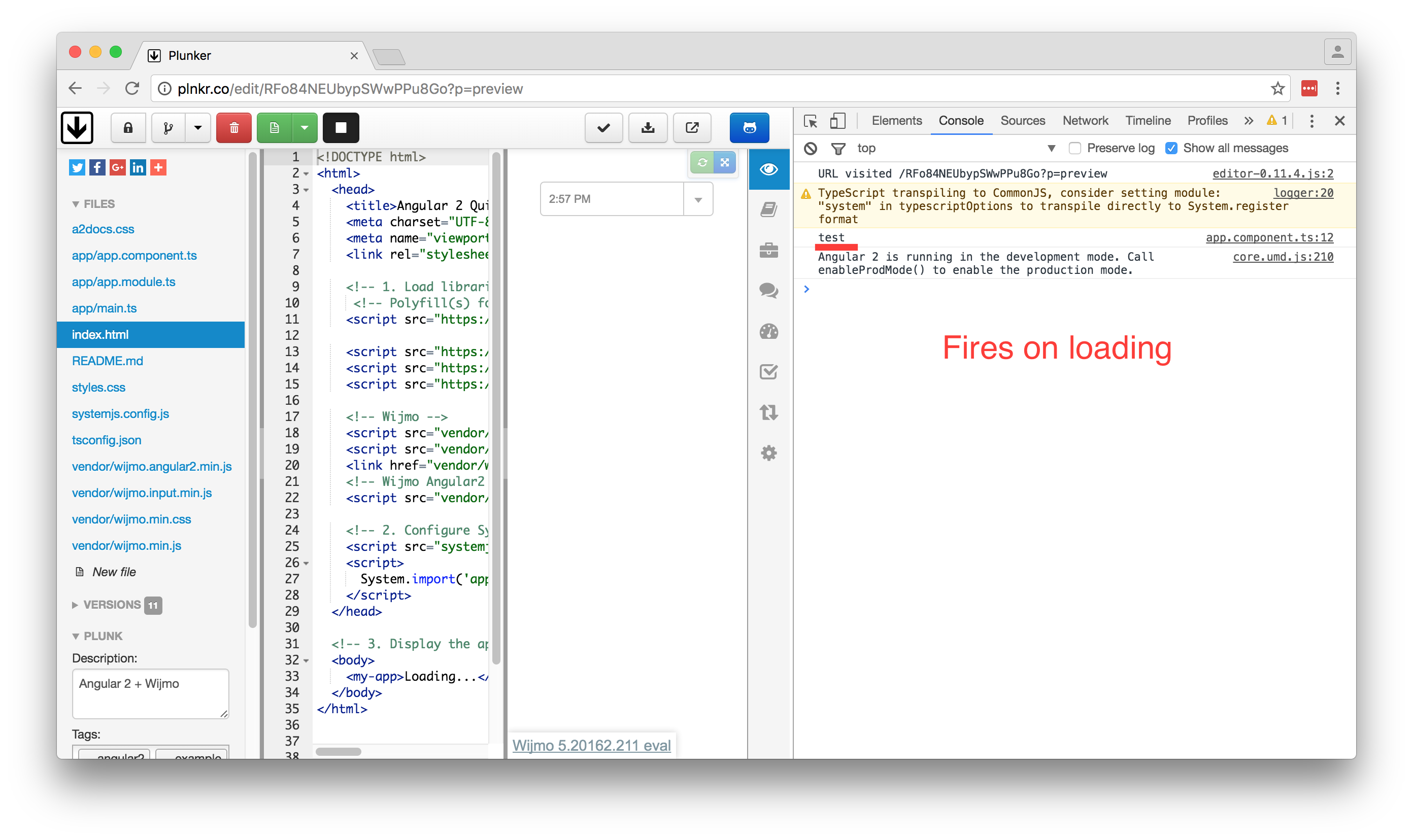
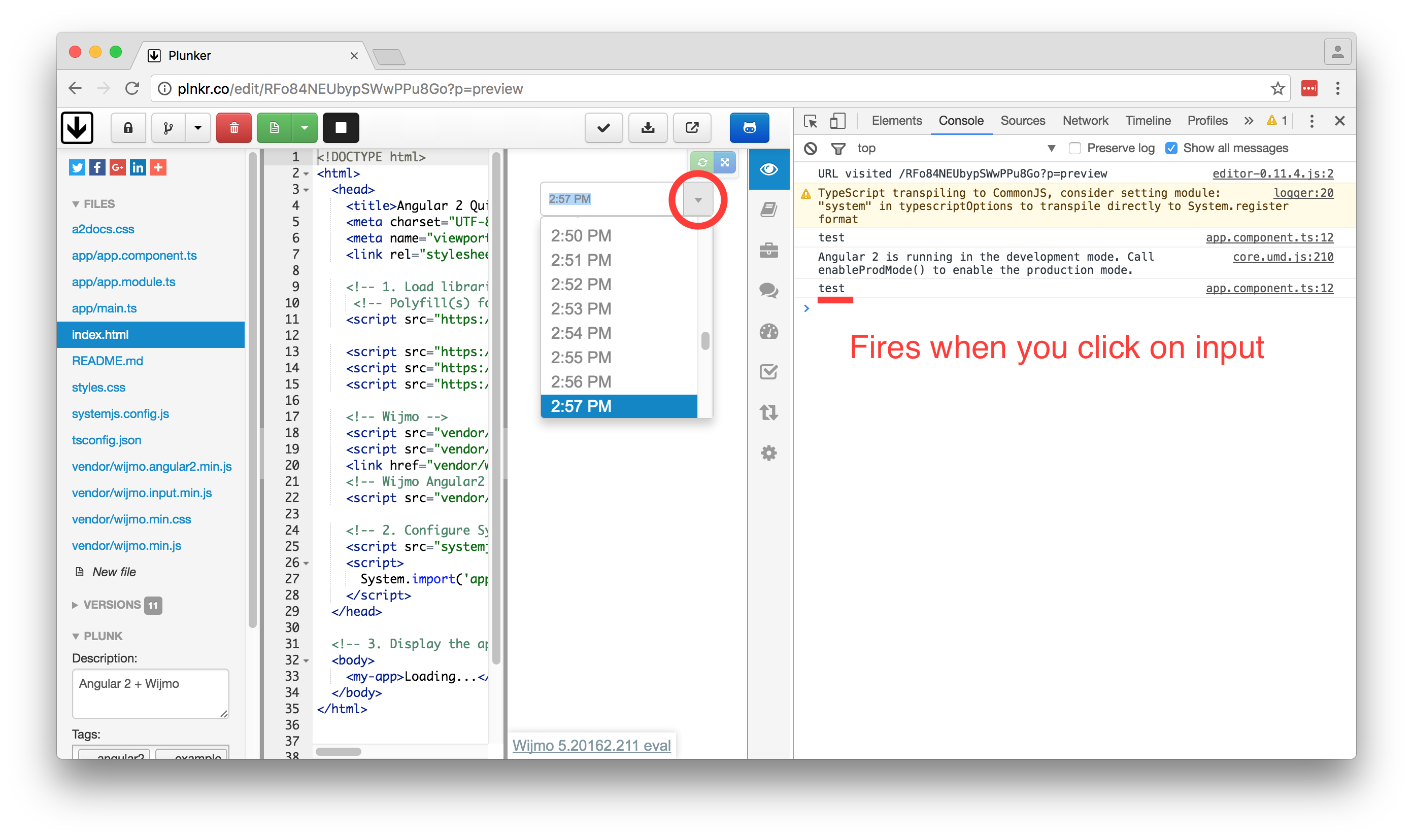
    Here’s a Plunker that shows the issue (check the console log): http://plnkr.co/edit/RFo84NEUbypSWwPPu8Go?p=preview

    There’s also screenshots in attachment.

  • Posted 14 September 2017, 11:44 am EST

    I’m also experiencing this issue with Angular 1.x and Wijmo 5.20162.198. I have a directive that has a wj-combo-box and a wj-input-date control on it, and the selected-index-changed and value-changed events are being raised multiple times on load.

  • Posted 14 September 2017, 11:44 am EST

    Alex Ivanenko told me by email that the execution of the valueChanged event on loading is correct behaviour because the binding changes the value.

    A user from StackOverflow told me that the valueChanged event gets fired when the user clicks the input because “the date that you’ve constructed is exact to the second, but the widget is only exact to the minute. Because of this the widget rewrites the variable once it calculates the other values it needs - which is when you click the arrow button.”

    I guess everything is explained now.

Need extra support?

Upgrade your support plan and get personal unlimited phone support with our customer engagement team

Learn More

Forum Channels