
Set Focus on Active Row in sheet

Posted by: johina.olla on 23 June 2021, 10:14 am EST

    • Post Options:
    • Link

    Posted 23 June 2021, 10:14 am EST - Updated 3 October 2022, 9:45 am EST

    Hi,

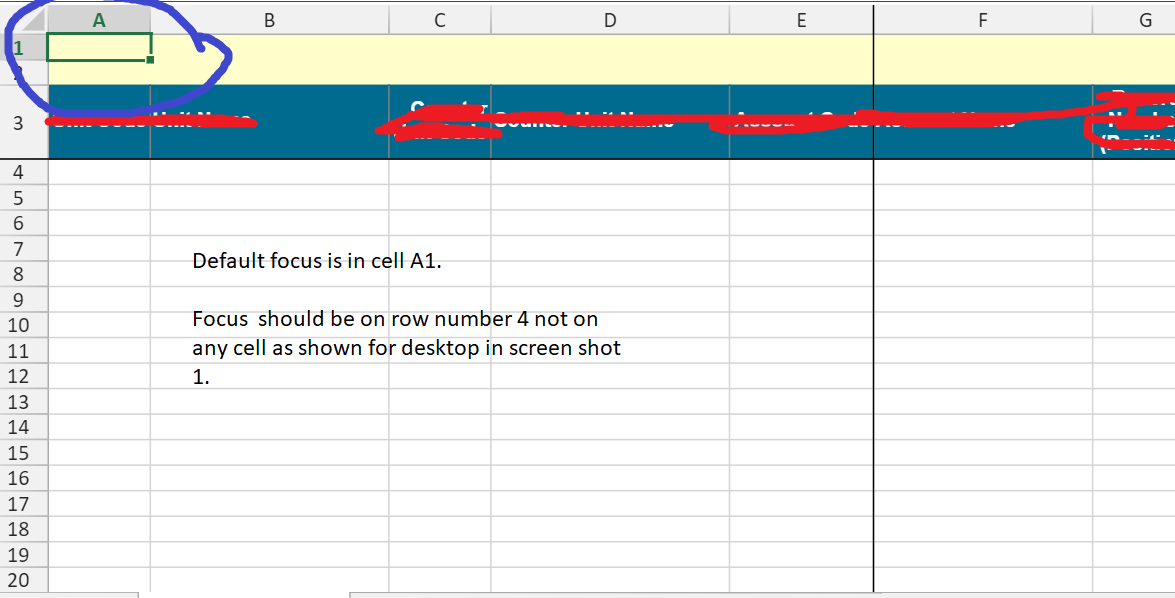
    We are using spreadjs14 for web, I want to set the focus on active row in spread when spread load for first time as show in screen shot 1 focus is in row no 5. But, in web when spread load it set the focus on cell A1 as shown in screenshot 2. Please suggest, if there is any way to set focus on active row instead of any cell.

  • Posted 24 June 2021, 1:31 am EST

    Hi,

    I have few questions regarding this issue. Could you please provide thease information so that we could have a better understanding about the issue.?

    • "

    • “How exactly the file is setting in spreadJS are you loading this file from an excel file or creating the sheet by code.”

    • "The SpreadJS always set A1 as the default active Cell I am not sure why it is showing row no 5 "

    • “Could you please share a small sample that replicates the issue so that we could investigate it further and assist you accordingly?”

    "

    Further, If you want to set the activeCell you may use the setActiveCell method. Please refer to the following code snippet and let us know if you face any issues.

    
    sheet.setActiveCell(5,5);


    setActiveCell method: https://www.grapecity.com/spreadjs/docs/v14/online/SpreadJS~GC.Spread.Sheets.Worksheet~setActiveCell.html

    Regards

    Avinash

Need extra support?

Upgrade your support plan and get personal unlimited phone support with our customer engagement team

Learn More

Forum Channels
