Posted 9 August 2022, 2:33 am EST
Hi,
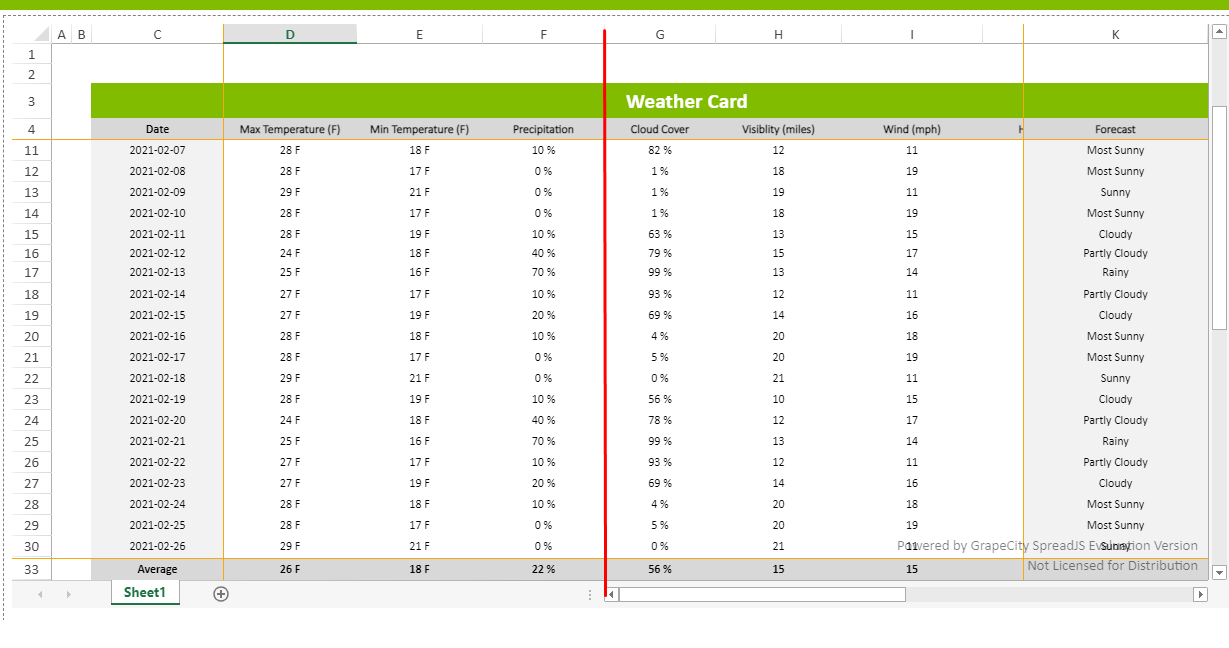
Case 1:
We are sorry but this is by design and if you want to freeze the column from scrolling you may use frozenColumn feature. Further if you eanto show column by you may use following code snippet.
sheet.showColumn(9);
frozenColumns: https://www.grapecity.com/spreadjs/demos/features/worksheet/frozenline-viewport#demo_source_name
showColumn: https://www.grapecity.com/spreadjs/docs/latest/online/SpreadJS~GC.Spread.Sheets.Worksheet~showColumn.html
Case2:
SpreadJS does not provide any event for its width changing. If you want to observe the spreadJS host element. You may use a mutation observer. Please refer to the following code snippet and let me know if you face any issues.
// Select the node that will be observed for mutations
const targetNode = spread.getHost();

// Options for the observer (which mutations to observe)
const config = { attributes: true, childList: true, subtree: true };

// Callback function to execute when mutations are observed
const callback = function(mutationList, observer) {
    // Use traditional 'for loops' for IE 11
    for (const mutation of mutationList) {
        if (mutation.type === 'childList') {
            console.log('A child node has been added or removed.');
        }
        else if (mutation.type === 'attributes') {
            console.log(`The ${mutation.attributeName} attribute was modified.`);
        }
    }
};

// Create an observer instance linked to the callback function
const observer = new MutationObserver(callback);

// Start observing the target node for configured mutations
observer.observe(targetNode, config);

// Later, you can stop observing
observer.disconnect();
mutation observer:https://developer.mozilla.org/en-US/docs/Web/API/MutationObserver
Regards,
Avinash