Prevent browser default on Redo action

Posted by: davide.vago on 4 April 2022, 8:29 am EST

  • Posted 4 April 2022, 8:29 am EST

    Dear support,

    I’m trying to implement the CTRL/CMD+Y shortcut to execute the Redo action within a workbook, unfortunately using the workbook instance UndoManager().redo() doesn’t prevent the default browser behaviour so Chrome (and Chromium based) browser run “redo” but also open a new page with the browser history.

    I tried the return true within the execute property of the registered commands but it doesn’t seem to do anything.

    Would you be able to investigate this behaviour and provide a solution?

    Looking forward to hearing from you

  • Posted 5 April 2022, 6:08 am EST

    Hi Davide,

    We were not able to replicate the issue at our end. We tested with the attached sample and it seems to be working fine at our end: https://jscodemine.grapecity.com/share/QLzECjlW3kOyMZk2f-Ua9g/

    You can refer to the attached sample and let us know if we are missing anything in order to replicate the issue at our end.

    Steps we have followed:

    1. Enter some value in the input box.
    2. Enter values in the Cells of SpreadJS
    3. Delete some values. Perform Redo operation using Ctrl + Y.
    4. Observe that the input box value remains same.

    If the issue still persists for you, we request you to please share a working sample and the steps you are following so that we can investigate it at our end and assist you accordingly. You can also modify the above sample and revert back to us.

    Regards

    Ankit

  • Posted 5 April 2022, 6:40 am EST

    Right, could it be a Mac Os thing?

    When we try to use your example and we hit the CMD+Y shortcut it does what I was trying to explain on my first post.

    Note: when not using the UndoManager we are able to prevent the shortcut default by returning true on the execute method.

    Please let me know if you are able to replicate it

  • Posted 7 April 2022, 6:17 am EST

    Hi Davide,

    We are sorry for the inconvenience. We are investigating this issue we shall update you regarding this soon.

    Regards,

    Avinash

  • Posted 7 April 2022, 7:55 am EST

    Hi Davide,

    We are able to observe the issue at our end hence we have escalated this issue to the concerned team for further investigation. the internal ID for this issue will be SJS-12562

    regards,

    Avinash

  • Posted 7 April 2022, 1:08 pm EST

    Thanks Avinash,

    I would also highlight the fact that CTRL+Z and CTRL+Y don’t update the Undo/Redo stack within the UndoManager, instead those stacks do update when using the undoManager().undo()/redo() methods.

    Please investigate it,

    Davide

  • Posted 8 April 2022, 2:47 am EST - Updated 3 October 2022, 9:15 am EST

    Hi,

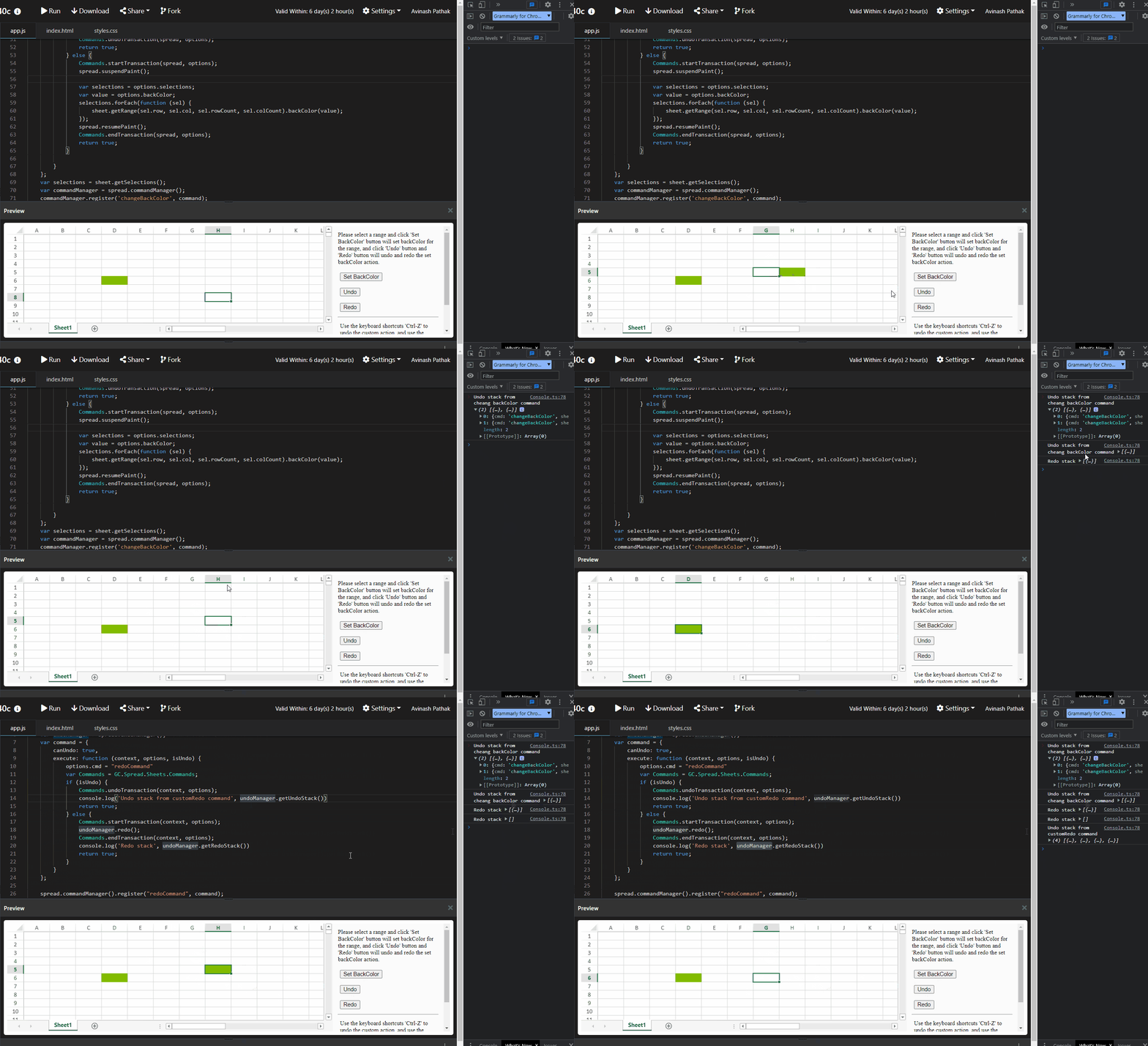
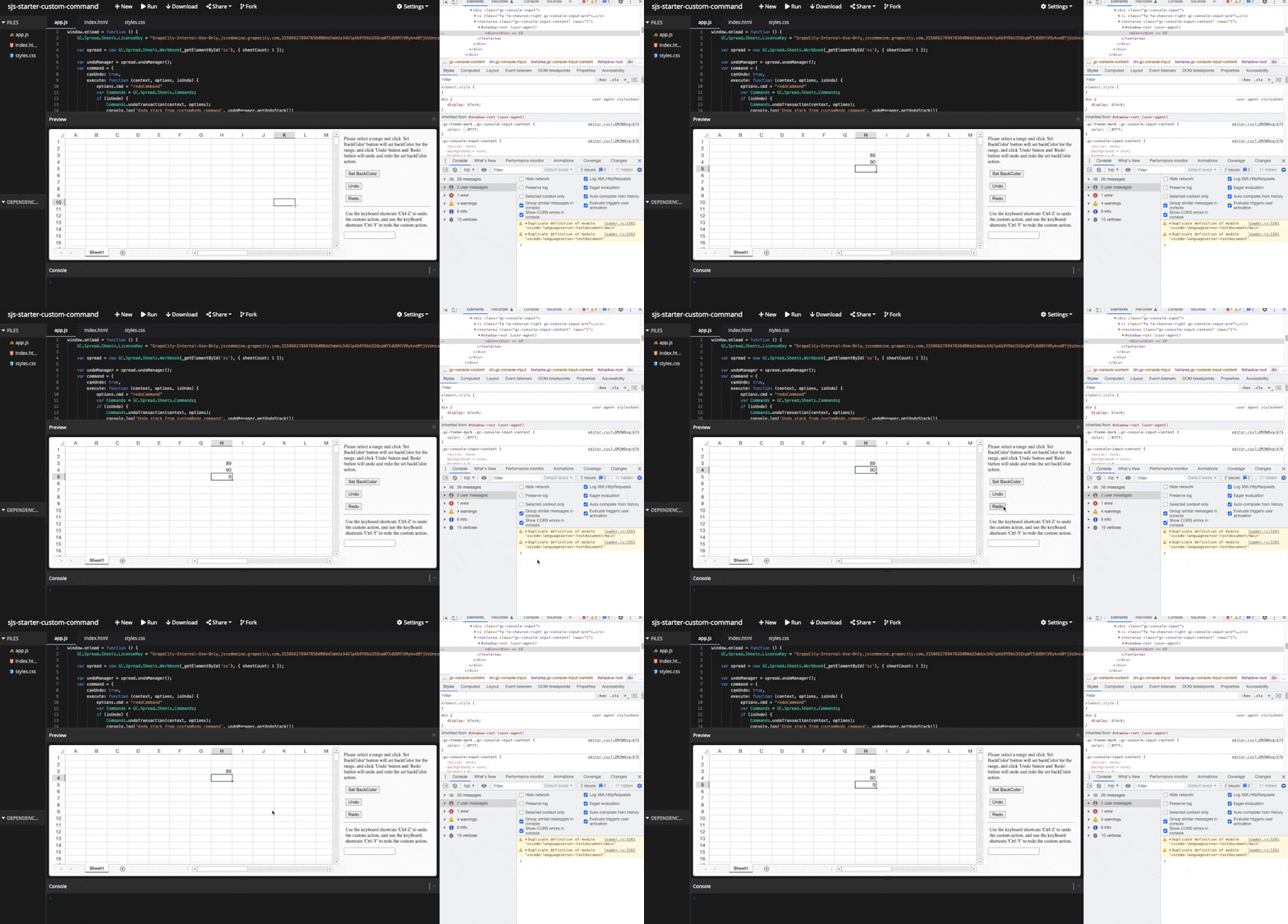
    We are sorry but we are unable to replicate this issue. At our end, every change does change the undo/redo stack. Please refer to the following gif of our observation and let me know if we missed any steps.

    Regards,

    Avinash

  • Posted 11 April 2022, 4:51 am EST

    Please review this:

    https://jscodemine.grapecity.com/sample/wZhCeb1rNUWAwGXcD-ZOeA/

    It’s based on your previous snippet, what I did it’s just a couple of console logs, you will notice that when you press cmd/ctrl+Z the undo doesn’t log anything.

    Looking forward to hearing from you

  • Posted 12 April 2022, 4:17 am EST

    Hi Davide,

    for this, you need to add the option.cmd inside the command. However, calling the redo method inside the command action would not be recommended because it may become a cycle and goes into an infinite loop.

    please refer to the following updated sample and let me know if you ace any issues.

    sample: https://jscodemine.grapecity.com/share/v8BeUGWQxUKcol5Zn4VE1A/

    Regards,

    Avinash

  • Posted 12 April 2022, 9:25 am EST

    Hi Avinash,

    I’m not able to reproduce the logging based on your latest snippet.

    What I would like to see is:

    • as I undo (via button or keyboard shortcut) the console logs show me the undoManager current stack,
    • as I redo (via button or keyboard shortcut) the console logs show the undoManager current stack.

    I can’t see any log so I’m not fully sure a:

    • if the undo/redo commands fired by keyboard are triggering any custom action rather than the default imposed by the library
    • if the undo manager stack gets updated every time the user hits the keyboard shortcuts.

    Thanks,

    Davide

  • Posted 13 April 2022, 2:23 am EST - Updated 3 October 2022, 9:15 am EST

    Hi Davide,

    We are able to observe the same behavior at our end. Could you please check the attached sample again and let me know if you face any issues. Also when we redo from the button it invokes the custom command to execute a method and there the else will be executed.

    sample: https://jscodemine.grapecity.com/sample/SnzgehSyEk2HdoeA0VIbPg/

    Regards,

    Avinash

  • Posted 13 April 2022, 4:12 am EST

    Hi Avinash,

    Thanks for getting back to me, the last link sends to a Microsoft login page, would you mind check if perhaps is covered by some authentication protection?

    Looking forward to verify your later script

    Thanks

  • Posted 13 April 2022, 5:57 am EST

    Hi Davide,

    Please refer to the following link and let me know if you still face any issues.

    https://jscodemine.grapecity.com/share/HANpYmEiW0qDR-JECG-TNQ/

    Regards,

    Avinash

  • Posted 13 April 2022, 7:11 am EST

    This stuff doesn’t work, at least it doesn’t work on a Mac OS.

    As per above comment:

    Expected behaviour:

    • as I undo or redo (via button or keyboard shortcut) the console logs show me the undoManager current stack reflecting the action.

    Current behaviour:

    • as I undo or redo via button or keyboard shortcut) the console logs aren’t getting triggered and any related custom logic

    • when redoing via CMD+Y the shortcut triggers the default browser behaviour (Chromium) of opening the History page

  • Posted 13 April 2022, 7:17 am EST - Updated 3 October 2022, 9:15 am EST

    Please find the attached file which showcases no logs being triggered.

  • Posted 13 April 2022, 8:14 am EST

    Hi David,

    This is expected our logs will only print in the console if our custom command gets executed so for customRedo command logs only gets printed if we hit Ctrl + y (only ctrl+y not cmd+y since we not pass the meta argument to true while using setShortcut key method) command and then if we hit ctrl +z our custom undo transaction part will be executed.

    for assigning custom commands on cmd key combination you may refer to the following code snippet.

    
    spread.commandManager().setShortcutKey('navigationPageUp', 
    GC.Spread.Commands.Key.up, false, false, false, true);


    setShortCutKey: https://www.grapecity.com/spreadjs/docs/latest/online/SpreadJS~GC.Spread.Commands.CommandManager~setShortcutKey.html?highlight=meta%2C

    In the screenshot what happens is when you undo using the keys the builtin command gets executed and when using the button the undo method executed and undo the actions internally.

    So if you want to get the undo stack when user hit undo using key then you need to override the builtin undo command and if you are calling the undo on button then you just need to get undo stack before calling the methods please refer to the following code snippet and updated that explains the same.

    
     GC.Spread.Sheets.Commands.undo.execute  =function(){
    
    	logUndoStack("fromUndo")
    	return old.apply(this,arguments)
    };
    let oldRedo = GC.Spread.Sheets.Commands.redo.execute;
     GC.Spread.Sheets.Commands.redo.execute  =function(){
    	logRedoStack("fromRedo");
    	return oldRedo.apply(this,arguments)
    };


    sample: https://jscodemine.grapecity.com/share/EkDe4ZxVHkeOIDQad37beA/

    Regards,

    Avinash

  • Posted 3 June 2022, 4:50 am EST

    Hi,

    The issue has been fixed in our latest release. Please update to the latest build(v15.1.0) and let us know if the issue still persists for you.

    Regards,

    Avinash

Need extra support?

Upgrade your support plan and get personal unlimited phone support with our customer engagement team

Learn More

Forum Channels