Negative accounting-formatted values pasted into SpreadJS are parsed as strings

Posted by: c-david-velasquez on 22 December 2025, 9:33 am EST

    • Post Options:
    • Link

    Posted 22 December 2025, 9:33 am EST

    When pasting values formatted as Accounting from Excel or Google Sheets into SpreadJS, the pasted cells are treated as strings instead of numeric values. This issue does not occur when pasting the same values between Excel and Google Sheets, where they remain numeric, nor when pasting currency-formatted values into SpreadJS.

    The problem is especially confusing to the end user because positive accounting values are handled correctly (parsed as currency/numbers), while negative accounting values are not, resulting in inconsistent behaviour within the same paste operation.

    Steps to Reproduce

    1. In Excel or Google Sheets, format cells using Accounting format.
    2. Enter values such as: $100,000.00, $(200,000.00)
    3. Copy the cells.
    4. Paste them into a SpreadJS worksheet.

    Expected Result

    All pasted values (positive and negative) are parsed as numeric values with appropriate currency/accounting formatting.

    Actual Result

    Negative values are pasted as strings, while positive values are interpreted correctly.

  • Posted 23 December 2025, 1:21 am EST - Updated 23 December 2025, 1:26 am EST

    Hi,

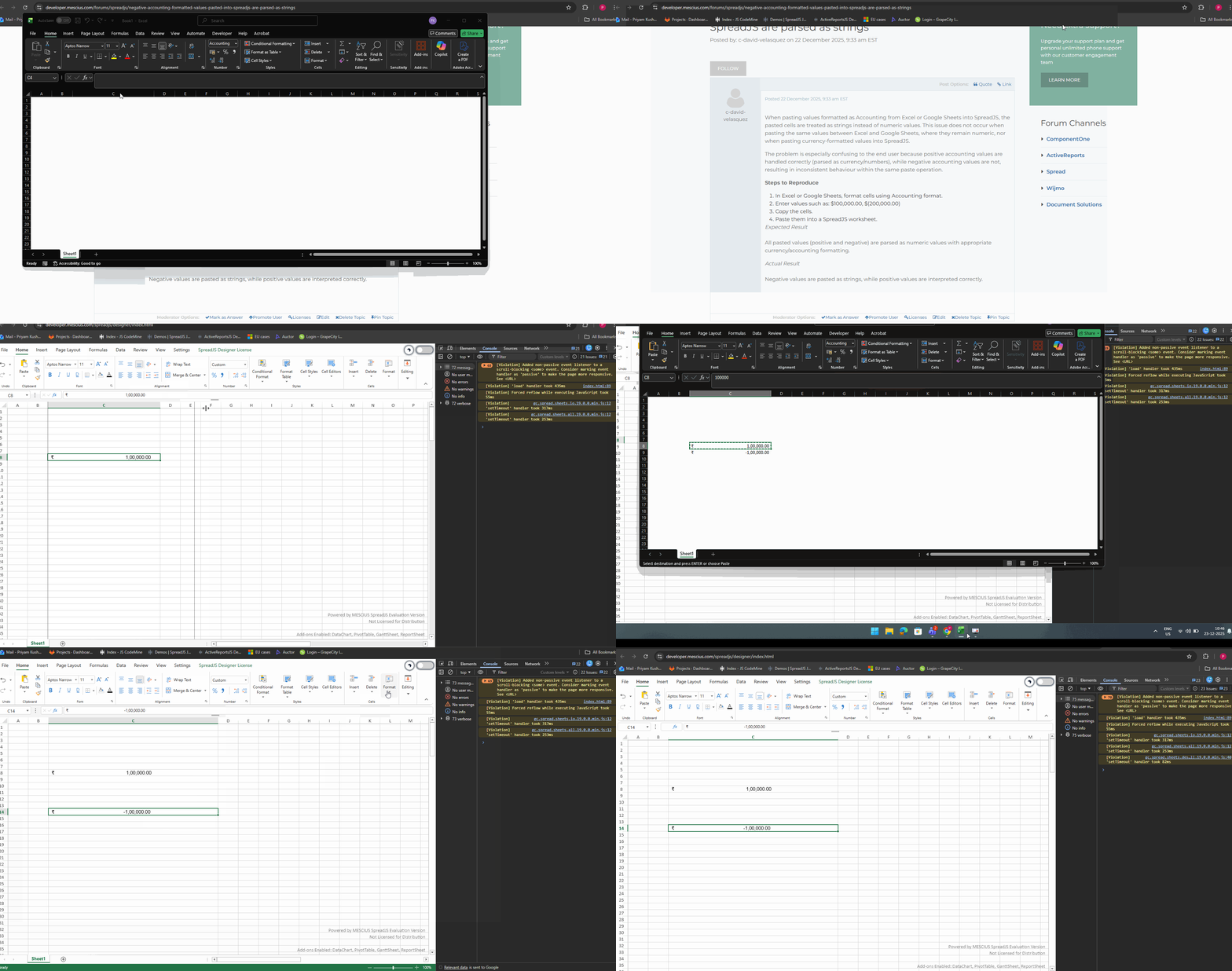
    We attempted to reproduce the behavior on our end using the available information, but were unable to do so. On our side, both positive and negative values are interpreted as expected. Please refer to the attached GIF and the SpreadJS Designer (version 19.0.0): https://developer.mescius.com/spreadjs/designer/index.html

    GIF:

    To help us investigate this further, could you please share a minimal working sample along with the exact steps to reproduce the behavior you are observing? Additionally, a GIF or video demonstrating the issue would be very helpful.

    Regards,

    Priyam

  • Posted 23 December 2025, 12:26 pm EST

    HI Priyam, thanks for the speedy answer.

    Actually, you have indeed replicated the issue, because the pasted values are not numeric, but strings; see the following video for an example - the value might look the same as in excel, but its not numeric and hence, we can’t use it for calculations

    https://www.loom.com/share/1dc1c9431b664fc9bd86492ea209ee20

  • Posted 24 December 2025, 5:27 am EST - Updated 24 December 2025, 5:32 am EST

    Hi,

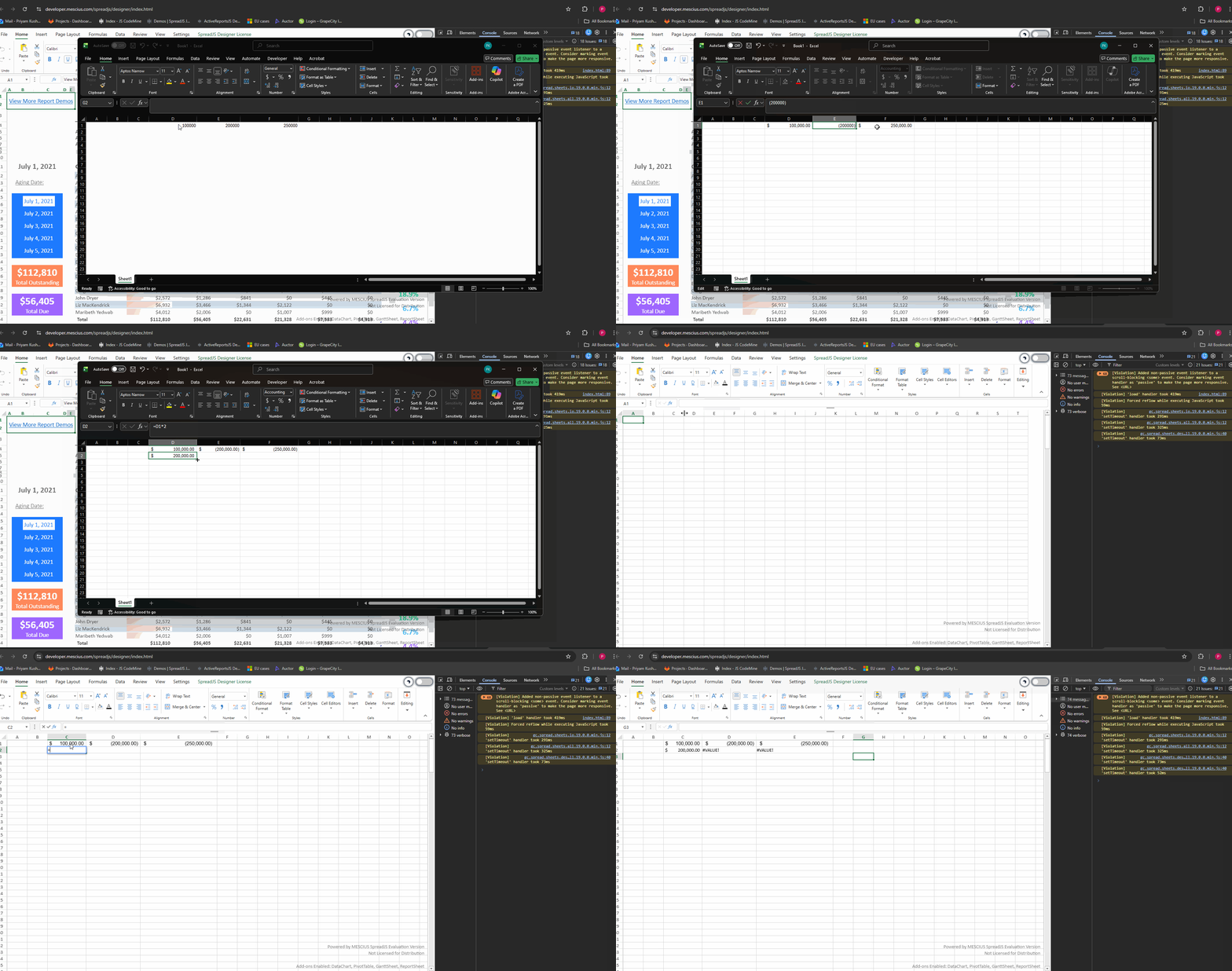
    Thank you for sharing the video with us. We are able to replicate the behavior on our end as well. Please refer to the attached GIF. We have escalated this issue to the development team, and the internal tracking ID is SJS-33119. We will update you as soon as we receive any further information.

    GIF:

    Regards,

    Priyam

  • Posted 26 December 2025, 3:02 am EST - Updated 26 December 2025, 3:07 am EST

    Hi,

    The developers explained that, based on the current auto-format capabilities of SpreadJS (which are comparatively more limited than Excel), the second and third format sections cannot be parsed as numeric values.

    As a result, after pasting:

    • The value in D1 is parsed correctly as a number (100000).
    • The values in E1 and F1 cannot be parsed as numbers, so their original string values are preserved.

    This is the root cause of why E1 and F1 cannot participate in calculations.

    While this is considered a bug, achieving Excel-equivalent behavior would require a significant amount of work. For now, this case has been noted and reserved, and will be reviewed in the future if more customers request the same enhancement, given the large development effort involved.

    Workaround:

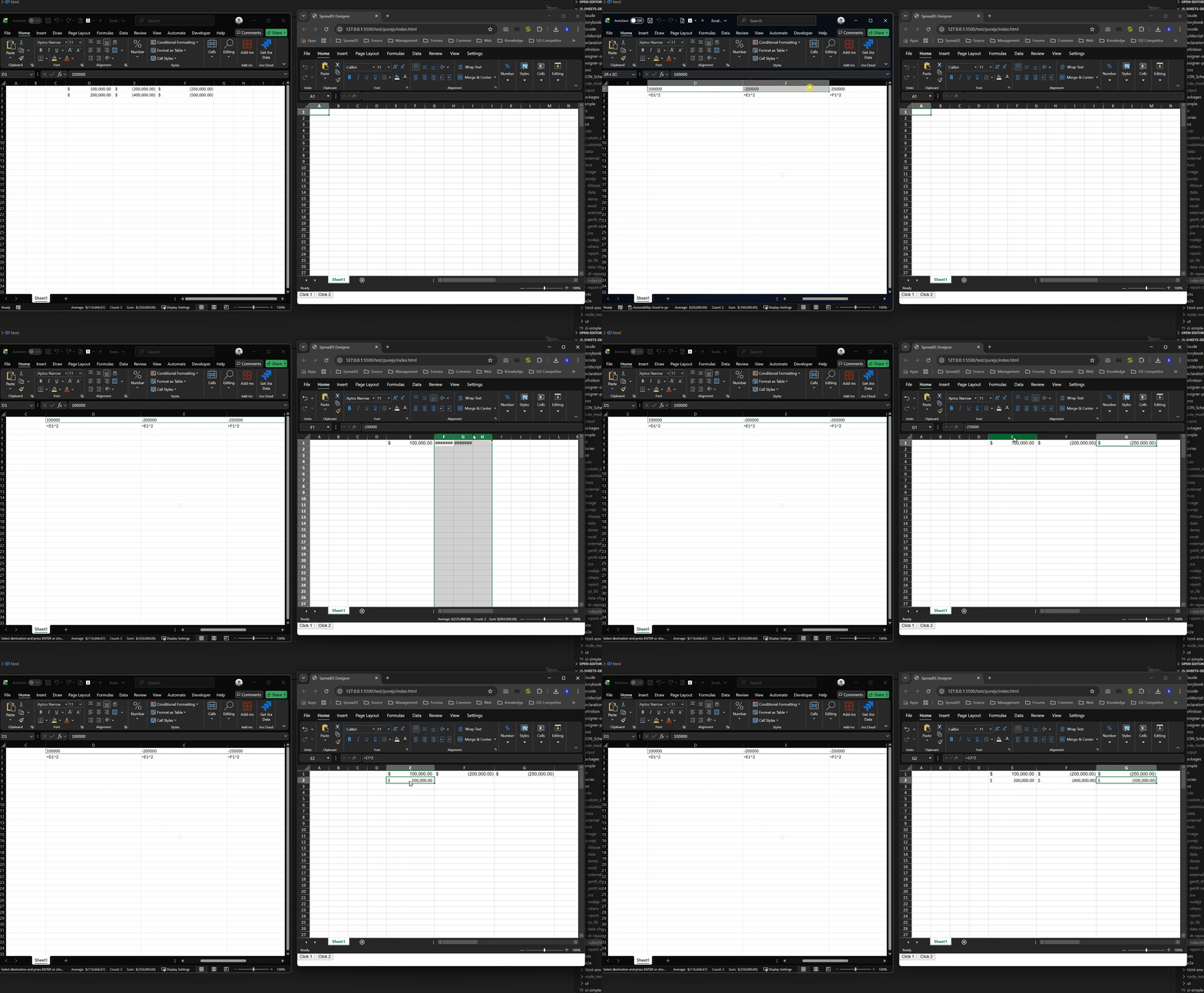
    Before copying content from Excel, press Ctrl + ` to ignore formatting, and then perform the copy operation. This ensures that the pasted content and values are interpreted correctly. Please refer to the attached GIF for details.

    GIF:

    Regards,

    Priyam

  • Posted 29 December 2025, 8:12 am EST

    Understood, thank you Priyam.

Need extra support?

Upgrade your support plan and get personal unlimited phone support with our customer engagement team

Learn More

Forum Channels