Posted 5 December 2024, 5:00 pm EST
Currently working to add undo/redo functionality to some commands. Is there a way to see all the current commands registered with the CommandManager to help facilitate this activity?
Forums Home / Spread / SpreadJS
Posted by: adisa.craig on 5 December 2024, 5:00 pm EST

adisa.craig
Posted 5 December 2024, 5:00 pm EST
Currently working to add undo/redo functionality to some commands. Is there a way to see all the current commands registered with the CommandManager to help facilitate this activity?

priyam.kushwaha

Posted 6 December 2024, 5:13 am EST
Hi,
In SpreadJS, the CommandManager does not maintain a separate, explicit list of registered commands. However, when a custom command is registered, it is stored within the CommandManager object itself. To verify if a specific command is registered, you can use the getCommand(commandName) method or directly access the command through the spread.commandManager(). property.
Below is a sample code snippet demonstrating how to register and execute a custom command, as well as how to verify its registration:
//For example, the following code registers the changeBackColor command and then executes the command.
        var command = {
            canUndo: true,
            execute: function (context, options, isUndo) {
                var Commands = GC.Spread.Sheets.Commands;
                options.cmd = "changeBackColor";
                if (isUndo) {
                    Commands.undoTransaction(context, options);
                    return true;
                } else {
                    Commands.startTransaction(context, options);
                    var sheet = context.getSheetFromName(options.sheetName);
                    var cell = sheet.getCell(options.row, options.col);
                    cell.backColor(options.backColor);
                    Commands.endTransaction(context, options);
                    return true;
                }
            }
        };
        var commandManager = spread.commandManager();
        commandManager.register("changeBackColor", command);
        commandManager.execute({ cmd: "changeBackColor", sheetName: spread.getSheet(0).name(), row: 1, col: 2, backColor: "red" });


        //checking via commandManager()
        console.log(spread.commandManager().changeBackColor);

        //checking via the getCommand() method
        console.log(spread.commandManager().getCommand("changeBackColor"));

        //checking an inbuilt command
        console.log(spread.commandManager().paste);
This approach allows you to both register and verify commands effectively within SpreadJS.
Please refer to this sample: Sample.zip
Feel free to reach out if you have any further questions or need assistance!
References:
Best regards,
adisa.craig
Posted 9 December 2024, 3:11 pm EST
as mentioned earlier the issue I am trying to resolve is undoing specific actions. Based on the above code is the only way to undo changes made programmatically is by applying it as part of a custom command or can I undo any items as long as I apply them between the startTransaction and endTransaction commands?
priyam.kushwaha
Posted 10 December 2024, 2:07 pm EST
Hi,
The commandManager and undoManager work together to handle undo/redo functionality in SpreadJS. When implementing custom commands, you can control whether an action is undoable by setting the canUndo property for that command.
Key Points:
canUndo Property:
-If canUndo is set to true, the action can be undone and will be saved in the undo stack managed by undoManager.
Creating Custom Commands:
The example code shared earlier demonstrates how to define a custom command and configure its undo behavior using the canUndo property, and how can we see all the current commands registered with the CommandManager.
Undoing Actions in a Transaction:
You can not undo any action in the Transaction. However you can undo the last action performed on a sheet, by executing the undo command within a transaction using the startTransaction and endTransaction methods of the command manager.
Important Note: Only the most recent action stored in the undo stack can be undone when the undo method is invoked.
var command = {
          canUndo: true,
          execute: function (context, options, isUndo) {
              var Commands = GC.Spread.Sheets.Commands;
              options.cmd = "changeBackColor";
              if (isUndo) {
                  Commands.undoTransaction(context, options);
                  return true;
              } else {
                  Commands.startTransaction(context, options);
                  var sheet = context.getSheetFromName(options.sheetName);
                  var cell = sheet.getCell(options.row, options.col);
                  // executing the undo command to undo the last action performed.
  	          spread.commandManager().execute({cmd: "undo", sheetName: "Sheet1"});
                  cell.backColor(options.backColor);
                  Commands.endTransaction(context, options);
                  return true;
              }
          }
      };
      var commandManager = spread.commandManager();
      commandManager.register("changeBackColor", command);

commandManager.execute({ cmd: "changeBackColor", sheetName: spread.getSheet(0).name(), row: 1, col: 2, backColor: "red" });
If this does not meet your requirements, could you explain your use case with an example so we can assist you accordingly?
For more information on Custom actions and undoManager please refer these demos:
Custom actions Demo :
https://developer.mescius.com/spreadjs/demos/features/worksheet/actions/custom-action/purejs
Undo Manager Demo : https://developer.mescius.com/spreadjs/demos/features/worksheet/actions/undo-manager/purejs
Hope this information works for you. Please feel free to reach out if further assistance needed.
Best Regards,
adisa.craig
Posted 10 December 2024, 4:40 pm EST
So I am setting up the command like this
        var underlineCmd = {
            canUndo: true,
            execute: function (spread, options, undo) {
                console.log('underline command executed', options, undo);
                options.cmd = "underline";
                if(undo){
                    console.log('undo underline');
                    GC.Spread.Sheets.Commands.undoTransaction(spread, options)
                    return true;
                }else{
                    GC.Spread.Sheets.Commands.startTransaction(spread, options);
                    CellFormat.underline(options.sheet, options.sheet, options.updateOptions);
                    commands.endTransaction(spread, options);
                    return true;
                }
            }
        }

        spread.commandManager().register("underline", underlineCmd);
The function being called in the CellFormat class is below
static underline(activeSheet, updateSheet, updateOptions){
        var updateSels = updateOptions.selection;
        var underline = GC.Spread.Sheets.TextDecorationType.underline;
        var buttonStatus = null;

        updateSheet.suspendPaint();
        for (var n = 0; n < updateSels.length; n++) {
            var sel = SpreadUtilEvents.getActualCellRange(updateSels[n], updateSheet.getRowCount(), updateSheet.getColumnCount());
            var textDecoration = updateSheet.getCell(sel.row, sel.col, GC.Spread.Sheets.SheetArea.viewport).textDecoration();
            if ((textDecoration & underline) === underline) {
                textDecoration = textDecoration - underline;
                buttonStatus = buttonStatus === null ? false : buttonStatus;
            } else {
                textDecoration = textDecoration | underline;
                buttonStatus = buttonStatus === null ? true : buttonStatus;
            }
            updateSheet.getRange(sel.row, sel.col, sel.rowCount, sel.colCount, GC.Spread.Sheets.SheetArea.viewport).textDecoration(textDecoration);
        }
        updateSheet.resumePaint();
    }
The behavior that we see is, the underline functionality behaves as expected but when we attempt to undo using the keyboard shortcut the entire cell content is removed not just the underline
priyam.kushwaha
Posted 11 December 2024, 3:31 am EST - Updated 11 December 2024, 3:37 am EST
Hi,
Based on my understanding, you have created a custom command with undo enabled. However, during undo operations, both the custom command’s operation and the cell content appear to be cleared.
I attempted to replicate this behavior on my end using the information provided, but I was unable to reproduce the issue. On my end, when undoing, only the underline is removed, and the cell content remains unaffected. Please refer to the attached GIF “Steps.gif” and the sample below.
Gif: 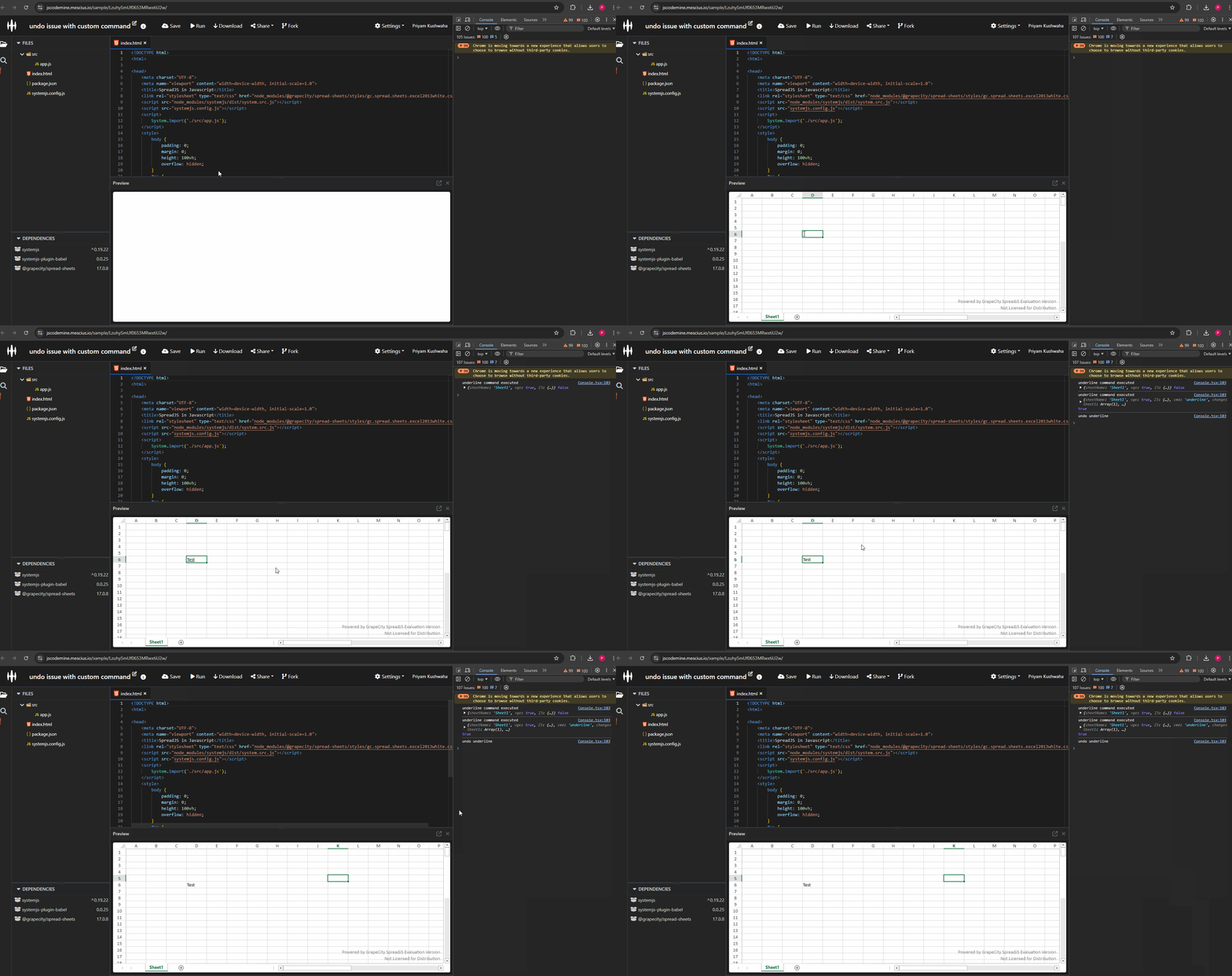
It seems the issue might be related to your application’s specific implementation. To better assist you, could you provide a minimal working sample that reproduces the behavior, or modify the existing sample to replicate it? This will help me investigate the issue thoroughly. Additionally, a GIF or video illustrating the problem would be highly useful.
Regards,
Priyam
adisa.craig
Posted 13 December 2024, 1:15 pm EST - Updated 13 December 2024, 2:06 pm EST
Hi So I added a CellChanged event in the jscodemine as well as our code to see what the difference is so in the jscodemine the following is shown in the CellChanged event when the underline function is run
{"sheetName": "Sheet1", "row": 1, "col": 2, "sheetArea": 3, "propertyName": "[styleinfo]", "newValue": { "textDecoration": 1 }, "isUndo": false }when compared to our code this is what is shown when the underline function is run
{"sheetName": "Sheet1","row": 1,"col": 2,"sheetArea": 3,"propertyName": "[styleinfo]","oldValue": {"textDecoration": 1},"newValue": {"textDecoration": 1},"isUndo": false,"text": "ddd"}As you can see there is an added “oldValue” key which doesn’t really make sense as it shows the textDecoration value of 1 even though the content in the cell shows that the data is underlined correctly. As well as the text key being added when only a textDecoration was added.
I have not been able to reproduce this behavior in the jscodemine or identify in our code what is causing this additional value to be set. Do you have any knowledge of how this can be occurring?
priyam.kushwaha
Posted 16 December 2024, 6:34 am EST
Hi,
I couldn’t determine the root cause of the issue and am unsure about what might be causing it as we are unable to replicate it on our end.
Could you please provide the following details to assist in the investigation:
This information will enable me to investigate the issue thoroughly and assist you accordingly.
Regards,
Priyam

© 2023 MESCIUS USA, Inc. All Rights Reserved. · 1.800.858.2739
All product and company names herein may be trademarks of their respective owners.


