Posted 28 September 2022, 8:25 am EST - Updated 3 October 2022, 8:59 am EST
Hi,
I’m using rowOutlines to group rows in a sheet. These groups are expected to be nested. However, I’m facing a bug while doing this.
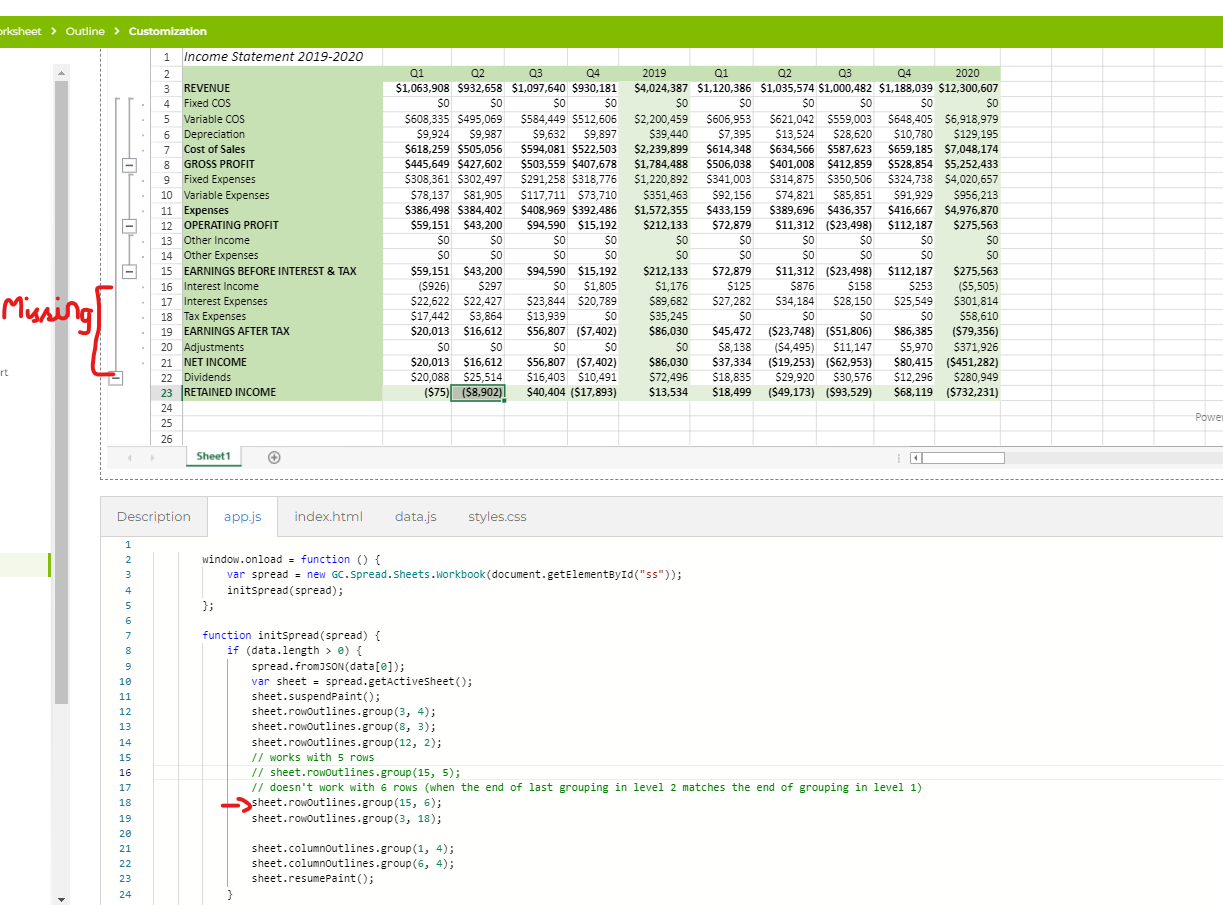
The bug is reproducible when two groups from two separate levels end at the same row.
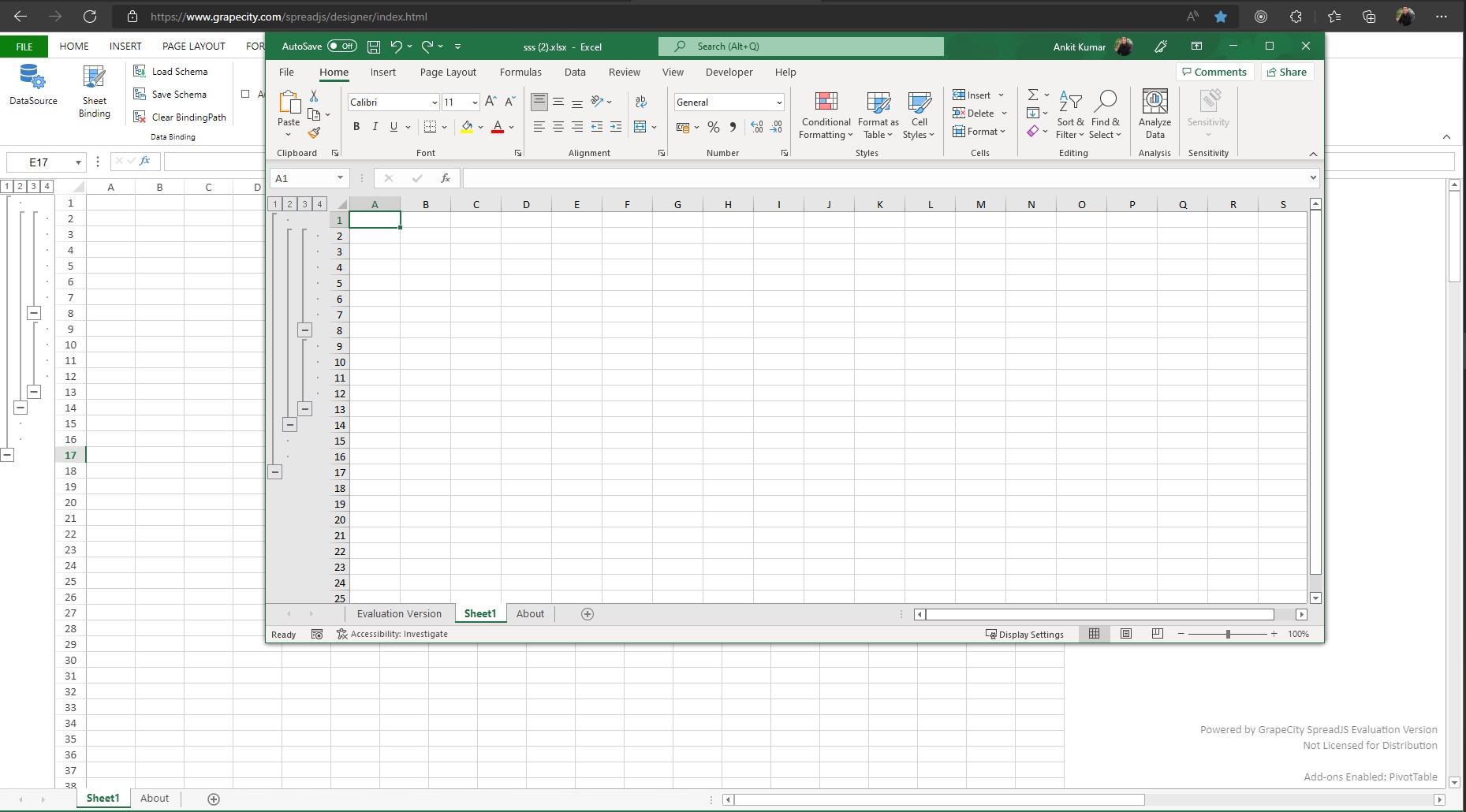
Consider the example in the image:
Level 2 group starts at 55 and ends at 60. Level 3 group 1 starts at 55 and ends at 57 & Level 3 group 2 starts 58 and ends at 60. When this is the case, Level 3 group 2 is not visible on the sheet, but is present in the rowOutlines JSON.
When changed the end of Level 3 group 2 or Level 2 group 1, Level 3 group 2 started appearing. Is there a way around it?


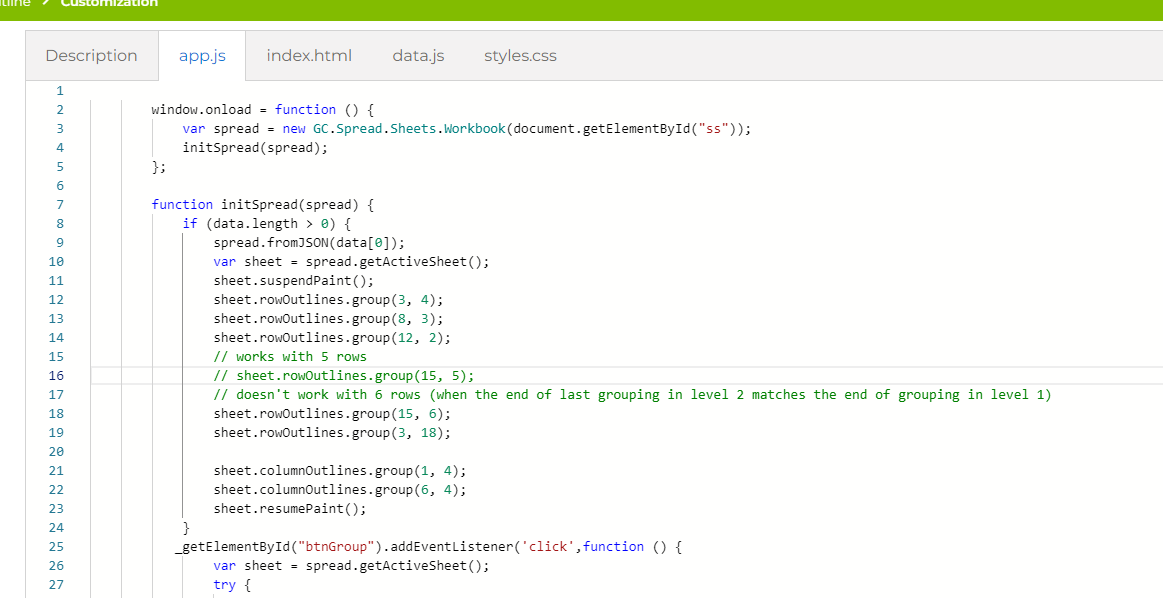
Also attaching the code I use to group the ranges
sheet.rowOutlines.group(start, groupCount);