Posted 31 January 2023, 6:49 pm EST - Updated 31 January 2023, 6:54 pm EST
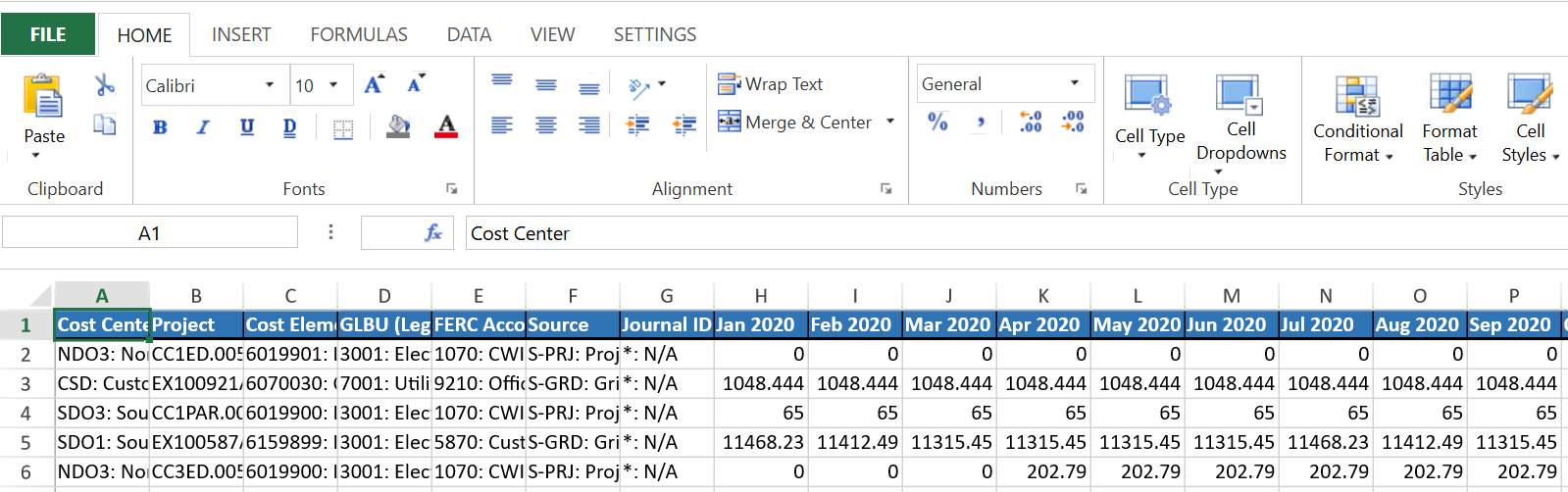
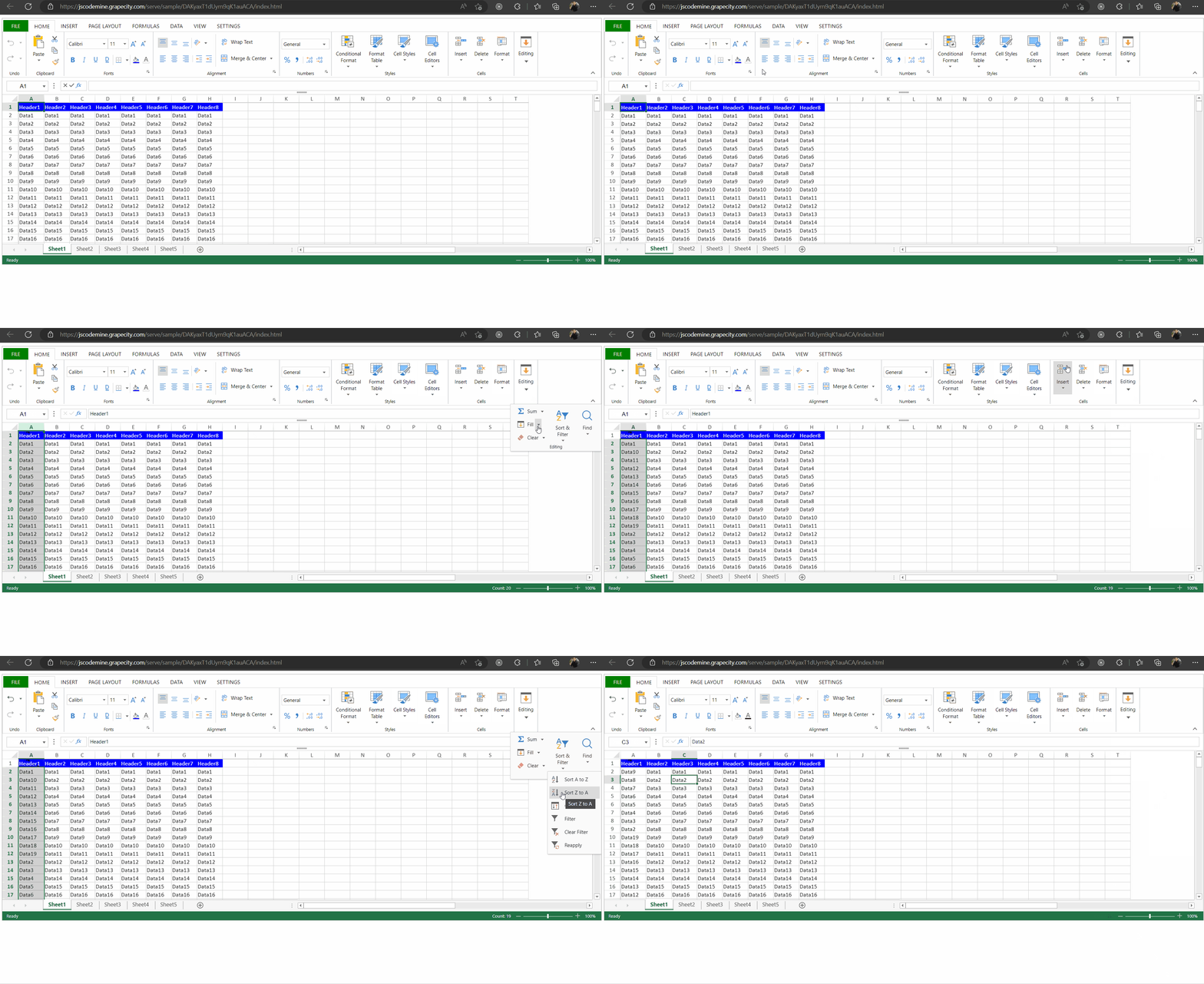
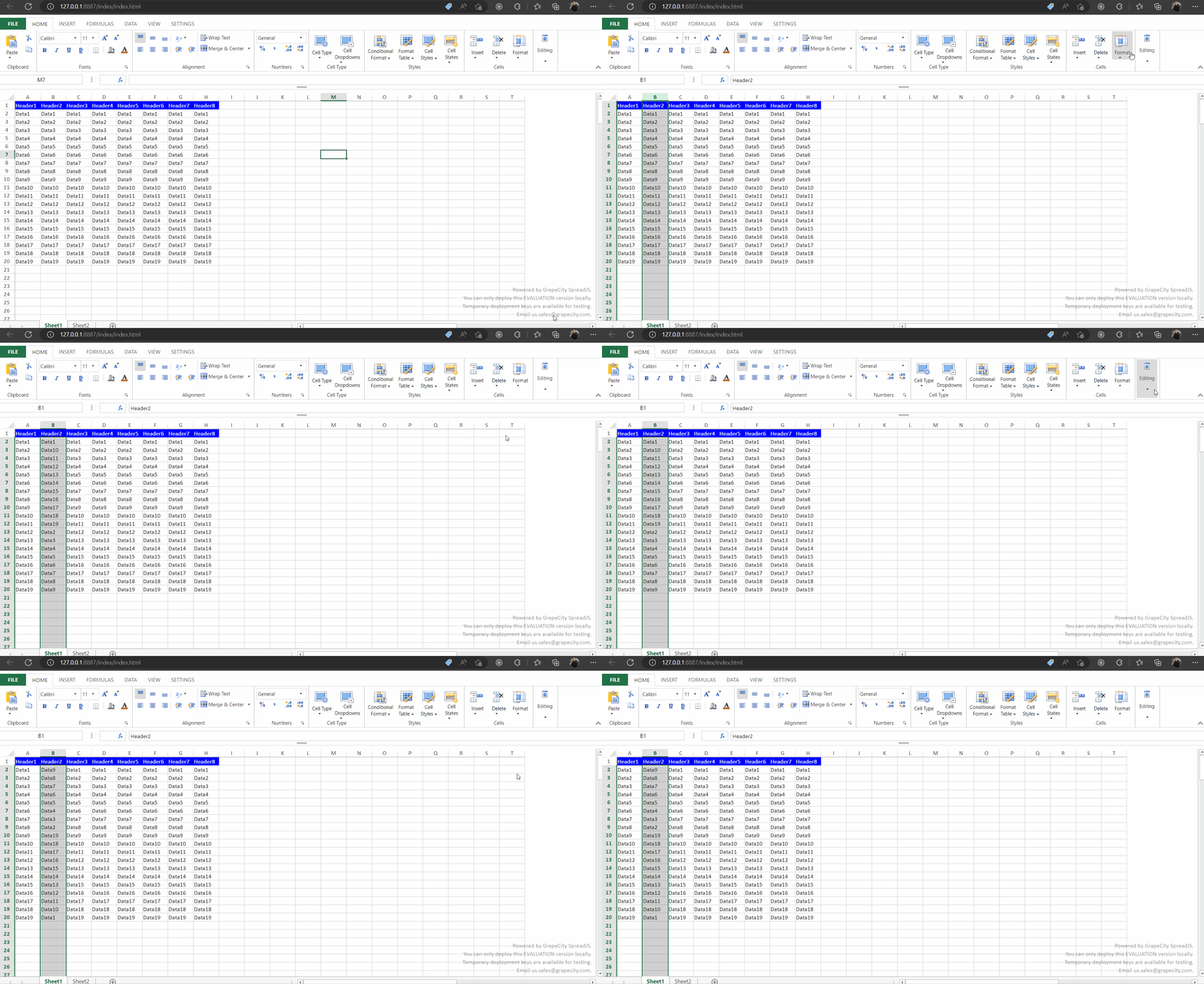
Hi, I am using Designer mode and having an issue with headers. In my example (see image) I have a header row on row 1. When I sort a column, the header cell is ignored, and the header gets sorted along with the data. In Excel, it automatically detects headers and doesn’t include them in the sort.
My question is how would I programmatically go about designating Row 1 as a header row and sort appropriately? My data is loaded from json.
Thanks