Date Format is automatically changed to default "dd-mm-yyyy hh:mm:ss"

Posted by: pooja.bansal on 14 February 2023, 7:44 am EST

  • Posted 14 February 2023, 7:44 am EST

    GC Documents 6.0

    gc.spread.excelio.16.0.2.min.js

    when a date format is set as Date or Custom(DATE) then while opening the template in web client the format of the date got automatically changed to this format “dd-mm-yyyy hh:mm:ss” which result in Days() formula error (#value).

    In our application we have desktop application and web application. In farpoint for desktop application it is picking correct date format. however while converting that data using gc document it is converting date to above mention default format.

  • Posted 15 February 2023, 3:16 pm EST

    Hello Pooja,

    I understand that you are using GC document (gcdocs) to generate an Excel or JSON file, which you then load into SpreadJS on the client side. However, it seems that the date format is being altered when you open the file in SpreadJS.

    To better assist you, could you please provide us with the specific Excel or JSON file that is causing this issue? Additionally, kindly let us know which versions of SpreadJS and GCDocs you are currently using, along with the respective environments. This information will enable us to provide more targeted support to help you resolve the problem.

    If you have a different use case, please do let us know so that we can better tailor our response to your specific needs.

    Best regards,

    Ankit

  • Posted 16 February 2023, 12:37 am EST

    In Excel file i have set the date in any date format. while opening that excel in web it always converted to above mention date format. Hence the formula for Days is not working and returning #value.

    Before passing that data into spread js it’s coming in incorrect format. As i debugged the code date in json is in incorrect format from gc document.

    Using below gc document and spread version

    GC Documents-6.0.

    “projects/fpm/src/scripts/gc.spread.sheets.all.16.0.2.min.js”,

    “projects/fpm/src/scripts/gc.spread.excelio.16.0.2.min.js”

    In below document search for “00:00:00” and you will also checkSampleData.zip

  • Posted 17 February 2023, 3:22 am EST

    Dear Pooja,

    I hope this message finds you well. Firstly, I would like to express my gratitude for sharing the json file with us for investigation. Based on our analysis, we have found that the reason why the date is not formatted correctly after loading the json file in SpreadJS is due to the date being stored as a string in the json file.

    We kindly request you to provide us with more information on the scenario of how you are generating the json file using GC Documents. Additionally, we would appreciate it if you could share the excel file from which the json file is being generated. This will allow us to replicate your use case scenario and investigate the reason for the date to be stored as a string instead of OADate string.

    In order to assist you better, we have taken the liberty of modifying the json file by changing line no. 207 and 217. The modified file contains OADate string for the date instead of a string. We have attached the modified json file (SampleData_modified.zip) for your reference. You may load this file on SpreadJS to check that the date formatting works correctly on cell AG2 and AG3.

    Thank you for your understanding and cooperation. We look forward to hearing from you soon.

    Best regards,

    Ankit

    SampleData_modified.zip

  • Posted 17 February 2023, 8:07 am EST

    Hello Ankit,

    Please refer below attached folder which contains sample excel and gc document to data conversion screen shoot.Data.zip

  • Posted 20 February 2023, 1:39 pm EST

    Hi Pooja,

    Thanks for the files. we are investigating this issue. We shall provide you a response soon.

    Regards,

    Avinash

  • Posted 20 February 2023, 3:32 pm EST - Updated 20 February 2023, 3:37 pm EST

    Dear Pooja,

    I hope this message finds you well. I wanted to update you on the progress of my investigation into the issue you reported.

    I have conducted testing with both GCExcel Version 6.0.3.0 and the latest version of SpreadJS, and I have not been able to replicate the problem on my end. To assist you in resolving the issue, I have attached a sample file for your reference.

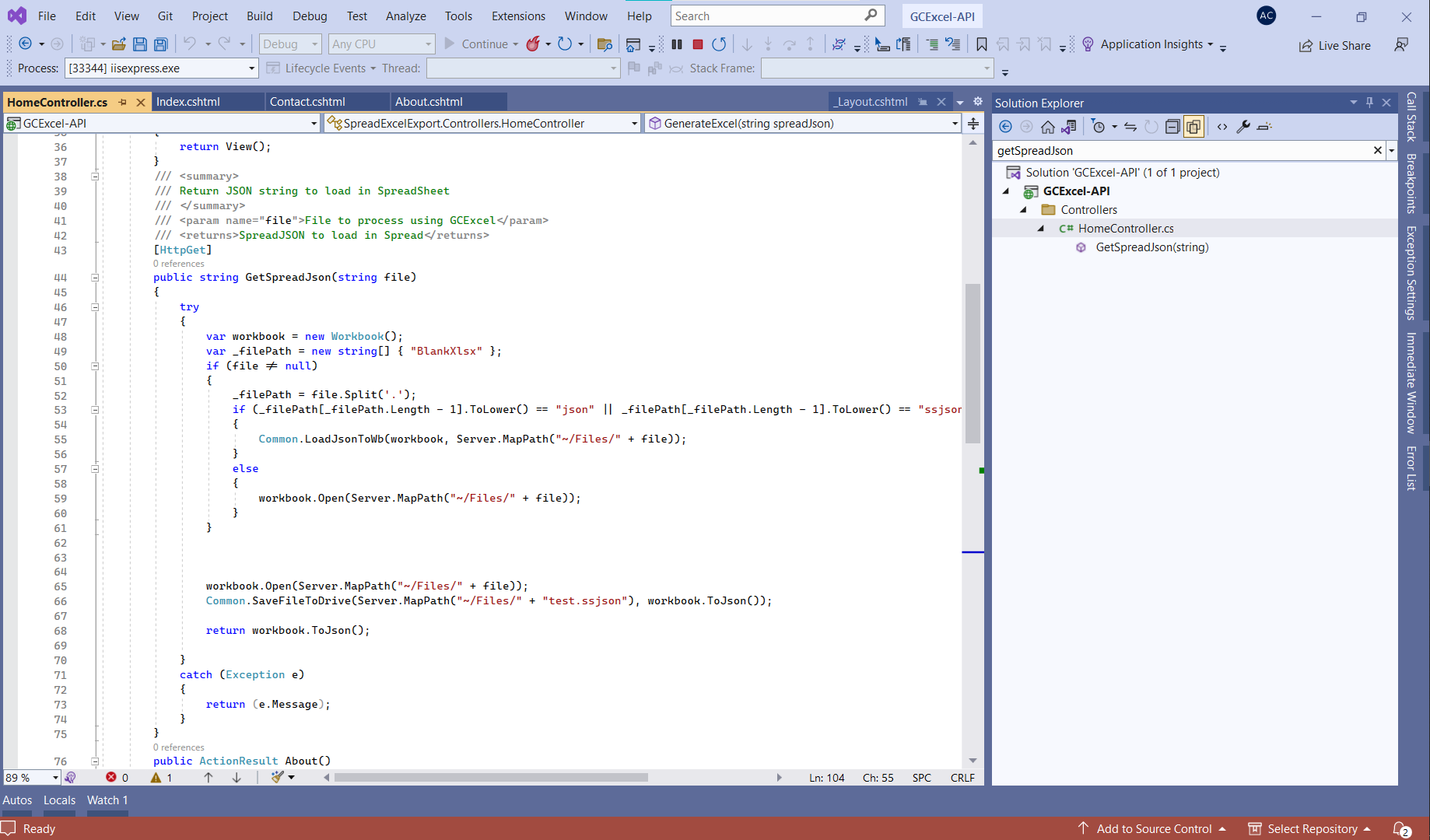
    In the provided sample, I have loaded the file that you shared into GCExcel and generated a JSON file from it. When this JSON file is loaded into SpreadJS, it functions as expected without any errors or issues. To view the code that generates the JSON file, please refer to the following code snippet:

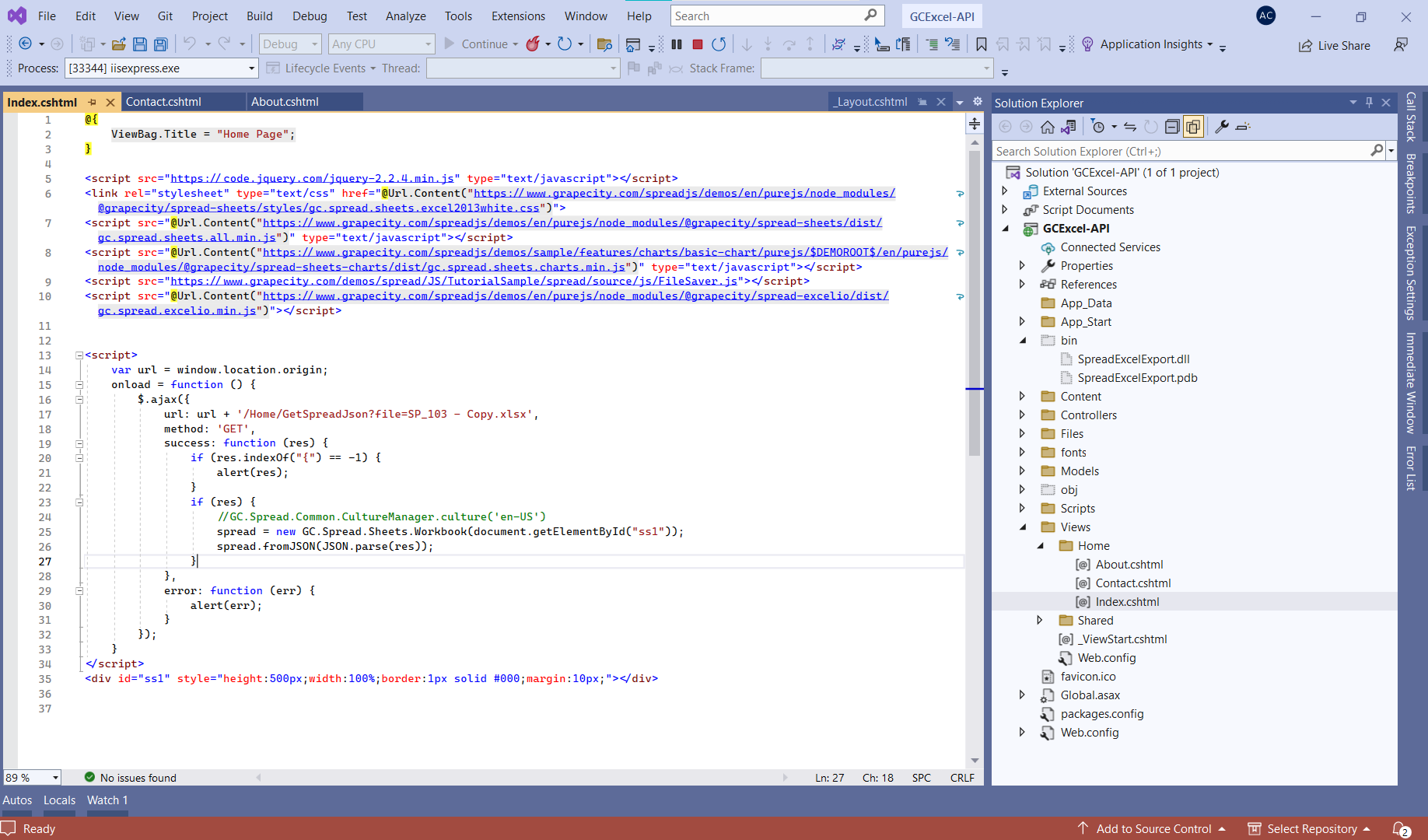
    Additionally, you can use the following code snippet to load the generated JSON file into SpreadJS:

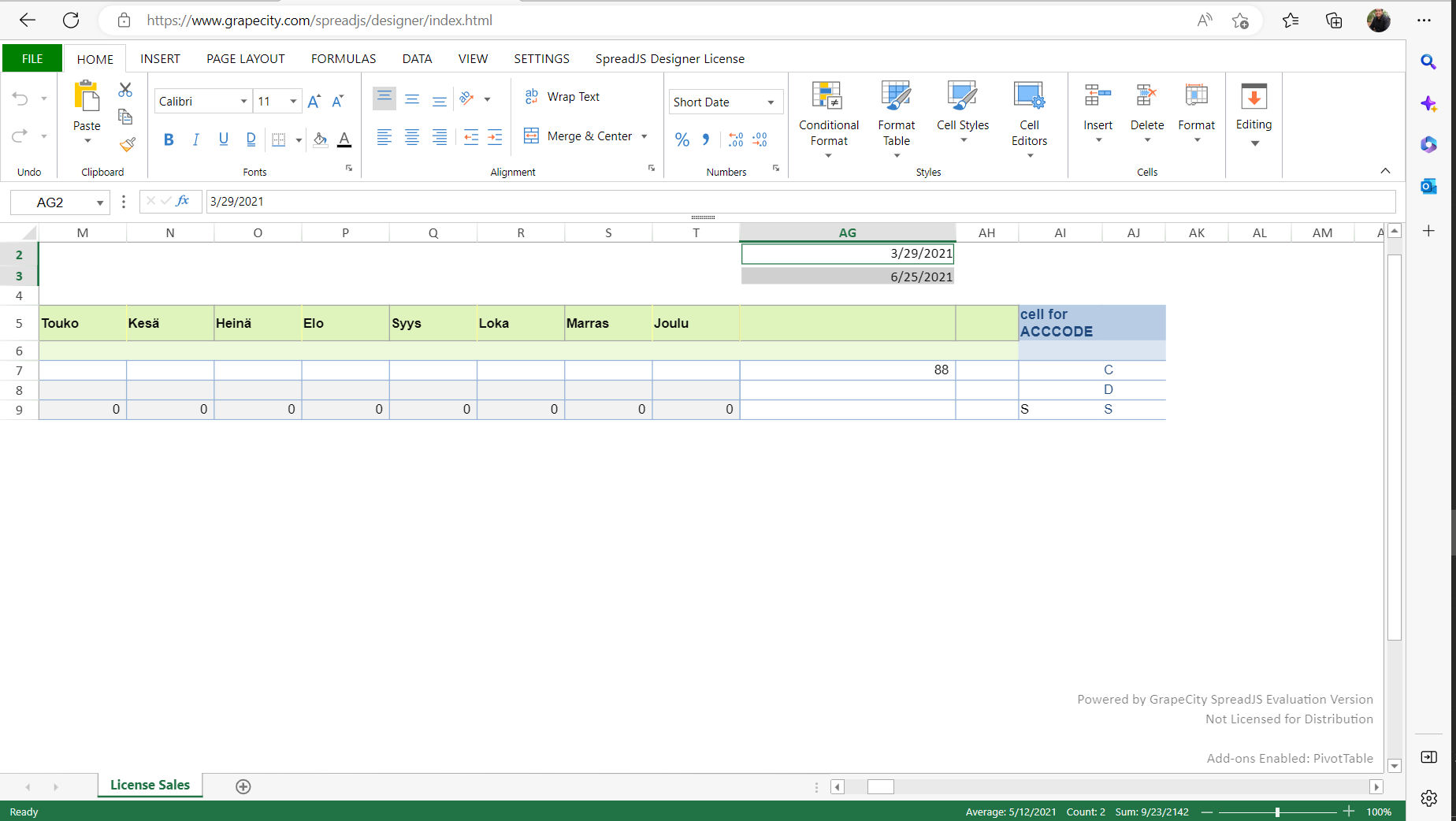
    Please refer to the provided image that illustrates the direct loading of an Excel file into SpreadJS.

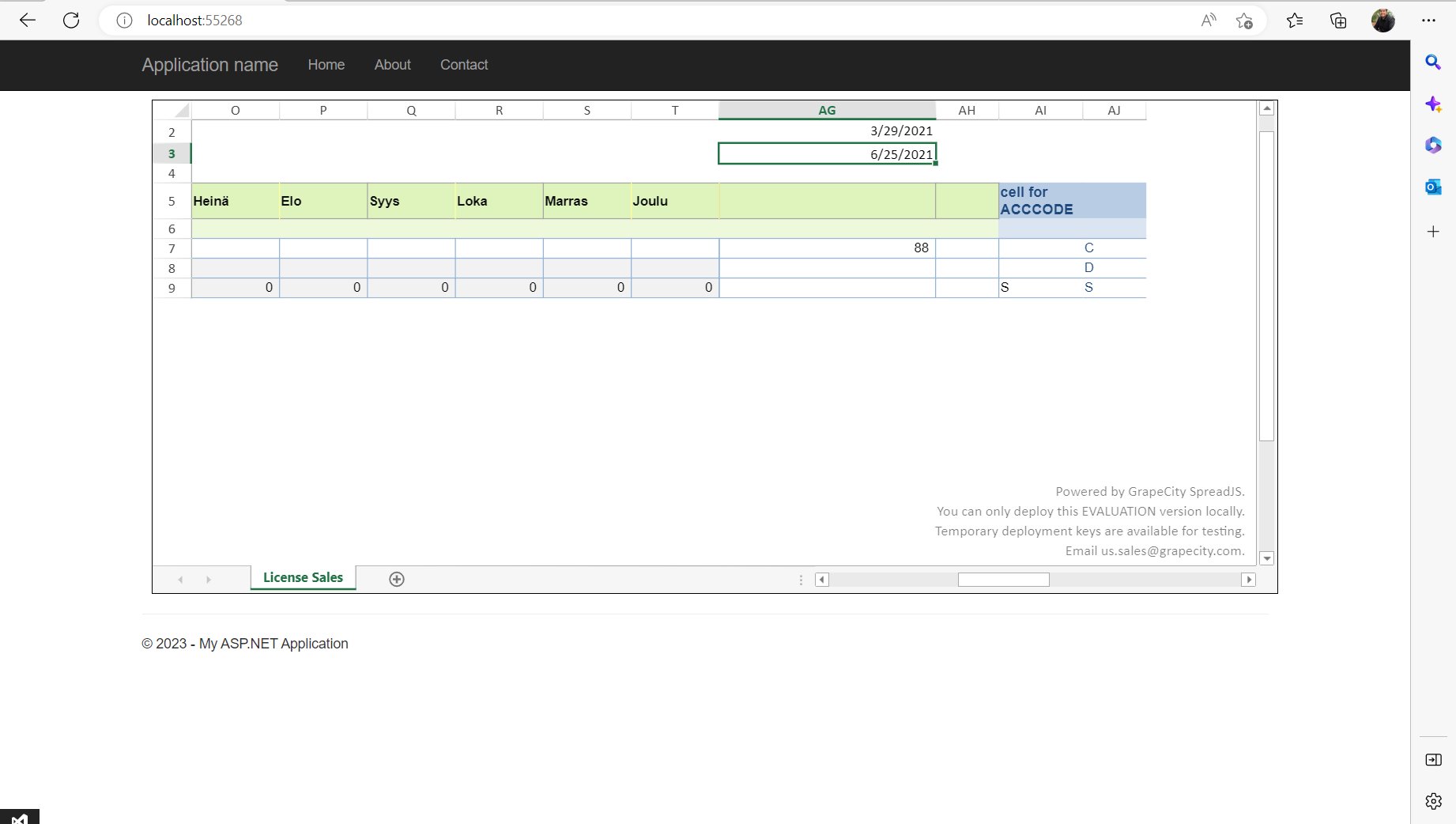
    Additionally, you may refer to the image below which depicts the loading of a JSON generated from GCExcel into SpreadJS.

    If the issue you are experiencing persists, we kindly request that you provide us with a minimal working sample that replicates the issue. This will enable us to investigate the problem on our end and provide you with appropriate assistance.

    Please provide us with as much detail as possible, including any error messages or unexpected behavior you have encountered. We are committed to resolving your issue as quickly and effectively as possible.

    Also, please let me know if there is anything else I can do to assist you. I look forward to hearing back from you soon.

    Best regards,

    Ankit

    Sample

    GcExcel_load_Excel_viewSJS (1).zip

Need extra support?

Upgrade your support plan and get personal unlimited phone support with our customer engagement team

Learn More

Forum Channels