
Clean up import of spread JS to shrink bundle size

Posted by: davide.vago on 20 December 2019, 6:18 am EST

  • Posted 20 December 2019, 6:18 am EST - Updated 3 October 2022, 10:34 am EST

    Good morning/afternoon

    I’m currently reviewing my bundle within a web app which uses SpreadJS 13.0.2 and I just noticed that importing globally spreadJS using the node package spread-sheets it injects something related to languages. (the whole import takes more than 1mb of js)

    Within my app I import globally this:

    import GC from ‘@grapecity/spread-sheets’

    The bundle file imports gc.spread.sheets.all.min.js from node_modules/@grapecity/spread-sheets/dist during the build for production.

    (note there is nothing else but that file)

    Given the above, when I take a snapshot of the memory within Chrome devtools I notice a huge amount of “Object” entries with type NumberFormat and underneath languages related keys (e.g. ko-kr, zh-cn)

    Please see below:
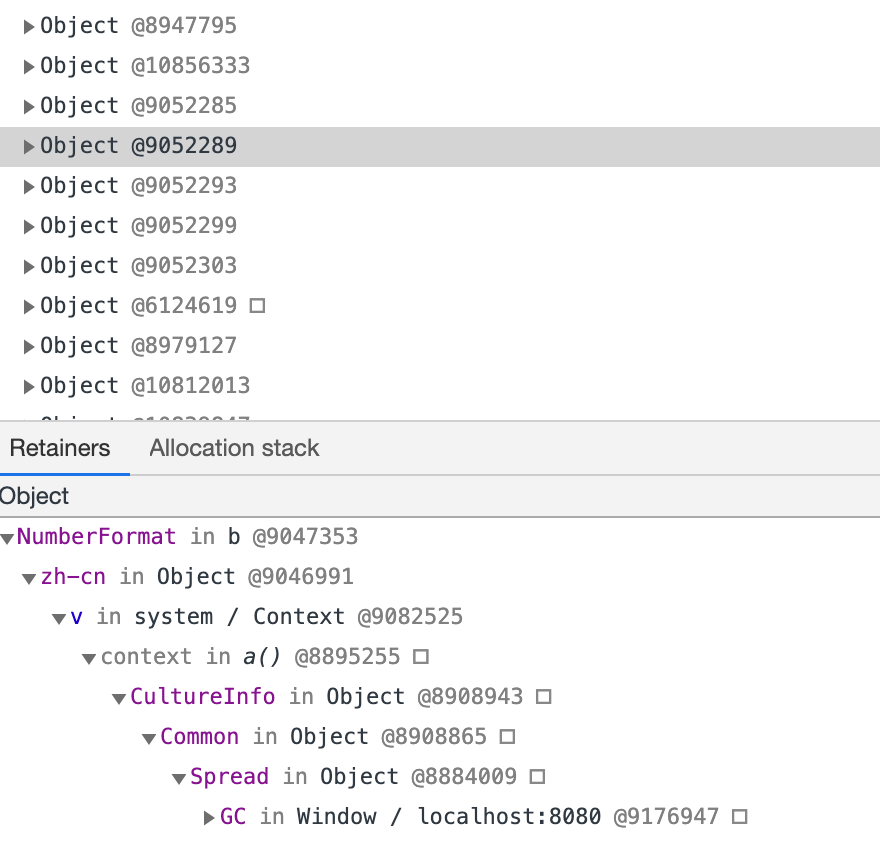
    Do you have a solution to import just core part of the library to optimise the bundle?

    Thanks for your support

  • Posted 20 December 2019, 6:27 am EST

    Related to the above, when I refer to core parts of the library I mean things like having the possibility to import (just if needed) Sparklines/Slicers/Themes (which are at least 20 by default) or whatever could be pulled away from the spread sheet instance.

  • Posted 23 December 2019, 12:34 am EST

    Hi Davide,

    We could load SpreadJS sub-libraries to only certain features as explained in the following document: https://www.grapecity.com/spreadjs/docs/v13/online/modules.html

    Further, I have asked the dev team if it is possible to import sub-libraries using npm and will let you know as I get an update from the team. The internal tracking ID for the issue is SJS-3005.

    Regards

    Sharad

  • Posted 2 January 2020, 5:26 am EST

    Good morning/afternoon Sharad,

    Thanks for the reply, I will wait for the resolution of your SJS-3005 ticket as it is more appropriate in my case.

  • Posted 3 January 2020, 1:06 am EST

    Hi Davide,

    We are sorry but the dev team has confirmed that currently we do not support importing individual modules using the npm.

Need extra support?

Upgrade your support plan and get personal unlimited phone support with our customer engagement team

Learn More

Forum Channels