Posted 19 August 2022, 8:17 am EST
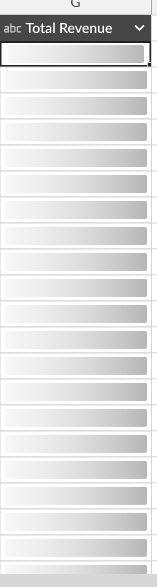
I want to display some animations to say to the user that the request he made on a particular column is getting computed, Can anyone suggest to me how I can achieve the particular Use case?
Forums Home / Spread / SpreadJS
Posted by: sathwik.kotla on 19 August 2022, 8:17 am EST

sathwik.kotla
Posted 19 August 2022, 8:17 am EST
I want to display some animations to say to the user that the request he made on a particular column is getting computed, Can anyone suggest to me how I can achieve the particular Use case?

avinash.pathak
Posted 22 August 2022, 6:39 am EST
Hi,
For thsi you may use the customsync functions and send some default message from function. Please refer to the following code snippet and attached demo that explains the same.
   var asyncSum = function () {
    };
    asyncSum.prototype = new GC.Spread.CalcEngine.Functions.AsyncFunction("ASUM", 1, 255);
    asyncSum.prototype.defaultValue = function () {
        return "Please wait Loading...";
    };
    asyncSum.prototype.evaluateAsync = function (context) {
        // use setTimeout to simulate server-side evaluation
        // in read world it maybe an ajax post to server for evaluation
        var args = arguments;
        setTimeout(function () {
            var result = 0;
            for (var i = 1; i < args.length; i++) {
                result += args[i];
            }
            result *= 2;
            context.setAsyncResult(result);
        }, 5000);
    };
Demo: https://www.grapecity.com/spreadjs/demos/features/calculation/async-function#demo_source_name
Regards,
Avinash
avinash.pathak
Posted 23 August 2022, 5:24 am EST
HI,
For this, you may add gif image over the cell and remove it after you get a response from the async call. Please refer to the following code snippet and attached sample that explains the same.
  asyncSum.prototype.evaluateAsync = function (context) {
    // use setTimeout to simulate server side evaluation
    // in read world it maybe an ajax post to server for evaluation
    var args = arguments;
    let sheet = spread.getActiveSheet();
    let rowHieght = sheet.getRowHeight(context.row);
    let colWidth = sheet.getColumnWidth(context.col);
    let cellRect = sheet.getCellRect(context.row, context.col);
    let loader = sheet.pictures.add(
      "loader",
      image,
      cellRect.x - colWidth,
      cellRect.y - rowHieght,
      colWidth - 2,
      rowHieght - 2
    );
    loader.startRow(context.row);
    loader.startColumn(context.col);
    setTimeout(function () {
      var result = 0;
      for (var i = 1; i < args.length; i++) {
        result += args[i];
      }
      result *= 2;
      context.setAsyncResult(result);
      sheet.pictures.remove("loader");
    }, 5000);
  };
sample: https://codesandbox.io/s/elegant-lake-bong9n?file=/src/index.js
Regards,
Avinash
sathwik.kotla
Posted 2 September 2022, 7:38 am EST - Updated 3 October 2022, 9:03 am EST
Hi, Avinash thanks for the reply,
We are creating our custom formulas and want to compute our values in the backend overriding the spread js default functionality, we need a loader at the time when a user enters a valid formula, I think it will not be possible if we make use of the async function as we are declaring an async function in such a way that it gets triggered when we enter a specific formula or keyword (like ASUM in the above code sandbox example) and also we have no idea about the timeout value, Can you please consider both of these scenarios and provide a solution for our use case. And also our animation has the transition of images while loading, please refer to the video I am attaching here and provide a solution to achieve the animation effect.
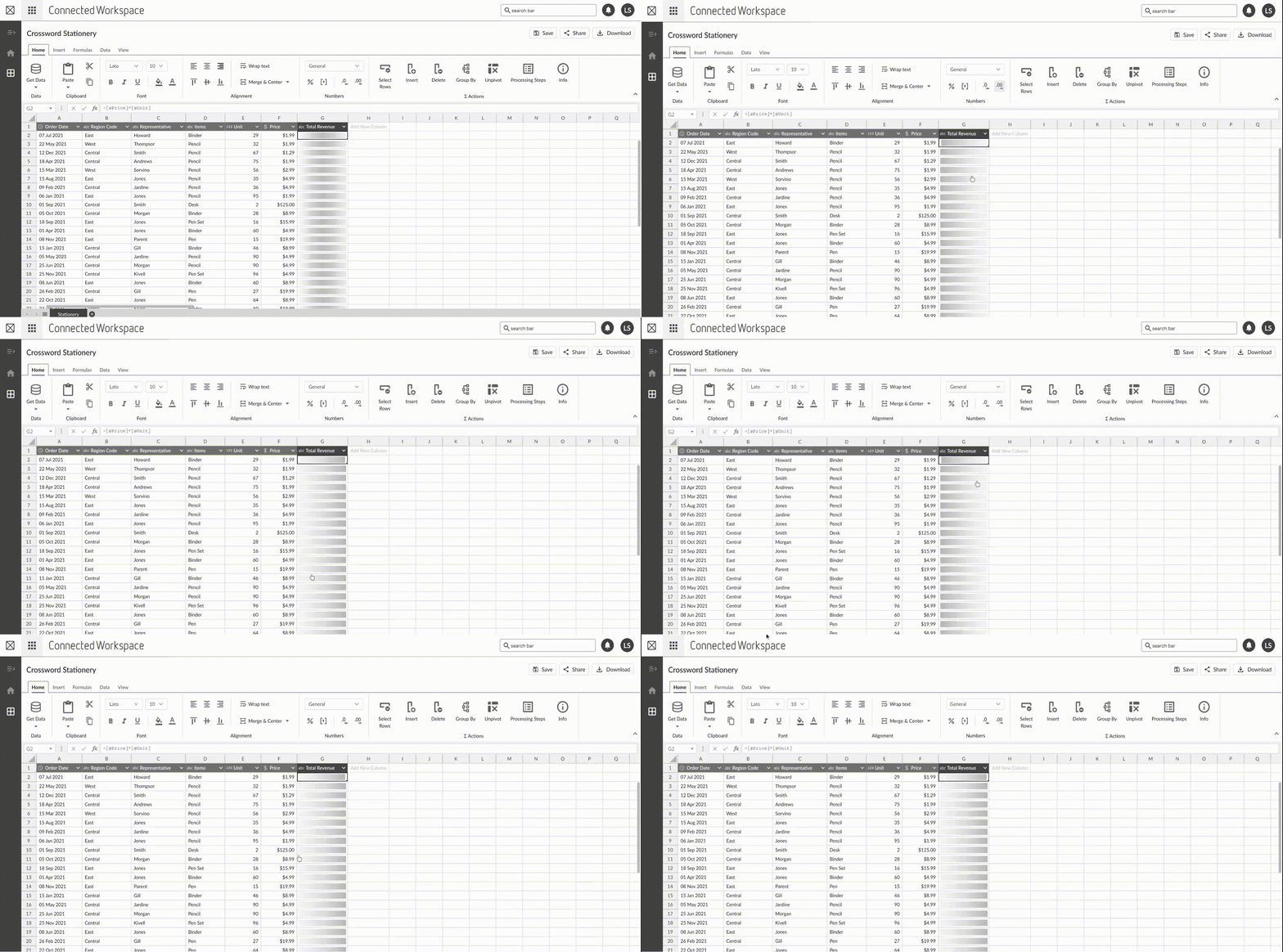
Please check the video here
link → * “https://easyupload.io/3nne0z”
password → 12345
Thanks and Regards
Sathwik
sathwik.kotla
Posted 2 September 2022, 7:49 am EST - Updated 3 October 2022, 9:03 am EST
Hi Avinash,
Please find our exact scenario and use-case in the below gif
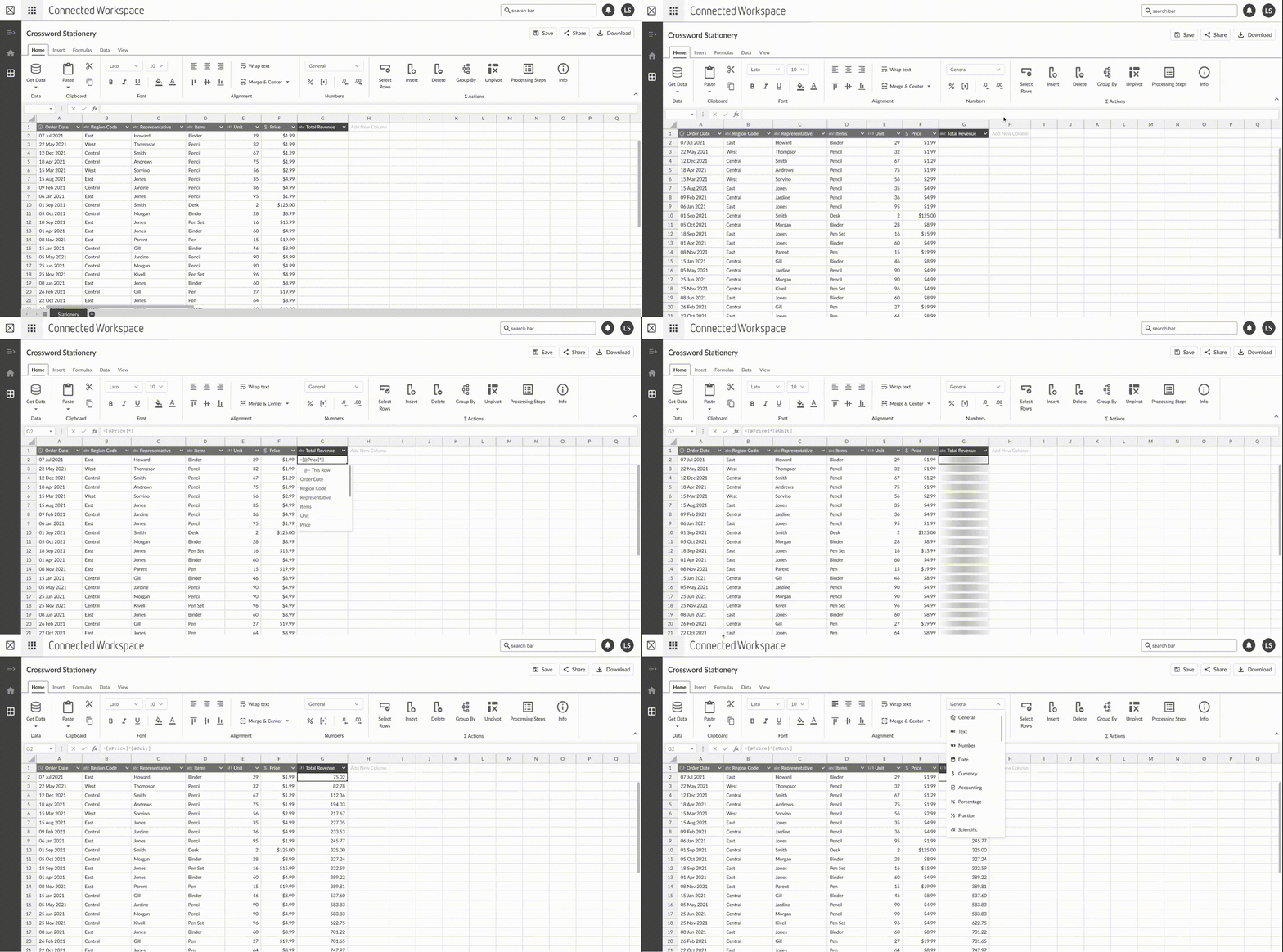
avinash.pathak
Posted 5 September 2022, 3:11 am EST
Hi,
We are sorry but we do not have any mechanism to override the expression evaluation. You need to use the custom async formula for any backend processing. We are sorry for the inconvenience.
also we have no idea about the timeout value,
Time out value was used to demonstrate the async nature. You may use promise instead of setTimeout and change the loader after the promise gets resolved or rejected.
Regards,
Avinash