Posted 28 January 2026, 3:49 am EST - Updated 28 January 2026, 3:57 am EST
AR18 SectionReport RDF generated at runtime not rendering data rows in AR18 JS Viewer
Hello,
We are in the process of migrating our legacy ActiveReports implementation and would like guidance on how to support our existing reporting workflow in the newer versions.
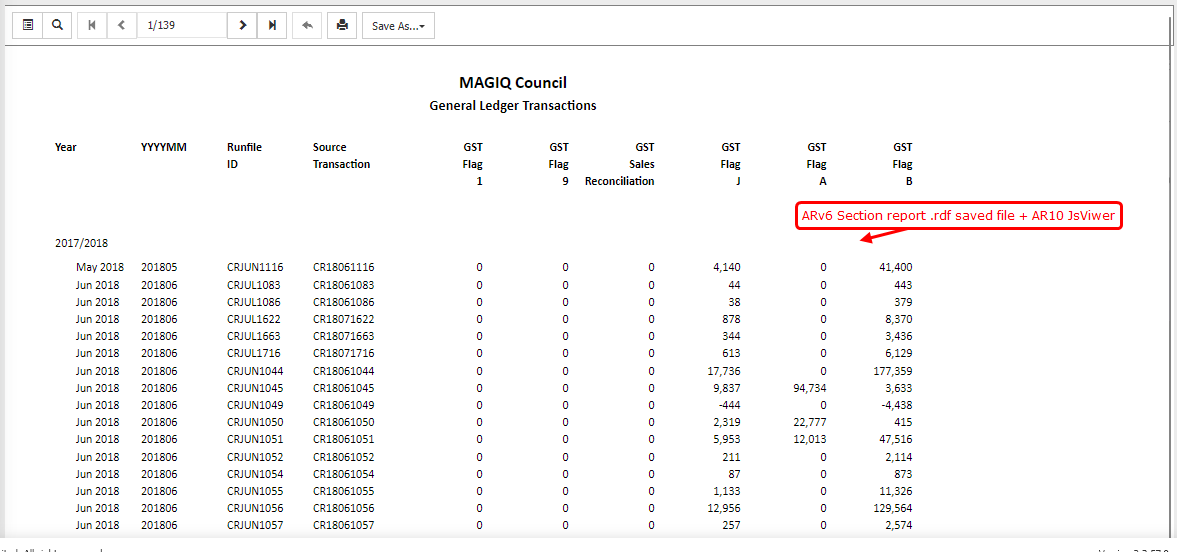
1. Previous (working) architecture – AR6 + AR10
In our legacy setup, we had the following architecture:
-
ActiveReports 6
- Used SectionReport
- Reports were generated entirely at runtime
- DataSource, grouping, summaries, calculated fields, charts, etc. were all created programmatically
- After
, the report was saved as an RDF file (Run()
)Document.Save()
-
ActiveReports 10 HTML5 Viewer
- Reports were viewed in the browser using the AR10 HTML5 Viewer
- We implemented a custom ReportService (.asmx) inheriting from
GrapeCity.ActiveReports.Web.ReportService - When paging or navigating pages in the viewer, the viewer called back to the ReportService
- The ReportService loaded the RDF, returned a
, and the runtime executed:SectionReport - As a result, all rows, totals, and charts rendered correctly in the browser
This approach worked reliably for many years.
2. Current migration target – AR18
We have now migrated to:
-
ActiveReports 18/
-
Using:
- Web Designer
- JS Viewer
-
ASP.NET MVC (.NET Framework 4.7.2)
-
OWIN startup using:
app.UseReportViewer(...)app.UseReportDesigner(...)
-
Custom implementations of:
IReportStoreIResourceRepositoryProvider
-
The reports created using Web Designer are previewing as expected in the JsViewer.
3. What we are trying to do (legacy compatibility)
We still have a large number of legacy SectionReports that:
- Are generated fully at runtime
- Cannot be easily recreated in the designer immediately
- Are still required by the application
So we attempted the following:
-
Converted the AR6 Section report generator project to AR18 using the conversion tool and following the solution (https://developer.mescius.com/forums/activereports/activereports-v6-v18-how-to-migrate-our-runtime-sectionreport-generator)
- Namespaces and base classes were updated
- No major logical changes were made
-
At runtime:
- We generate the SectionReport
- Assign DataSource, DataMember, calculated fields, grouping, etc.
- Call
Run() - Save the document as
.rdf
-
In the AR18 JS Viewer:
- We load this RDF using
viewer.openReport("filename.rdf") - Our
returns the RDF streamIReportStore.LoadReport()
- We load this RDF using
4. Current issue
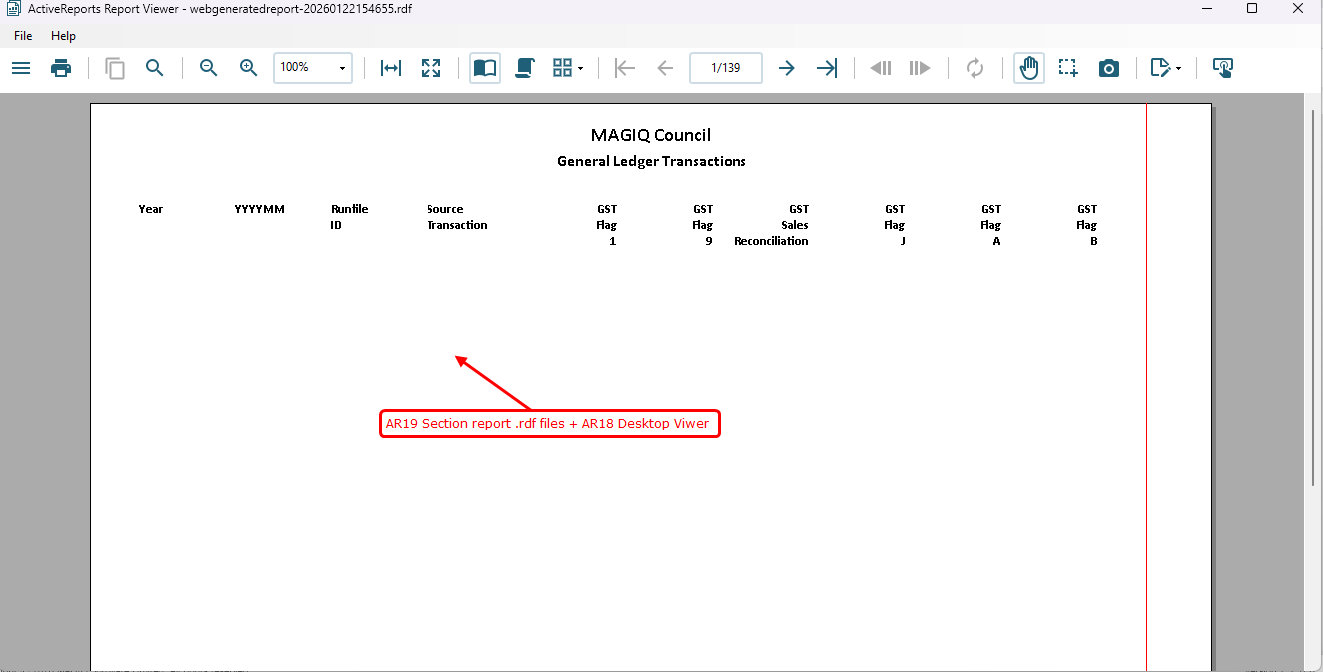
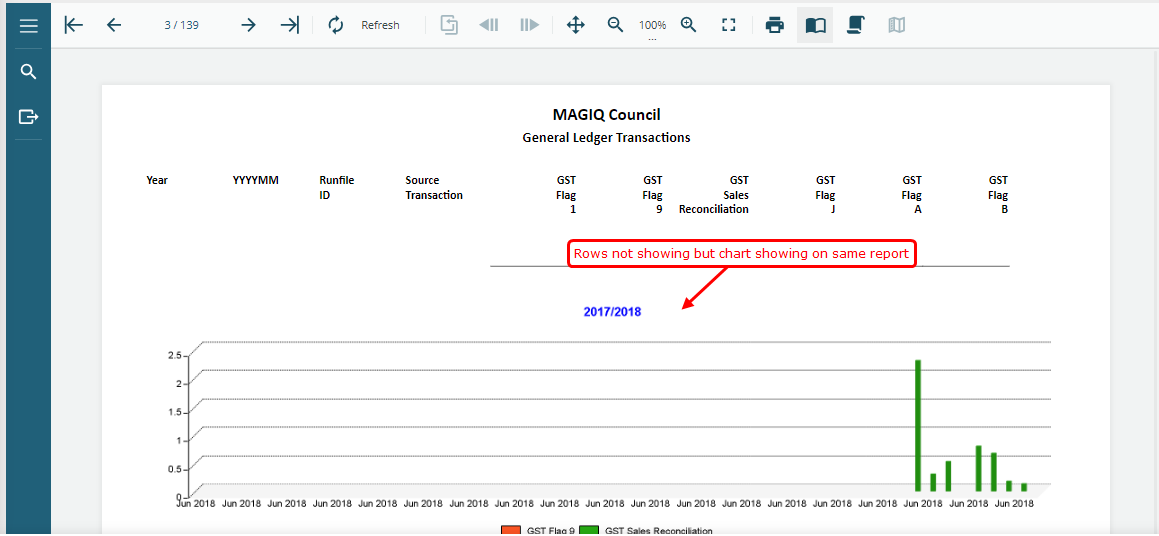
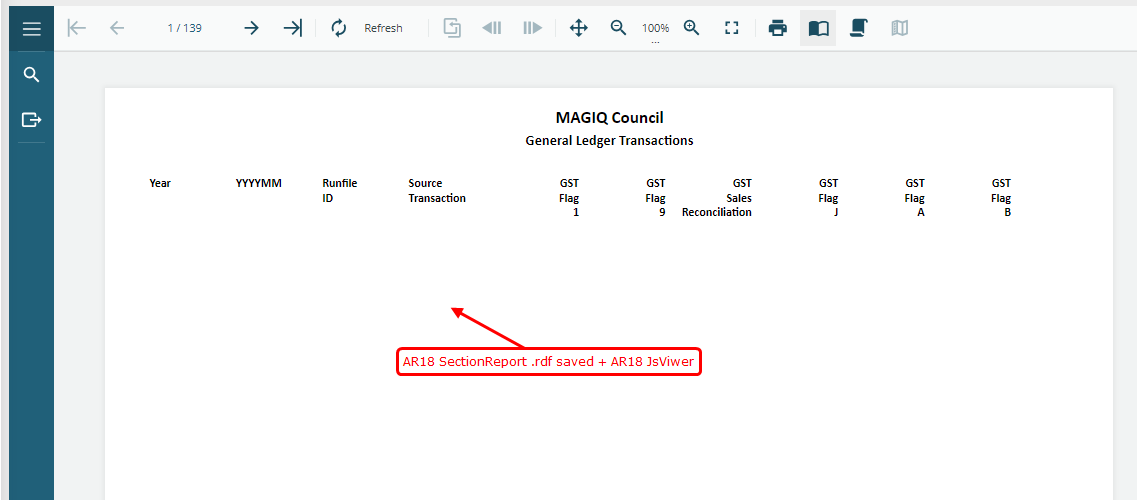
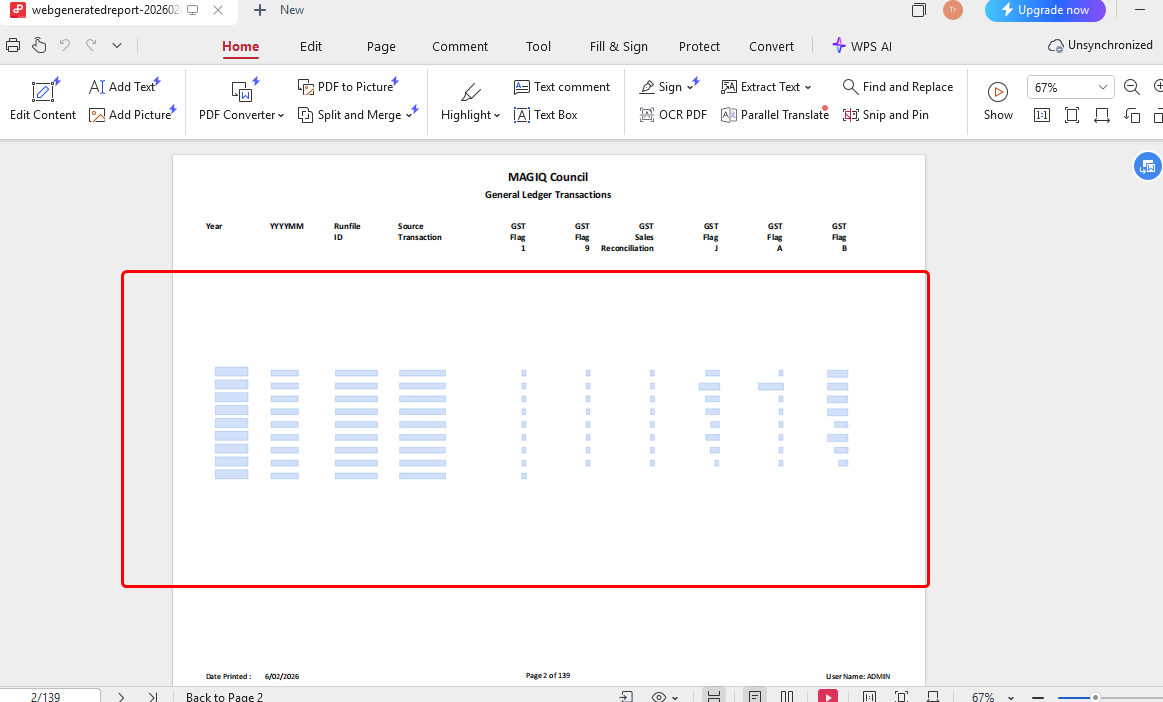
When opening the generated RDF in:
- AR18 JS Viewer (browser), or
- AR18 Desktop Viewer
We observe the same behavior:
 Page headers, footers, column headers render correctly
- Charts and images that are on header/footer pages render
 Detail rows do NOT render
- Group totals/subtotals that depend on data do not appear
This behavior is consistent across:
- RDF generated by legacy AR6 SectionReport code
- RDF generated by converted AR18 SectionReport code
5. Observations
-
In AR18,
only exposes:SectionDocumentSave(stream)Save(stream, RdfFormat, SaveOptions)
-
only has:RdfFormatAR20ARNet
-
There is no
or equivalent format for SectionReportsSnapshot -
There is no web ReportService that executes SectionReport logic during viewing
From this, it appears that:
- The JS Viewer is not executing SectionReport runtime logic
- RDF files are treated as static document definitions
- FetchData / Detail processing is not triggered during viewing
6. Questions for guidance
- Is it supported in AR18 to view runtime-generated SectionReport RDF files (with data rows) in JS Viewer?
- If yes:
- What is the correct way to save a SectionReport so that all data rows are included and viewable?
- Is there an equivalent to the old AR10 ReportService execution model?
- If no: Is there any other recommended approach?
- Is there any officially supported bridge or compatibility mode for legacy SectionReport + RDF + web viewing?
- Or is there any other report viewer we need to add to open reports?
Thank you for your time and guidance.
We want to follow a supported and future-proof approach while planning the migration path for our legacy reports.
Regards,
Triloknath
Senior .NET Developer