- Document Solutions for PDF JS Overview
- Key Features
- Licensing and Redistribution
- Quick Start
- Memory Management
- Features
- Snippet Helpers
- Samples
- Tutorials
- API Reference
- Release Notes
Text Search, Replace and Delete
Search Text
DsPdfJS allows you to search for text in a PDF document and retrieve all occurrences of the specified string. Text search works across the document and can match text even when it spans multiple lines in the rendered content.
Use the findText method of the PdfDocument class to search for text. This method accepts a parameter object that specifies the text to search for and optional search settings such as case sensitivity or whole‑word matching. The method returns a collection of results that include the page index and bounds of each occurrence, which can then be used for further processing such as highlighting, replacing, or removing the text.
Search and Highlight Text
The findText method returns a collection of all occurrences of the specified text in the document. Each result is returned as a FoundPosition type that contains information such as the page index and the bounds of the matched text. You can iterate through these results and use the page drawing context to visually highlight the matched areas.
The following code example shows how to search for text and highlight the results in a PDF document.
Note: The examples on this page use helper functions from the Snippet Helpers module. These utilities are provided only to simplify the examples and are not part of the DsPdfJS API.
// load file
const doc = PdfDocument.load(await Util.loadFile("TimeSheet.pdf"));

// define find text parameters
const findTextParams = {
    text: "HOURS",
    wholeWord: true,
    matchCase: false
};

//find text
const findTextList = doc.findText(findTextParams);

//highlight text
for (const text of findTextList)
{
    //get bounds of each occurrence of found text
    const ctx = doc.pages.getAt(text.pageIndex).context;
    const bounds = text.bounds;

    //highlight the text
    for (const pos of bounds) {
        ctx.drawPolygon(pos, {
            line: "Yellow",
            lineWidth: 1,
            fillColor: "#FF000064"
        });
    }
}

//save pdf
Util.saveFile("TextSearchHighlightText.pdf", doc.savePdf());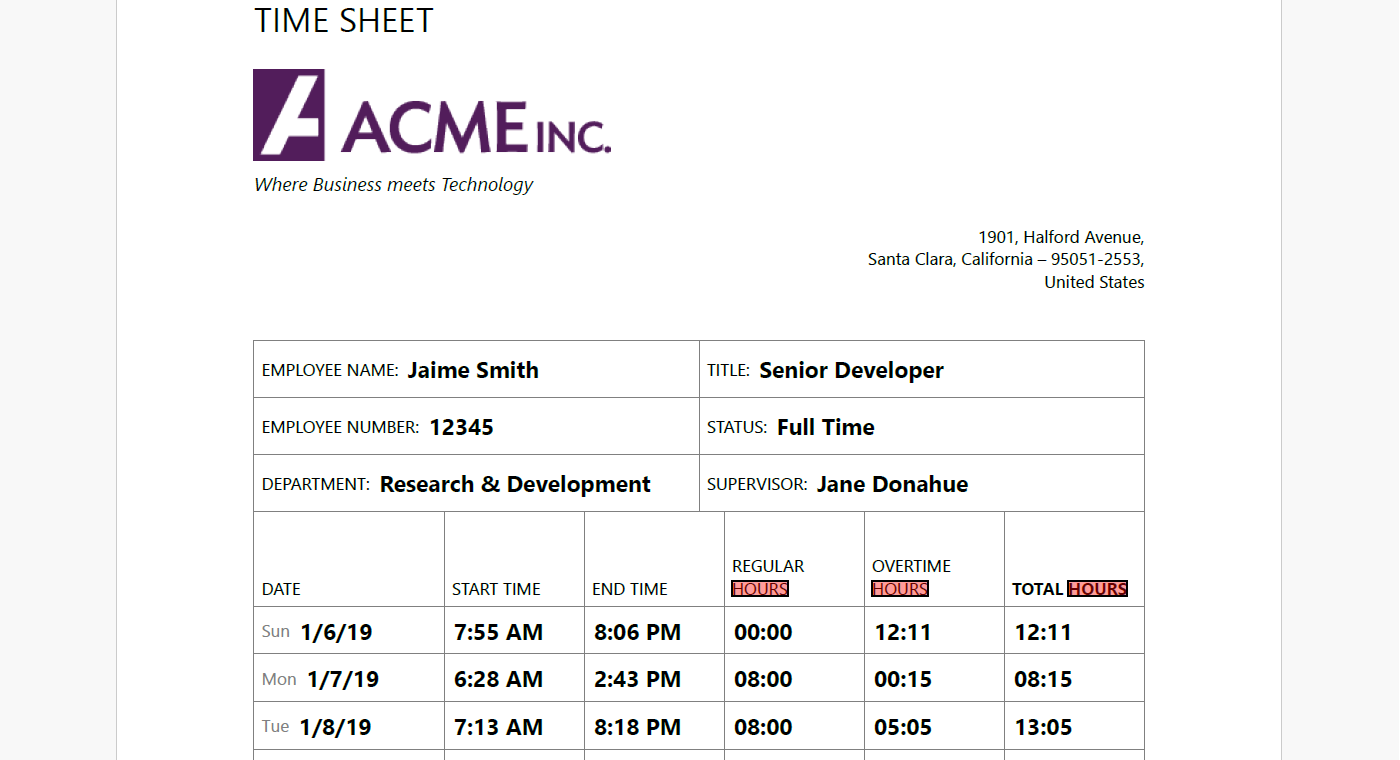
Case-sensitive Search
You can control whether the search distinguishes between uppercase and lowercase characters using the matchCase property of the FindTextParams type. When matchCase is set to true, only text with the exact letter casing is matched.
const findTextParams = {
    text: "HOURS",
    wholeWord: true,
    matchCase: true
};
const results = doc.findText(findTextParams);
Whole Word Search
To search only for complete words and ignore matches that appear as part of larger words, set the wholeWord property of the FindTextParams type to true.
const findTextParams = {
    text: "HOURS",
    wholeWord: true,
    matchCase: false
};
const results = doc.findText(findTextParams);
Replace Text
You can replace text in a PDF document using the replaceText method of the PdfDocument class. This method searches for text based on the specified FindTextParams and replaces all matching occurrences with the provided replacement string.
The replaceText method allows you to optionally specify a search scope using OutputRange, as well as the font and font size to use for the replacement text.
The following code example shows how to replace text in a PDF document.
// load file
const doc = PdfDocument.load(await Util.loadFile("Wetlands.pdf"));

const ftp = { text: "Wetlands", wholeWord: true, matchCase: true };
doc.replaceText(ftp, "WETLANDS");

Util.saveFile("TextReplaceText.pdf", doc.savePdf());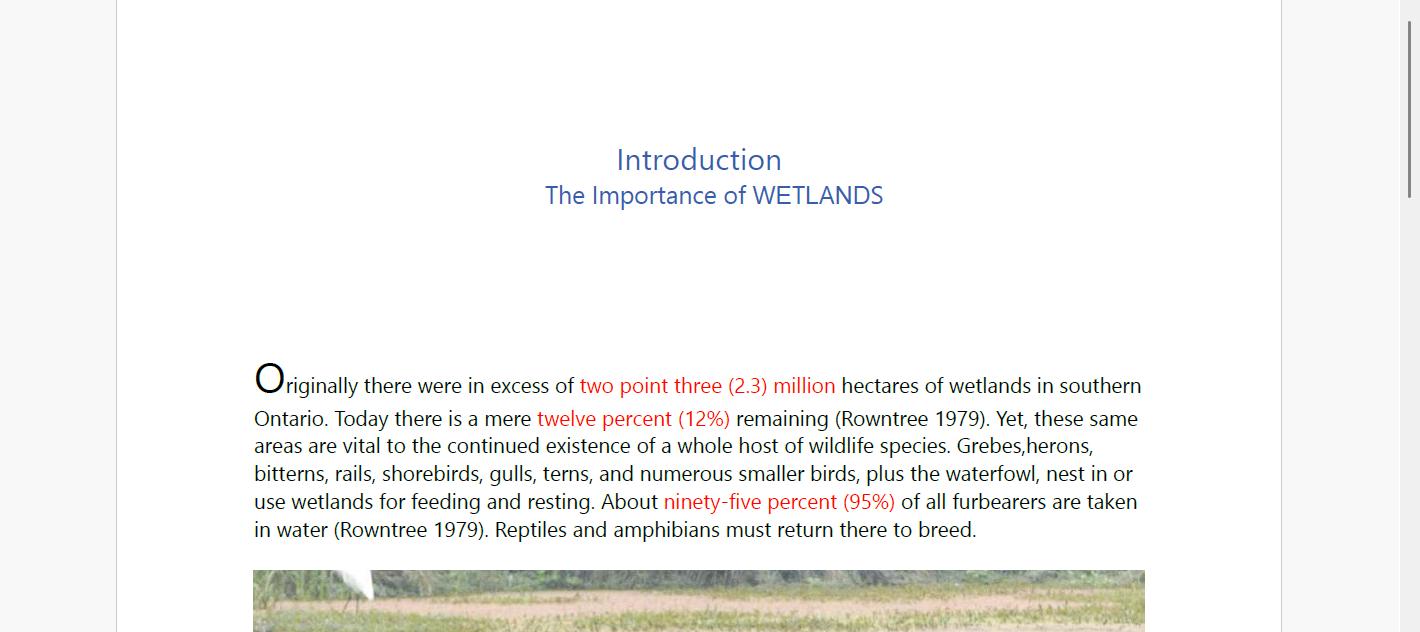
Delete Text
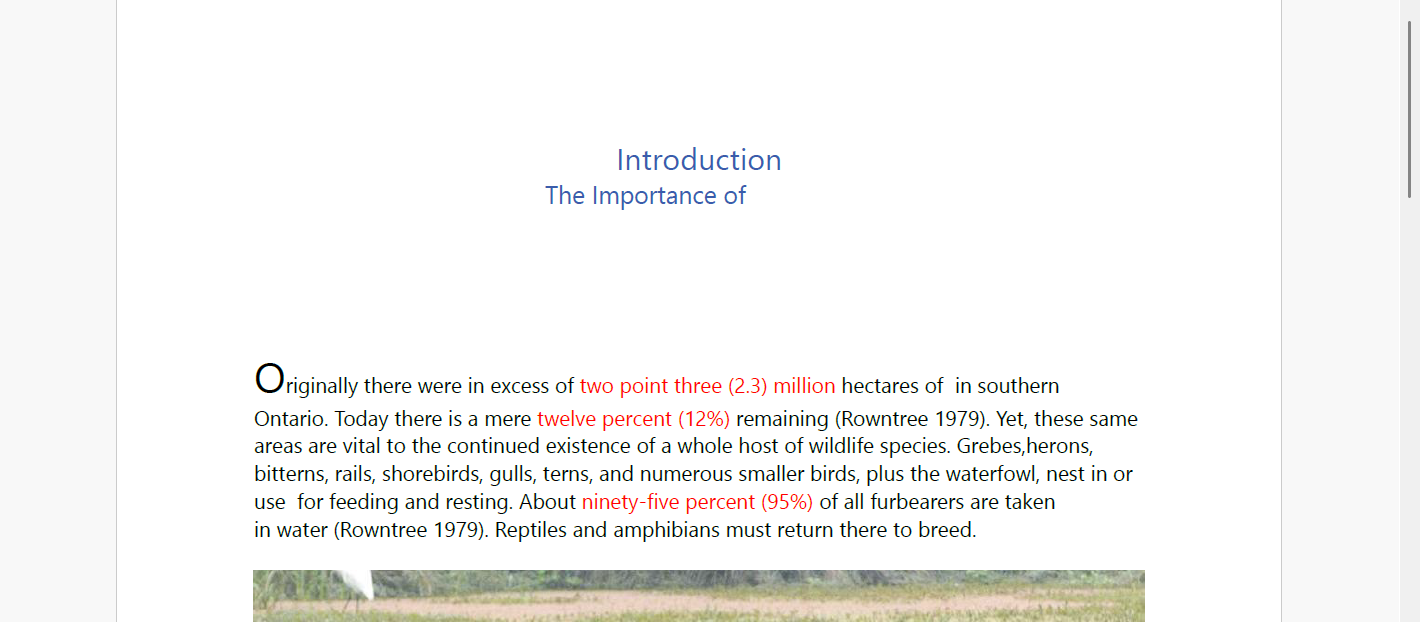
You can remove text from a PDF document using the deleteText method. The method searches for text using FindTextParams and deletes all matching occurrences according to the specified deletion mode.
The deletion behavior is controlled by the DeleteTextMode enumeration. You can also limit the operation to a specific range using the optional OutputRange parameter.
The following code example shows how to delete text from a PDF document.
// load file
const doc = PdfDocument.load(await Util.loadFile("Wetlands.pdf"));

const ftp = { text: "wetlands", wholeWord: true, matchCase: false };
doc.pages.getAt(0).deleteText(ftp, "WETLANDS");

Util.saveFile("TextDeleteText.pdf", doc.savePdf());