- Getting Started
-
Topics
- Wijmo
- Chart
- Map
- Cloud
- Gauge
- Grid
-
Scheduler
- overview
- Create and Bind Scheduler
- Configure Event Data
- Query, Filter, and Refresh Events
- Configure Resources
- Configure Views and Navigate the Schedule
- Create Advanced Layouts
- Synchronize Scrolling
- Configure Working Time
- Configure Time Zones
- Create, Edit, and Delete Events
- Drag and Resize Events
- Detect and Handle Conflicts
- Customize Event Display and Templates
- Customize Context Menus
- Hit Testing
- Keyboard Navigation, Focus, and Selection
- Troubleshooting
- OLAP
- Input
- Nav
- Viewer
- Tutorials
Synchronize Scrolling
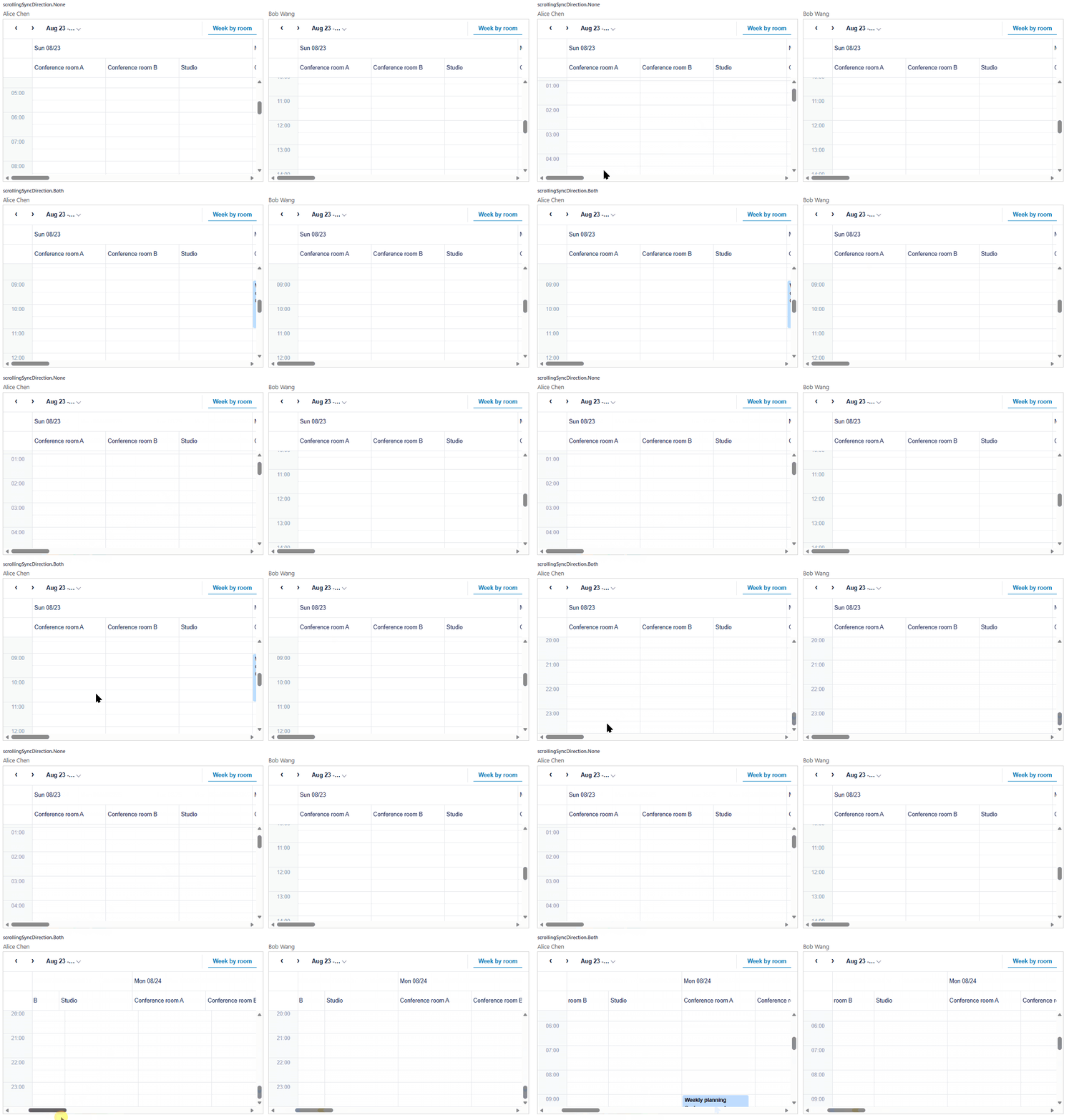
Applications that display several Schedulers at the same time, such as one schedule per person or per room, often need them to show the same part of the timeline. Set scrollingPartner and scrollingSyncDirection to keep the scroll position of two Scheduler instances aligned.
Enable scroll synchronization
Assign scrollingPartner to the other FlexScheduler instance, and set scrollingSyncDirection to the axes that should move together.
Value | Behavior |
|---|---|
| Disables scroll synchronization. This is the default. |
| Synchronizes the vertical scroll position. |
| Synchronizes the horizontal scroll position. |
| Synchronizes the vertical and horizontal scroll positions. |
schedulerA.scrollingPartner = schedulerB;
schedulerA.scrollingSyncDirection = wjScheduler.ScrollingSyncDirection.Vertical;
Both Scheduler instances must exist before the assignment. scrollingPartner is null and scrollingSyncDirection is None until the application assigns them. Configuring the relationship on one instance is sufficient: scrolling either Scheduler updates the other.
How synchronization behaves
Scheduler copies the scroll offset (scrollTop and scrollLeft) from the Scheduler that the user scrolled. The offset is copied as a pixel value, so Scheduler does not match dates, time slots, or resources, and no other state follows the scroll position.
Synchronized | Not synchronized |
|---|---|
The scroll position ( |
Cell selection, Keyboard focus |
Assigning a partner does not align the two Schedulers immediately. Two Schedulers with the same definition start at the same position, so they stay aligned from the first scroll. If the two views must start aligned, assign the partner before the user scrolls.
For the two Schedulers to line up, give them the same definition. Vertical scrolling moves through rows.bindings and horizontal scrolling moves through columns.bindings, so keep those bindings the same on both instances. When the definitions differ, the same offset can represent a different date or resource. See Create Advanced Layouts for axis bindings.
Handle different scroll ranges
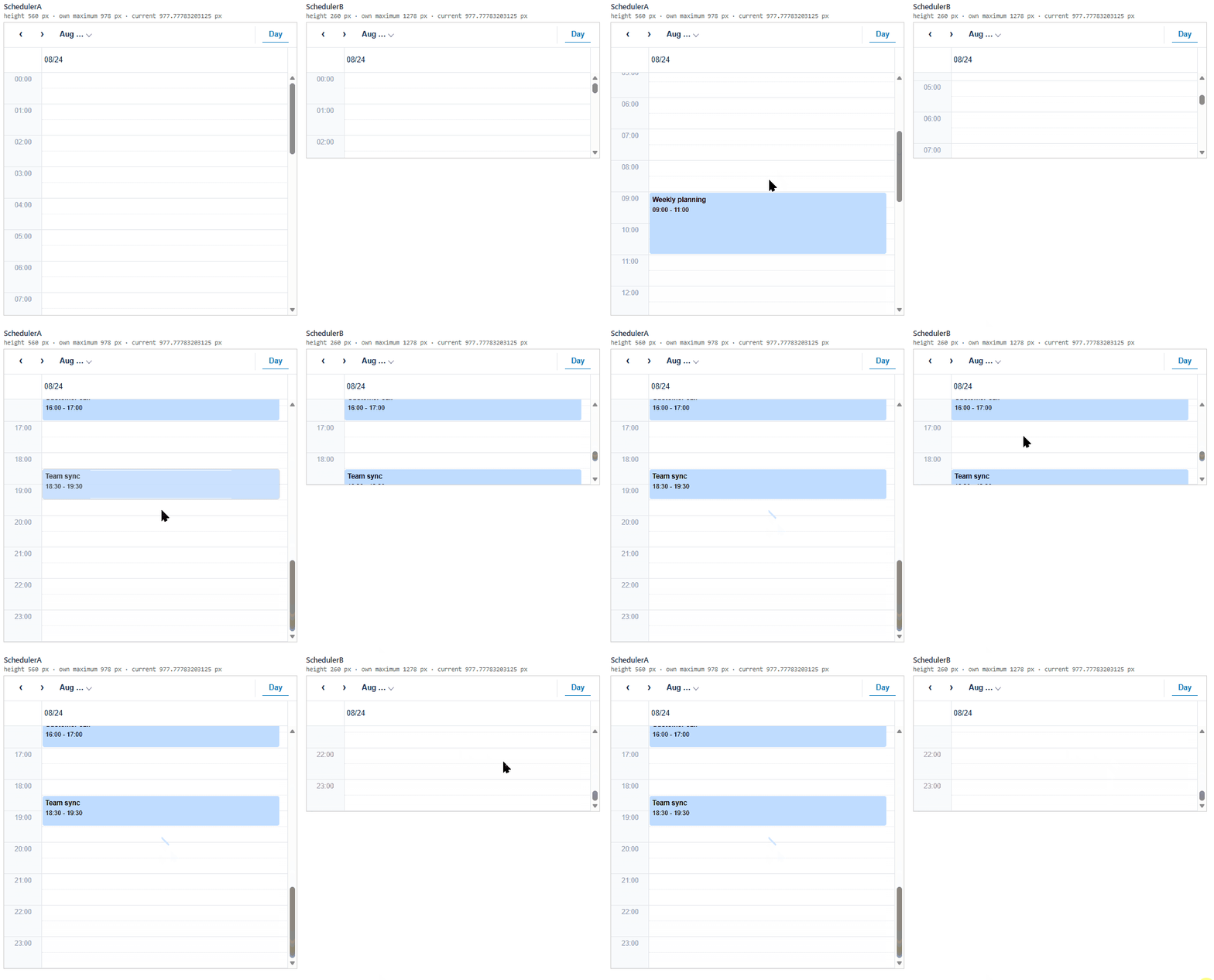
Each Scheduler keeps its own scrollable range. The range depends on the active definition and on the size of the host element, so two Schedulers can differ even when they use the same definition.
When a copied offset is outside the range of the receiving Scheduler, it stops at the nearest end of that range. The receiving Scheduler then scrolls again with its new position, and that position is passed back to the other instance. As a result, the Scheduler with the larger range can move backward.
const schedulerA = new wjScheduler.FlexScheduler('#a', { itemsSource, eventFields, displayDate });
const schedulerB = new wjScheduler.FlexScheduler('#b', { itemsSource, eventFields, displayDate });

schedulerA.scrollingPartner = schedulerB;
schedulerA.scrollingSyncDirection = wjScheduler.ScrollingSyncDirection.Vertical;
#a { height: 560px; }
#b { height: 260px; }In this example, SchedulerB can scroll 300 px further than SchedulerA on its own. When the user scrolls SchedulerB to its maximum, SchedulerA stops at its own limit and passes that position back, so both Schedulers stop at the smaller range. To keep the two Schedulers fully aligned, use the same definition and give the host elements a comparable size.
Pause or disconnect
Set scrollingSyncDirection to None to pause synchronization without clearing scrollingPartner. Set scrollingPartner to null to remove the relationship.
// Pause synchronization.
schedulerA.scrollingSyncDirection = wjScheduler.ScrollingSyncDirection.None;

// Remove the relationship.
schedulerA.scrollingPartner = null;
Connect more than two Schedulers
Each Scheduler can point to one partner. To connect three or more instances, link them in pairs and set scrollingSyncDirection on every Scheduler that has a partner.
schedulerA.scrollingPartner = schedulerB;
schedulerA.scrollingSyncDirection = wjScheduler.ScrollingSyncDirection.Vertical;

schedulerB.scrollingPartner = schedulerC;
schedulerB.scrollingSyncDirection = wjScheduler.ScrollingSyncDirection.Vertical;
In this configuration, the three Schedulers share one vertical position. Each one passes the position to its partner, so the chain ends at the last Scheduler that has no partner.