


- Getting Started
-
Topics
- Wijmo
- Chart
- Map
- Cloud
- Gauge
- Grid
-
Scheduler
- overview
- Create and Bind Scheduler
- Configure Event Data
- Query, Filter, and Refresh Events
- Configure Resources
- Configure Views and Navigate the Schedule
- Create Advanced Layouts
- Synchronize Scrolling
- Configure Working Time
- Configure Time Zones
- Create, Edit, and Delete Events
- Drag and Resize Events
- Detect and Handle Conflicts
- Customize Event Display and Templates
- Customize Context Menus
- Hit Testing
- Keyboard Navigation, Focus, and Selection
- Troubleshooting
- OLAP
- Input
- Nav
- Viewer
- Tutorials
Configure Working Time
Configure recurring office hours and explicit exceptions so users can distinguish working and non-working periods. These settings affect styling and conflict checks; application permissions remain separate.
Working-time settings mark matching cells as non-working; they do not hide cells. To omit axis items, use a time binding's
visiblecallback in a custom definition. Cells remain interactive unless application code cancels an operation. UseconflictCheckedwhen non-working overlaps must be rejected.
Choose a setting
Requirement | Setting |
|---|---|
Same hours every day |
|
Different hours by weekday |
|
Holidays or one-time closures |
|
Hide axis items | Definition binding |
If both workDays and workHours are null, no recurring working-time restriction is applied. An empty schedule explicitly represents no working range.
Keep the configured time zone consistent with event data. Configure cross-region display separately with the Scheduler timeZone property.
Configure daily hours
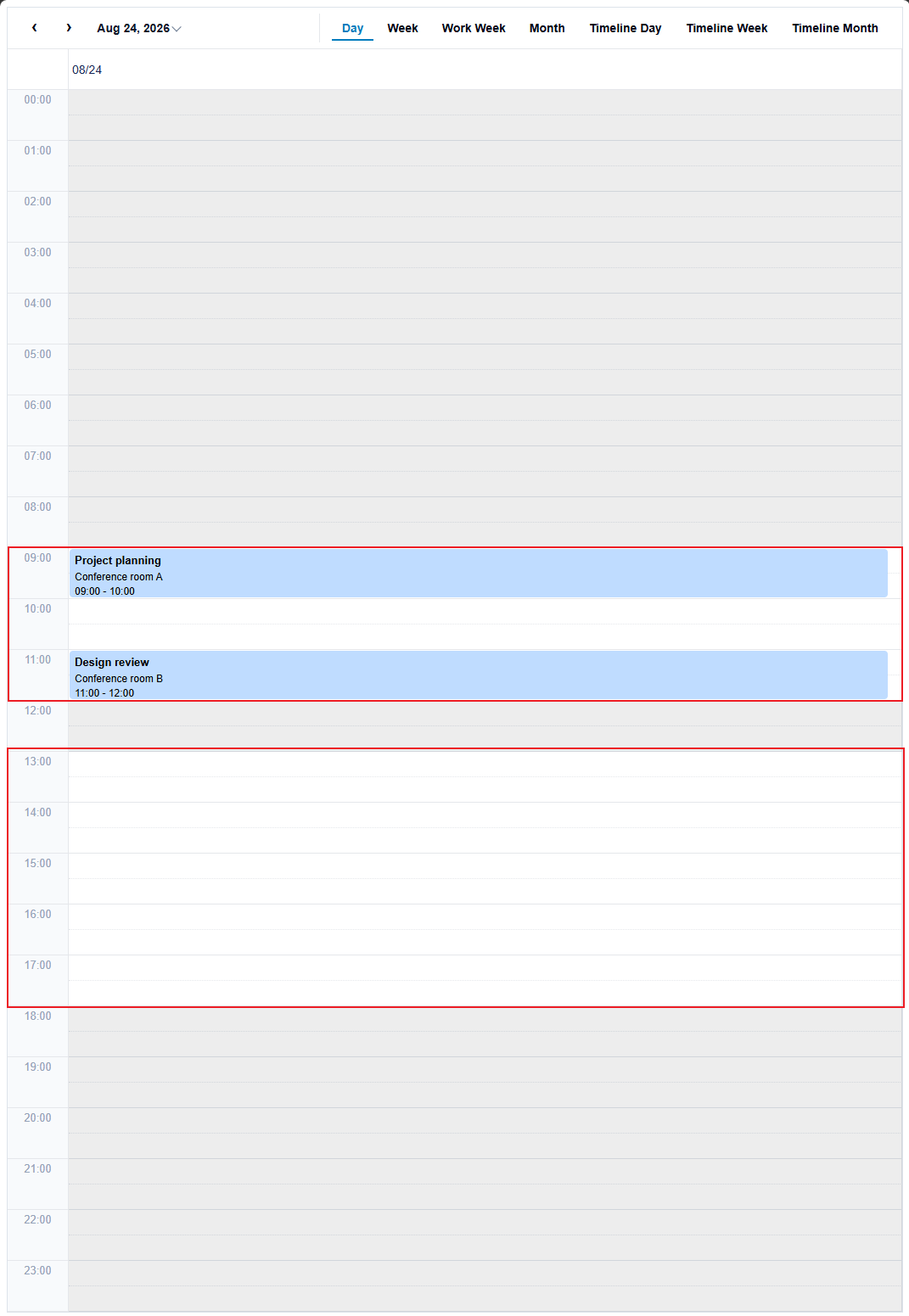
Use workHours when one schedule applies every day. Each range uses 24-hour clock text in H:mm or HH:mm format, such as 9:00 or 09:00. The start is inclusive and the end is exclusive; 24:00 is valid only as an end value.
scheduler.workHours = [
  { start: '09:00', end: '12:00' },
  { start: '13:00', end: '18:00' },
];
Configure weekday-specific hours
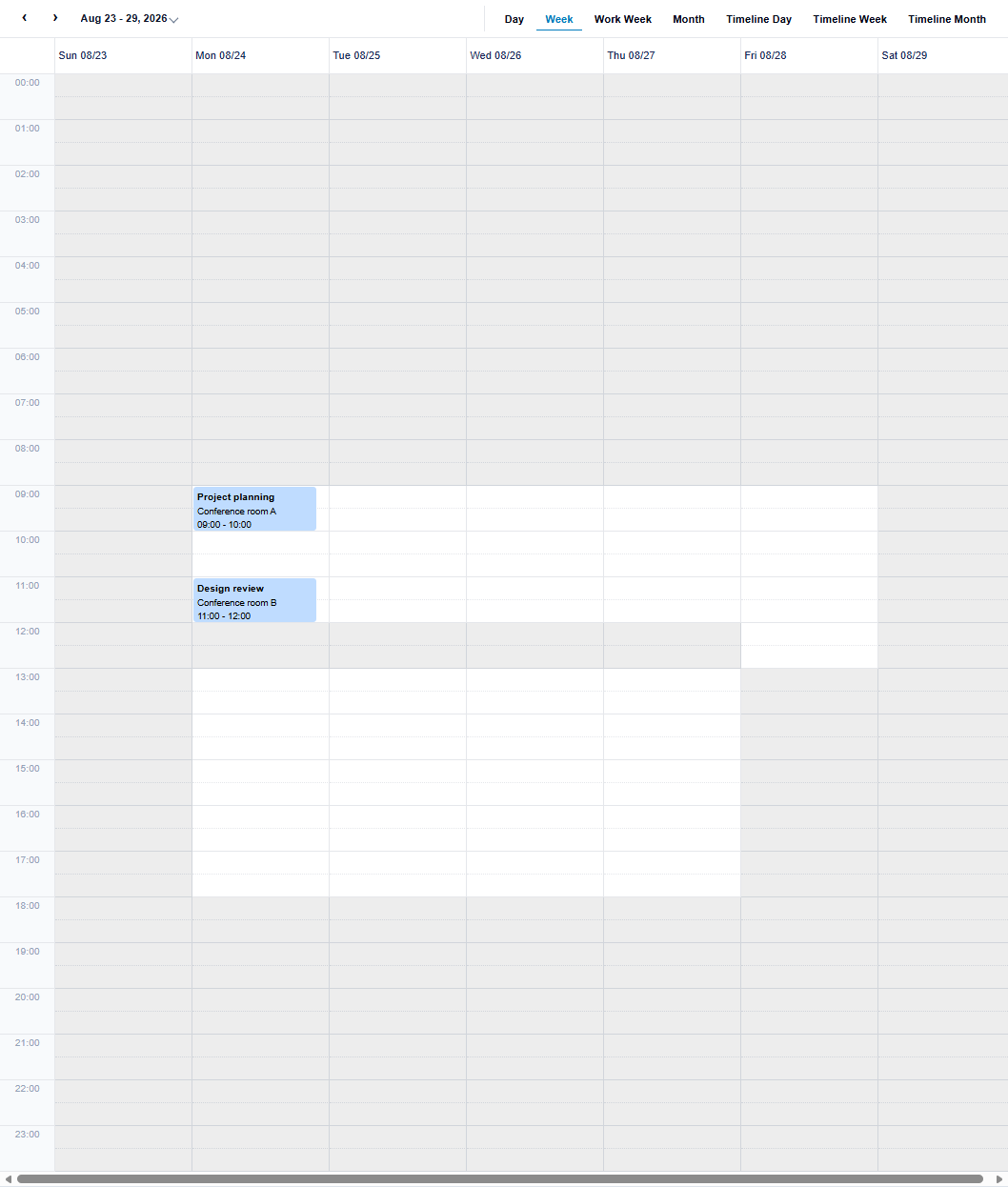
workDays contains seven entries ordered Sunday through Saturday. An empty entry marks that weekday as non-working.
const officeHours = [
  { start: '09:00', end: '12:00' },
  { start: '13:00', end: '18:00' },
];
scheduler.workDays = [
  [], // Sunday
  officeHours, // Monday
  officeHours, // Tuesday
  officeHours, // Wednesday
  officeHours, // Thursday
  [{ start: '09:00', end: '13:00' }], // Friday
  [] // Saturday
];
When
workDaysis configured, it takes priority overworkHours; an empty weekday does not fall back toworkHours. SetworkDaystonullto useworkHoursagain.
Configure date-specific exceptions
Use nonworkingTime for holidays, closures, and other concrete date-time exceptions.
scheduler.nonworkingTime = [{
  start: new Date(2026, 7, 24, 12),
  end: new Date(2026, 7, 24, 13),
}];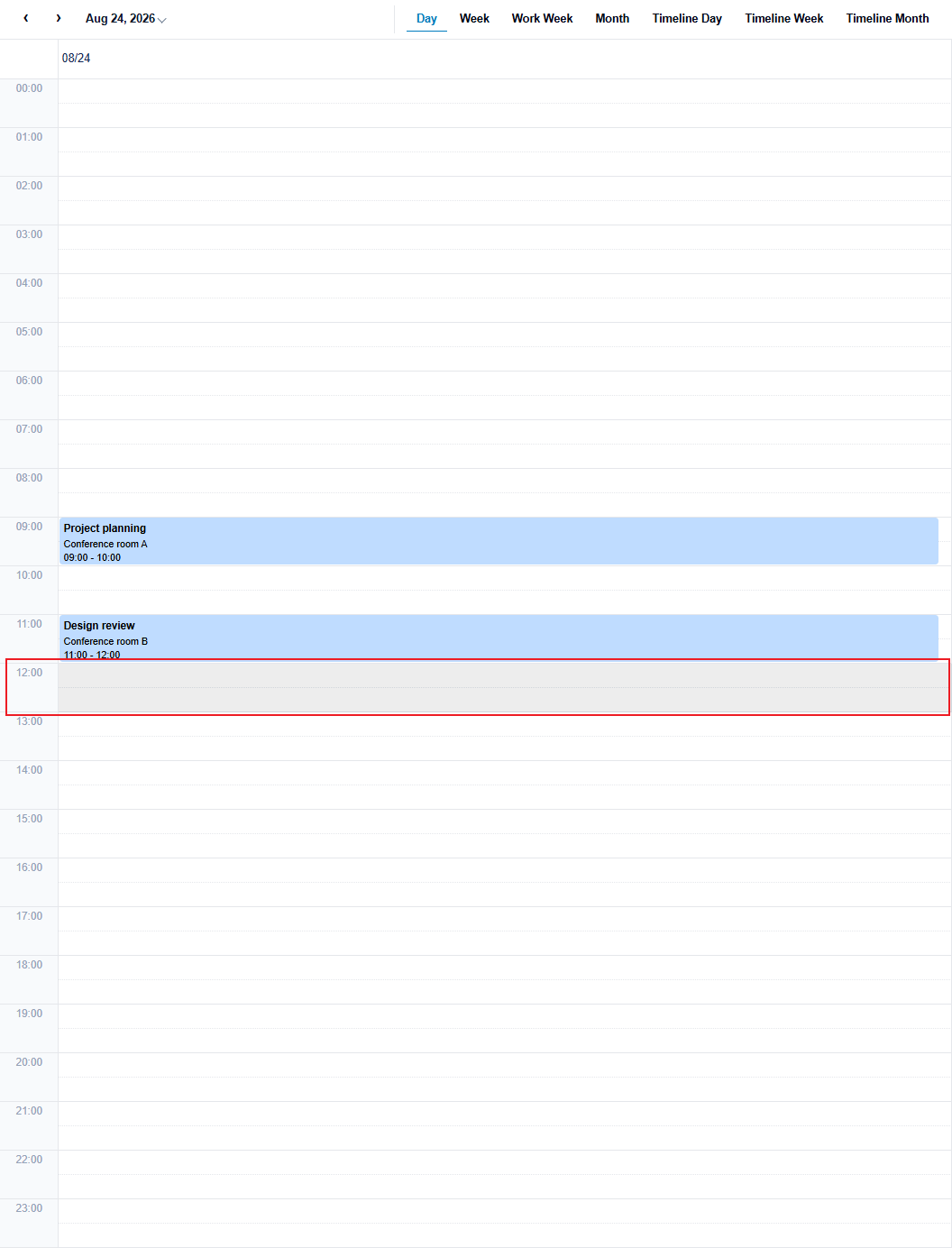
An explicit nonworkingTime range has priority over recurring settings. Use the next day's midnight as the end of a full-day Date range.