- Getting Started
-
Topics
- Wijmo
- Chart
- Map
- Cloud
- Gauge
- Grid
-
Scheduler
- overview
- Create and Bind Scheduler
- Configure Event Data
- Query, Filter, and Refresh Events
- Configure Resources
- Configure Views and Navigate the Schedule
- Create Advanced Layouts
- Synchronize Scrolling
- Configure Working Time
- Configure Time Zones
- Create, Edit, and Delete Events
- Drag and Resize Events
- Detect and Handle Conflicts
- Customize Event Display and Templates
- Customize Context Menus
- Hit Testing
- Keyboard Navigation, Focus, and Selection
- Troubleshooting
- OLAP
- Input
- Nav
- Viewer
- Tutorials
Drag and Resize Events
Allow users to drag events with the mouse or change their duration by resizing an event edge. Scheduler keeps the source item unchanged during the interaction and commits a candidate only after the pointer is released.
The examples in this topic continue the Scheduler created in Create and Bind Scheduler. They assume that wjScheduler, itemsSource, and scheduler are already defined and that the host element has a height.
Configure mouse interactions
Dragging and resizing are enabled by default. Set either property to false only when you need to disable that interaction.
const scheduler = new wjScheduler.FlexScheduler('#scheduler', {
  itemsSource,
  allowDragEvent: true,
  allowResizeEvent: false,
});
Supported layouts
Layout | Move | Resize |
|---|---|---|
Timed vertical (Day, Week, Work Week) | Supported | Top and bottom edges |
Timed horizontal (Timeline Day, Timeline Week) | Supported | Left and right edges |
Summary (Month, Timeline Month) | Supported | Not supported |
Move an event
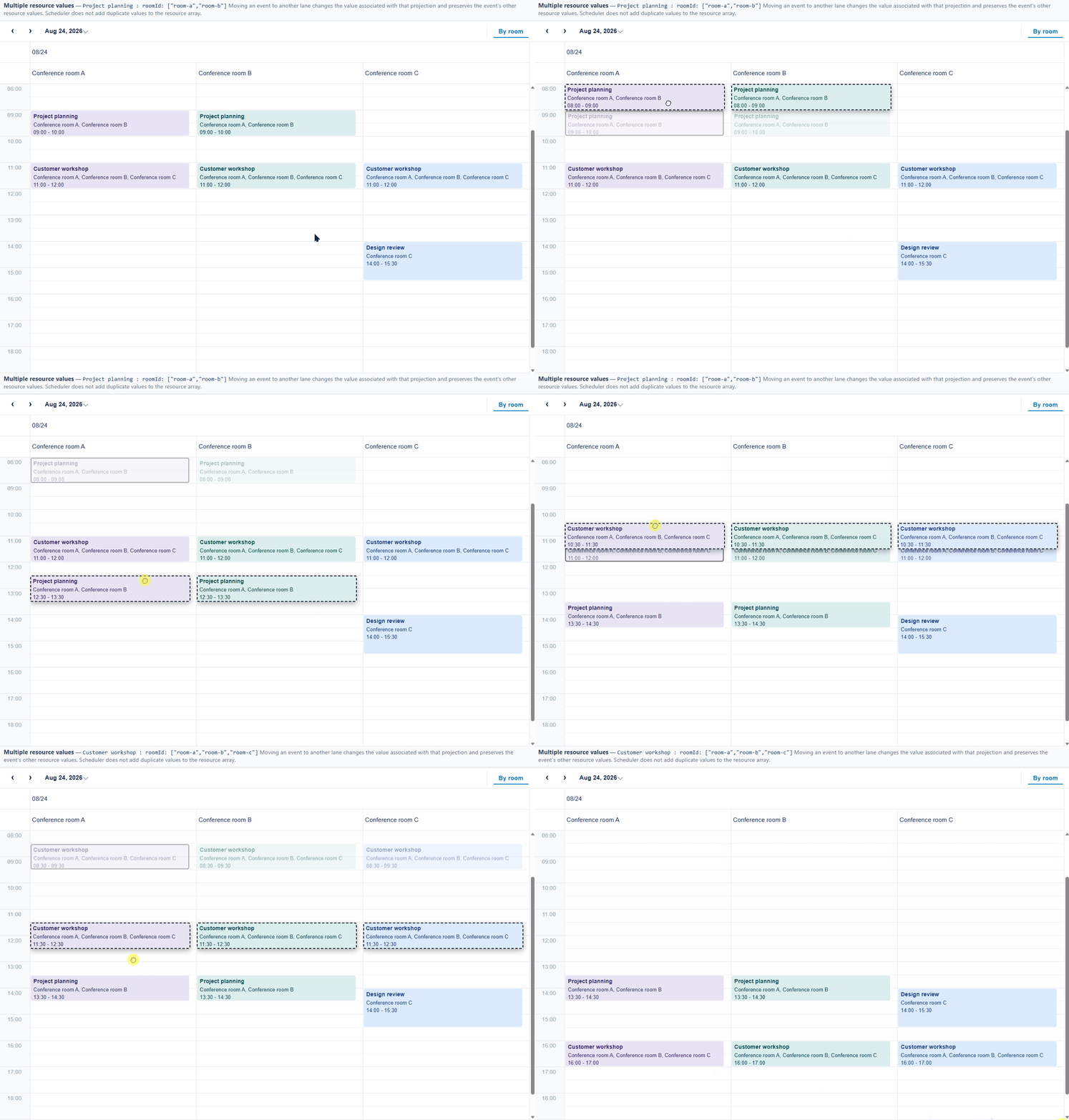
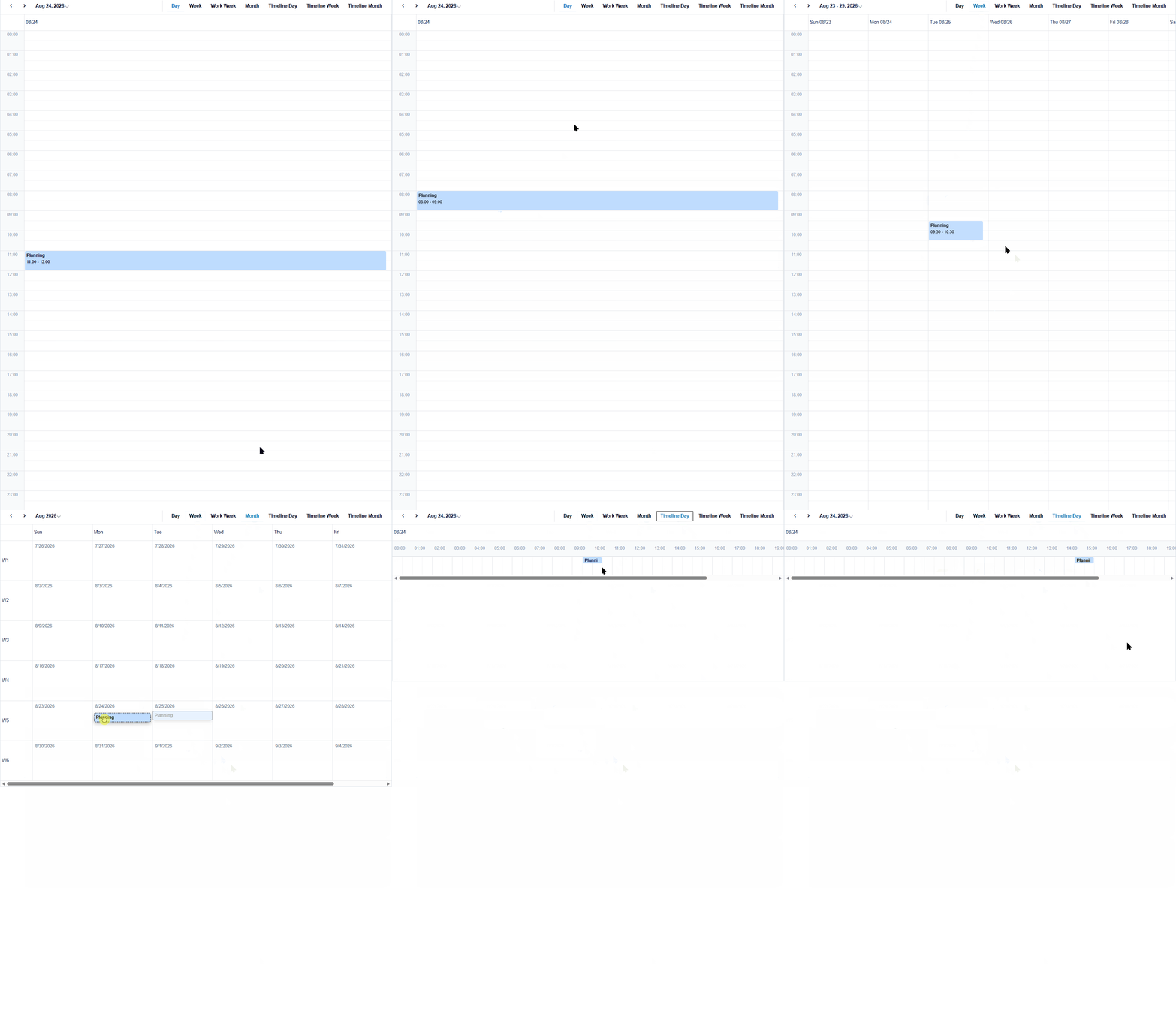
Move preserves the complete event duration and the pointer's position within the event. Moving to another resource updates the resource fields supplied by the target lane, even when the time range is unchanged.
An event that spans dates or resource sections can show several preview fragments during the drag. The fragments represent one candidate source item, not separate events. The original fragments remain dimmed until the operation is committed or canceled.
Summary views support moving an item between cells, but the item keeps its fixed summary size and cannot be resized.
Resize an event
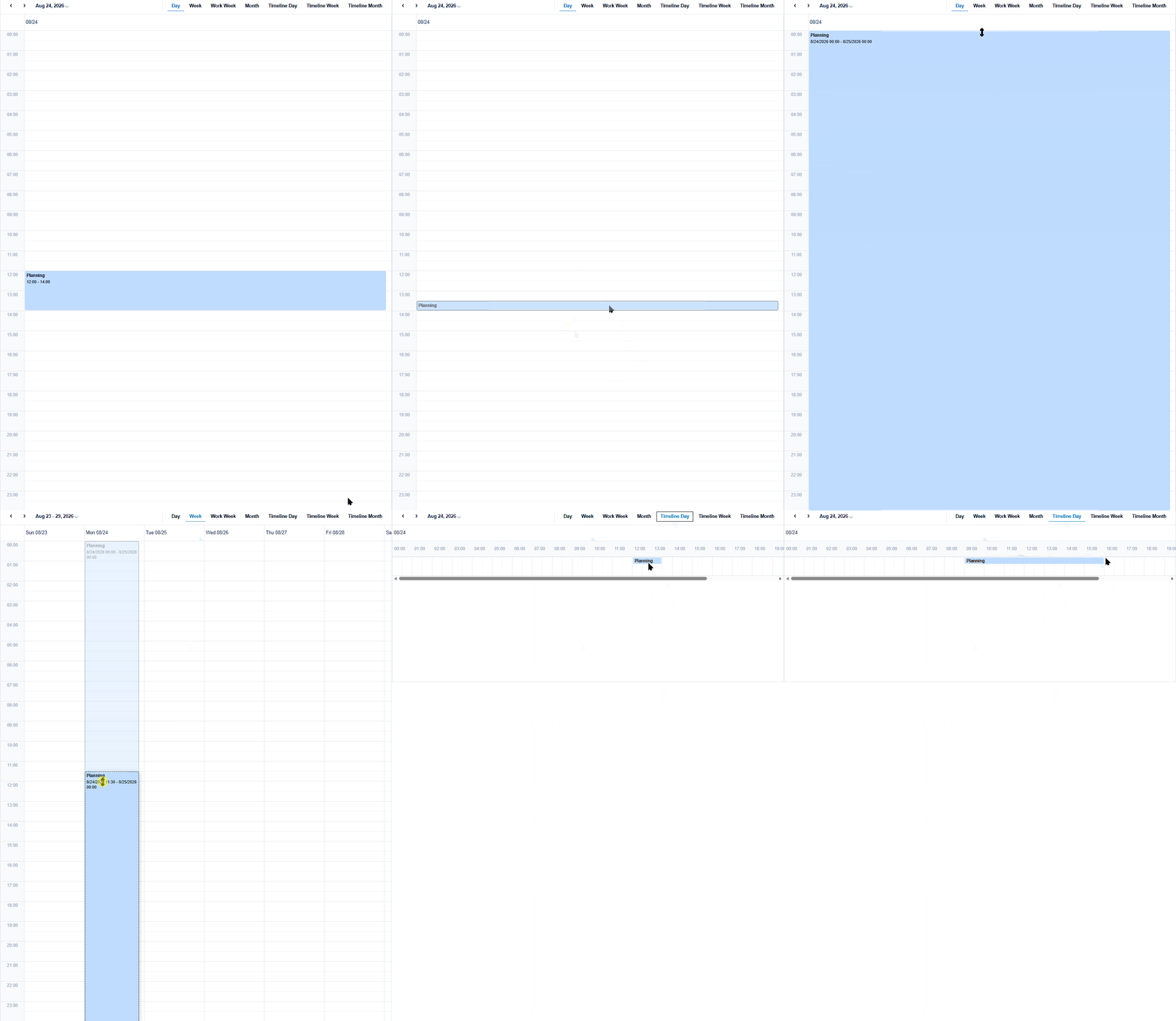
Resize changes only the edge under the pointer:
In vertical Timed views, drag the top edge to change the start or the bottom edge to change the end.
In horizontal Timed views, drag the left edge to change the start or the right edge to change the end.
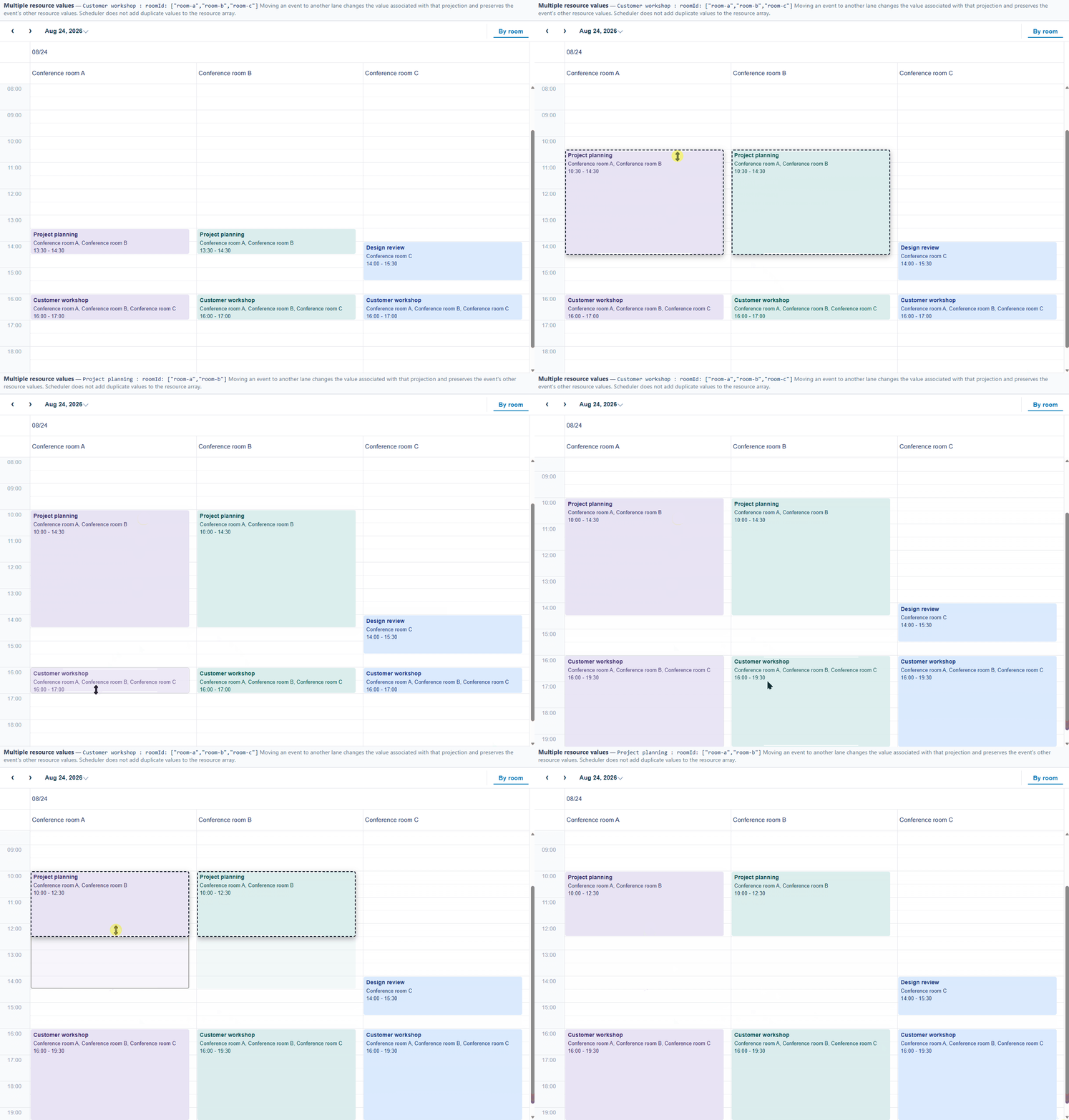
The opposite edge remains unchanged. Scheduler keeps the candidate interval valid and does not allow the start to become later than the end. Cross-day candidates may be split into multiple preview fragments while the interaction is active.
Resize rules
Operation | Candidate behavior |
|---|---|
Resize start | Changes the start and preserves the original end. |
Resize end | Changes the end and preserves the original start. |
Candidate start is not earlier than end | Limits the start to |
Candidate end is not later than start | Limits the end to |
Existing event is shorter than 30 minutes | Keeps its existing duration; it is not automatically extended. |
The 30-minute interval is a validity safeguard for an invalid resize candidate. It is independent of the configured time-slot duration and is not a minimum duration applied to every event. Existing events shorter than 30 minutes keep their duration.
Handle the change lifecycle
Move and Resize are represented as SchedulerItemChangeAction.Update; they do not have separate move or resize events.
scheduler.itemChanging.addHandler((_sender, args) => {
  console.log('candidate', args.request.values);
  if (!canEdit(args.request.item)) {
    args.cancel = true;
  }
});

scheduler.conflictChecked.addHandler((_sender, args) => {
  const conflicts = args.result?.conflicts ?? [];
  if (conflicts.length > 0 && !allowConflicts) {
    args.cancel = true;
  }
});

scheduler.itemChanged.addHandler((_sender, args) => {
  persistEvent(args.result.item);
});
The lifecycle occurs after the pointer is released:
Stage | Event | Cancelable | Purpose |
|---|---|---|---|
Candidate request |
| Yes | Inspect permissions and proposed values |
Candidate checked |
| Yes | Inspect and optionally reject conflicts |
Update committed |
| No | Persist the updated source item |
Conflicts are not checked continuously while the pointer is moving. A canceled request, invalid drop target, or Escape key leaves the source item unchanged.
Inspect proposed values
In itemChanging, args.request.item is the source item before the interaction and args.request.values contains the candidate values. Move requests include the target start, end, and resource fields supplied by the target cell. Resize requests include the target start and end; resource fields are not changed by Resize.
After a successful update, read the committed source item from args.result.item in itemChanged. Keep persistence and application reconciliation based on this source item rather than on preview elements.
Preview, cancellation, and cleanup
During Move or Resize, the source item remains unchanged. Existing fragments are dimmed and candidate previews show the proposed position. Preview fragments are visual-only: they are excluded from hit testing, keyboard focus, and assistive technology.
Moving the pointer temporarily outside a valid cell does not immediately commit or modify the item. Returning to a valid target allows the interaction to continue. Releasing over an invalid target or pressing Escape cancels the operation and removes its previews and temporary interaction state. Item-change events are raised only after a valid candidate is released. After Escape cancels the interaction, a later mouse release does not submit an update.
Edge case | Behavior |
|---|---|
Drag starts from a cross-day fragment | The candidate position remains stable and does not jump. |
Pointer leaves a valid cell temporarily | The preview may disappear, but the operation is not immediately canceled. |
Pointer returns to a valid cell | The operation can continue. |
Press | Cancels the operation and prevents a later mouse release from raising update events. |
Resize handles overlap on a very short event | The end handle is normally resolved first. |
Candidate is outside the current visible date range | It can still be accepted when the release target is a valid cell. |
Multiple resource values
For a resource descriptor with allowMultiple: true, moving an event from one resource projection changes the value associated with that projection and preserves the event's other resource values. Scheduler does not add duplicate values to the resource array.