


- SpreadJS Overview
- Getting Started
- JavaScript Frameworks
- Best Practices
- Features
- SpreadJS Designer
- SpreadJS Designer VSCode Plugin
- Tutorials
-
SpreadJS Designer Component
- Getting Started
- Quick Start
- Theme
- Designer Interface
- JavaScript Frameworks
- Template-Based Workbook Initialization
- Customizations
-
Work in Designer Component
- AutoSum Functions
- Set Range Template Cell
- Name Box
- Select Cells Using Go To
- Find and Replace
- Edit Font Size
- Edit Font Family
- Configure Cell Borders
- Manage Conditional Formatting Rules
- Shape Selection Pane
- Automatic Outline
- Format Painter
- Sort and Filter
- Table Slicer
- Data Source
- TableSheet
- GanttSheet Designer
- ReportSheet Designer
- Data Chart Designer
- Text to Columns
- Remove Duplicates
- Pivot Table
- Dockable Side Panel
- Command Palette
- Transform Cells with LAMBDA Formula
- Threaded Comments Panel
- What-If Analysis
- Insert Function Dialog
- Named Cell Templates
- Insert Pictures in Designer
- Toolbar Ribbon
- API Documentation
- SpreadJS Collaboration Server
- Touch Support
- Formula Reference
- Import and Export Reference
- Events
- API Documentation
- Release Notes
Threaded Comments Panel
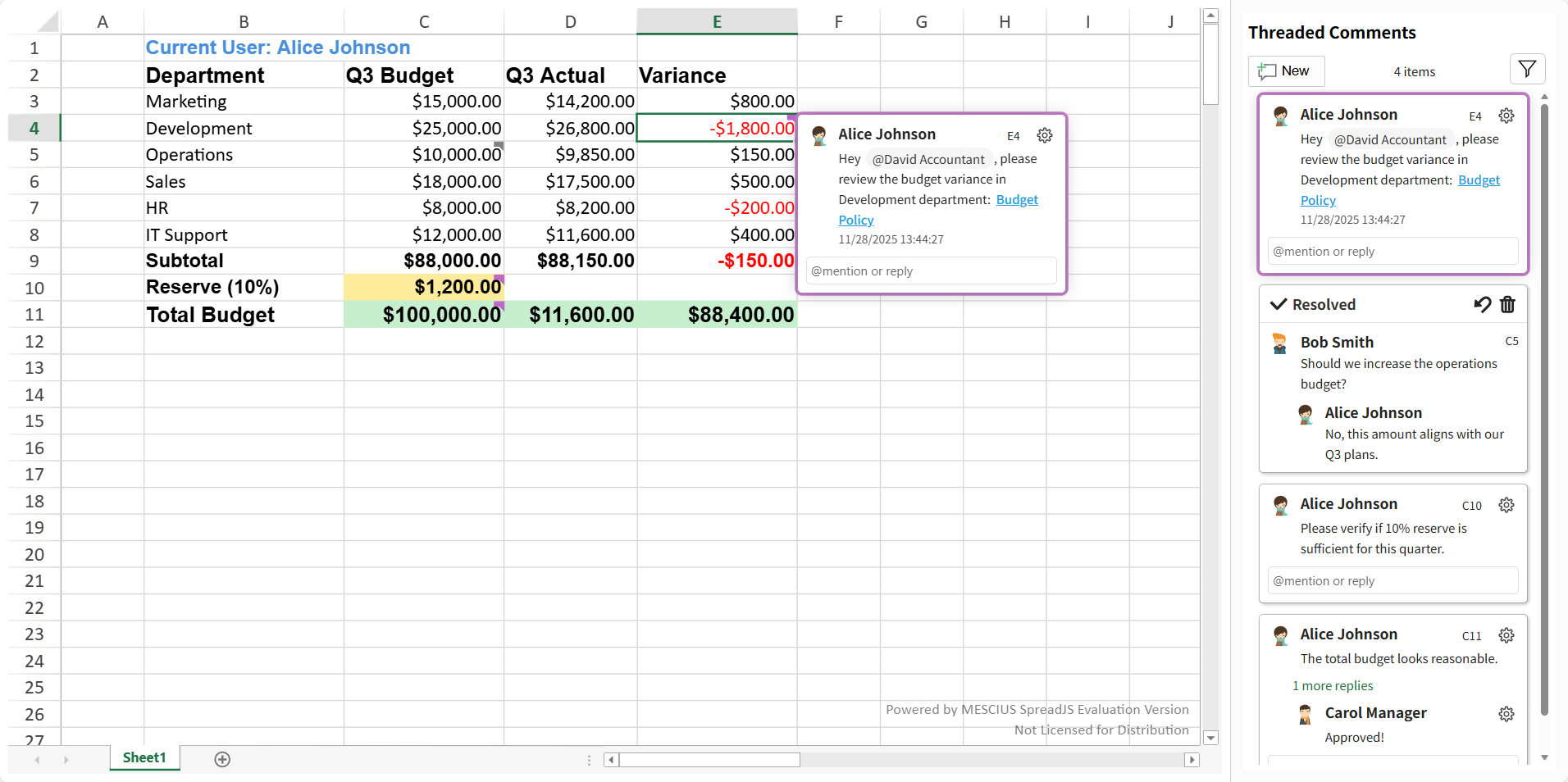
The Threaded Comment Panel is a built-in component of SpreadJS used to display, manage, and interact with all threaded comments in the active worksheet.
It provides an intuitive interface for users to review, reply to, and filter conversation threads directly within the panel, improving collaboration efficiency in spreadsheet-based environments.
The panel is fully synchronized with the workbook’s threaded comment system and updates dynamically as comments are added, edited, or deleted.
Supported Panel Actions
List all available actions grouped by functional area.
Module | Operation (User Action) | Illustration |
|---|---|---|
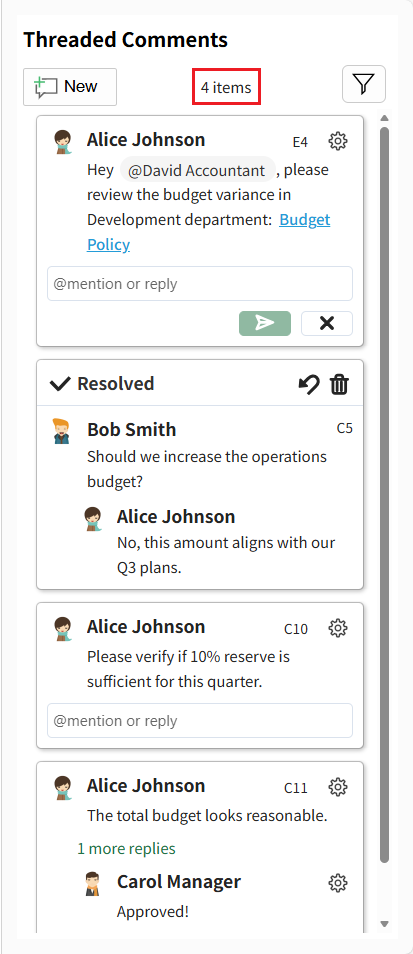
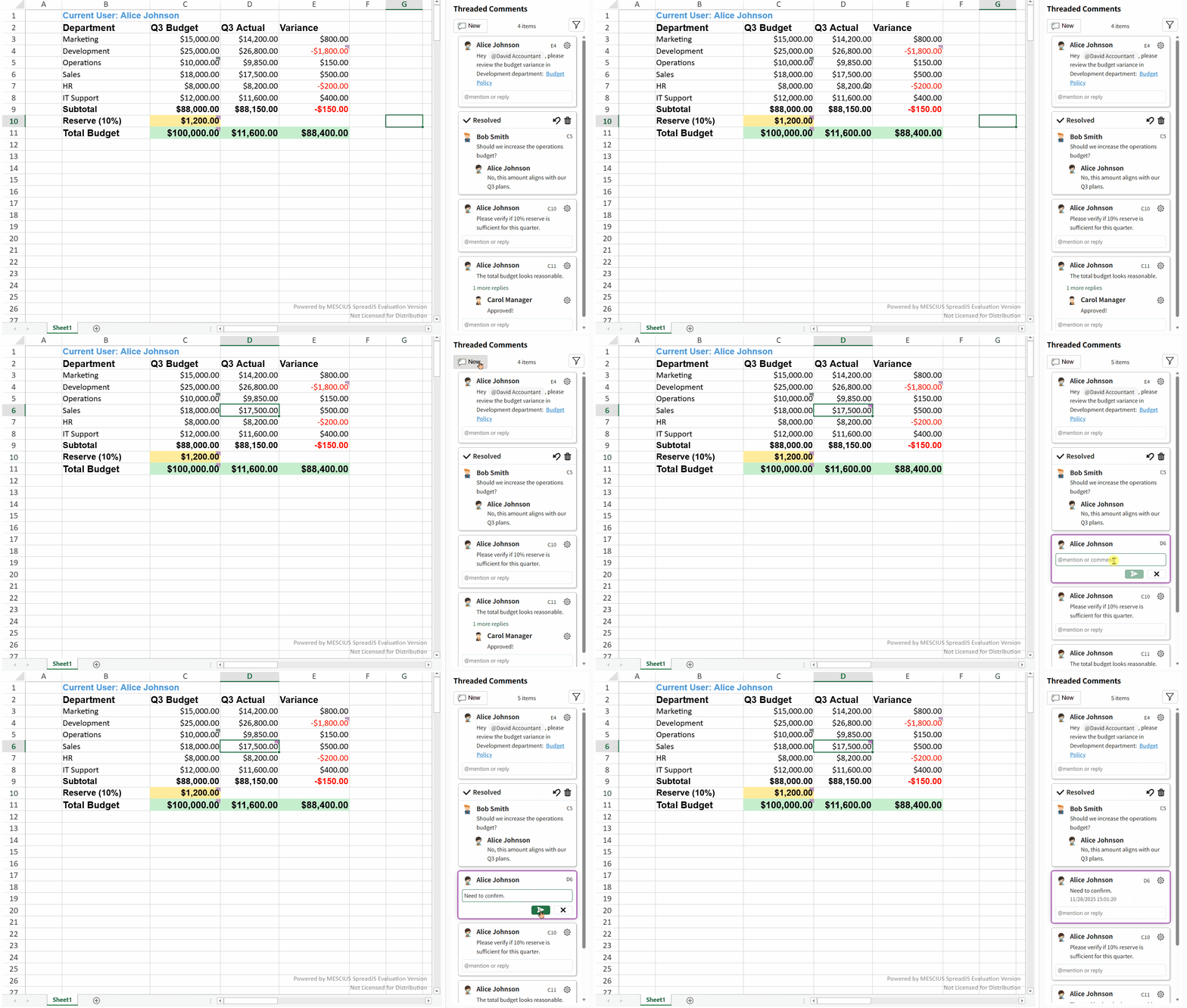
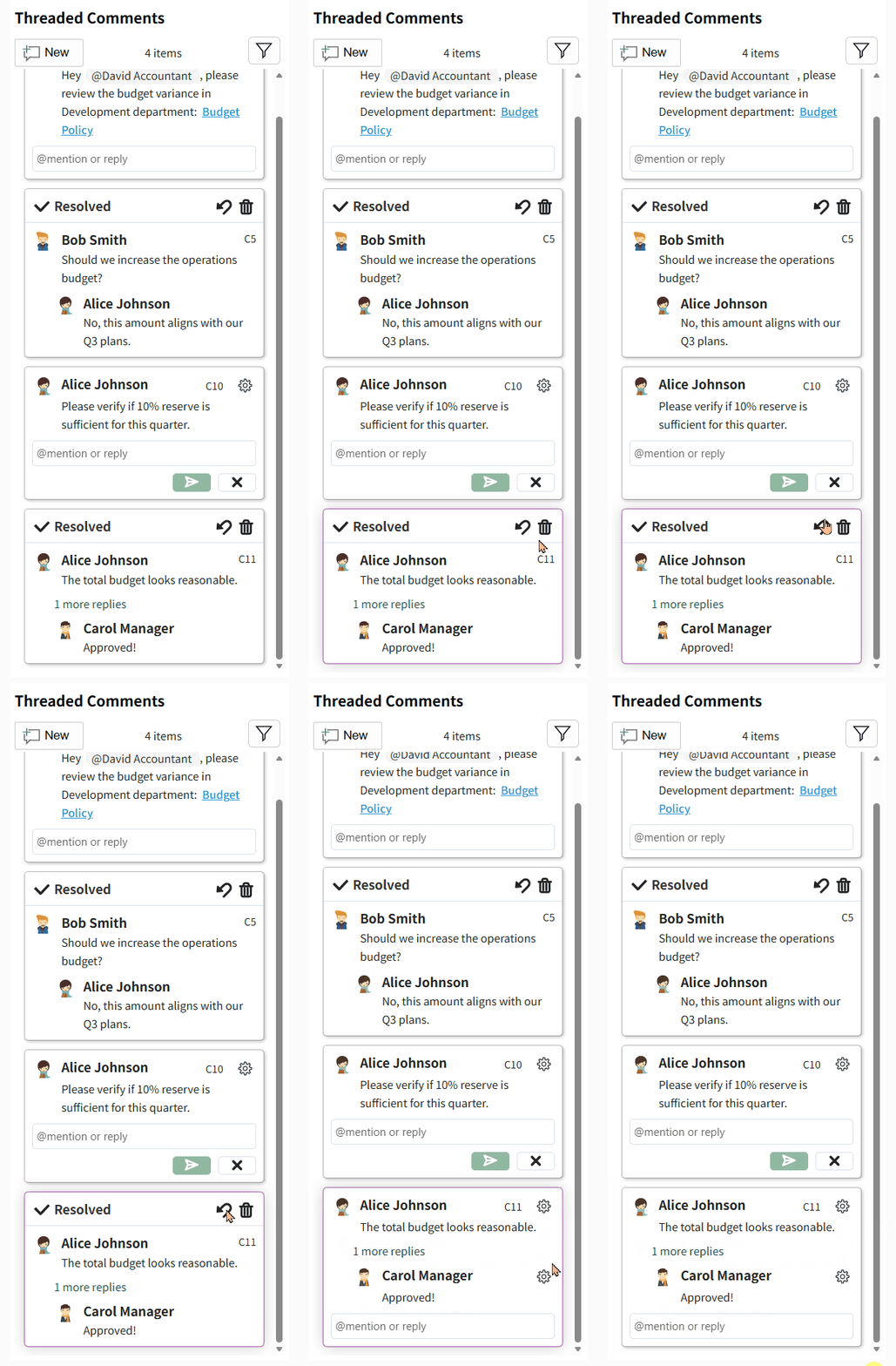
Comment Manager | View all threaded comments available on the current sheet. |
|
Retrieve the total number of threaded comments in the current sheet. |
| |
Filter threaded comments based on defined conditions. |
| |
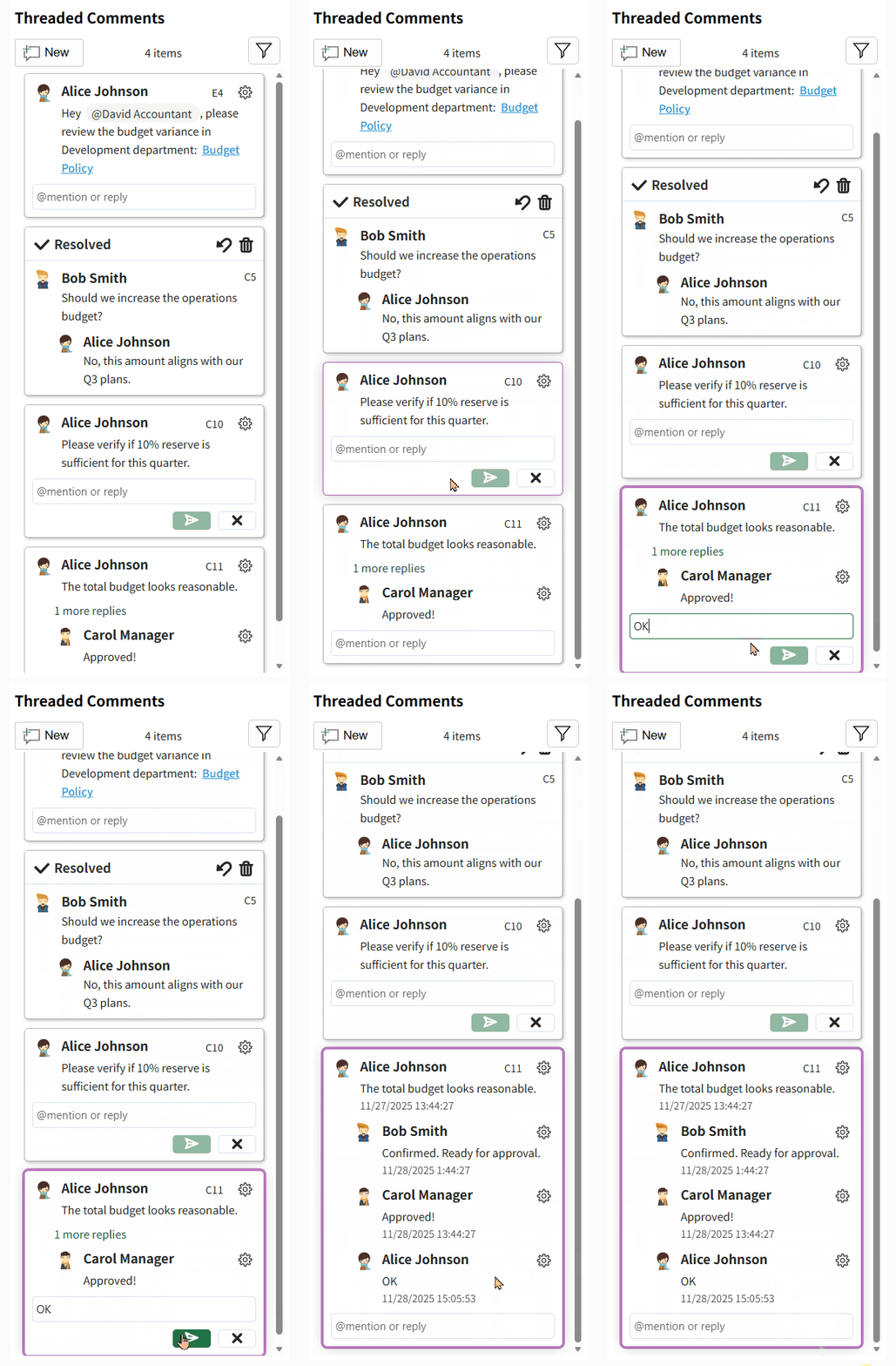
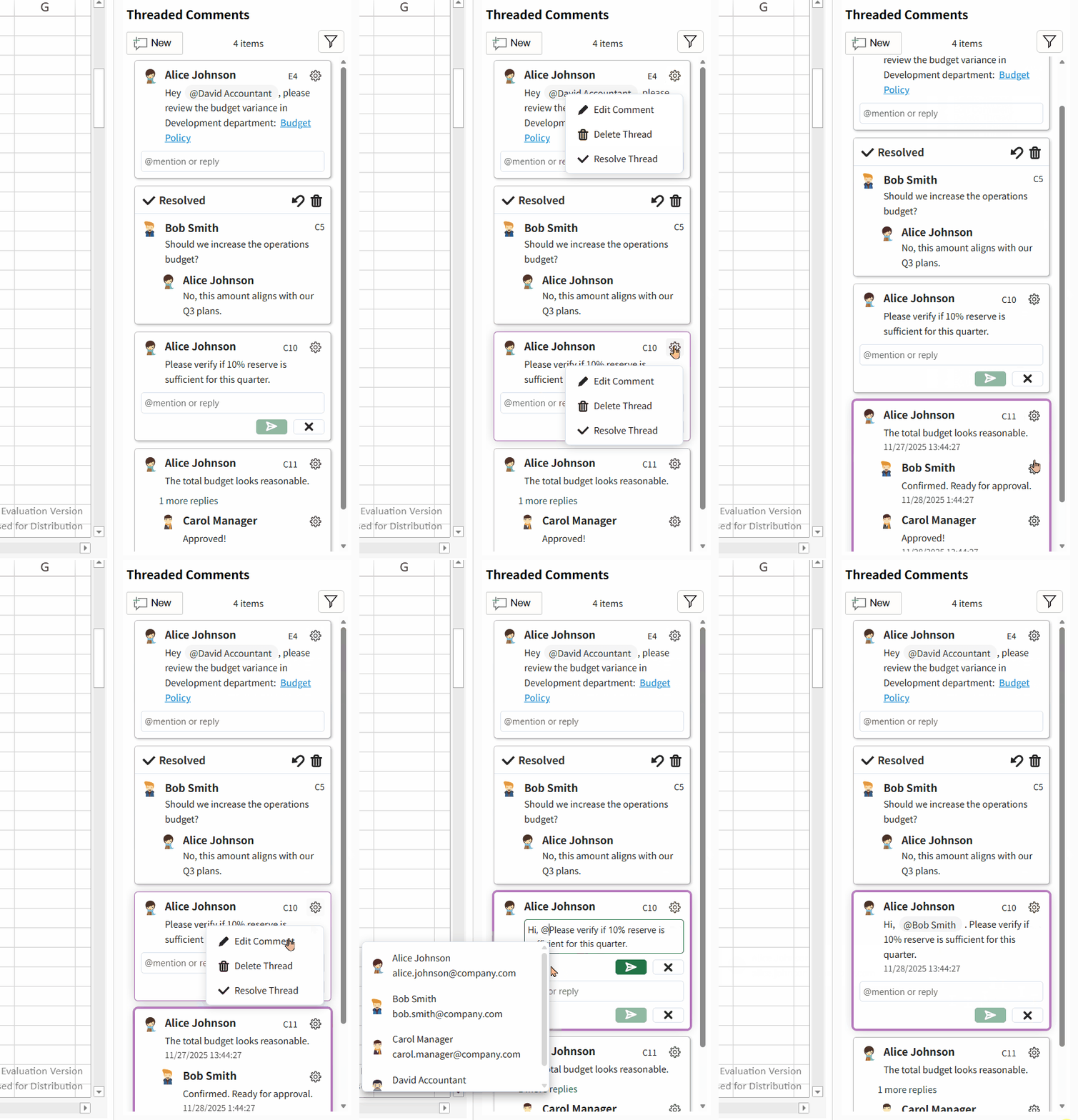
Create a new threaded comment for the currently selected cell. |
| |
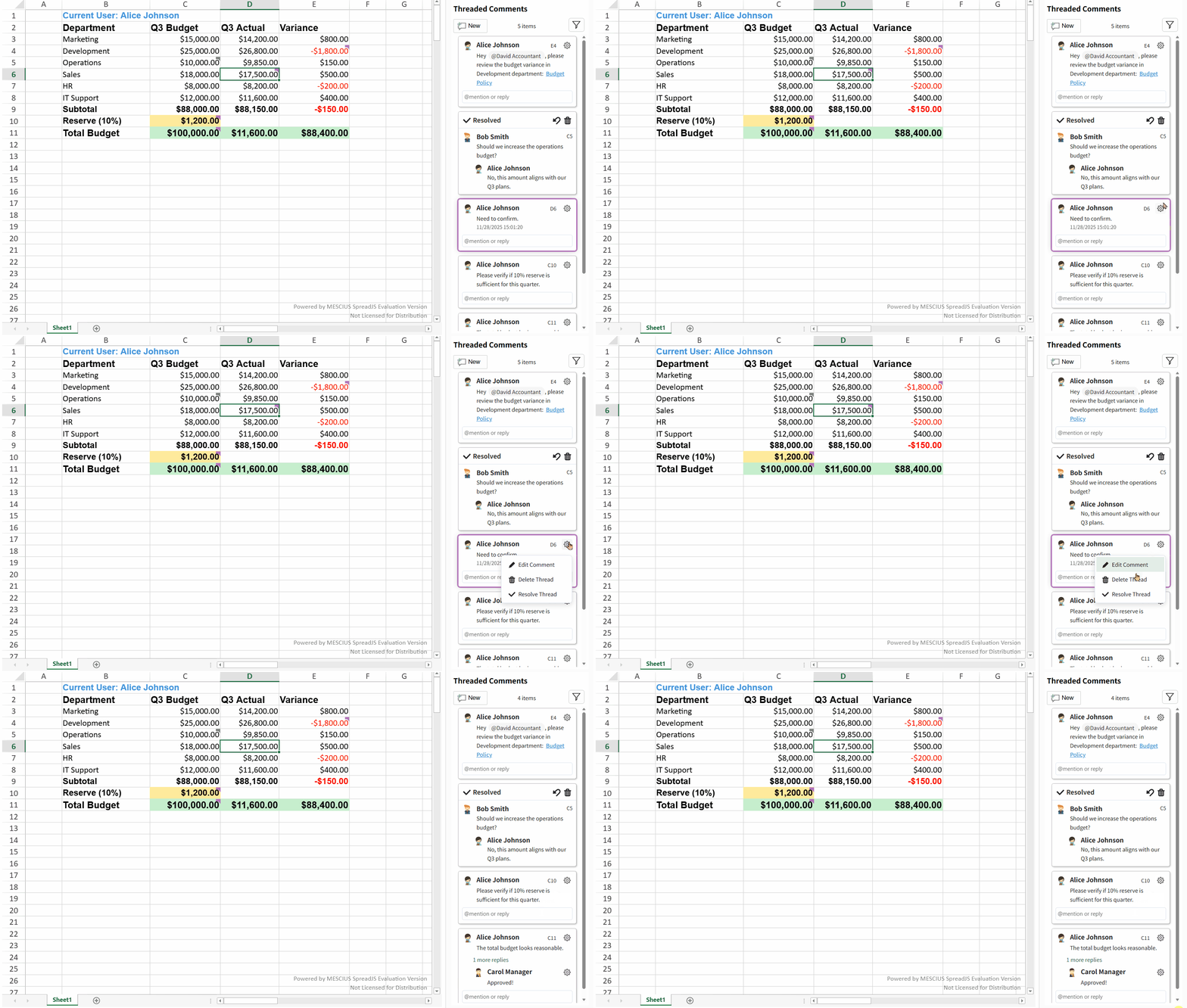
Delete a specific threaded comment. |
| |
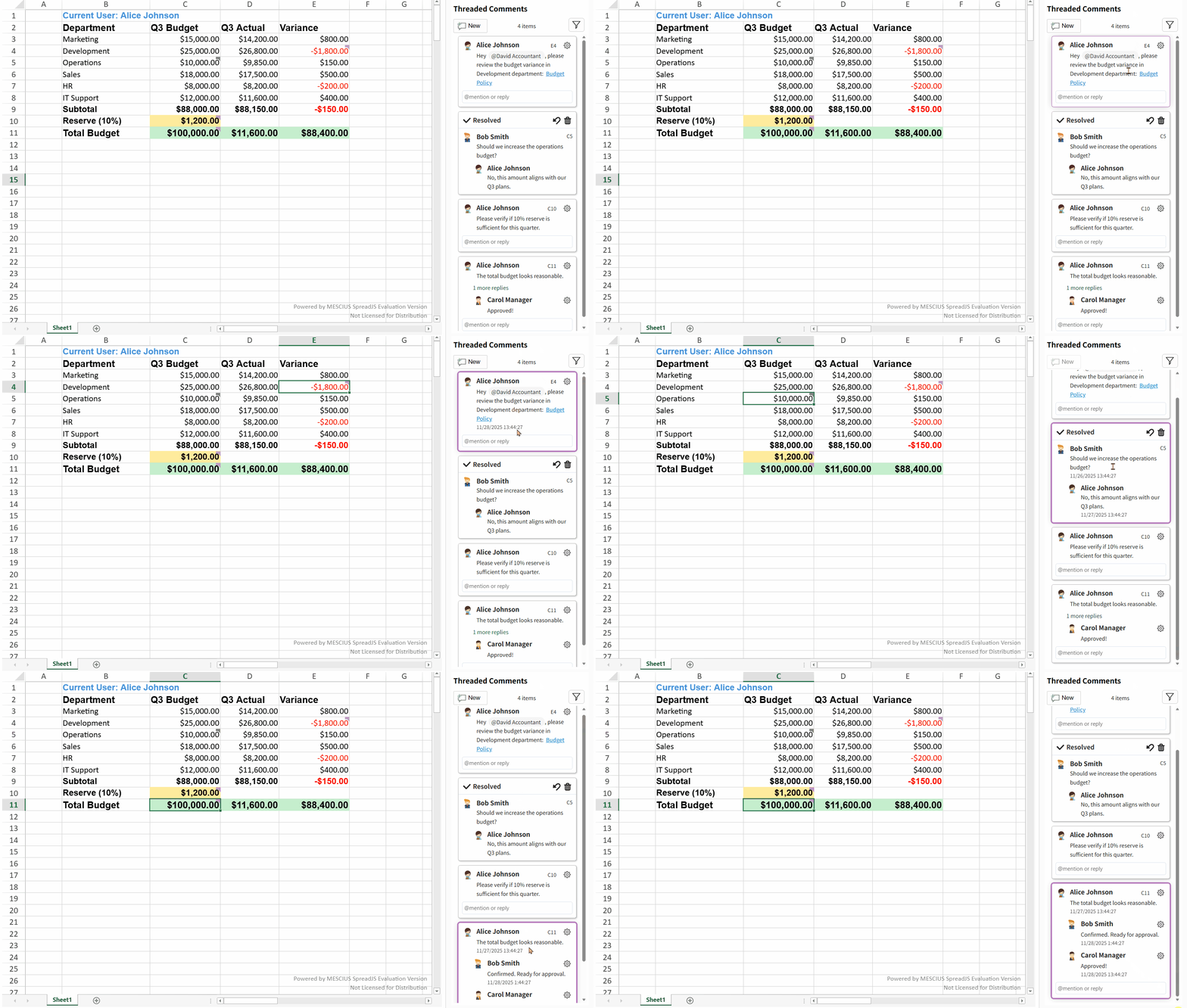
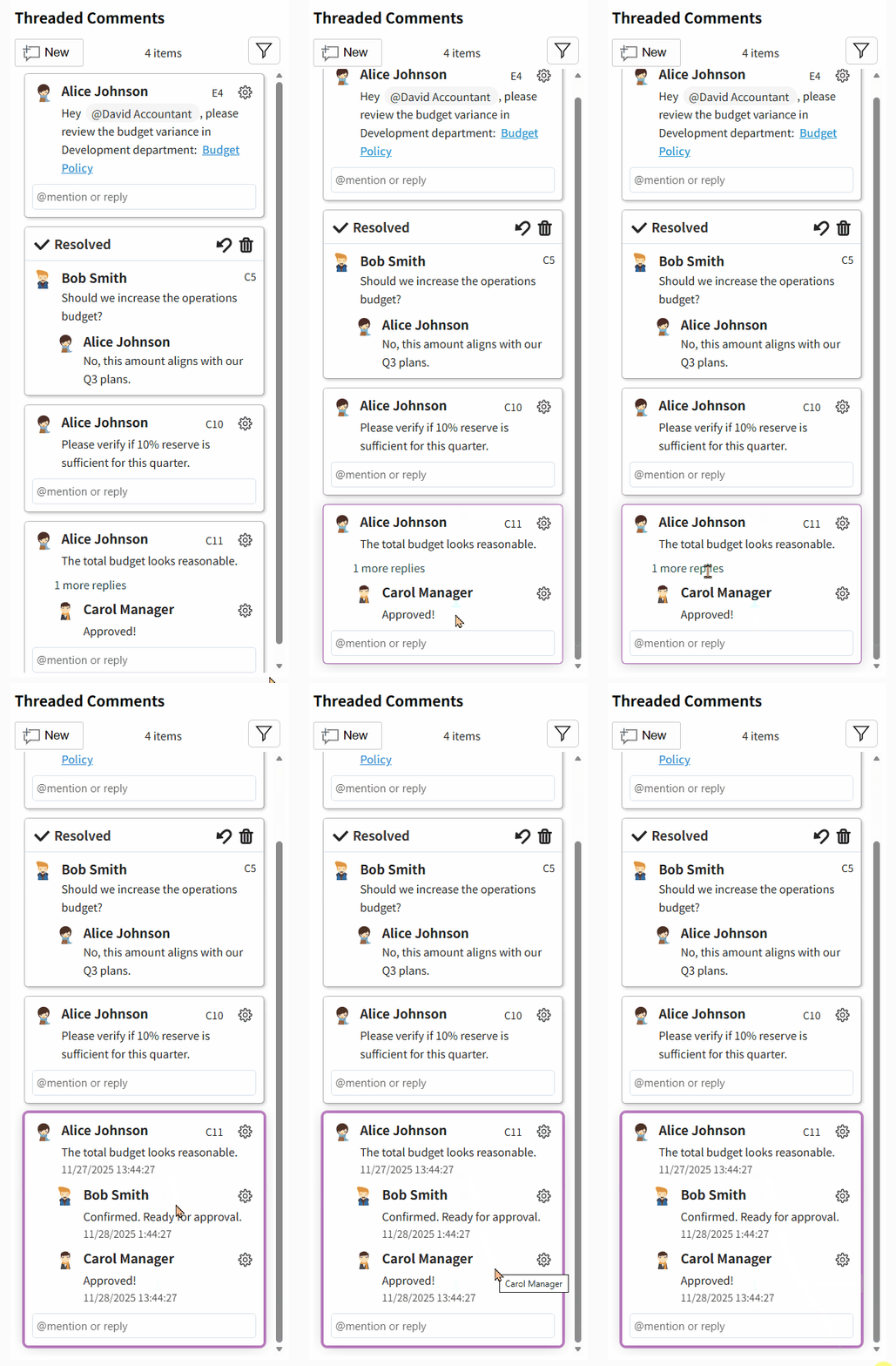
Thread | Expand a thread to view all comments (replies) within it. |
|
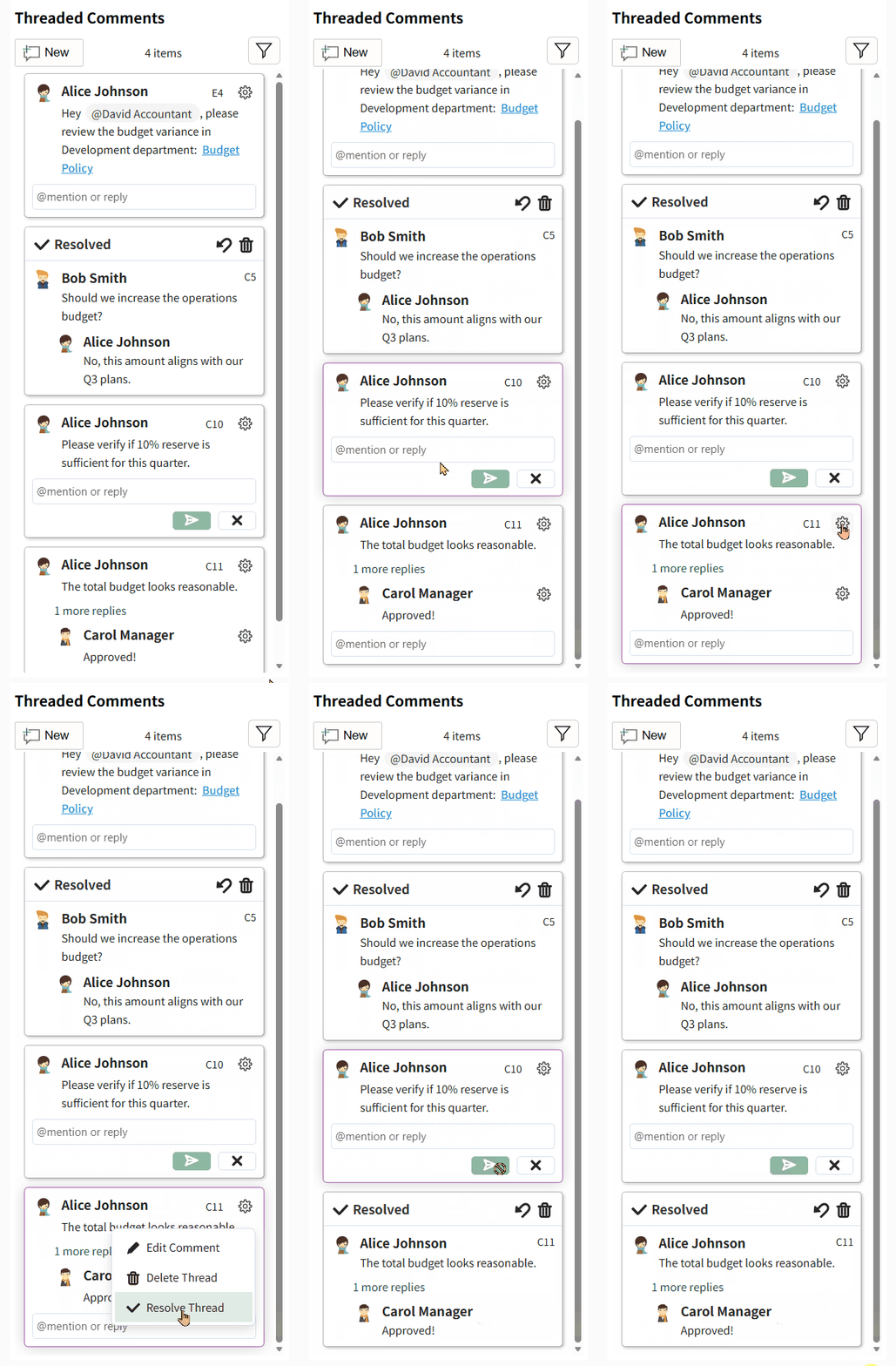
Mark the thread as Resolved. |
| |
Reopen a resolved thread (change status back to active). |
| |
Comment | Add a new comment inside an existing thread. |
|
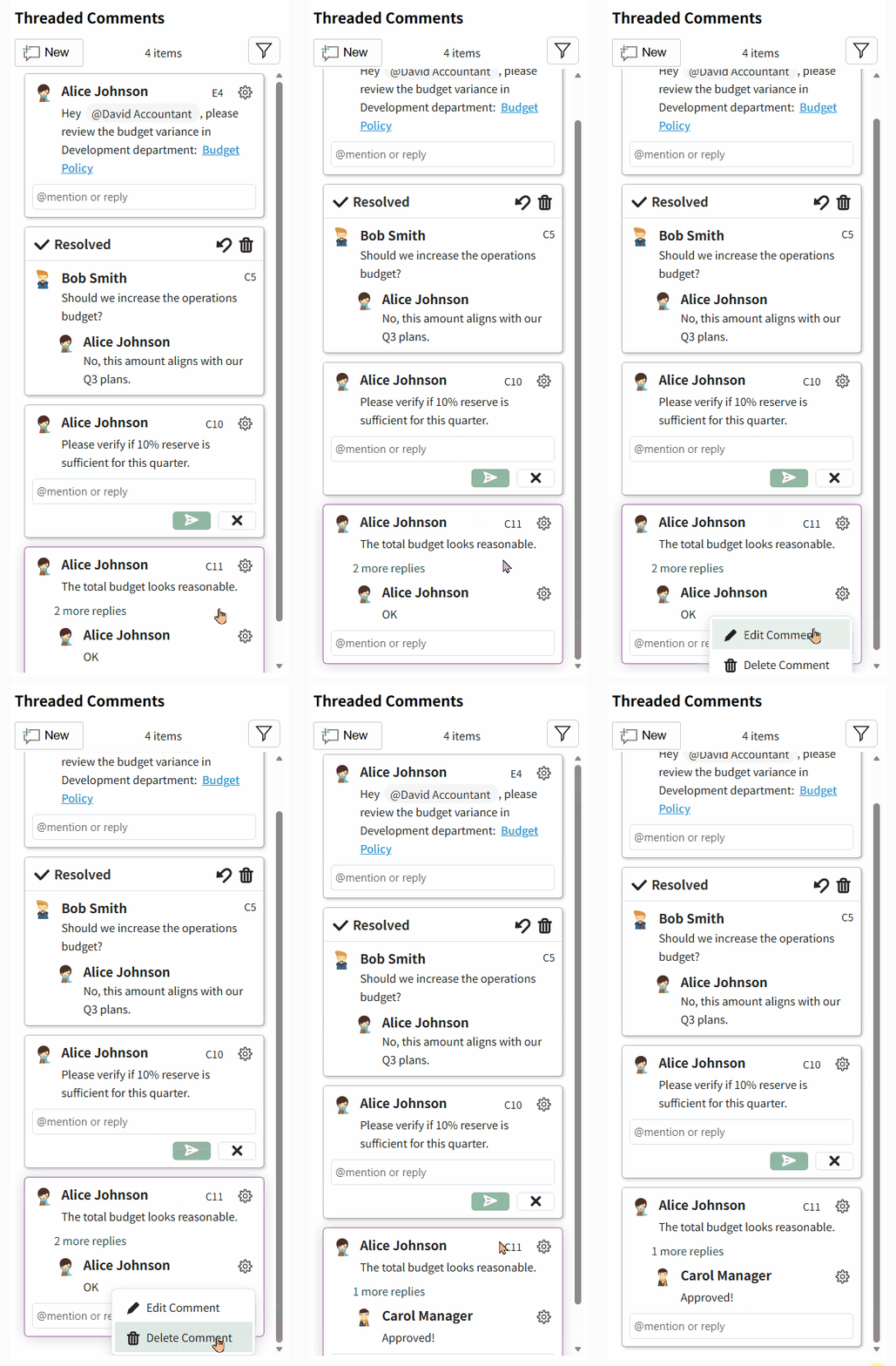
Delete an existing comment from the thread. |
| |
Edit an existing comment (only applicable if the current user is the original author). |
|
Filtering Comments
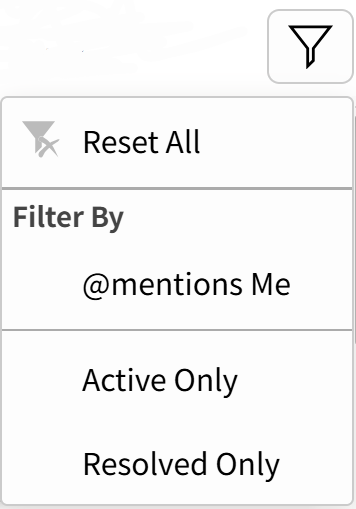
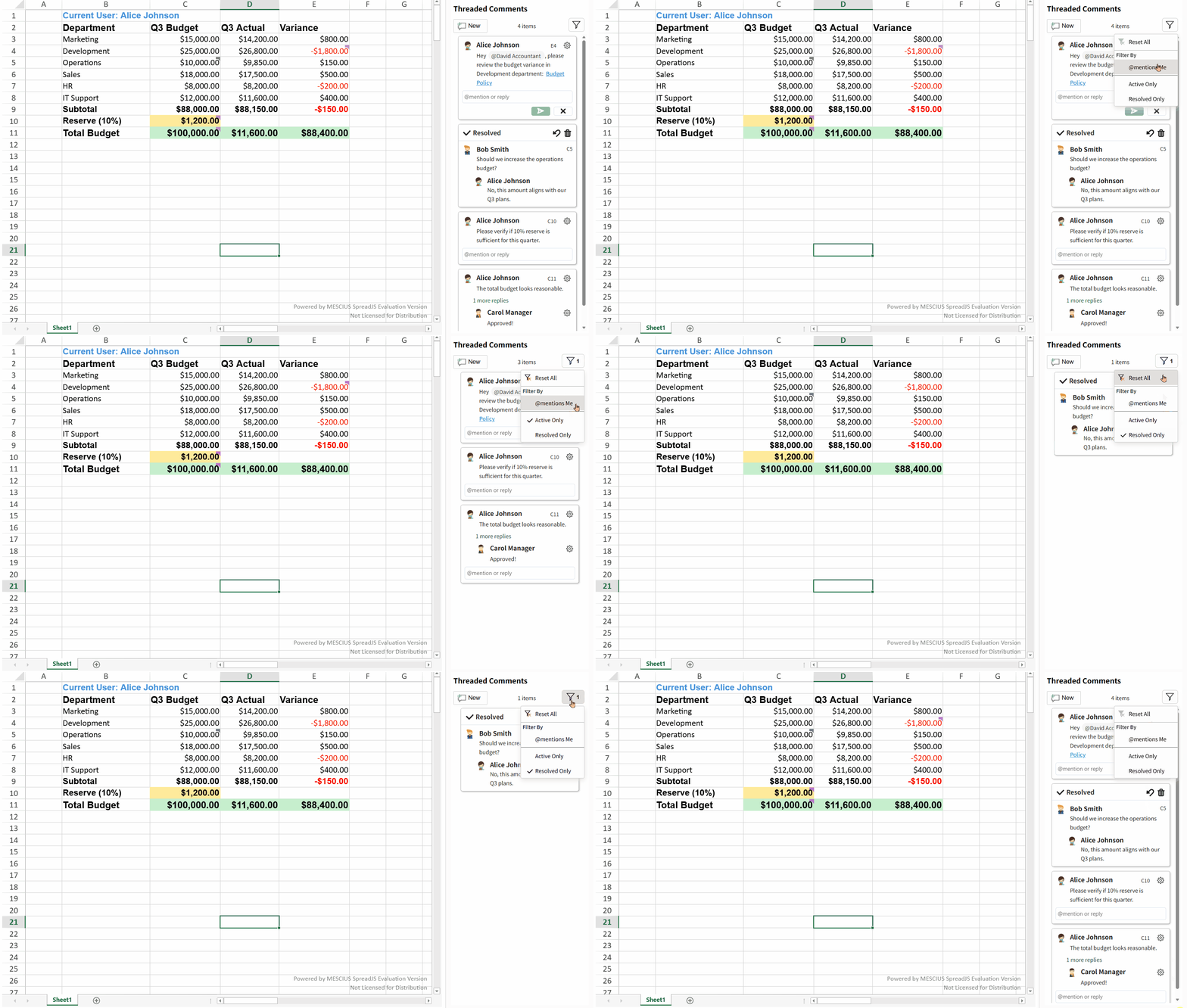
Three filtering criteria are currently supported:
Whether the current user is mentioned in a thread (@mentions Me)
Threaded comment status — Active Only or Resolved Only
The Reset All option allows you to quickly clear all applied filters.
Keyboard Shortcuts for Navigating Comments
When a threaded comment is selected in the panel, the following shortcuts allow you to move between comment threads efficiently:
Key | Function |
|---|---|
Arrow Up | Navigate to the previous threaded comment |
Arrow Down | Navigate to the next threaded comment |
Integrate the Panel Using the API
Use the ThreadedCommentPanel class to add the built‑in threaded comments side panel to your UI.
Once attached to a workbook, the panel automatically lists all threaded comments.
let workbook = new GC.Spread.Sheets.Workbook("spread-host");
let threadedCommentPanel = new GC.Spread.Sheets.ThreadedComments.ThreadedCommentPanel("threaded-comment-panel-host");

threadedCommentPanel.attach(workbook);