


Images
SoDsPdfJS lets you draw images on a page using the drawImage method of the PdfContext class. Images are loaded from a byte array using Image.load, producing an Image object. A loaded Image can also be converted to a Bitmap using the img.toBitmap method. Both Image and Bitmap objects can be passed directly to the drawImage method.
DsPdfJS supports the following image formats:
JPEG
PNG
drawImage method accepts a DrawImageOptions type that gives you control over how an image is drawn.
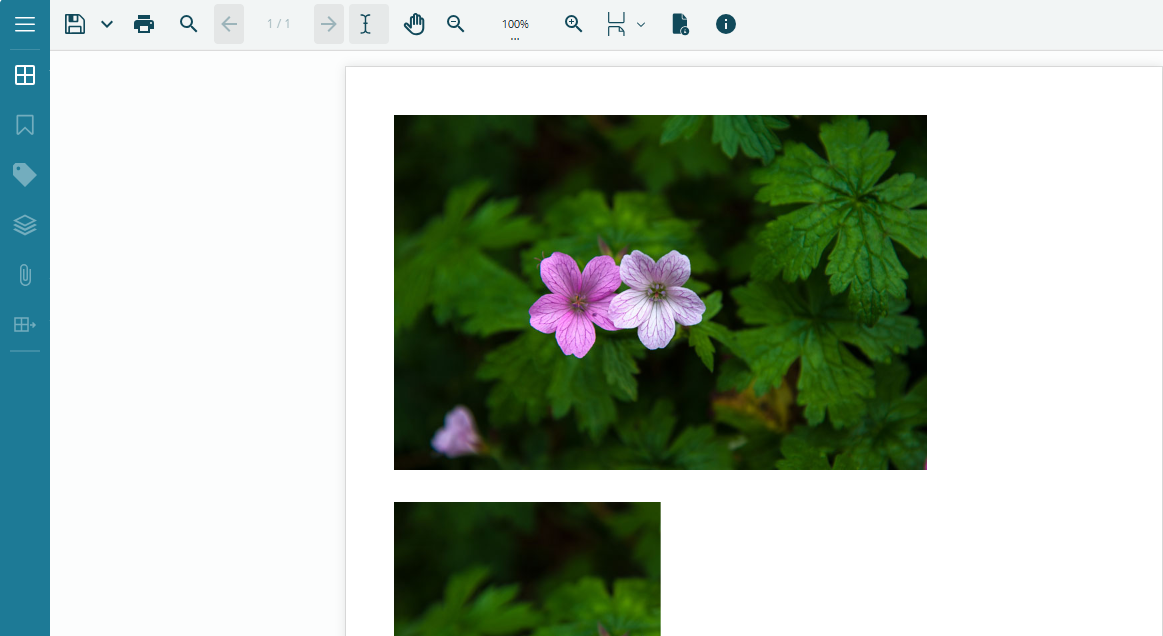
Add Image
To add an image to a PDF document, load the image data using Image.load, then draw it onto the page by calling ctx.drawImage with the target position and dimensions.
const doc = new ds.PdfDocument();
const ctx = doc.newPageContext();
const margin = ctx.resolution / 2;

const img = ds.Image.load(await loadFileAsArray("img/wargravepink.jpg"));
const scale = 0.5;

// Draw image at half size, preserving aspect ratio:
ctx.drawImage(img, margin, margin, img.width * scale, img.height * scale, {
  keepAspectRatio: true,
  opacity: 1,
});

// Draw image with a clipped region:
ctx.drawImage(img, margin, margin + img.height * scale + 24, img.width * scale, img.height * scale, {
  clipBounds: { x: margin, y: margin + img.height * scale + 24, width: 200, height: 150 },
  keepAspectRatio: true,
});
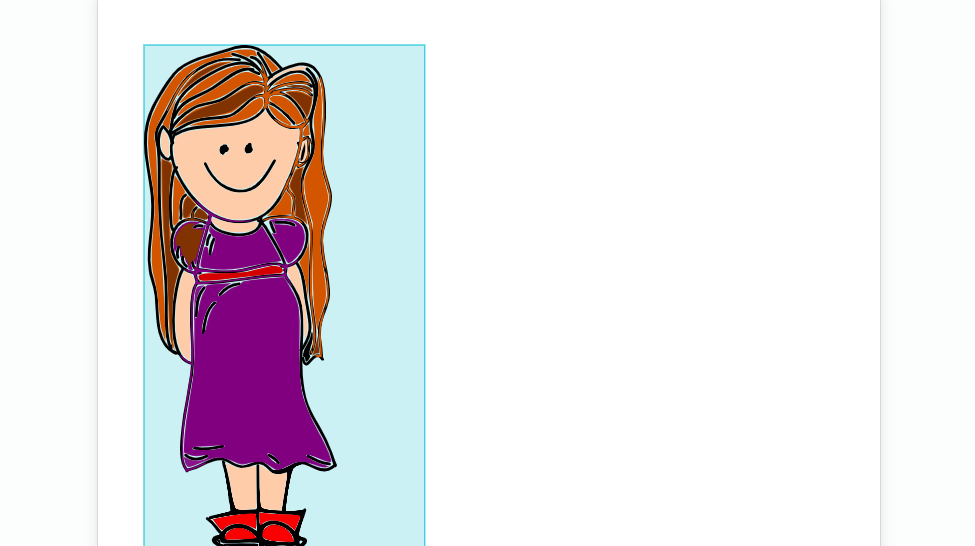
Render SVG Image to PDF
DsPdfJS provides the SvgDocument class to load and render SVG files onto PDF pages. To render an SVG image to a PDF document:
Load the SVG file as a byte array and pass it to SvgDocument.load.
Obtain a PdfContext by calling doc.newPageContext.
Apply a coordinate scale using ctx.pushTransform and ctx.scale to reconcile SVG pixel units with PDF point units.
Draw the SVG onto the page using ctx.drawSvg, passing the SvgDocument instance and the target coordinates.
Restore the drawing context by calling ctx.popTransform.
Note: SVG coordinates are expressed in pixels, while PDF page coordinates are in points. A scale factor of 72 / 96 converts from 96 dpi pixel space to 72 pt PDF space. Always wrap SVG drawing operations in a pushTransform / popTransform pair to avoid affecting subsequent drawing operations.
// Load an SVG from a file:
const svgData = await loadFileAsArray("svg/Smiling-Girl.svg");
const svgDoc = ds.SvgDocument.load(svgData);

const doc = new ds.PdfDocument();
const ctx = doc.newPageContext();

// Footer margin is in the default (identity) page coordinate space:
const footerMargin = ctx.resolution / 2;

// SVG APIs use pixels, so we scale the drawing context while rendering the SVG:
const scale = 72 / 96;
ctx.pushTransform();
try {
  ctx.scale(scale);

  // Margin in the scaled coordinate space:
  const margin = footerMargin / scale;

  // Measure the SVG (in SVG/pixel space):
  const size = svgDoc.getIntrinsicSize();

  // Draw the bounding rectangle:
  ctx.drawRect(margin, margin, size.width, size.height, {
    fillBrush: new ds.SolidBrush([0, 184, 204, 0.2]),
    strokePen: new ds.Pen({ color: [0, 193, 213] }),
  });

  // Draw the SVG:
  ctx.drawSvg(svgDoc, margin, margin);
} finally {
  // Restore the drawing context transform:
  ctx.popTransform();
}
For more samples of working with SVG files, please visit our demos.