


- SpreadJS Overview
- Getting Started
- JavaScript Frameworks
- Best Practices
-
Features
- Workbook
- Worksheet
- Rows and Columns
- Headers
- Cells
- Data Binding
- Data Manager
- TableSheet
-
GanttSheet
- Create GanttSheet
- Data Manager
- Add Hierarchy Types
- Gantt Chart Components
- Task Properties
- CRUD Operations
- Task Operations
- Non-Working Time
- Table Themes
- Taskbar Styles
- Task Layout
- Gridlines
- Progress Line
- Zoom
- Scroll
- Timescale Range and Auto Fit
- Splitter Handle
- Context Menu
- Sort
- Calendar Settings
- GanttSheet IO
- Resource and Assignment
- ReportSheet
- Data Charts
- JSON Schema with SpreadJS
- SpreadJS File Format
- Data Validation
- Conditional Formatting
- Sort
- Group
- Formulas
- What-If Analysis
- Serialization
- Keyboard Actions
- Shapes
- Floating Objects
- Barcodes
- Charts
- Sparklines
- Tables
- Pivot Table
- Slicer
- Theme
- User Management
- Culture
- AI Assistant
- SpreadJS Designer
- SpreadJS Designer VSCode Plugin
- Tutorials
- SpreadJS Designer Component
- SpreadJS Collaboration Server
- Touch Support
- Formula Reference
- Import and Export Reference
- Events
- API Documentation
- Release Notes
Timescale Range and Auto Fit
This topic explains how the scrollable date range of a GanttSheet timescale is determined and how to control it using autoFitMode and margin.
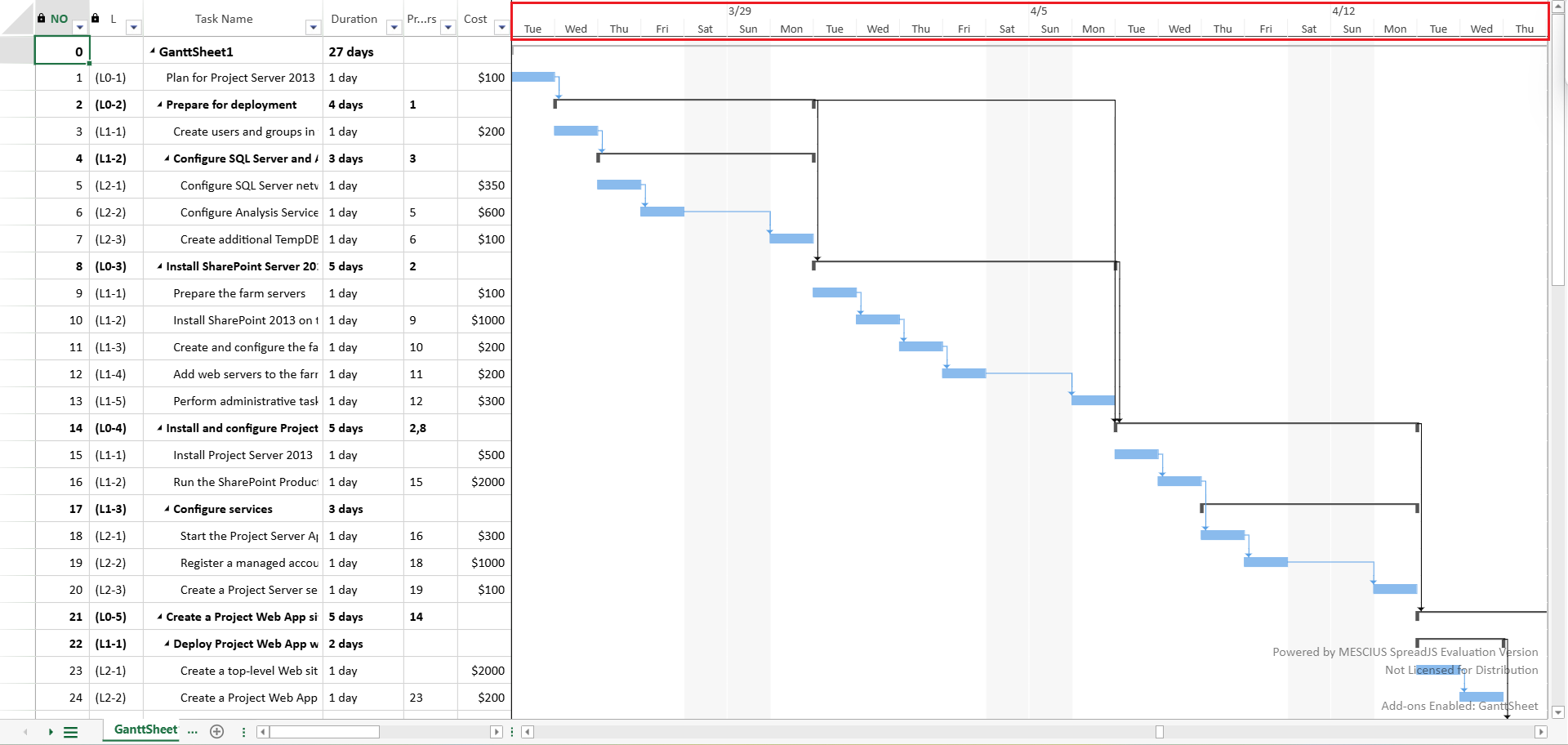
The timescale range defines how far users can scroll horizontally in the Gantt chart.
Overview
The scrollable range of the timescale is determined by:
timescale.minDatetimescale.maxDatetimescale.autoFitModetimescale.margin
These properties control:
The base date boundaries of the timescale
Whether the range automatically follows the project schedule
How much additional space is reserved before and after the project duration
Auto Fit to Project
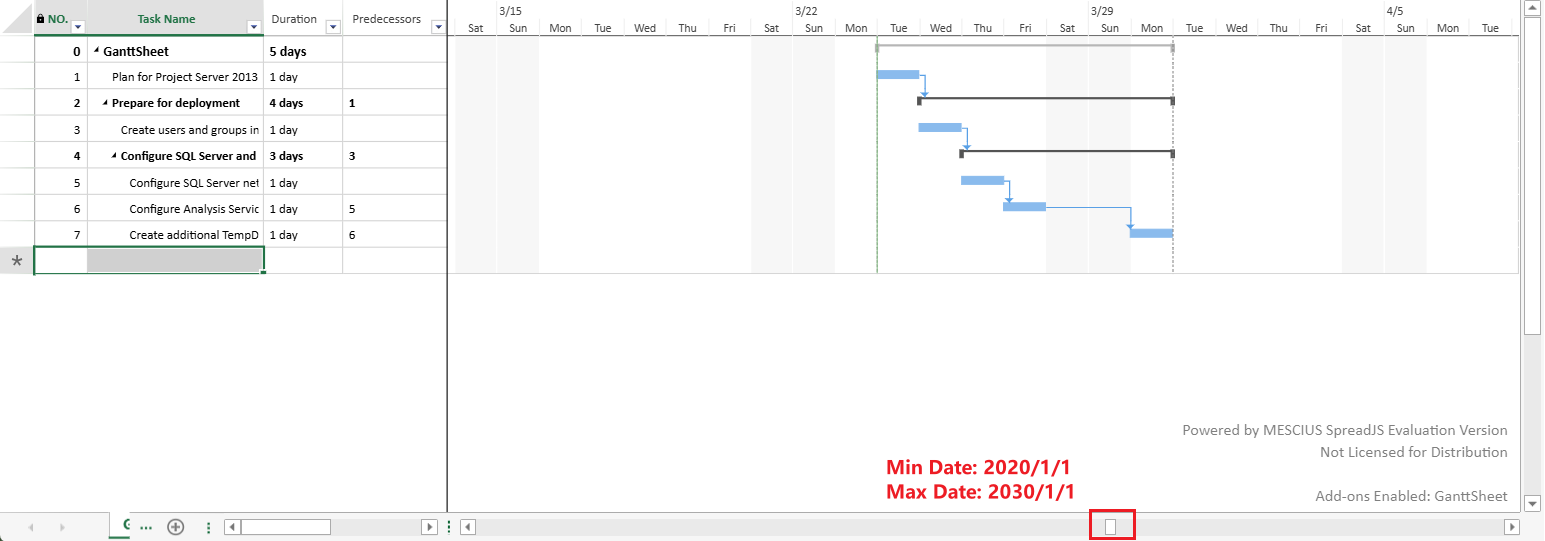
autoFitMode: "none"
The timescale date range remains unchanged after scheduling.
minDateandmaxDateare not automatically modified.The scrollable range may extend beyond the actual project duration.
This mode provides a stable, manually controlled timescale range.
autoFitMode: "project"
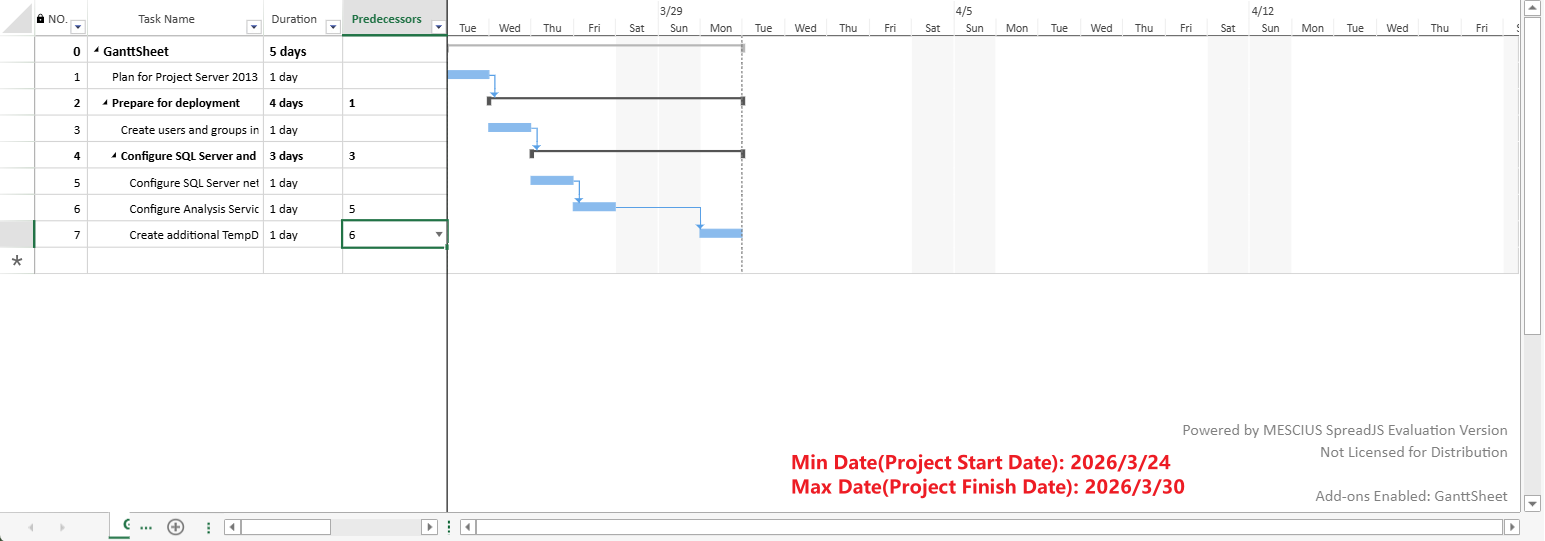
When set to "project", the timescale automatically adjusts to match the project's scheduled duration.
timescale.minDate = project.start;
timescale.maxDate = project.finish;
This keeps the Gantt chart focused on the active task period.
When to Use Auto Fit?
If your project duration is much shorter than the default timescale range, the chart may contain large empty areas, making horizontal scrolling inefficient.
Enabling auto fit ensures that the scrollable range closely matches the actual project timeline.
Progress Line Reference Date
When autoFitMode is set to "project", the timescale range follows the project start and finish dates.
If a valid Progress Line is displayed, its active reference date is also included in the project auto-fit range. This ensures that the Progress Line reference anchor remains within the scrollable timescale range.
As a result:
If the Progress Line reference date is earlier than the project start date, it may become the left boundary of the scrollable range.
If the Progress Line reference date is later than the project finish date, it may become the right boundary of the scrollable range.
If the Progress Line reference date is within the project range, the project boundaries remain unchanged.
For more information about configuring Progress Lines, see Progress Line.
Timescale Margin
When the timescale range tightly matches the project boundaries, task labels rendered outside taskbars (such as leftText or rightText) may appear clipped.
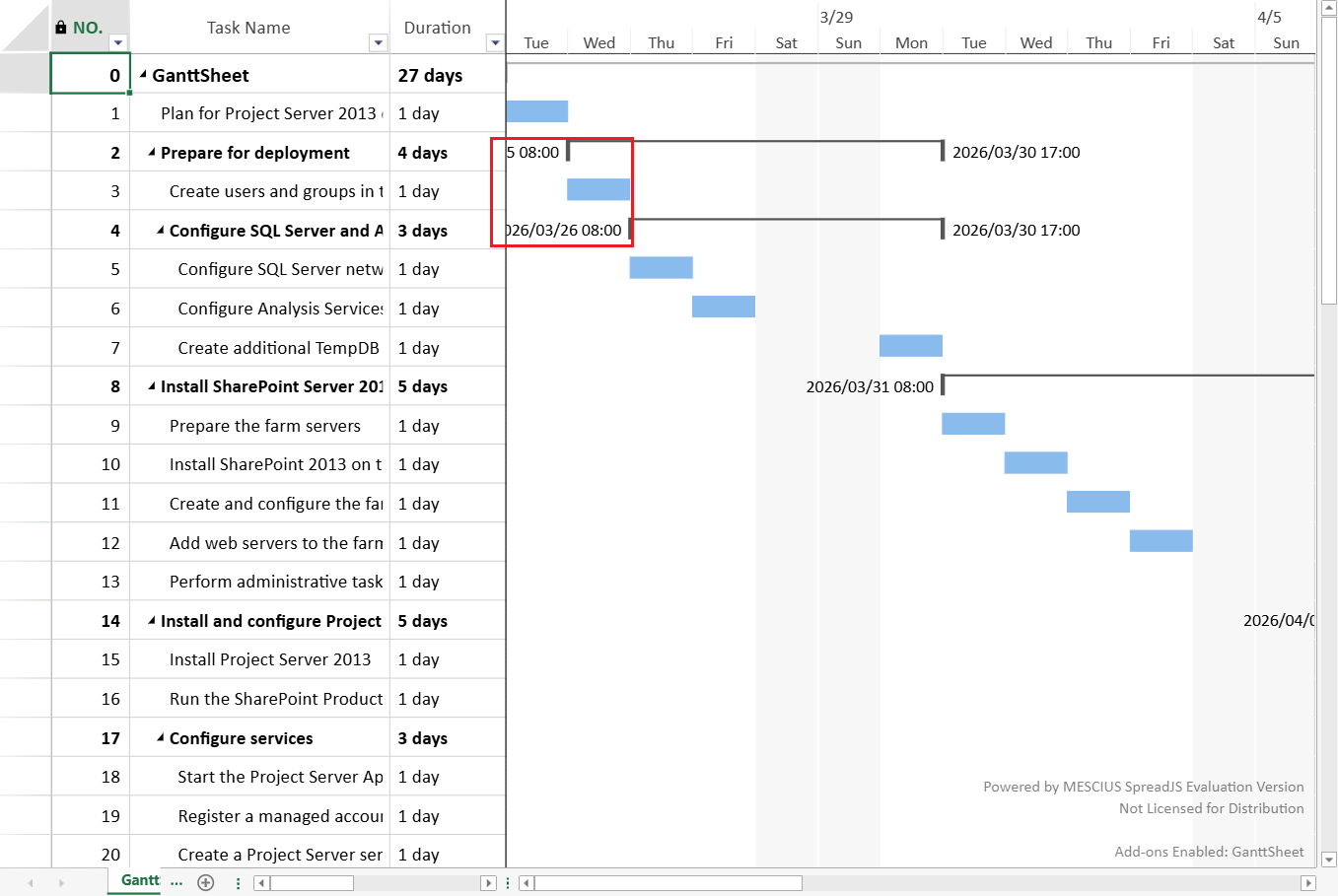
Use the margin property to reserve additional space before and after the project duration:
ganttSheet.project.timescale.margin = 5;The margin is expressed in the smallest timescale tier unit (for example, days).
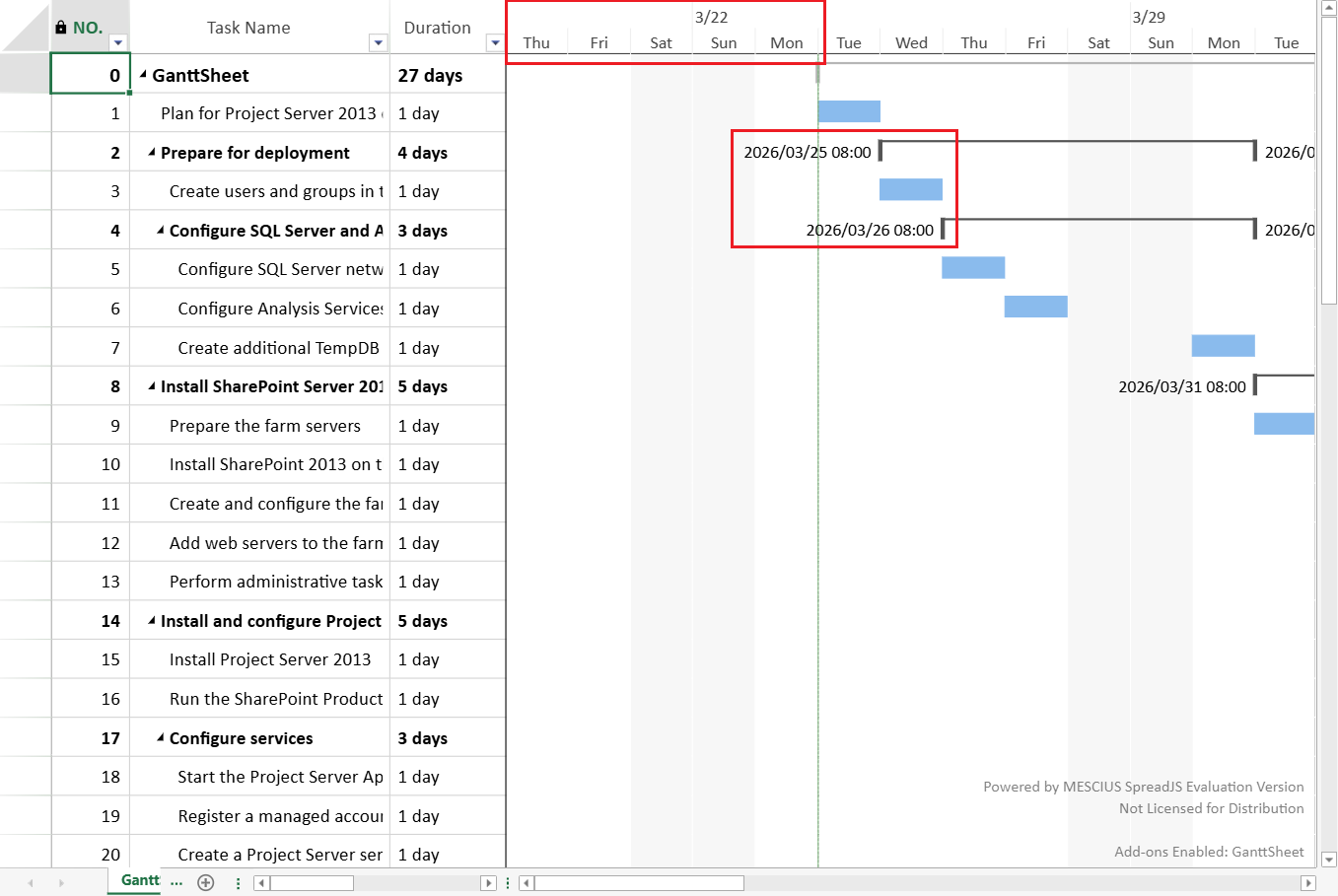
This helps:
Prevent visual clipping at the boundaries
Improve overall readability
Switching autoFitMode
From "project" to "none"
minDateandmaxDateretain their current values.Automatic updates stop.
Subsequent schedules will not modify the timescale range.
From "none" to "project"
The next schedule automatically updates
minDateandmaxDateto match the project's scheduled duration.