- SpreadJS Overview
- Getting Started
- JavaScript Frameworks
- Best Practices
-
Features
- Workbook
- Worksheet
- Rows and Columns
- Headers
- Cells
- Data Binding
- Data Manager
- TableSheet
-
GanttSheet
- Create GanttSheet
- Data Manager
- Add Hierarchy Types
- Gantt Chart Components
- Task Properties
- CRUD Operations
- Task Operations
- Non-Working Time
- Table Themes
- Taskbar Styles
- Task Layout
- Gridlines
- Progress Line
- Zoom
- Scroll
- Timescale Range and Auto Fit
- Splitter Handle
- Context Menu
- Sort
- Calendar Settings
- GanttSheet IO
- Resource and Assignment
- ReportSheet
- Data Charts
- JSON Schema with SpreadJS
- SpreadJS File Format
- Data Validation
- Conditional Formatting
- Sort
- Group
- Formulas
- What-If Analysis
- Serialization
- Keyboard Actions
- Shapes
- Floating Objects
- Barcodes
- Charts
- Sparklines
- Tables
- Pivot Table
- Slicer
- Theme
- User Management
- Culture
- AI Assistant
- SpreadJS Designer
- SpreadJS Designer VSCode Plugin
- Tutorials
- SpreadJS Designer Component
- SpreadJS Collaboration Server
- Touch Support
- Formula Reference
- Import and Export Reference
- Events
- API Documentation
- Release Notes
Splitter Handle
GanttSheet is divided into two panels: the data panel on the left and the Gantt chart panel on the right. You can adjust the width ratio between the two panels by dragging the splitter handle.
The splitter handle is located between the two horizontal scrollbars at the bottom of the GanttSheet.
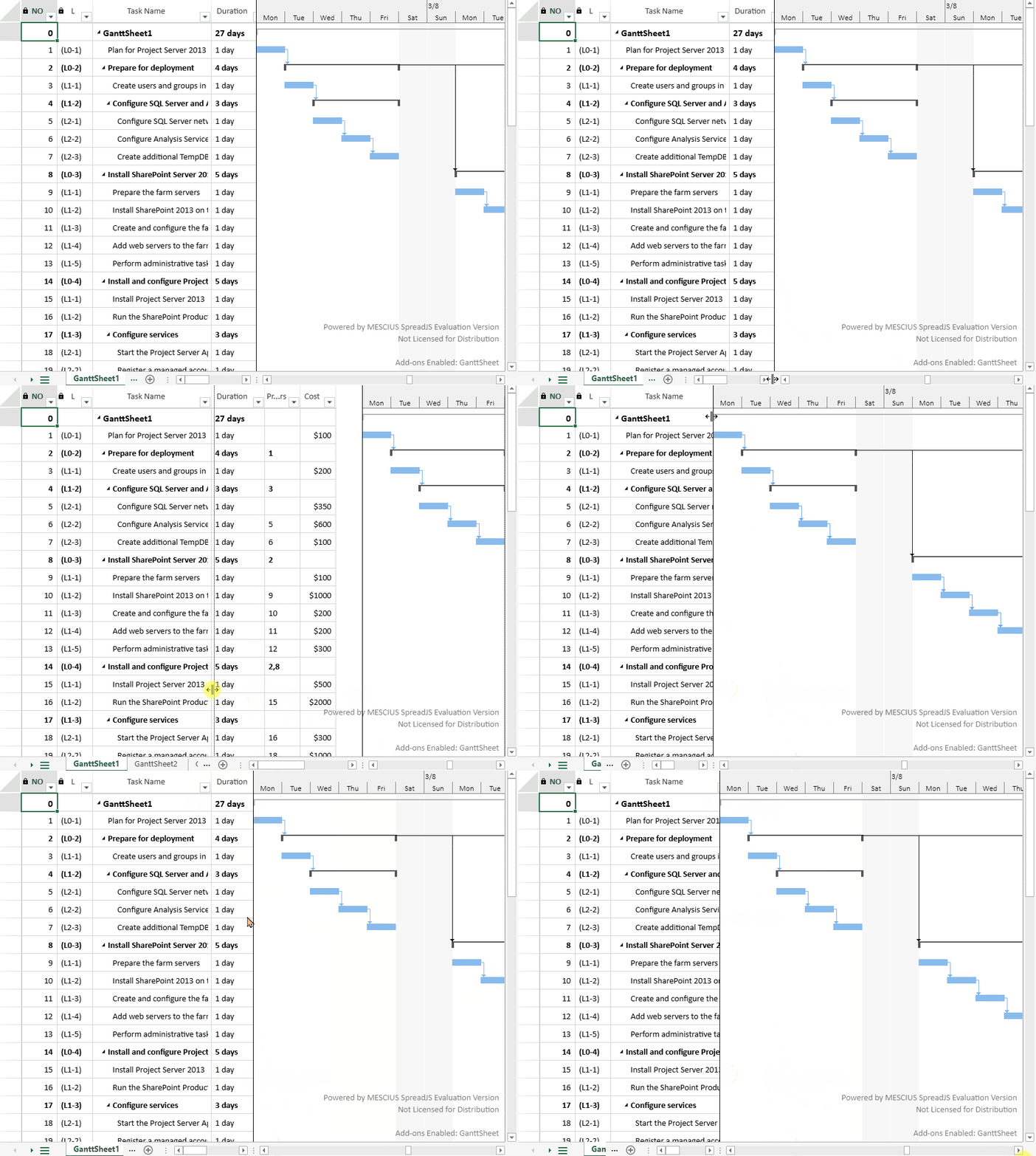
Resize the Gantt Chart Area
To resize the panels:
Hover the mouse over the splitter handle or the dividing line between the two panels. The cursor changes to a resize cursor (↔), indicating that you can drag to resize.
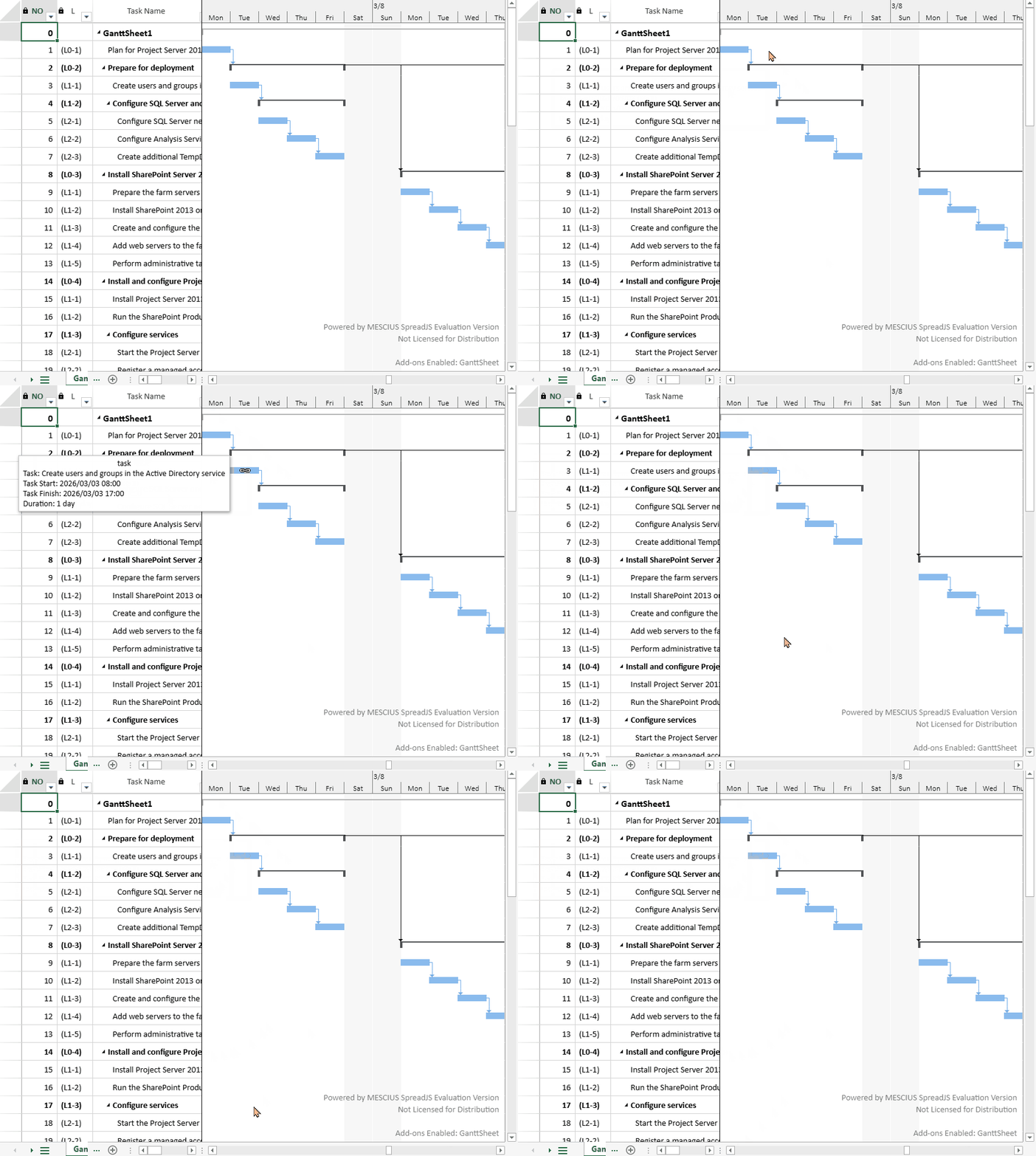
Click and drag the splitter handle left or right. A resize indicator appears to show the new boundary position.
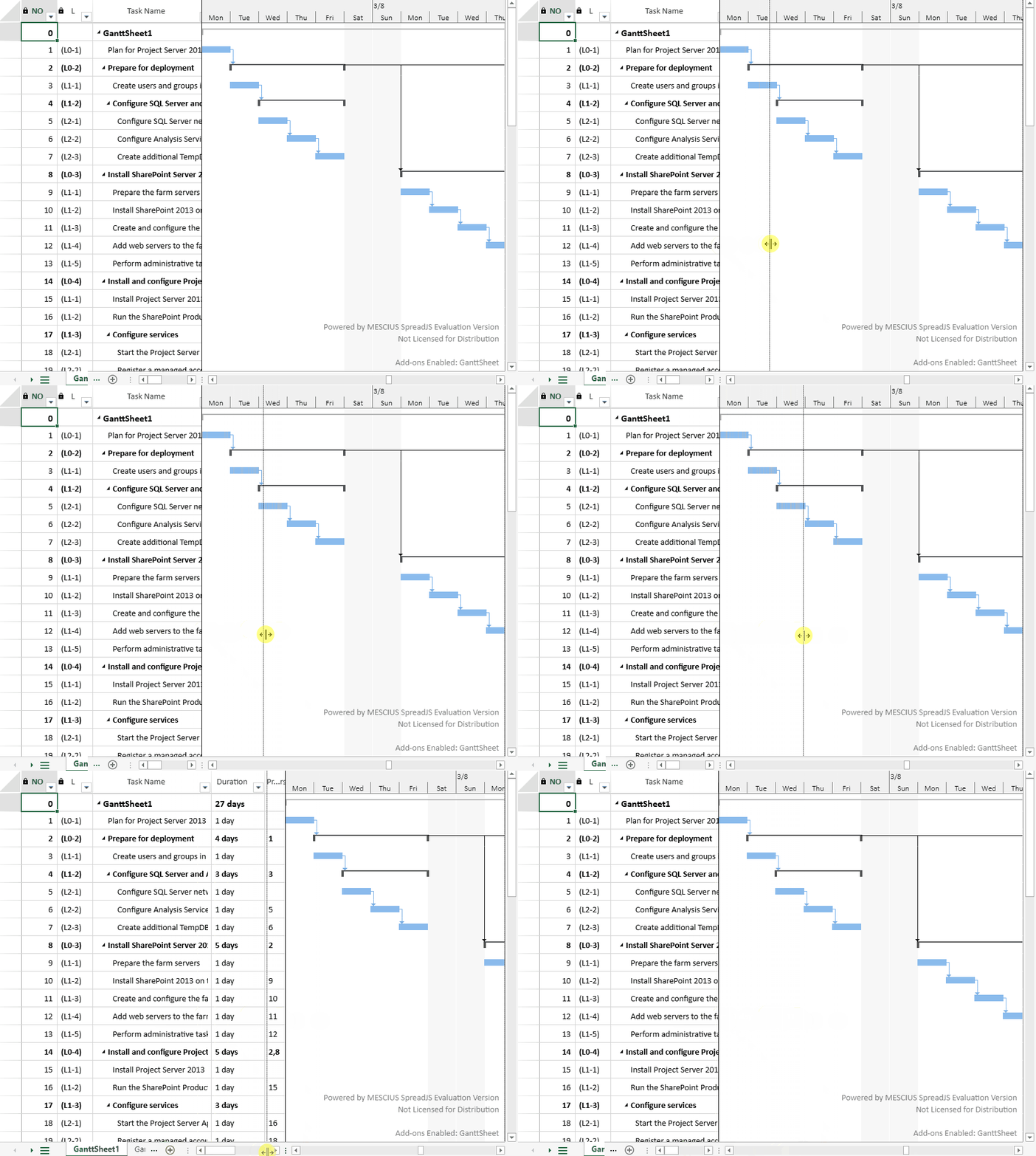
Release the mouse button. The Gantt chart panel resizes to the position of the indicator.
Notes:
The splitter handle is only visible when both the main scrollbar and the dock scrollbar are present.
When only one scrollbar is visible, the splitter handle is automatically hidden.