- SpreadJS Overview
- Getting Started
- JavaScript Frameworks
- Best Practices
-
Features
- Workbook
- Worksheet
- Rows and Columns
- Headers
- Cells
- Data Binding
- Data Manager
- TableSheet
- GanttSheet
-
ReportSheet
-
Template Sheet Settings
- Set Template Cell Type
- Set Spill Mode
- Apply Cell Expansion
- Set Spill Direction
- Set Pin
- Set Cell Context
- Set Filter Condition
- Sort Cell Data
- Auto Fit Template Cell
- Change Cell Styles
- Apply Conditional Formatting
- Add Data Validation
- Change Cell States
- Add Show/Collapse Button
- Show Hidden Row and Col
- ReportSheet Formula Functions
- Preserve Formula in Export
- Configure Data Entry Settings
- Set Pagination
- Fill Blank Data
- Configure Layout Settings
- Add Picture Shape
- Report Sheet Settings
- Report Sheet Data Entry Support
- Report Sheet Data Charts
-
Template Sheet Settings
- Data Charts
- JSON Schema with SpreadJS
- SpreadJS File Format
- Data Validation
- Conditional Formatting
- Sort
- Group
- Formulas
- What-If Analysis
- Serialization
- Keyboard Actions
- Shapes
- Floating Objects
- Barcodes
- Charts
- Sparklines
- Tables
- Pivot Table
- Slicer
- Theme
- User Management
- Culture
- AI Assistant
- SpreadJS Designer
- SpreadJS Designer VSCode Plugin
- Tutorials
- SpreadJS Designer Component
- SpreadJS Collaboration Server
- Touch Support
- Formula Reference
- Import and Export Reference
- Events
- API Documentation
- Release Notes
Get Pagination Info
Pagination details in a report can be retrieved with the R.CURRENTPAGE and R.PAGECOUNT functions, which work at both the report level and the group level.
Note: Support for group‑level pagination is available starting from v19, and only available for row pagination in Master-Detail reports.
Pagination Functions
R.CURRENTPAGE(use_grouped_context)Description: Returns the current page number.
Parameter:
use_grouped_context(optional, boolean, default false)If
true, returns the current page number within the current Master-Detail group.
R.PAGECOUNT(use_grouped_context)Description: Returns the total page count.
Parameter:
use_grouped_context(optional, boolean, default false)If
true, returns the total page count within the current Master-Detail group.
Note: Starting with v19, the
R.PAGESCOUNTfunction has been renamed toR.PAGECOUNT. The previous name (R.PAGESCOUNT) is still supported for backward compatibility.
Examples
Get Global Pagination Info
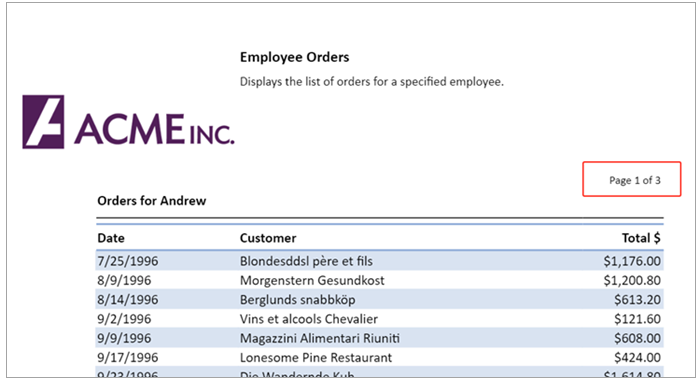
The following example displays the current page number together with the total page count.
// Formula of E6
=CONCAT("Page ",R.CURRENTPAGE()," of ",R.PAGECOUNT())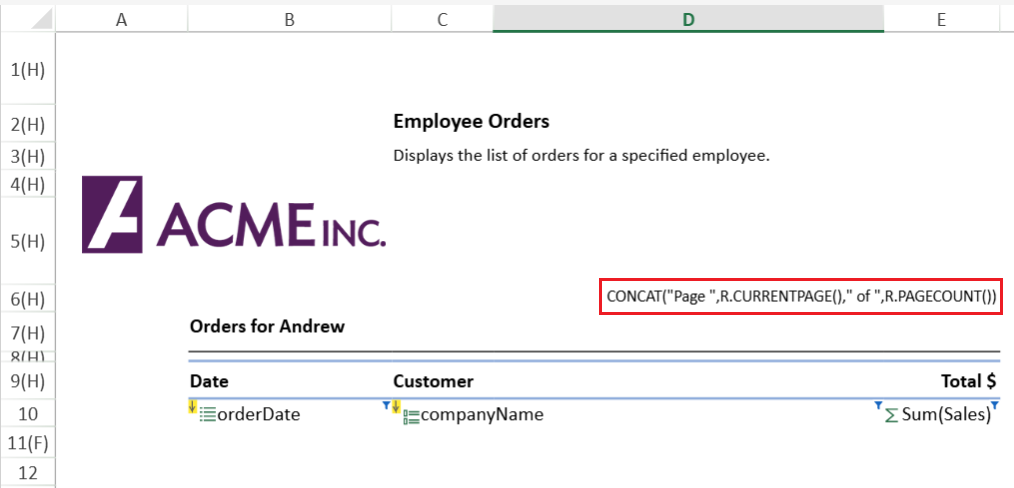
The orders report generated from the above TemplateSheet is shown below.
Get Group Pagination Info (Master-Detail only)
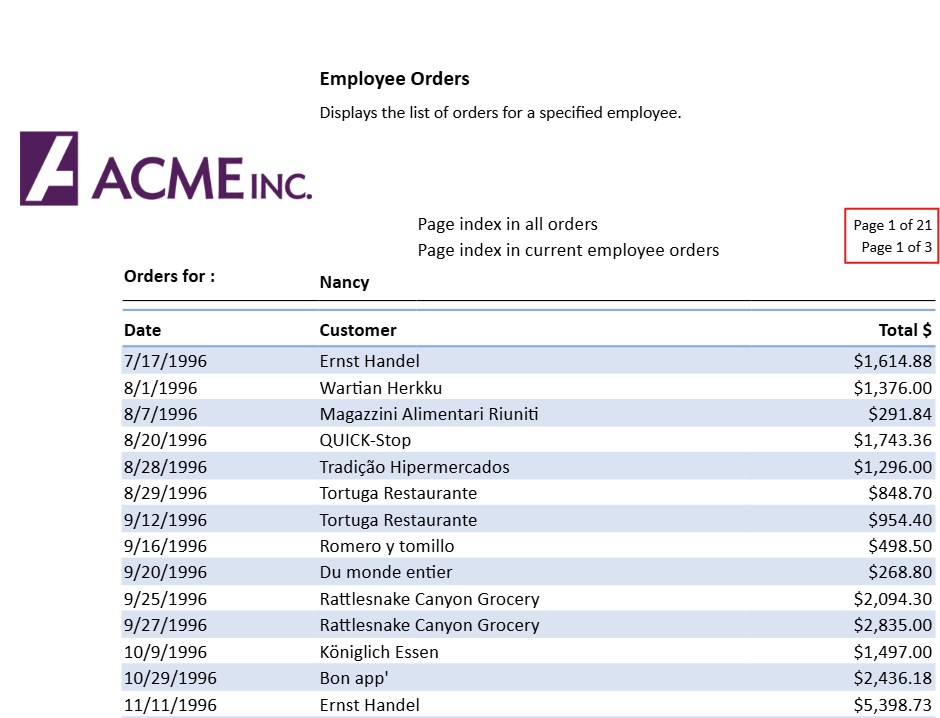
This example shows how to display both the overall report pagination and the pagination within each group.
// Formula of E5
=CONCAT("Page ",R.CURRENTPAGE()," of ",R.PAGECOUNT())
// Formula of E6
=CONCAT("Page ",R.CURRENTPAGE(TRUE)," of ",R.PAGECOUNT(TRUE))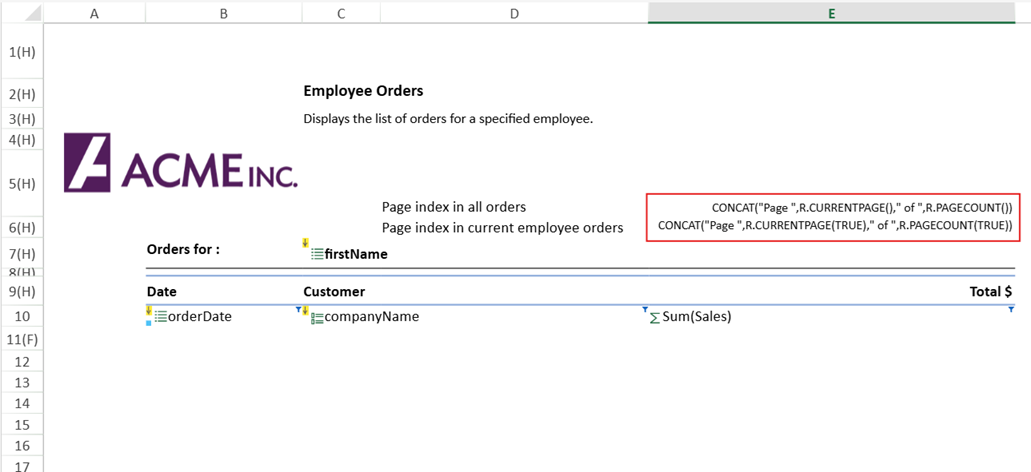
The orders report generated from the above TemplateSheet is shown below.