


- SpreadJS Overview
- Getting Started
- JavaScript Frameworks
- Best Practices
-
Features
- Workbook
- Worksheet
- Rows and Columns
- Headers
-
Cells
- Work with Cells
- Cell Types
- Cell Format
- Cell States
- Cell Range
- Get Dirty Status
- Cell Buttons
- Cell Dropdowns
- Cell Comments
- Cell Threaded Comments
- Hyperlink
- Auto Merge Cells
- AutoFit
- Auto Fill Data
- Mask Input
- Shrink to Fit
- Cell Overflow
- Ellipsis or Tips for Cell Overflow
- Cell Alignment and Indentation
- Cell Padding and Label Styles
- Cell Span
- Cell Tags
- Styles
- Cell Decoration
- Cell Colors
- Cell Background Image
- Borders, Gridlines and Diagonal Lines
- Quote Prefix
- Insert Cut or Copied Cells
- Rotate Text In Cells
- Text Direction
- Text Decoration
- Rich Text
- Image Rich Data
- Wrap Text
- Drag and Drop
- Drag and Merge
- Editing
- Watermark
- Display Zero as Blank
- IME Mode
- Pattern Fill and Gradient Fill
- Paste Options
- Data Binding
- Data Manager
- TableSheet
- GanttSheet
- ReportSheet
- Data Charts
- JSON Schema with SpreadJS
- SpreadJS File Format
- Data Validation
- Conditional Formatting
- Sort
- Group
- Formulas
- What-If Analysis
- Serialization
- Keyboard Actions
- Shapes
- Floating Objects
- Barcodes
- Charts
- Sparklines
- Tables
- Pivot Table
- Slicer
- Theme
- User Management
- Culture
- AI Assistant
- SpreadJS Designer
- SpreadJS Designer VSCode Plugin
- Tutorials
- SpreadJS Designer Component
- SpreadJS Collaboration Server
- Touch Support
- Formula Reference
- Import and Export Reference
- Events
- API Documentation
- Release Notes
DataObject Cell
The DataObject cell type allows a cell to display structured object data and extract object properties directly into adjacent cells.
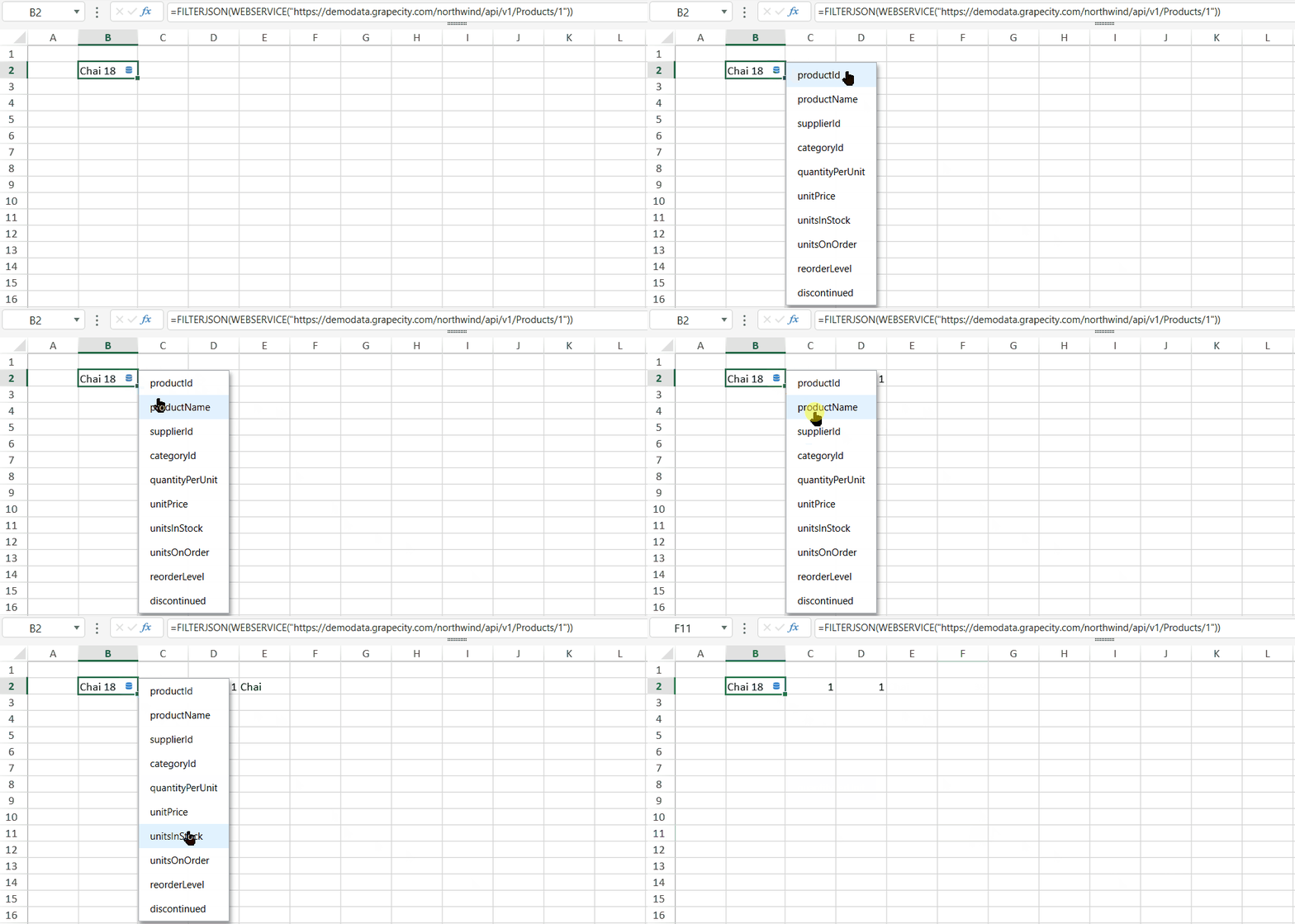
When a cell value is an object and the cell type is set to GC.Spread.Sheets.CellTypes.DataObject, a built-in button  appears in the cell.
Clicking the button displays a dropdown list of object properties. Selecting a property writes its value into the adjacent empty cell on the right. This operation supports Undo.
Note: If the adjacent cell is merged or part of a table, the extraction fails and triggers an
InvalidOperationevent with the message:"Cannot insert data".
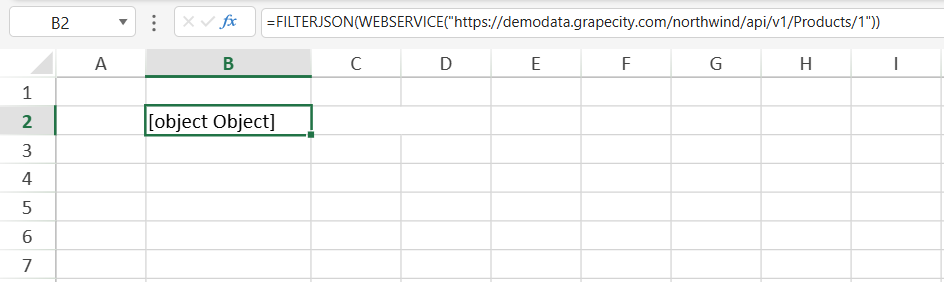
The DataObject cell type supports a format string to control how the object is displayed in the cell. The format can use the PROPERTY function or the @. dot operator.
Example:
// Retrieve object data
sheet.setFormula(1, 1,
  '=FILTERJSON(WEBSERVICE("https://demodata.grapecity.com/northwind/api/v1/Products/1"))'
);

// Apply DataObject cell type with display format
var cellType = new GC.Spread.Sheets.CellTypes.DataObject(
  '=@.productName & " " & @.unitPrice'
);

sheet.setCellType(1, 1, cellType);
The DataObject cell type can also be configured in the SpreadJS Designer:
Home tab → Styles group → Cell Editors → Cell Type → Data Object
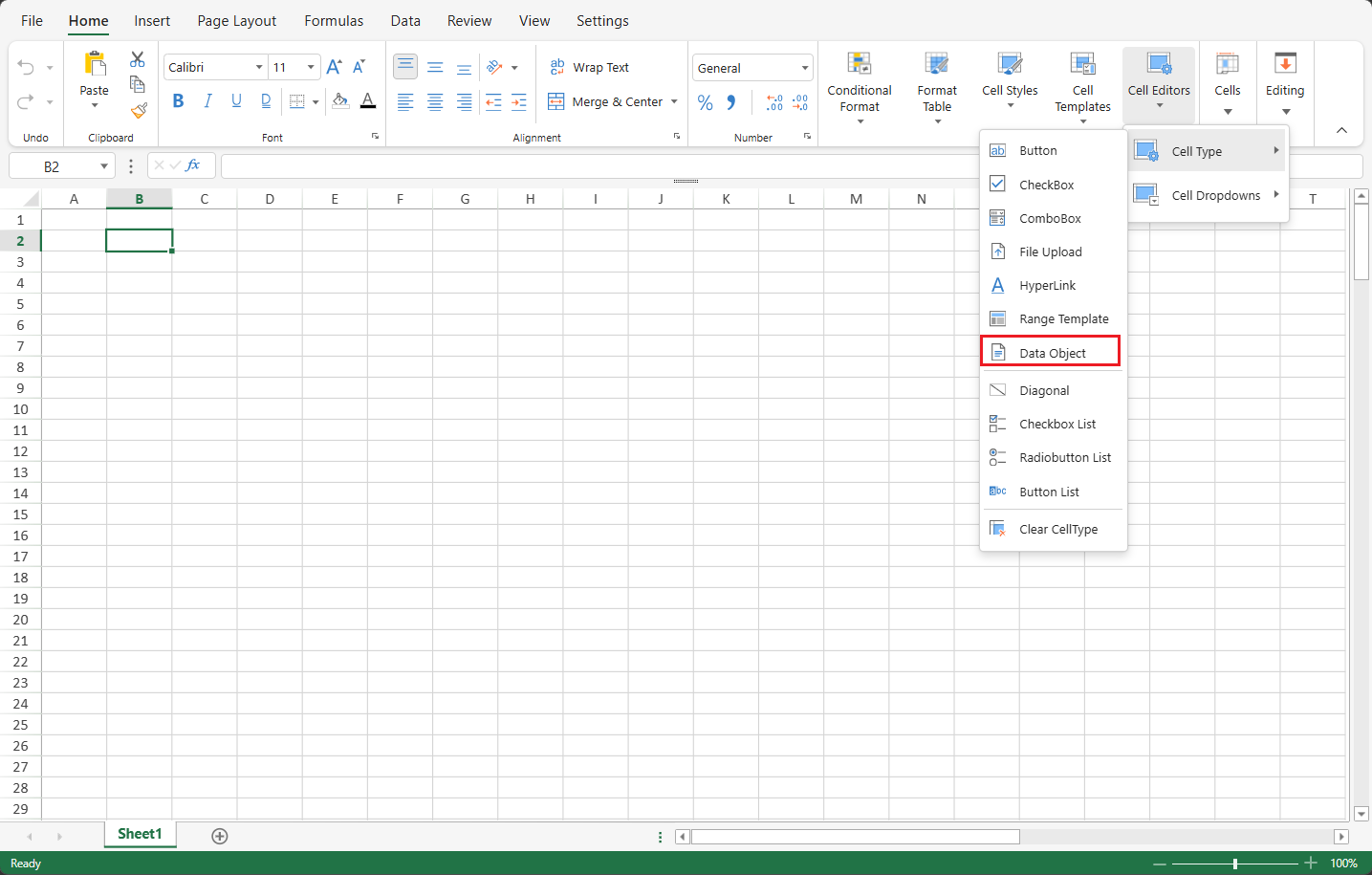
Enter a valid format string in the Format field to control how object properties are displayed.
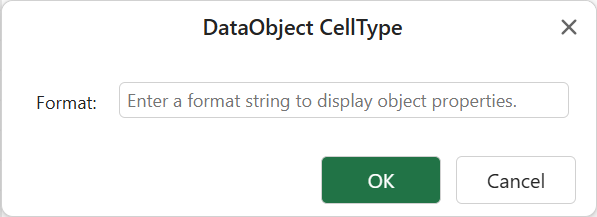
The format must be valid; otherwise, it will not be applied.