Protect Workbook Dialog
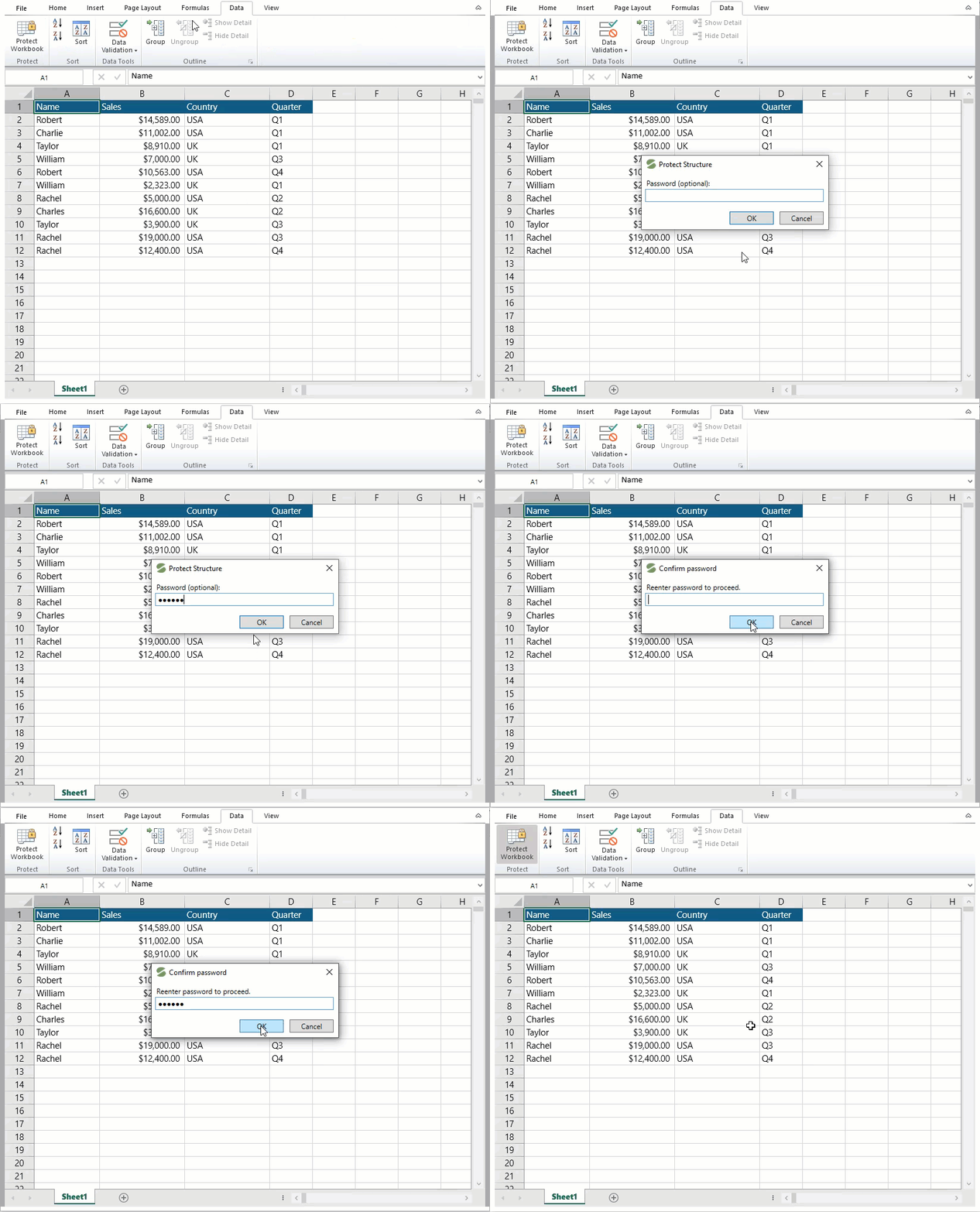
The Protect Workbook dialog allows you to protect your workbook from structural changes such as moving, deleting, and adding worksheets by adding a password. You can set the password to your workbook by clicking the Protect Workbook button in the Data tab.
The following image shows the method to protect the workbook using the Protect Workbook dialog.