[]
        
(Showing Draft Content)

Context Menus

A context menu is also called as contextual, shortcut, and pop-up menu, which is displayed by right-clicking on various areas of the Spread Designer for WPF interface:

Context menu Description
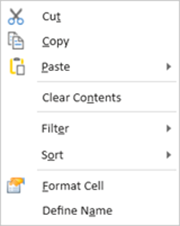
Spread for WPF displays the worksheet cell context menu with Cut, Copy, Paste, Clear Contents, Filter, Sort, Format Cell, and Define Name commands in the spreadsheet designer interface. Context menu for a cell/column header/row header.
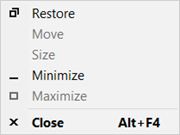
Spread for WPF displays the designer title bar context menu with Restore, Move, Size, Minimize, Maximize, and Close commands in the spreadsheet designer interface. Context menu for the Quick Access Toolbar.
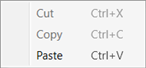
Spread for WPF displays the formula bar context menu with Cut, Copy, and Paste commands for editing cell formulas in the spreadsheet designer interface. Context menu for the formula bar.
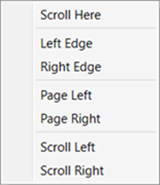
Spread for WPF displays the horizontal scrollbar context menu with edge, page, and directional scrolling commands in the spreadsheet designer interface. Context menu for the horizontal scroll bar.
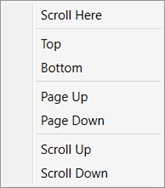
Spread for WPF displays the vertical scrollbar context menu with top, bottom, page, and directional scrolling commands in the spreadsheet designer interface. Context menu for the vertical scroll bar.