


- SpreadJS Overview
- Getting Started
- JavaScript Frameworks
- Best Practices
-
Features
- Workbook
- Worksheet
- Rows and Columns
- Headers
- Cells
- Data Binding
- Data Manager
- TableSheet
- GanttSheet
- ReportSheet
- Data Charts
- JSON Schema with SpreadJS
- SpreadJS File Format
- Data Validation
- Conditional Formatting
- Sort
- Group
- Formulas
- What-If Analysis
- Serialization
- Keyboard Actions
- Shapes
- Floating Objects
- Barcodes
- Charts
- Sparklines
- Tables
- Pivot Table
- Slicer
- Theme
- User Management
- Culture
- AI Assistant
- SpreadJS Designer
- SpreadJS Designer VSCode Plugin
- Tutorials
- SpreadJS Designer Component
- SpreadJS Collaboration Server
- Touch Support
- Formula Reference
- Import and Export Reference
- Events
- API Documentation
- Release Notes
Focus Cell
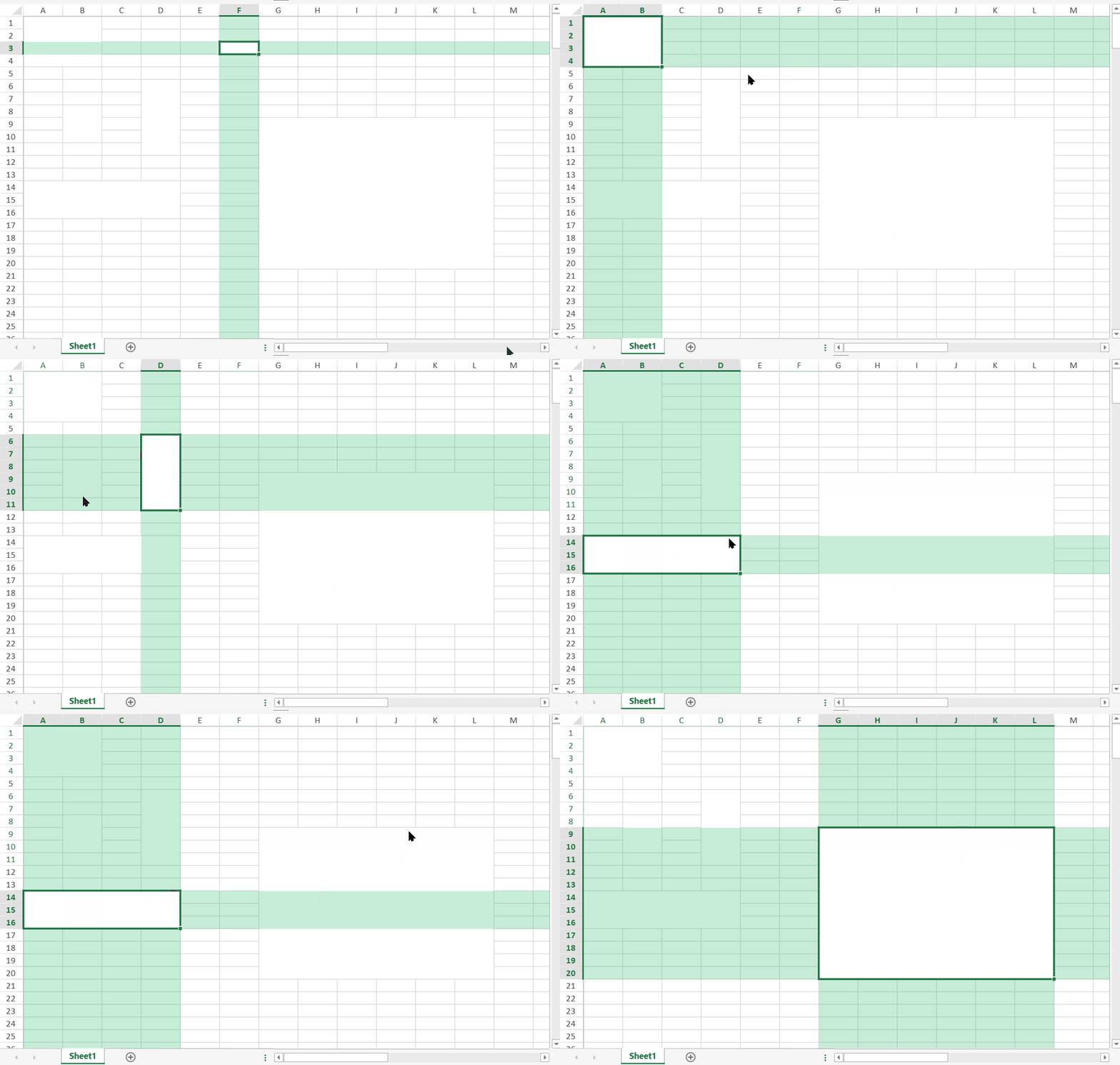
The Focus Cell feature highlights the active cell's row and column with semi-transparent bands. This visual aid helps users keep track of the active cell when working with large worksheets.
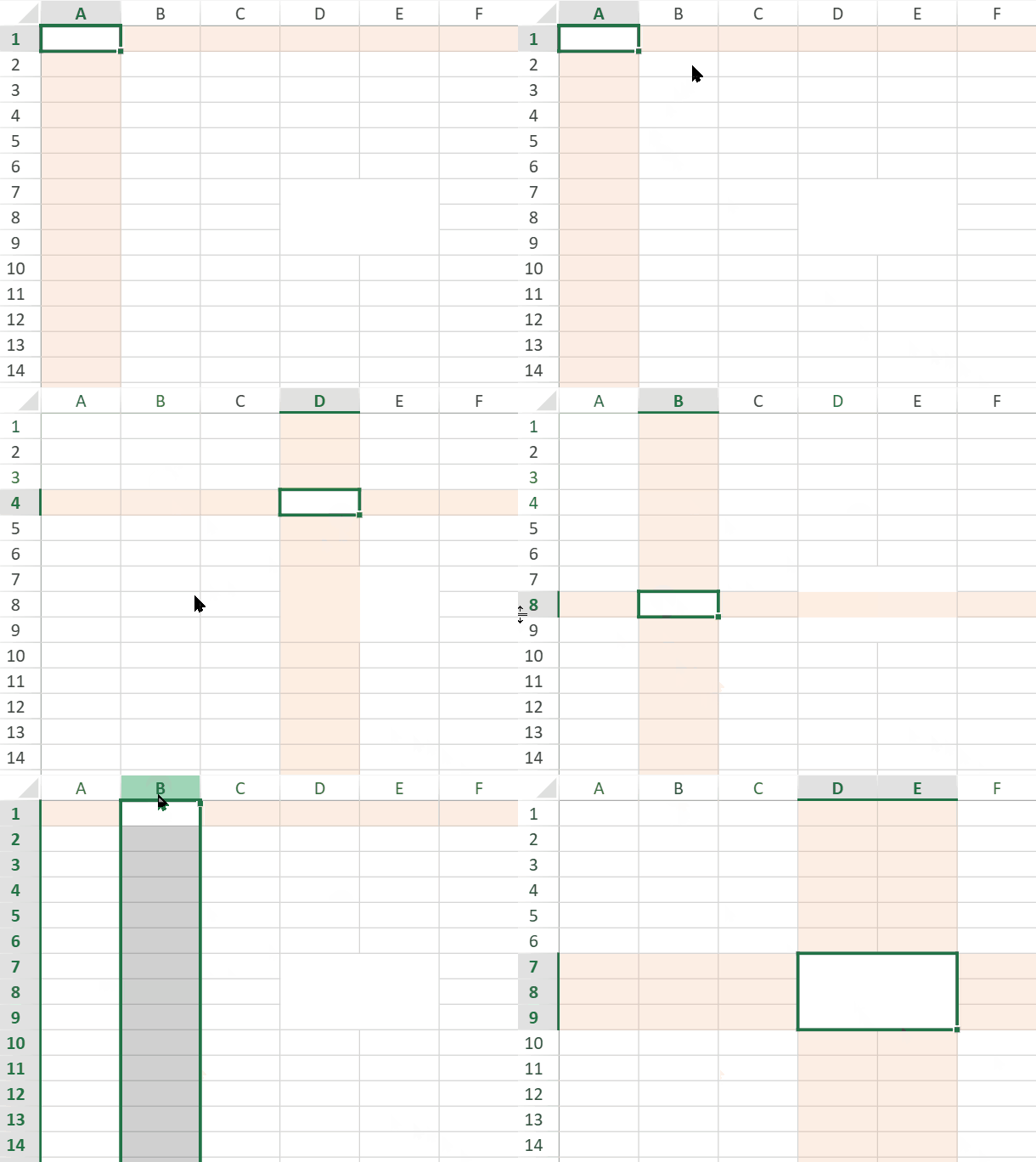
Focus Cell is a workbook-level option. When it is enabled, the setting applies to all worksheets in the workbook.
Enable Focus Cell
Focus Cell is disabled by default. You can enable, disable, and customize Focus Cell through the spread.options.focusCell workbook option.
// Enable Focus Cell.
spread.options.focusCell.enabled = true;
Because Focus Cell is a workbook-level setting, all worksheets in the workbook share the same setting.
Customize the Focus Cell Highlight
You can customize the highlight color by setting the focusCell.color option.
// Enable Focus Cell and set a custom highlight color.
spread.options.focusCell.enabled = true;
spread.options.focusCell.color = "rgba(255, 165, 0, 0.25)";
You can reset the highlight color to the default color by setting focusCell.color to null.
// Reset to the default highlight color.
spread.options.focusCell.color = null;
You can also set Focus Cell options by assigning the focusCell object.
spread.options.focusCell = {
    enabled: true,
    color: "Accent 6",
    opacity: 0.22
};
The color option accepts theme colors, standard color names, and valid CSS color values.
Examples include:
spread.options.focusCell.color = "Accent 6";
spread.options.focusCell.color = "green";
spread.options.focusCell.color = "#00b050";
spread.options.focusCell.color = "rgba(0, 176, 80, 0.225)";
Highlight Transparency
If
colorincludes an alpha value, such asrgba(255, 165, 0, 0.25), SpreadJS uses that alpha value for the highlight transparency.If
colordoes not include alpha, SpreadJS uses theopacityoption.If neither is specified, the default opacity is used.
When a theme color is used, the Focus Cell highlight color changes with the workbook theme.
Focus Cell Behavior
When Focus Cell is enabled, SpreadJS highlights the active cell's row and column without changing worksheet data or cell styles. The highlight is drawn as a visual aid only.
The active cell remains visually distinct. The highlight bands do not tint the active cell itself, so the active cell border and selection state remain visible.
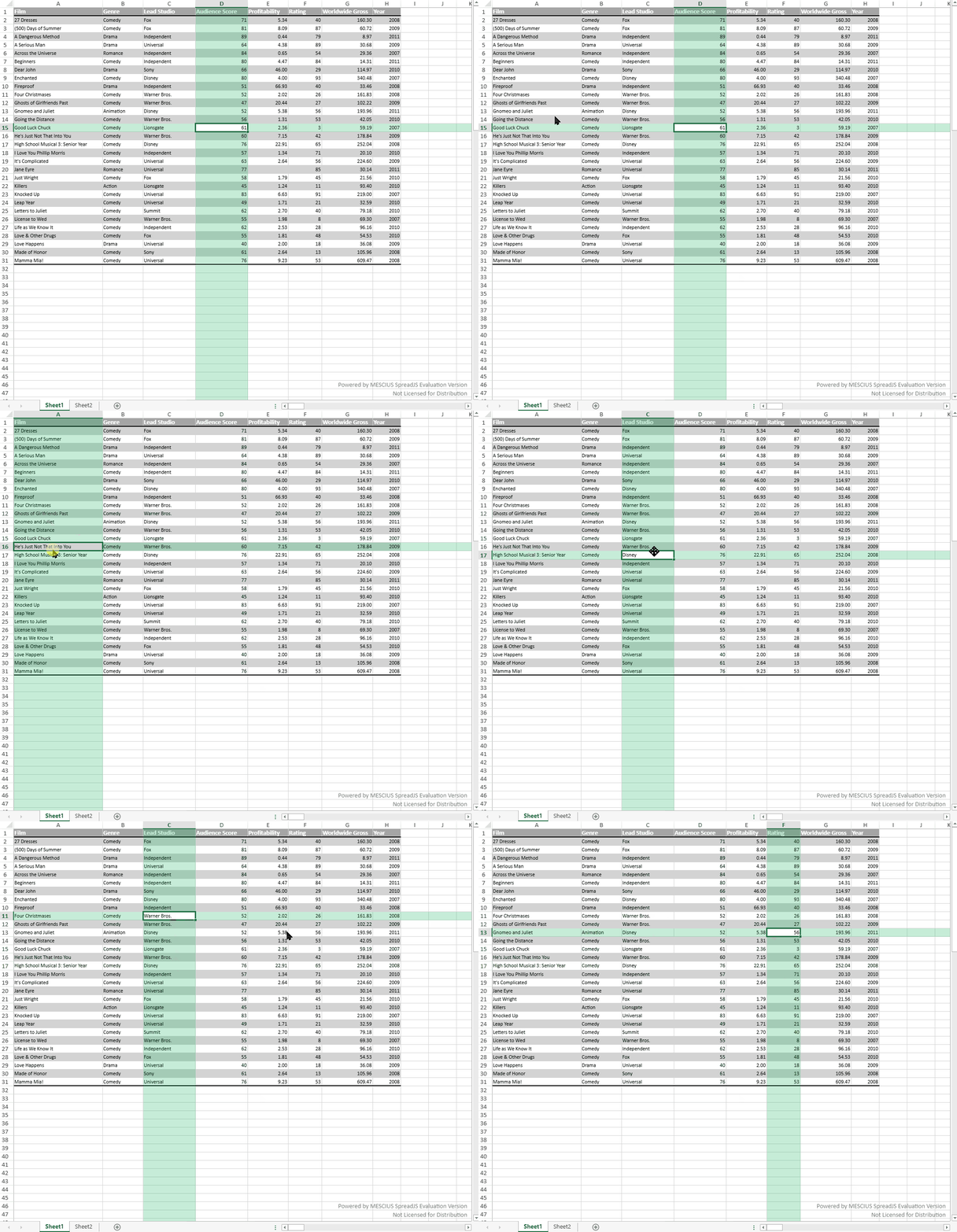
When the active cell is part of a selected range, the highlight bands avoid covering the primary selection area so that the selection fill remains clear.
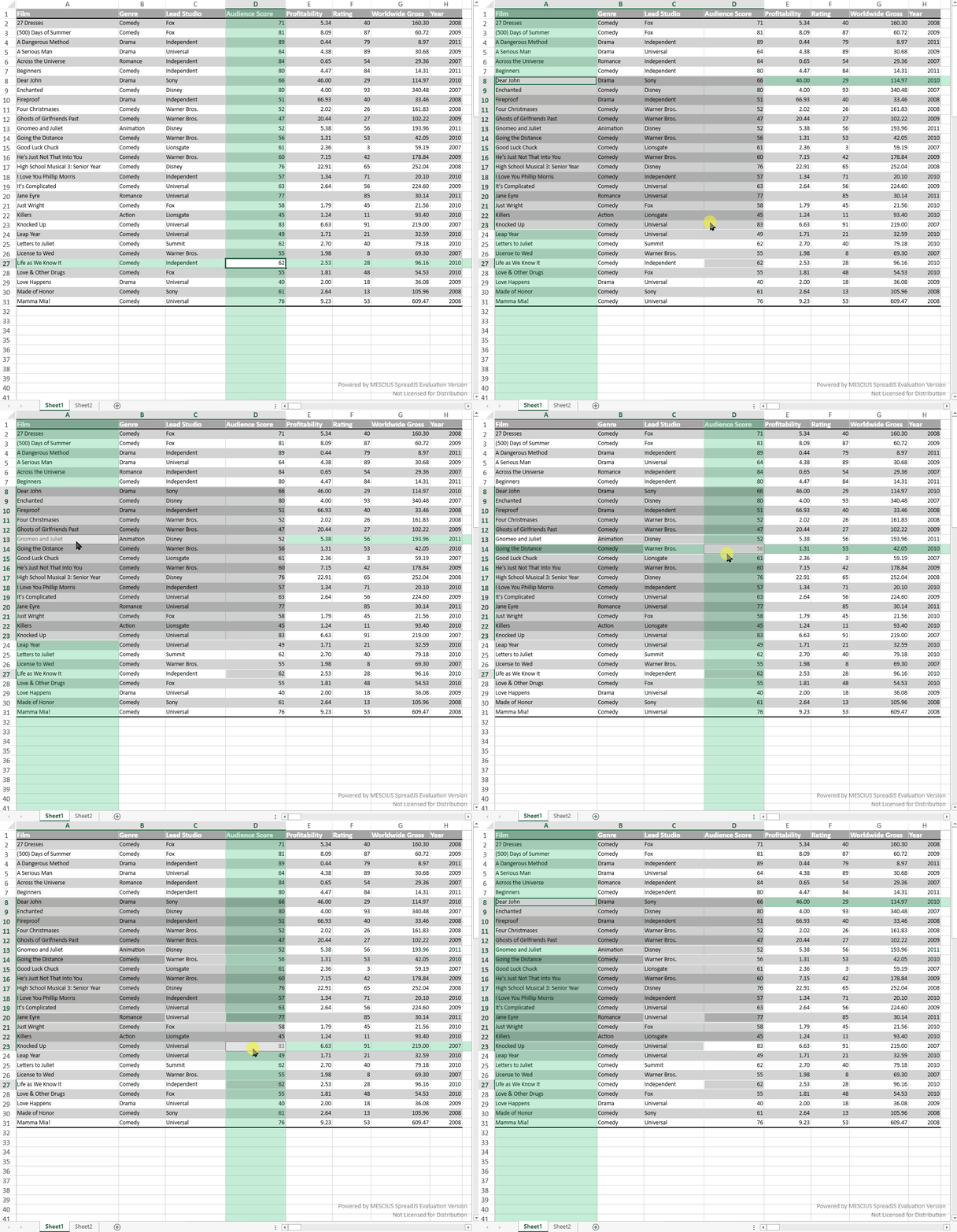
If multiple ranges are selected, the range that contains the active cell is treated as the primary selection. Other selected ranges keep their selection state, but the Focus Cell bands do not split around them.
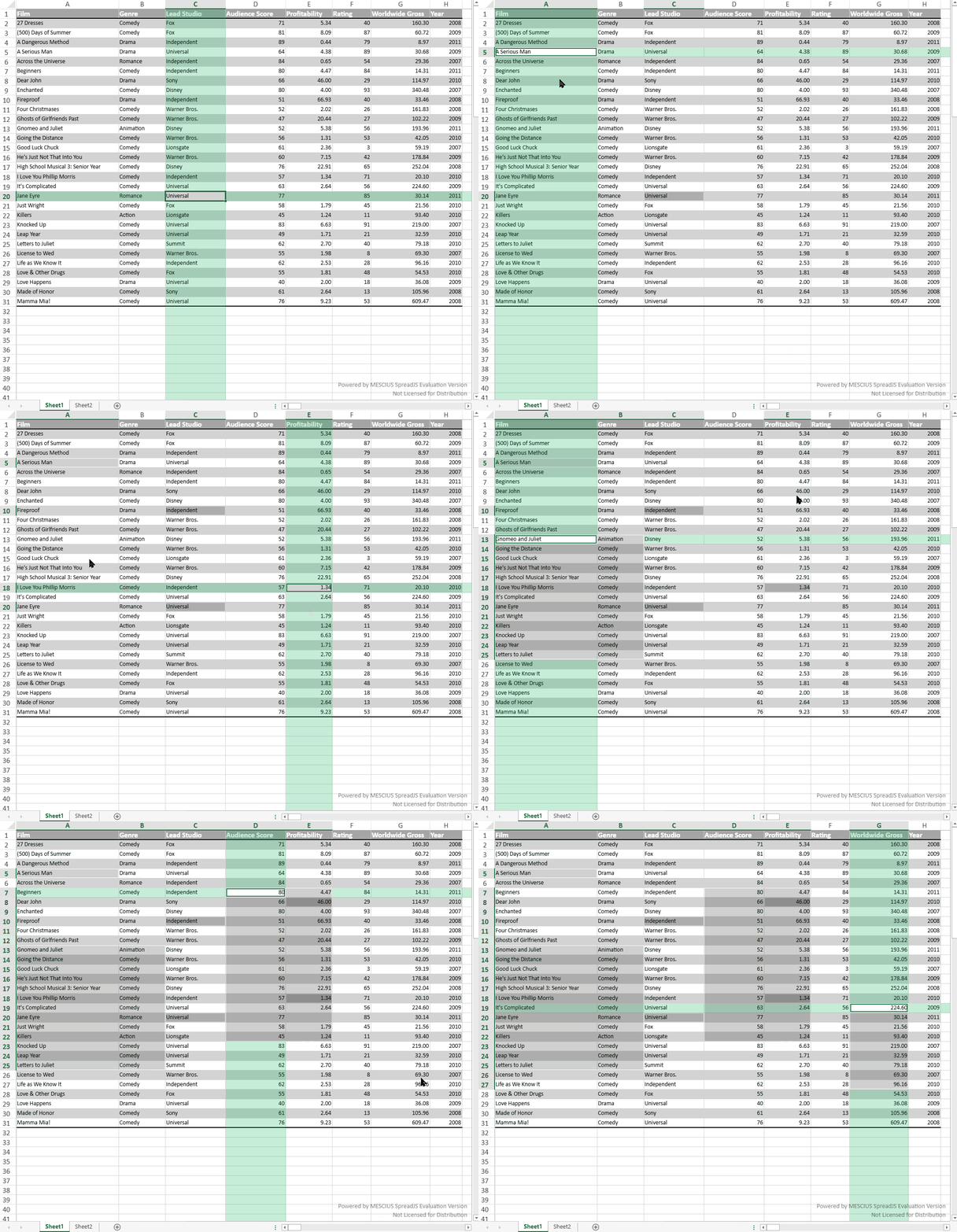
For merged cells, Focus Cell follows the active cell area. If the active cell is part of a merged cell, the merged area is used as the focus area.
Use Focus Cell in Designer
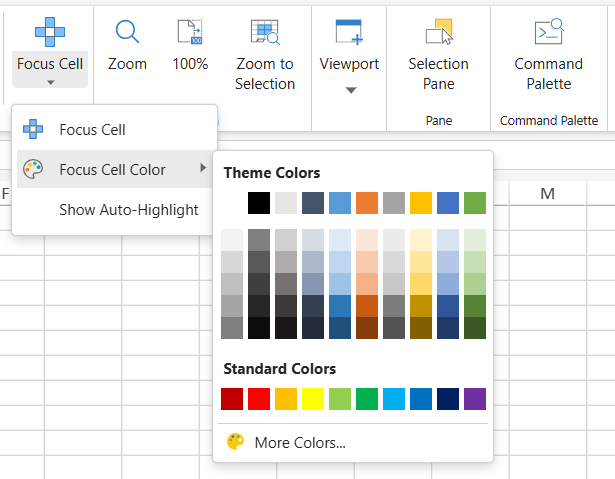
SpreadJS Designer provides Focus Cell commands on the View tab.

To enable or disable Focus Cell in Designer:
Open the View tab.
In the Show/Hide group, click Focus Cell.
You can also open the Focus Cell dropdown to access additional options:
Focus Cell - Enables or disables the Focus Cell feature.
Focus Cell Color - Sets the highlight color for the Focus Cell bands.
Show Auto-Highlight - Temporarily shows the Focus Cell highlight during supported Find and Replace operations.
Show Auto-Highlight is used for Find and Replace navigation.
When Focus Cell is disabled, this option can temporarily show the Focus Cell highlight after successful Find and Replace operations, such as Find Next, Find All, Replace, or Replace All. The temporary highlight is removed when the Find and Replace dialog is closed.
When Focus Cell is already enabled, the Focus Cell bands remain visible all the time, so Show Auto-Highlight does not change the visible behavior.
For TableSheet and GanttSheet, Focus Cell commands are available from the corresponding design ribbon tab.

Notes
Focus Cell bands are not displayed when the active row or column is hidden.
When
spread.options.hideSelectionis enabled, Focus Cell bands are hidden after the workbook loses focus.Focus Cell bands are not included in printed output or PDF export.
Focus Cell is not persisted to or restored from Excel files.
Focus Cell is a visual aid and does not modify worksheet data or cell styles.