- SpreadJS Overview
- Getting Started
- JavaScript Frameworks
- Best Practices
-
Features
- Workbook
- Worksheet
- Rows and Columns
- Headers
- Cells
- Data Binding
- Data Manager
- TableSheet
- GanttSheet
- ReportSheet
- Data Charts
- JSON Schema with SpreadJS
- SpreadJS File Format
- Data Validation
- Conditional Formatting
- Sort
- Group
- Formulas
- What-If Analysis
- Serialization
- Keyboard Actions
- Shapes
- Floating Objects
- Barcodes
- Charts
- Sparklines
- Tables
- Pivot Table
- Slicer
- Theme
- User Management
- Culture
- AI Assistant
- SpreadJS Designer
- SpreadJS Designer VSCode Plugin
- Tutorials
- SpreadJS Designer Component
- SpreadJS Collaboration Server
- Touch Support
- Formula Reference
- Import and Export Reference
- Events
- API Documentation
- Release Notes
Expand/Collapse Cells
SpreadJS enhances report management by controlling the expansion and collapse of cells within a ReportSheet. Apart from toggling the state of individual cells i.e. expanding or collapsing them based on specific input, users can also collapse or expand all cells associated with a specific parent or template cell.
To simplify hierarchical data management, SpreadJS provides the toggleCollapseState method of the ReportSheet class. This method enables users to collapse or expand all descendant cells of a specific parent cell in a single operation.
The following sample code depicts how to use the toggleCollapseState method to toggle the collapse or expand state for all descendant cells of a specific cell.
// Specify the cell.
var regionCells = reportSheet.getCells(2, 0);
var secondRegionCell = regionCells[1];

// Get Collapsed State
var isCollapsed = reportSheet.getCollapseState(secondRegionCell.row, secondRegionCell.col);

// Toggle the Collapsed State
var newCollapsedState = isCollapsed ? "Expanded" : "Collapsed";

// Toggle All Its Descendents Cells
reportSheet.toggleCollapseState(secondRegionCell.row, secondRegionCell.col, newCollapsedState, true);
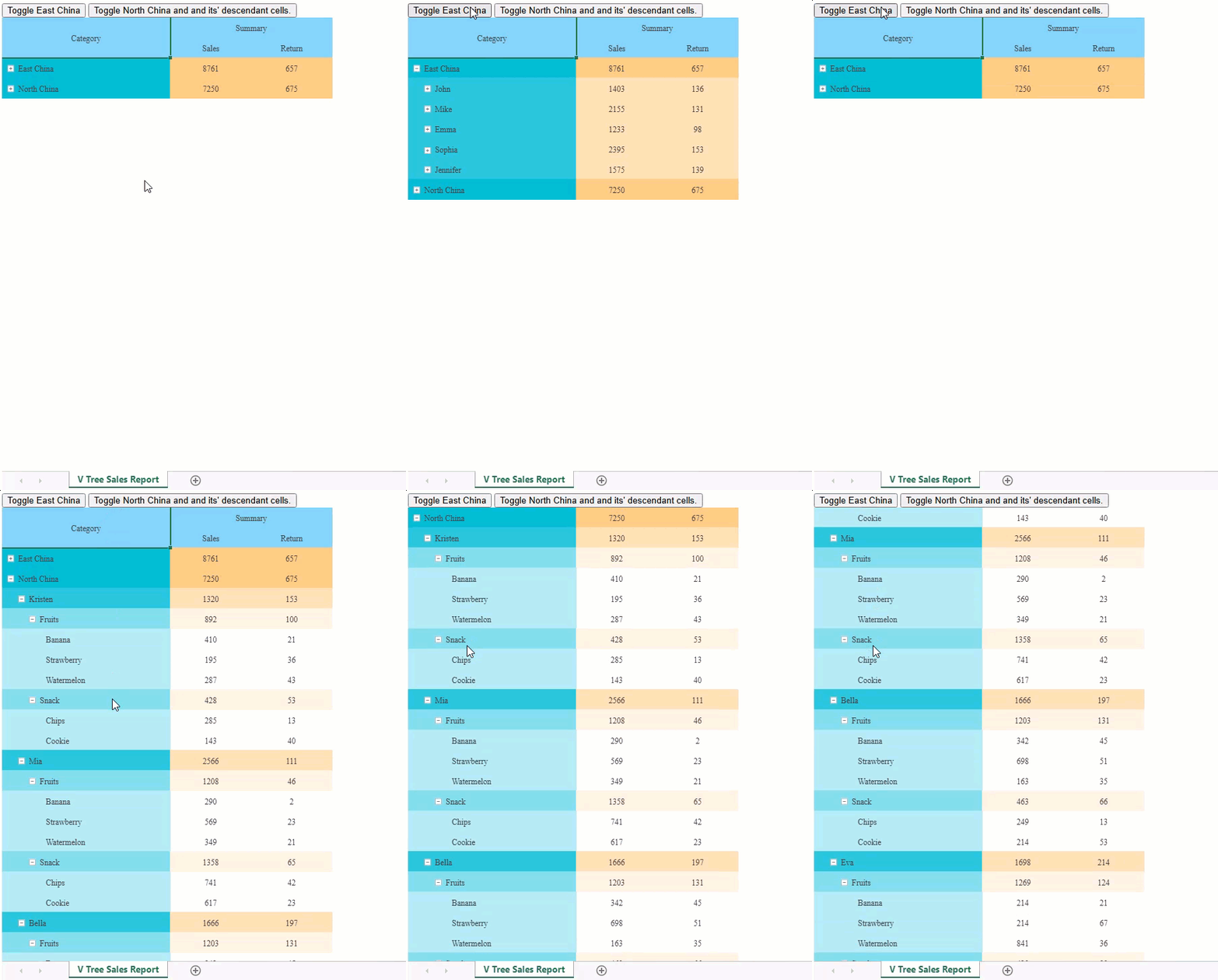
The following GIF illustrates the expanding and collapsing for grouped cells, such as East China and North China. Note that only the descendant cells of the North China group are expanded and collapsed.
Using Designer
To manage the expansion and collapse of all descendant cells under a specific parent cell, follow the steps below:
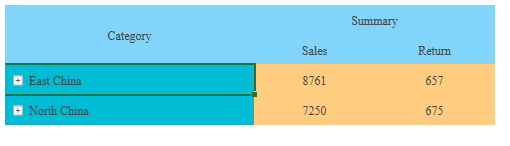
Select the desired grouped cell whose descendant cells you want to expand or collapse.
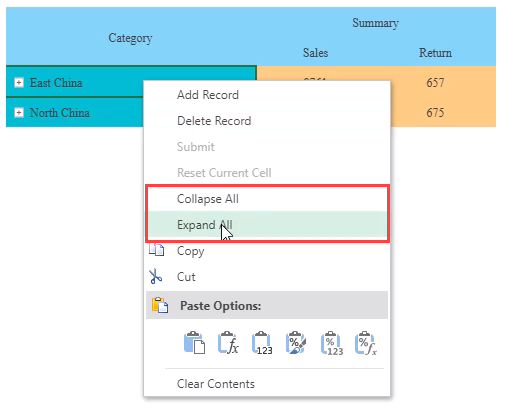
Right click on the specified cell to open the context menu and select Collapse All and Expand All according to your requirement.