- SpreadJS Overview
- Getting Started
- JavaScript Frameworks
- Best Practices
-
Features
- Workbook
- Worksheet
- Rows and Columns
- Headers
- Cells
- Data Binding
- Data Manager
- TableSheet
- GanttSheet
- ReportSheet
- Data Charts
- JSON Schema with SpreadJS
- SpreadJS File Format
- Data Validation
- Conditional Formatting
- Sort
- Group
- Formulas
- What-If Analysis
- Serialization
- Keyboard Actions
- Shapes
- Floating Objects
- Barcodes
- Charts
- Sparklines
- Tables
- Pivot Table
- Slicer
- Theme
- User Management
- Culture
- AI Assistant
- SpreadJS Designer
- SpreadJS Designer VSCode Plugin
- Tutorials
- SpreadJS Designer Component
- SpreadJS Collaboration Server
- Touch Support
- Formula Reference
- Import and Export Reference
- Events
- API Documentation
- Release Notes
Context Menu
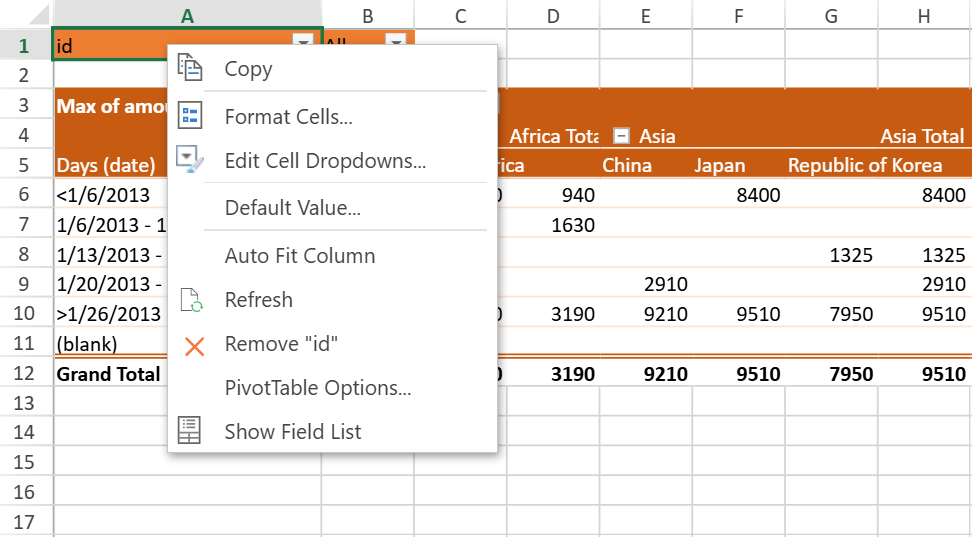
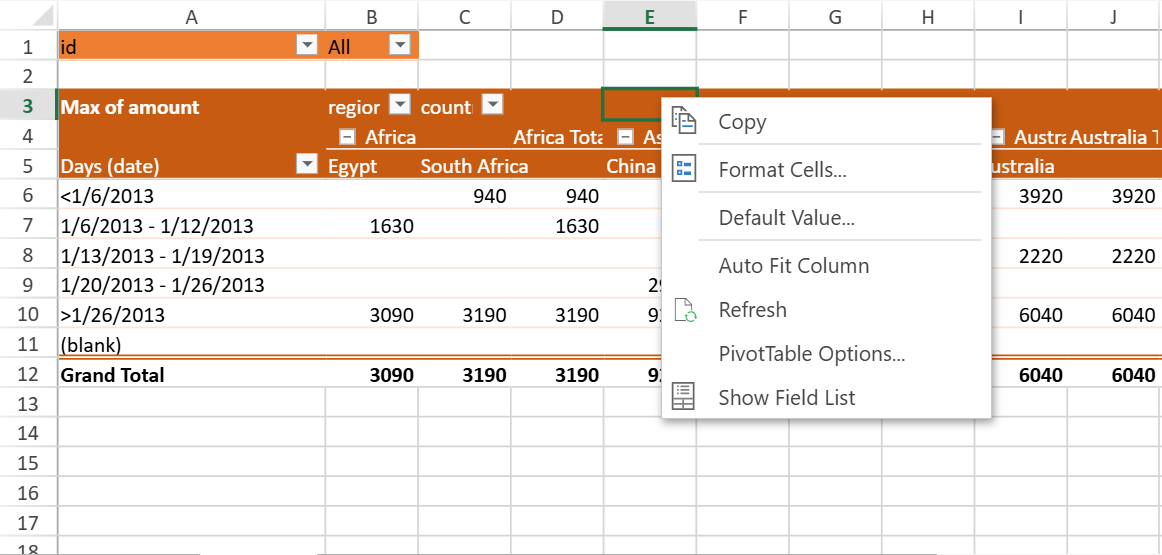
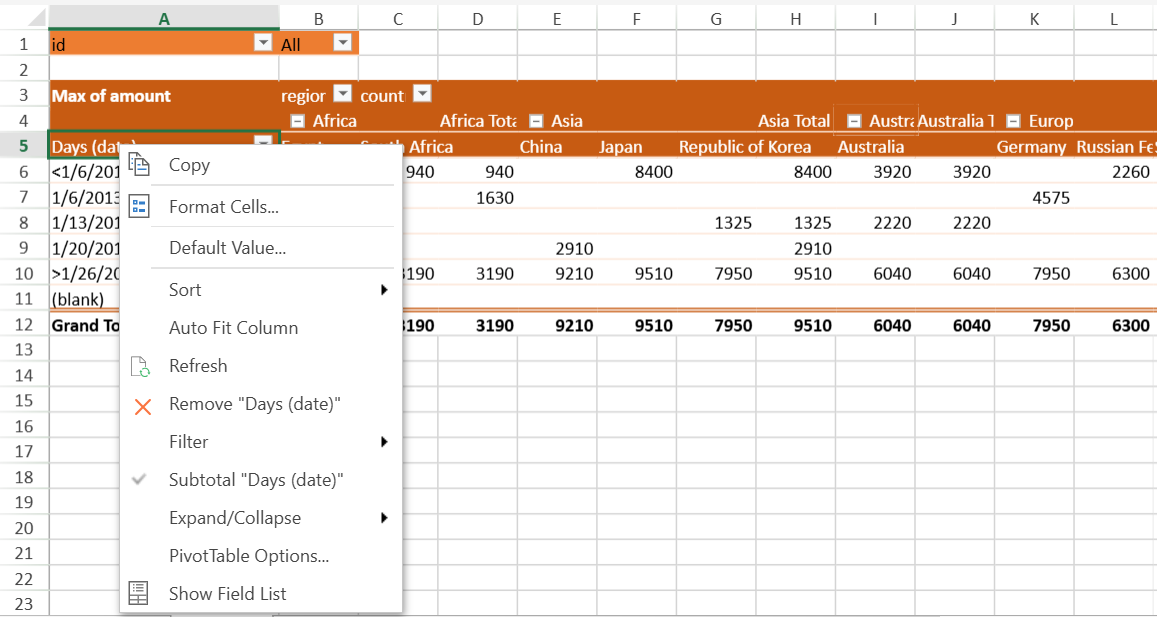
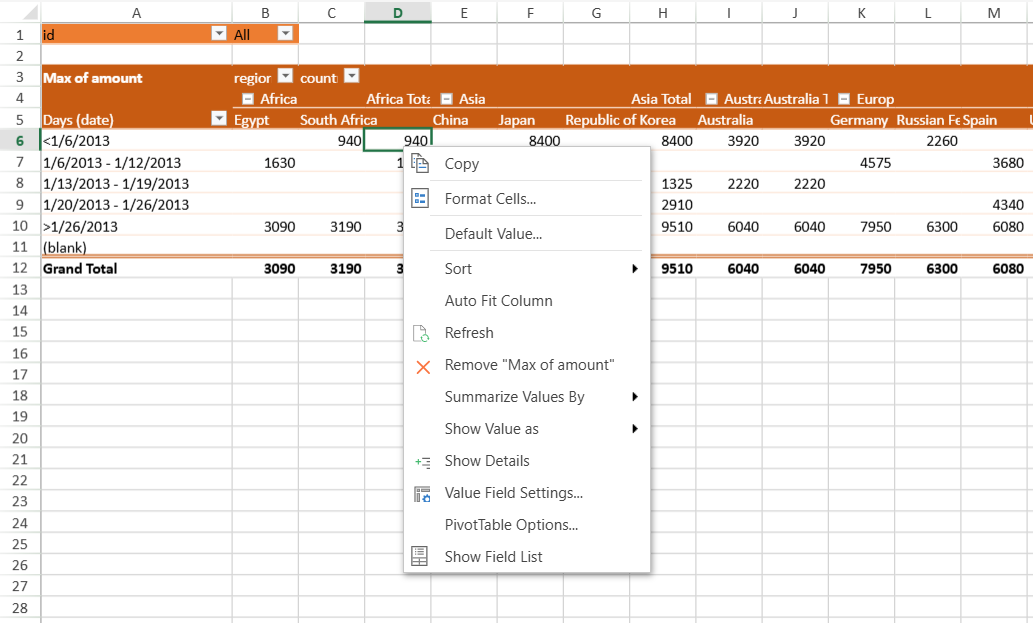
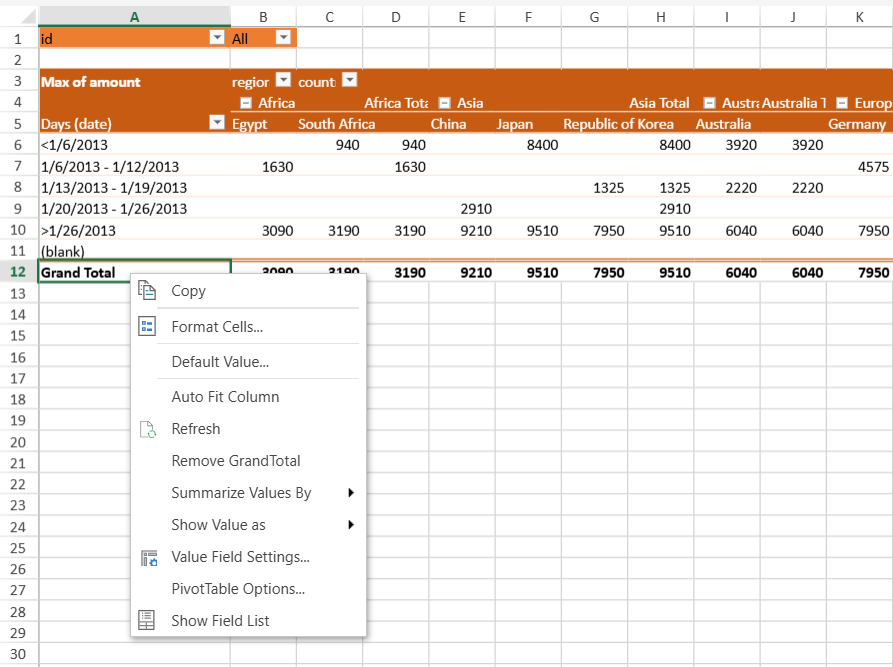
SpreadJS provides different context menu options while accessing different areas of a pivot table. These options allow you to quickly execute the common or repetitive operations in the pivot table. The context menu appearing for different areas of a pivot table, when right-clicked, is shown below:
The page area
Any empty area
The header area
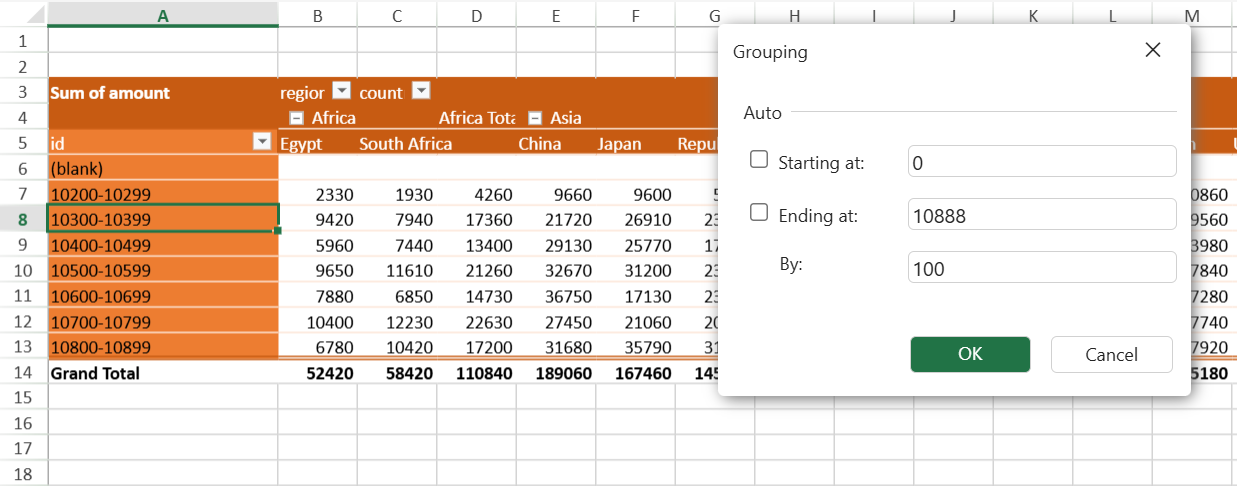
The data type (number) and select the 'Group' option
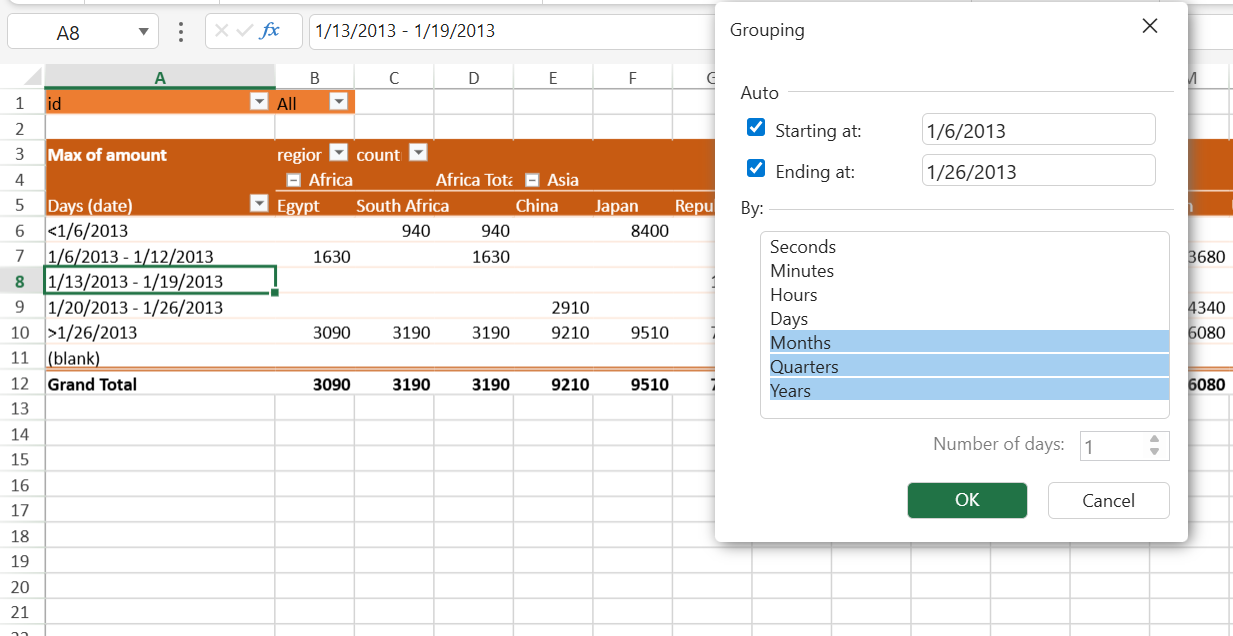
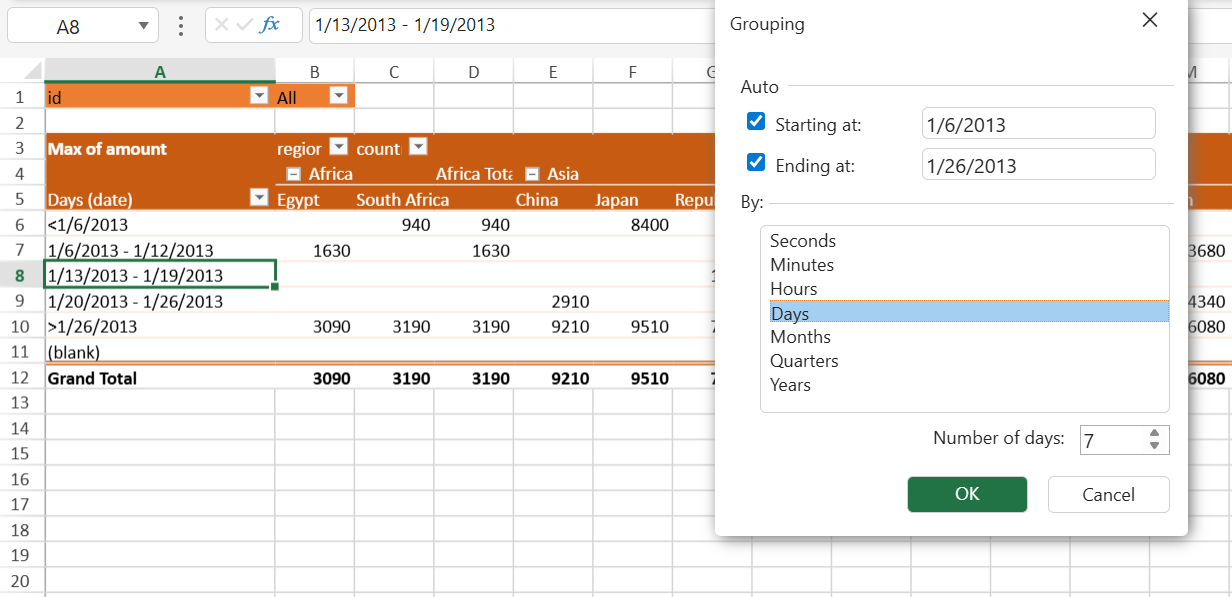
The data type (date) and select the 'Group' option
Note:
The Number of days option applies only when Days is selected as the only grouping interval. When Days is combined with other intervals (for example, Months, Quarters, or Years), the option is disabled and appears grayed out.
The data area
The Grand Total area
Custom Format in Value Fields
SpreadJS supports custom formats for value fields in a pivot table.
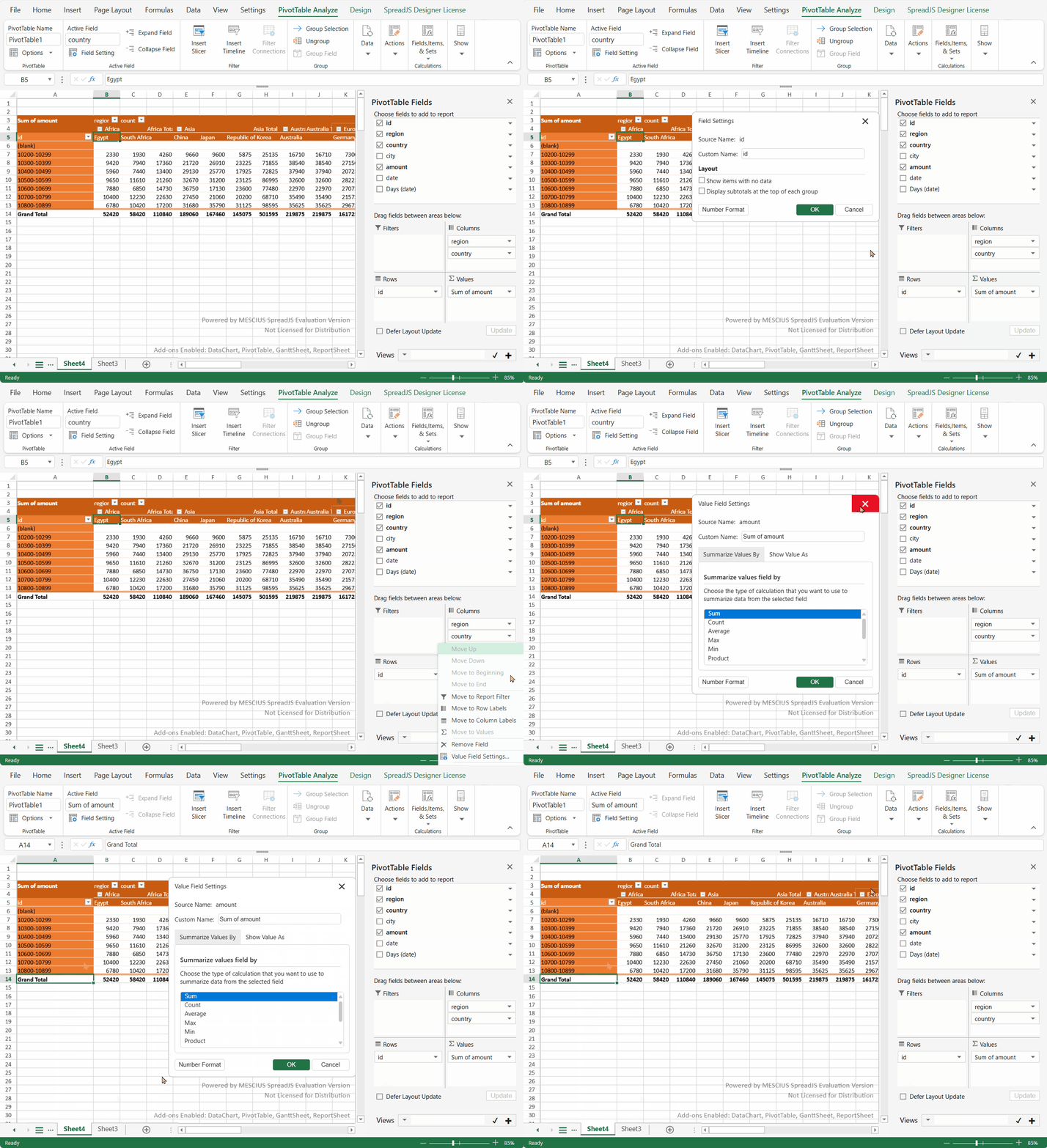
When you operate the PivotTable Panel in the SpreadJS Designer,
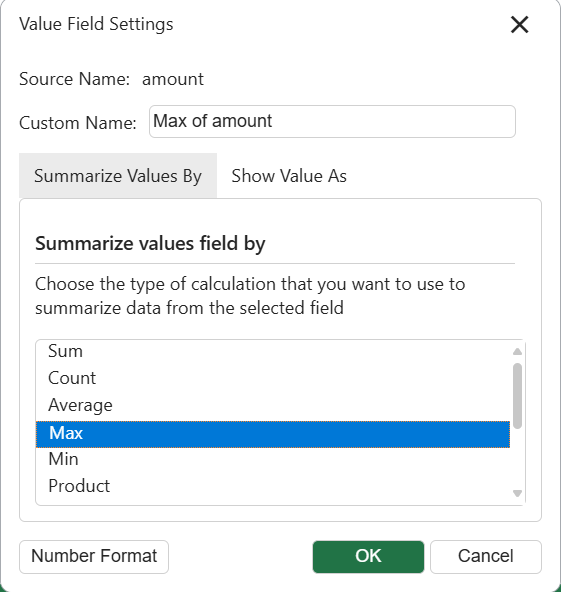
Choose the "Value Field Settings..." option from the data area or the grand data area context menu to open the dialog window.
The "Number Format" button is shown on the dialog if the field type is either Number or Date.
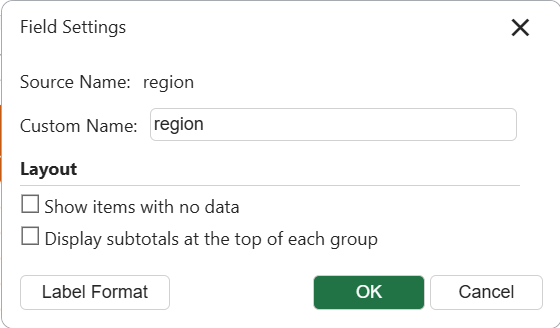
The "Label Format" button is shown on the dialog if the field typeis not Number or Date.
Click the Number Format or Label Format button, a designer Number Format dialog with richer settings will pop up.