End-User Capabilities
Expression Editor provides various features that enable end-users to interact with the control. These capabilities of the Expression Editor control are as follows:
Syntax Highlighting
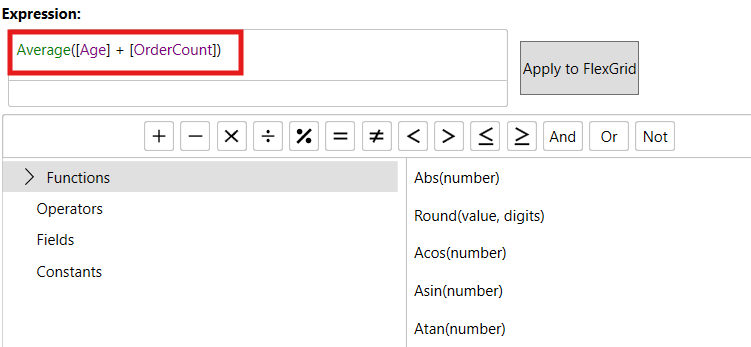
Expression Editor uses different colors to display functions and fields, just like the SQL Query editor. As these items are differently colored, it increases the readability of expressions thereby making it easy to differentiate between functions, operators, and fields. SyntaxHighlighting property of C1ExpressionEditor class controls whether the items of expression should be highlighted. Note that operators and constants are not highlighted.
Smart Code Completion
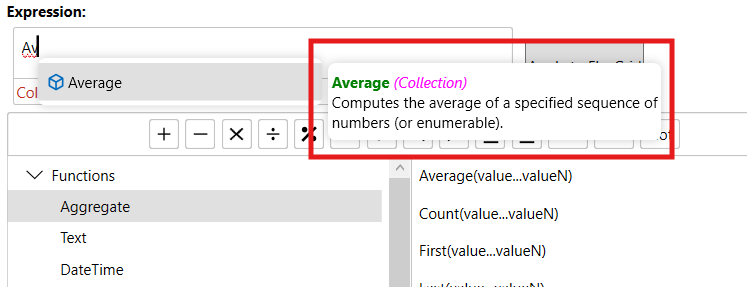
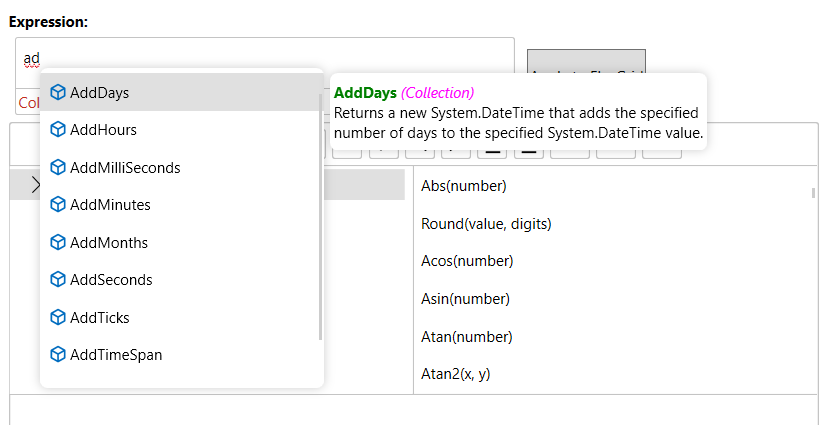
When you type expressions, Expression Editor completes it by providing recommendations of possible functions or fields in a list based on what you type. This feature helps to complete expression quickly and reduces the chance of making typing errors.
Error Reporting
Expression Editor prevents syntax mistakes that might occur while writing expressions. The Editor immediately validates the typed expression and shows the error message as soon as it finds an incorrect syntax. IsValid property of C1ExpressionEditor class is used to control this behavior.
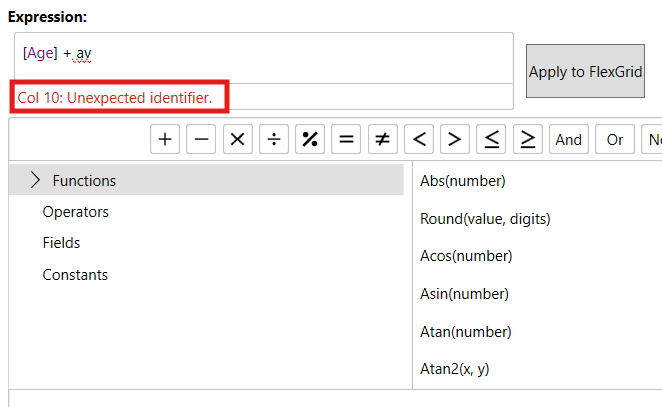
The ErrorBox is disabled in GridExpressionColumn, and when enabled in the editor, it only reports the first detected error even if multiple errors exist.
ToolTip Helper
Clicking on a function in ExpresionEditor displays a tooltip for that function which contains its description and syntax.