


Custom Filter UI
FlexGrid provides options for customizing the filter interface. Configure filter icons, apply custom icons, and specify the language used by the filter UI.
Show Filter Icon
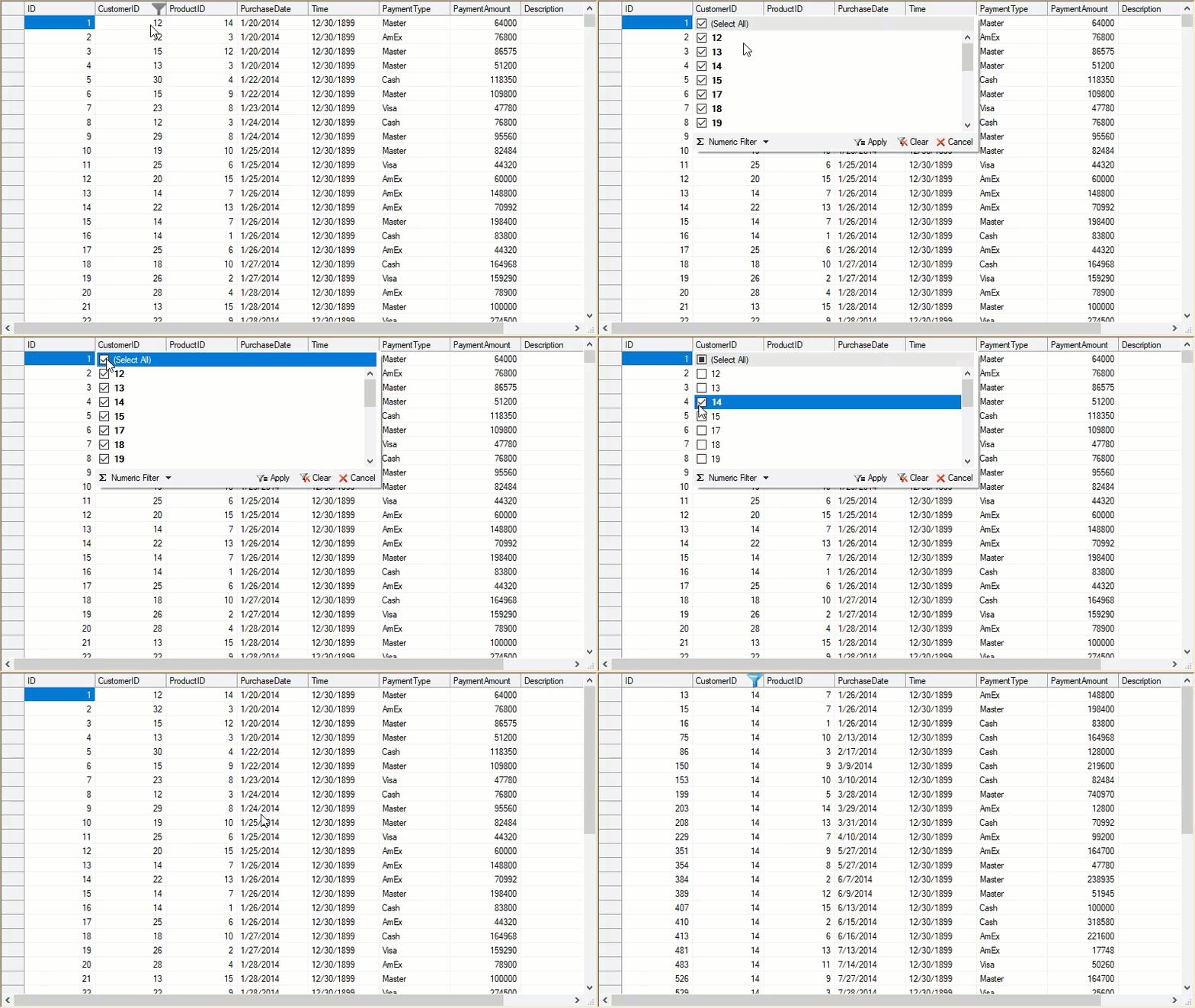
Set C1FlexGrid.ShowFilterIcon to FilterIconVisibility = Always to display the icon permanently. The ShowFilterIcon property accepts values from the FilterIconVisibility enumeration.
The following example displays filter icons for filtered columns:
// Always show the filter icon
c1FlexGrid1.ShowFilterIcon = C1.Win.C1FlexGrid.FilterIconVisibility.Always;
' Always show the filter icon
c1FlexGrid1.ShowFilterIcon = C1.Win.C1FlexGrid.FilterIconVisibility.AlwaysUse Custom Icons
Customize filter icons through the C1FlexGrid.Glyphs property. The property stores images associated with values from the GlyphEnum enumeration.
Use the following enumeration values to customize filter-related icons:
GlyphEnum.FilterEditorspecifies the filter-editor icon.GlyphEnum.FilteredColumnspecifies the icon displayed for an actively filtered column.
For more information about custom glyphs, see Custom Glyphs.
The following example applies custom filter icons to filtered columns:
// Customize the glyph for filter icon
c1FlexGrid1.Glyphs[GlyphEnum.FilterEditor] = Image.FromFile("custom-filter-icon.png");
// Customize the glyph for filter icon
c1FlexGrid1.Glyphs[GlyphEnum.FilteredColumn] = Image.FromFile("filter.ico");
' Customize the glyph for filter icon
c1FlexGrid1.Glyphs(GlyphEnum.FilterEditor) = Image.FromFile("custom-filter-icon.png")
' Customize the glyph for filter icon
c1FlexGrid1.Glyphs(GlyphEnum.FilteredColumn) = Image.FromFile("filter.ico") Change Filter Language
By default, the column-filter editor uses the language specified by CurrentUICulture.
Set the Language property to override the current UI culture and display the filtering interface in another supported language.
// Set filter language to Japanese
c1FlexGrid1.Language = C1.Util.Localization.Language.Japanese;
' Set filter language to Japanese
c1FlexGrid1.Language = C1.Util.Localization.Language.Japanese Filter Row
A filter row displays filtering criteria directly below the column headers. This layout keeps the filtered columns and their current criteria visible while the grid is displayed.
A filter row requires additional screen space because it occupies a dedicated row below the column headers.
Implement the filter row through a custom implementation. For an implementation example, see the Filter Row product sample.
Note: When the samples are installed through ComponentOneControlPanel.exe, the Filter Row sample is available in the following directory:
\Documents\ComponentOne Samples\WinForms\v4.5.2\C1FlexGrid\``<span data-testid="definition-highlighter" style="--_11qfq0e:solid" class="_5pioz8co _189e1dm9 _1il9buyh _19lc184f _d0altlke">CS</span>