


Elements
Navigation Elements
Page Navigation
FlexViewer provides page navigation controls for moving through documents.
Users can:
move to the next or previous page
jump to the first or last page
enter a page number directly
Thumbnails
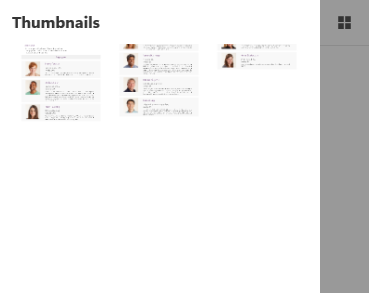
The thumbnails panel displays preview images of document pages and allows quick navigation between pages.
Users can:
preview document pages
navigate by selecting a page thumbnail
identify page content visually
Outlines
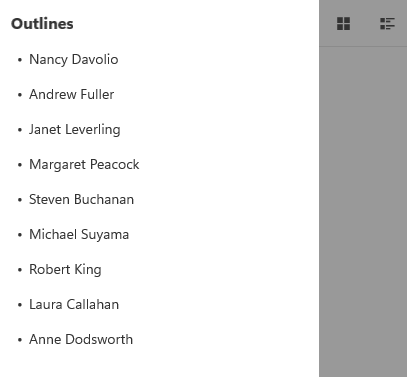
The outlines panel displays the document structure in a hierarchical format.
Users can:
navigate document sections
expand or collapse outline nodes
quickly access bookmarked content
View Elements
Zoom Controls
FlexViewer provides built-in zoom controls for adjusting document magnification.
Supported zoom operations include:
Actual Size
Page Width
Whole Page
Ctrl + Mouse Wheel
keyboard shortcuts
Note: Keyboard shortcuts for zoom operations are currently supported only on Android.
Rotation Controls
FlexViewer provides controls for rotating document pages.
Users can:
rotate pages clockwise
rotate pages counterclockwise
Rotation is applied consistently across all pages in the document.
Content Interaction Elements
Report Parameters
FlexViewer supports parameter-based filtering for FlexReport and SSRS reports.
Users can:
enter parameter values
filter report data
refresh reports using updated parameters
Text Selection and Highlighting
FlexViewer supports selecting, highlighting, and copying text within the document viewer.
Note: Text selection and highlighting are currently supported only on Android.
Cursor Feedback
FlexViewer provides visual cursor indicators during document interaction.
Supported cursor indicators include:
hand cursor
AutoScroll cursor
I-beam cursor
Note: Cursor feedback is currently supported only on Android.
Keyboard Shortcuts
FlexViewer supports keyboard shortcuts for document navigation and zoom operations.
Examples include:
Ctrl + PlusCtrl + MinusCtrl + Mouse Wheel
Note: Keyboard shortcuts are currently supported only on Android.