


Activation on a Mac
Prerequisites
Ensure that the .NET SDK is installed before installing the licensing tools.
Install .NET SDK
Choose one of the following methods:
Official Installer
Download and install the latest .NET SDK from the Microsoft .NET website.
macOS (Homebrew)
brew install --cask dotnet-sdkVerify Installation
Restart the terminal and run:
dotnet --versionInstall ComponentOne Controls
Before installing the licensing tools, install at least one ComponentOne control.
Download and install ComponentOne Control Panel.
Open the Control Panel.
Install any ComponentOne control.
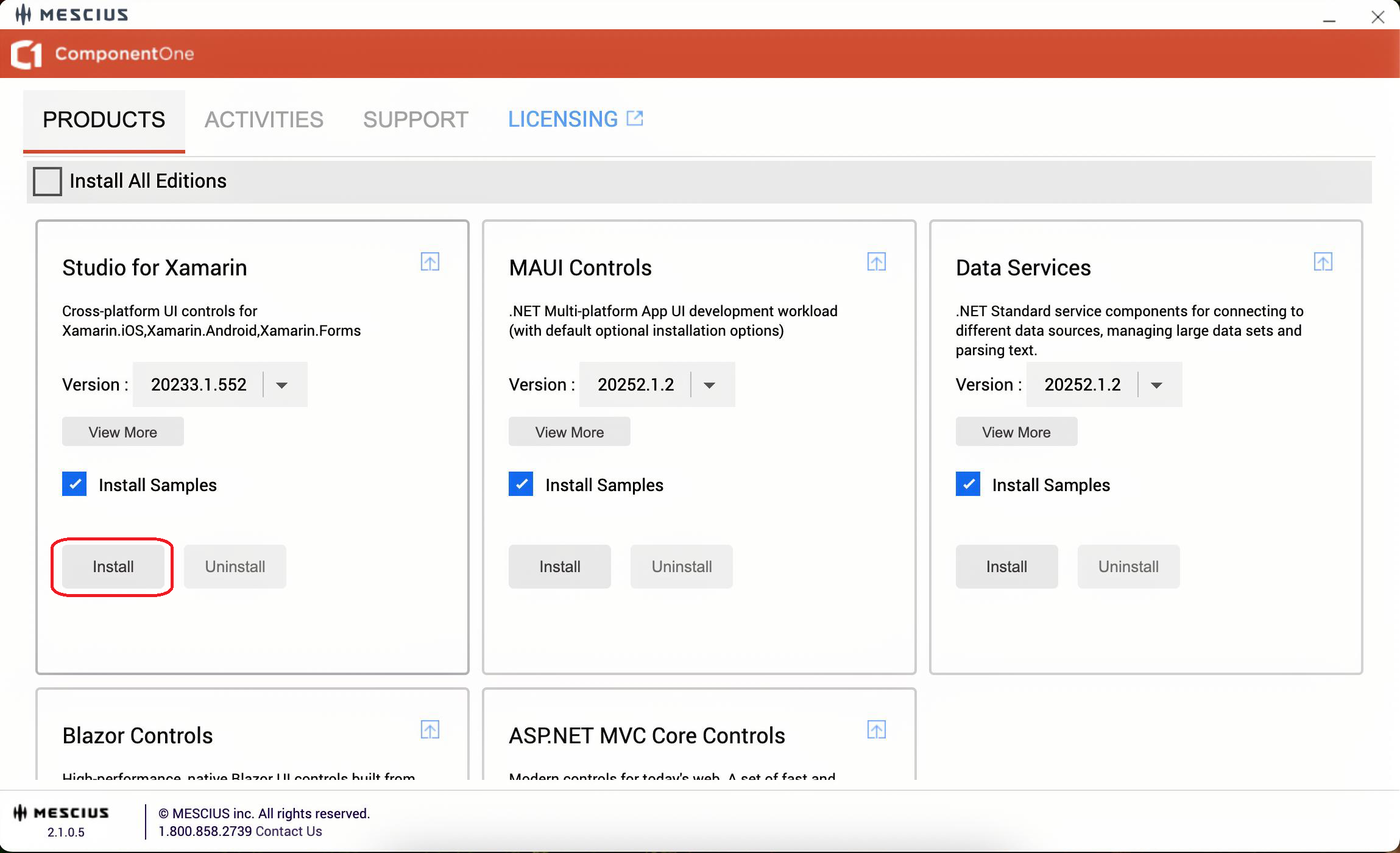
This ensures that the required components are available before license activation.
Install SA3 Client
Run the following command:
dotnet tool install -g sa3client
Troubleshooting: Command Not Found
If the sa3client command is not recognized:
export PATH="$PATH:$HOME/.dotnet/tools"Restart the terminal and run the command again.
Activate a Serial Key on macOS
ComponentOne supports serial key activation on macOS using command-line licensing tools.
When a project that references ComponentOne NuGet packages is built for the first time, a 30-day evaluation license is applied automatically. A valid serial key is required to continue development and generate licensed builds.
1. Open the Terminal.
2. List installed products and license status:
sa3client list
3. Activate the serial key:
sa3client a <serial-key>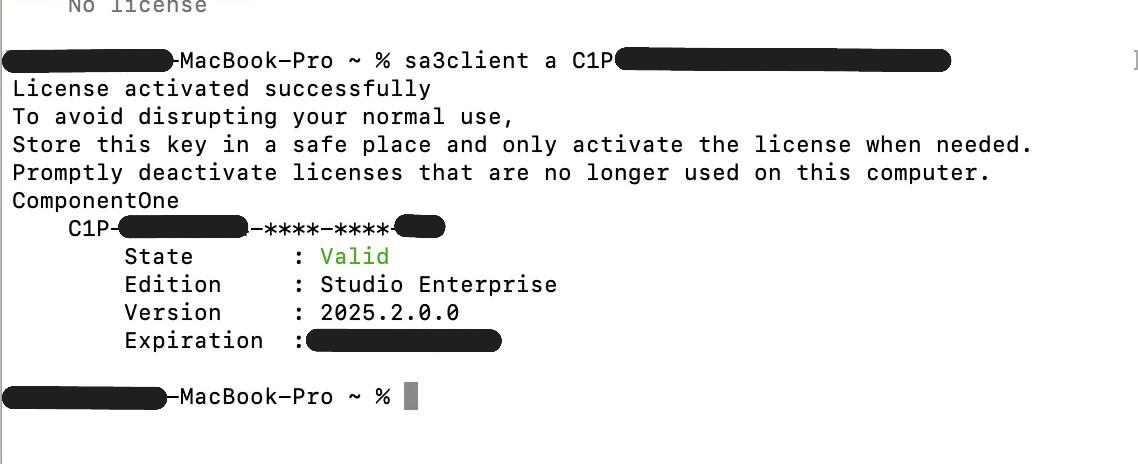
If activation succeeds, the tool displays a confirmation message.
After activation, building the application generates a unique runtime license file (.sa3licx) in the build output (for example, obj/Debug or obj/Release) and embeds it as a resource in the application. This file is used at runtime to validate the license.
Deactivation
1. List installed licenses:
sa3client list2. Note the serial key prefix.
3. Deactivate the license:
sa3client d <serial-key-prefix>
Offline Activation
1. Generate an offline activation request:
sa3client a <serial-key> -o activation-request.txt2. Go to the MESCIUS License Management website https://sa3.mescius.com/ and select Activation.
3. Upload or paste the contents of activation-request.txt.
4. Save the returned license text to a file and import it:
sa3client import license.txtOffline Deactivation
1. Generate an offline deactivation request:
sa3client deactivate <serial-key-prefix> -o deactivation-request.txt2. Go to the MESCIUS License Management website and select Deactivation.
3. Upload or paste the contents of the request file to release the activation.
Install GCLM (GrapeCity License Manager)
Run the following command:
dotnet tool install -g GrapeCity.LicenseManagerToolTroubleshooting: Command Not Found
If the gclm command is not recognized:
export PATH="$PATH:$HOME/.dotnet/tools"Restart the terminal or reload the profile, then run the command again.
Activate a Serial Key on macOS (GCLM)
1. Open the Terminal.
2. List installed products and their indexes:
gclm3. Identify the product index.
4. Activate the serial key:
gclm [Index] -a <serial-key>If activation succeeds, the tool displays a confirmation message.
After activation, building the application generates a runtime license file (.gclicx) in the build output (for example, obj/Debug or obj/Release). This file must be distributed with the application.
Offline Activation (GCLM)
1. Generate an offline activation request:
gclm [Index] -g serialkey.txt2. Go to the MESCIUS License Management website (https://sa2.mescius.com/) and select Activation.
3. Enter the activation key from serialkey.txt.
4. Save the generated license text to a file and import it:
gclm [Index] -i license.txtDeactivation (GCLM)
1. List installed products:
gclm2. Identify the product index.
3. Deactivate the license:
gclm [Index] -dA serial key can be activated on up to two development machines.
Offline Deactivation (GCLM)
1. Generate a deactivation request:
gclm [Index] -d deactivation-key.txt2. Go to the MESCIUS License Management website and select Deactivation.
3. Paste the deactivation key to free the activation.