


Activating a Serial Key
You must activate a valid ComponentOne serial key before you can build and publish licensed applications using ComponentOne controls.
Serial key activation registers the license on the machine performing the build. Once activated, licensing is handled automatically during the build process.
Activation Methods
You can activate a serial key using one of the following methods:
C1ControlPanel
Command-line activation (recommended and universally supported)
Legacy activation tools (for older products)
Choose the method that matches your environment and product version.
Activate a Serial Key using C1ControlPanel
If you have already installed the ComponentOne controls using the C1ControlPanel, this is the quickest and easiest way to activate a serial key.
1. Open the Control Panel and select License from the left pane.
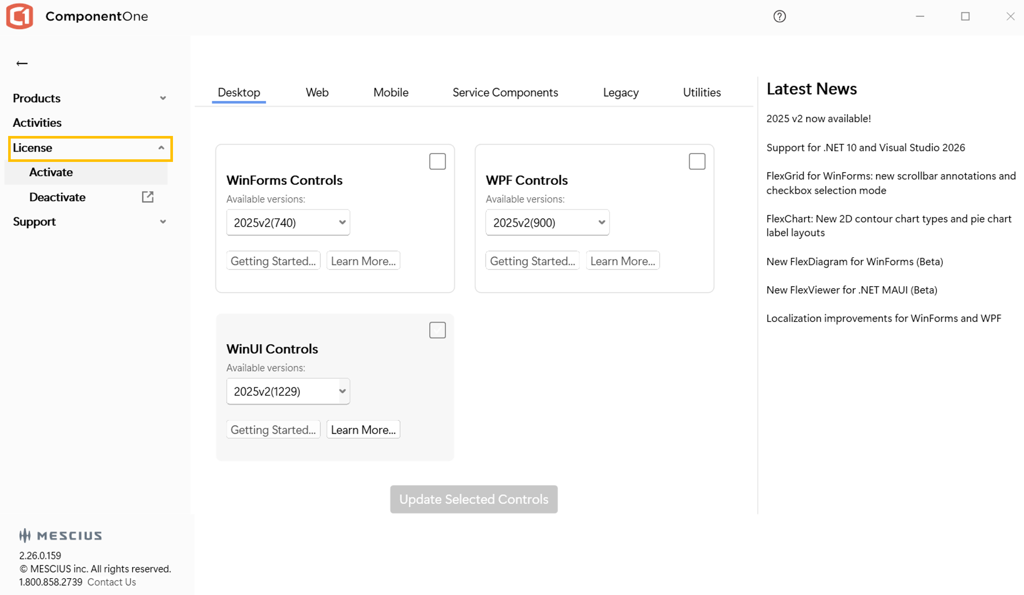
2. Click Activate, then enter your serial key.
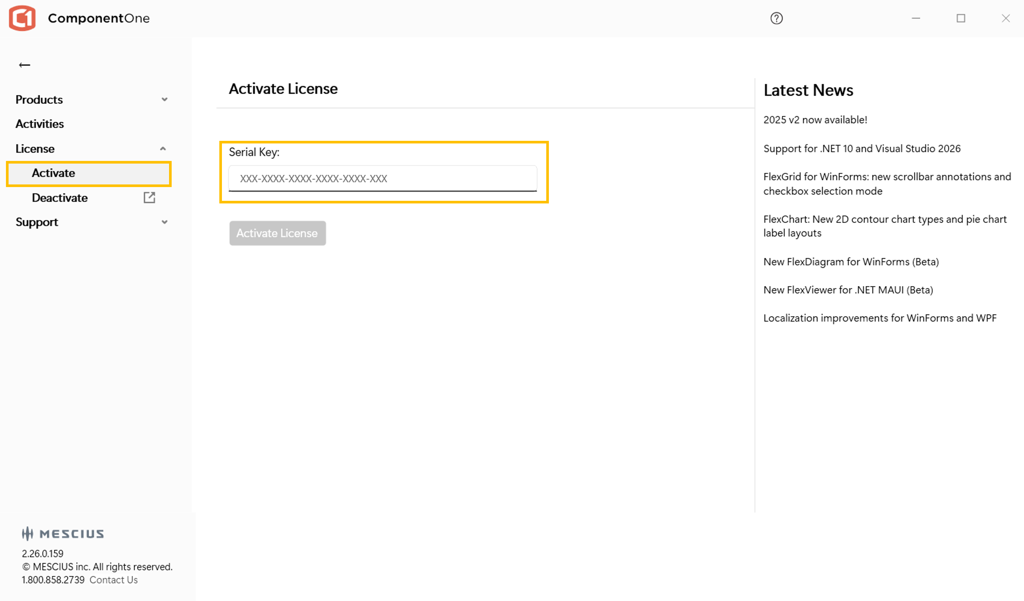
If your serial key was purchased before February 23, 2026, you will be prompted to specify the product for which the serial key was issued. Select the appropriate product from the License Type drop-down menu.
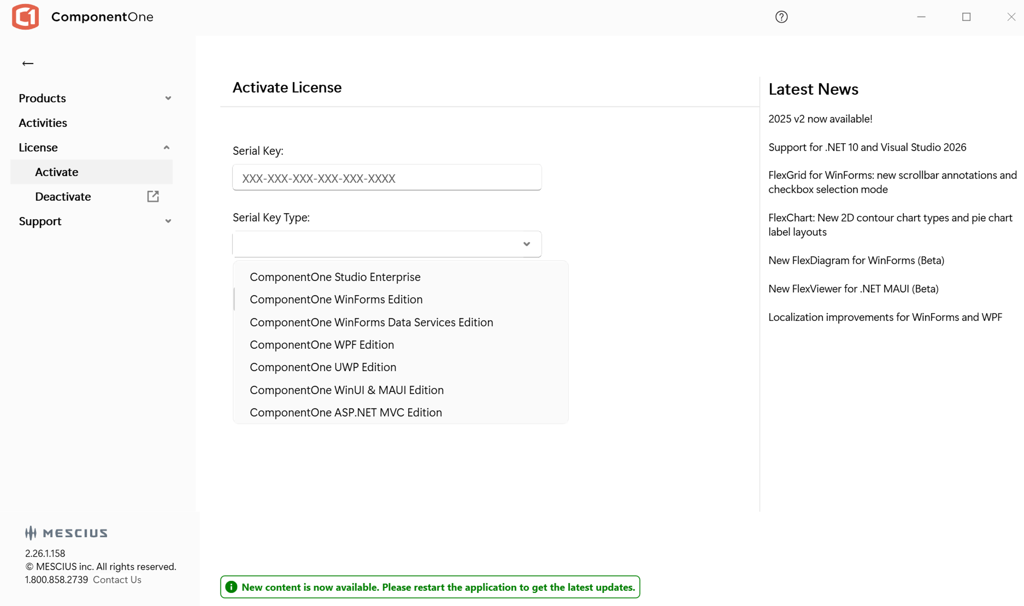
3. After entering the serial key, click Activate to complete the process.
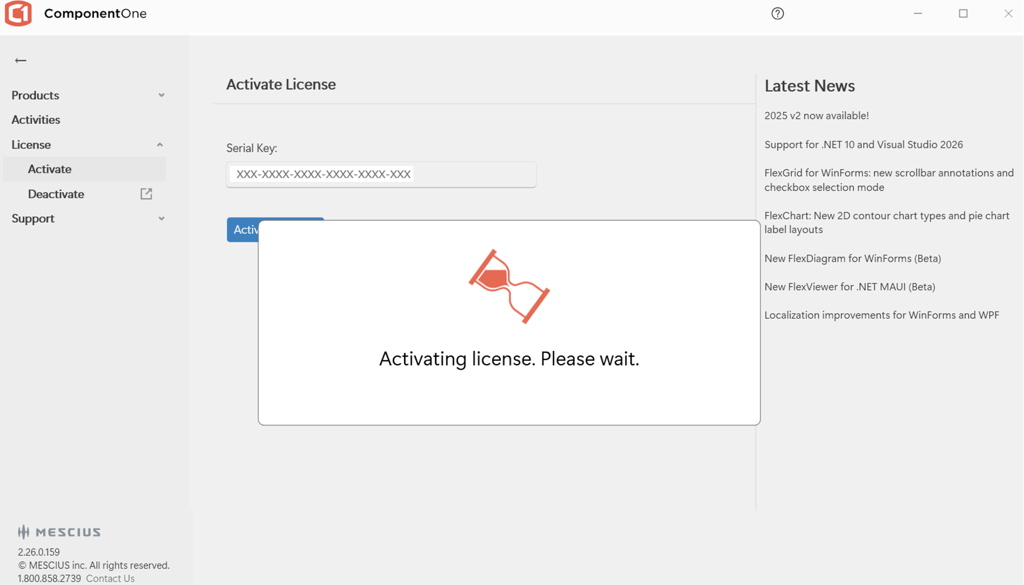
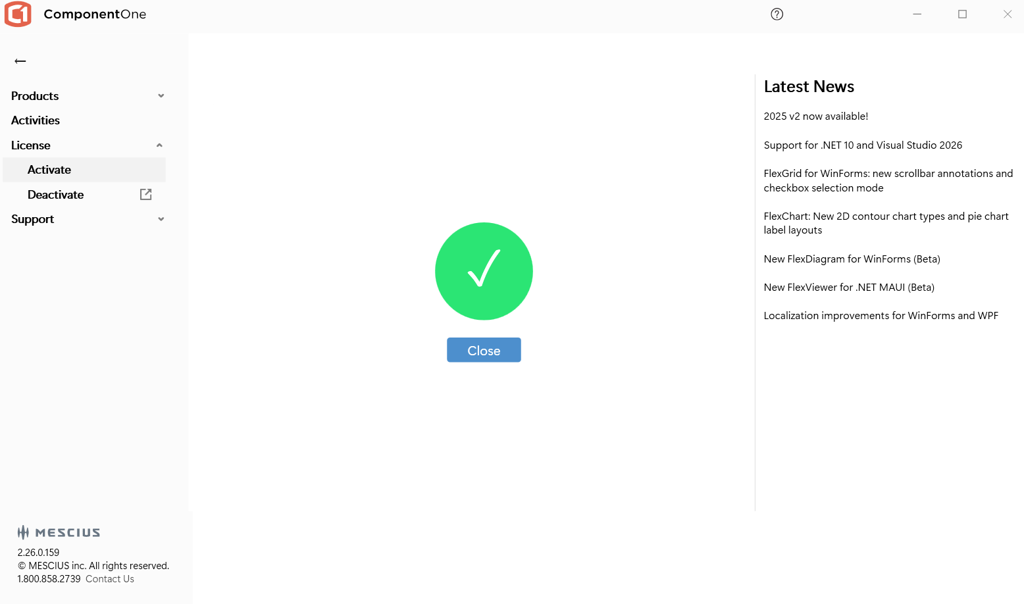
When activation succeeds, a confirmation message appears.
Deactivate a Serial Key using MESCIUS License Manager
ComponentOne serial keys have activation limits. A standard serial key can typically be activated on two machines.
To activate the license on a new machine, first deactivate it on an existing machine.
To deactivate a serial key:
1. Open MESCIUS License Manager.
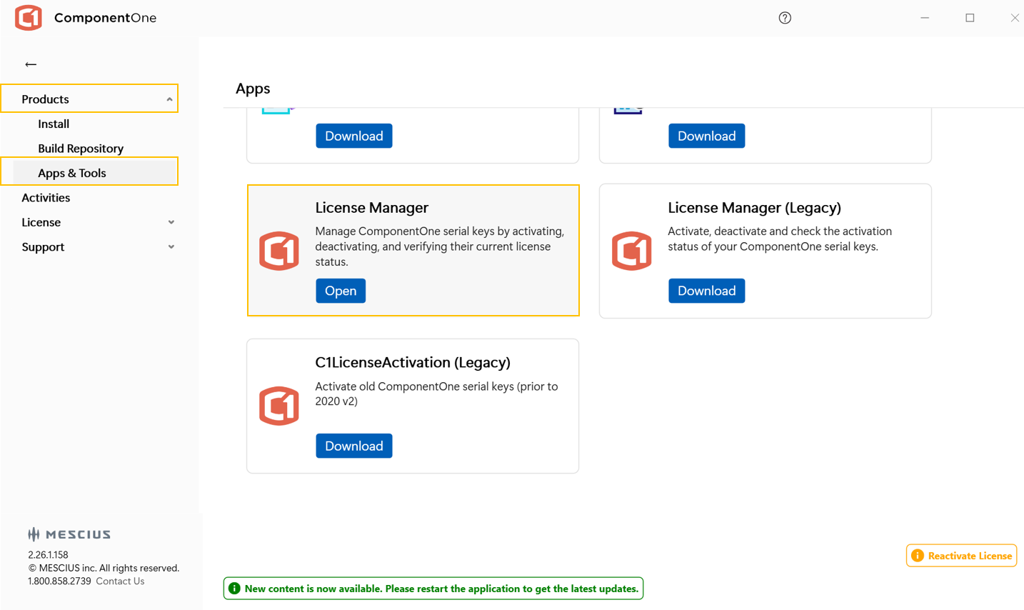
2. Select Deactivate for the corresponding license.
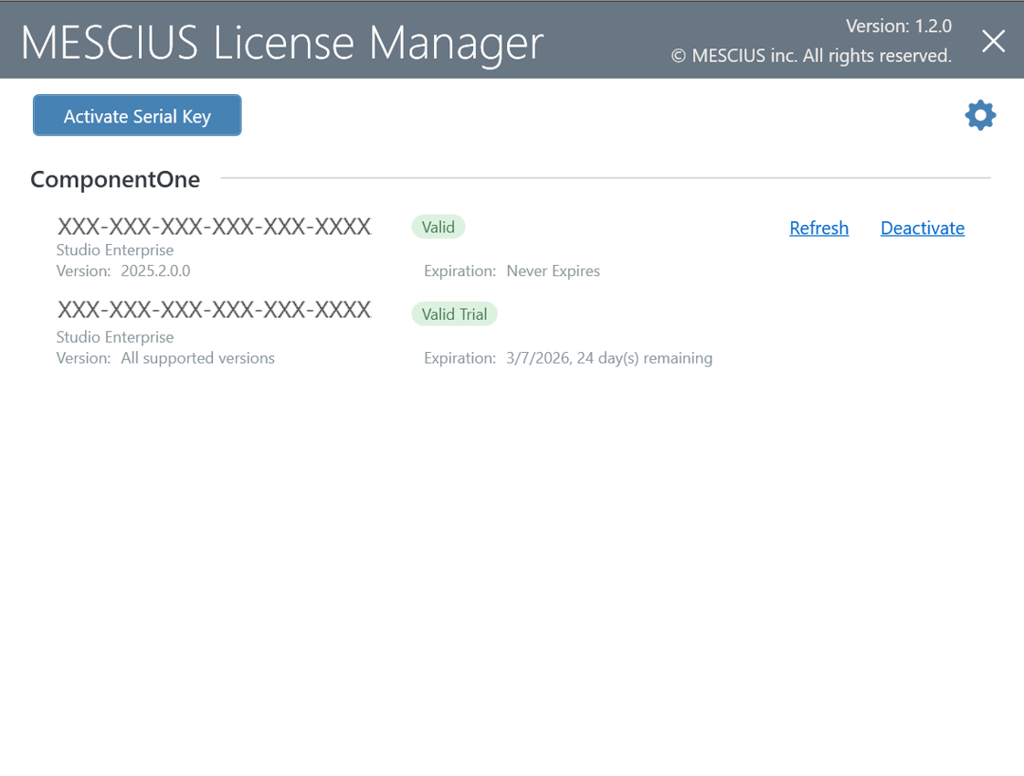
3. Confirm the deactivation.
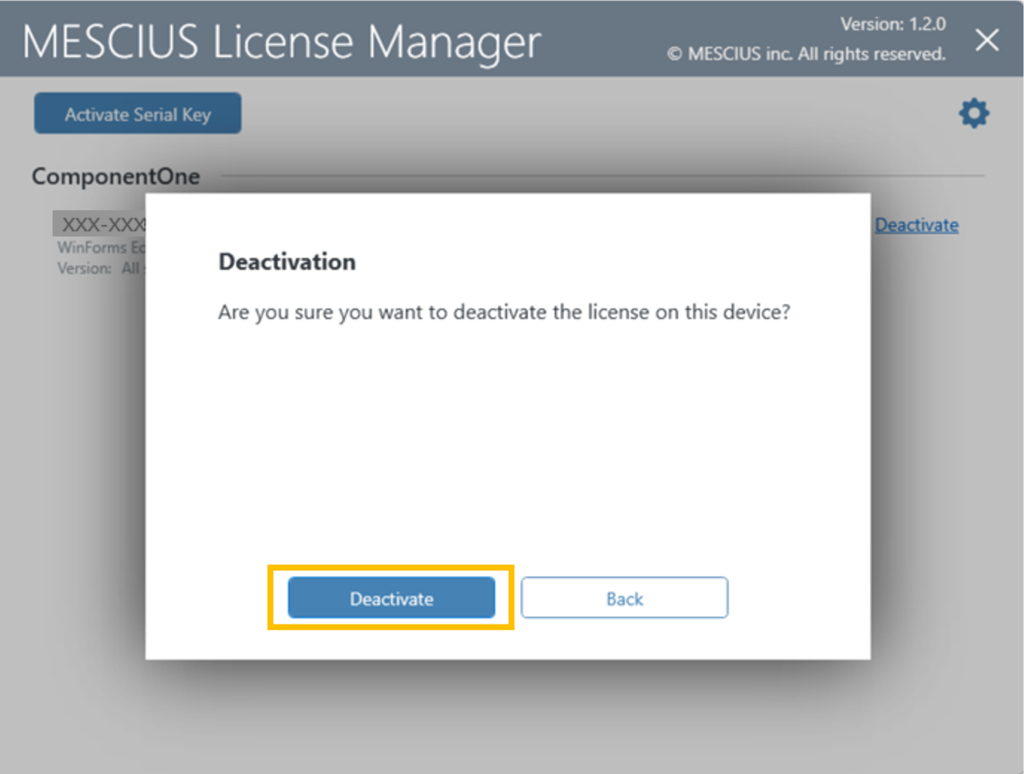
Wait for the success message. The license is then removed from the list.
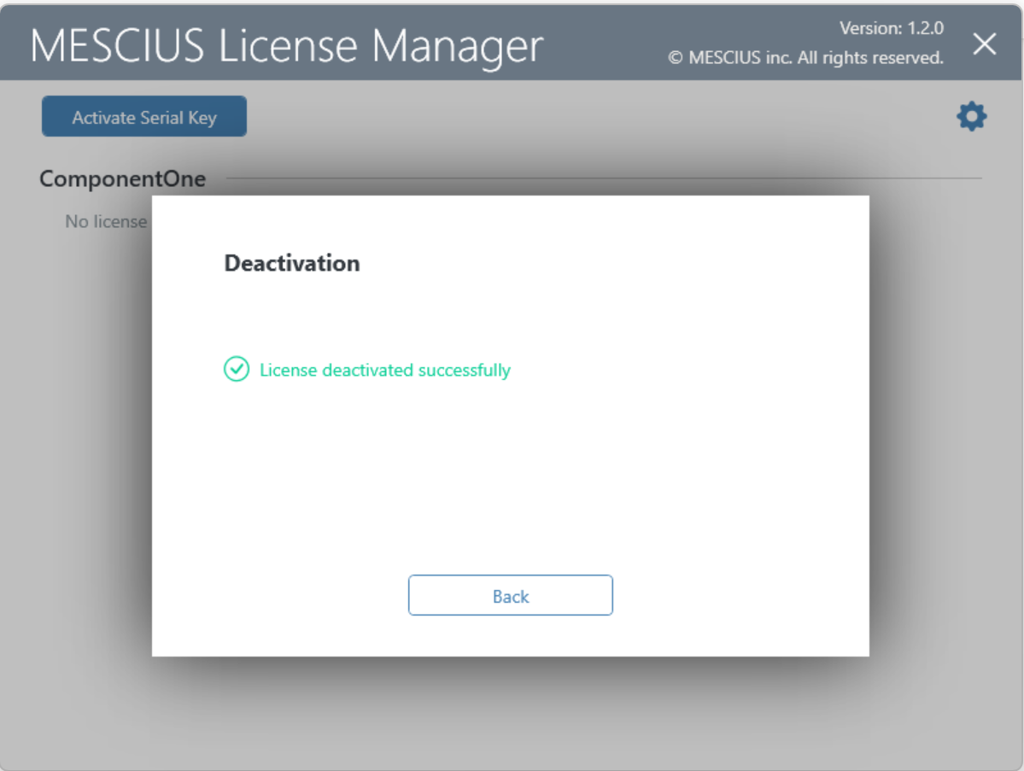
If activation issues persist, try Activation by Command Line or contact Technical Support.
Reactivate a Serial Key using the C1ControlPanel
In early 2026, updated licensing code was introduced that requires existing licenses to be reactivated to access the latest product versions. When the C1ControlPanel is launched, it validates the installed license and determines whether reactivation is required before permitting the download of the updated version.
How to Reactivate Your License:
1. Download and install the latest version of the C1ControlPanel
2. Launch the application. If an existing license is detected, a reactivation notification appears.
3. Select Reactivate License (or open the License node) and re-enter your serial key.
4. Click Activate
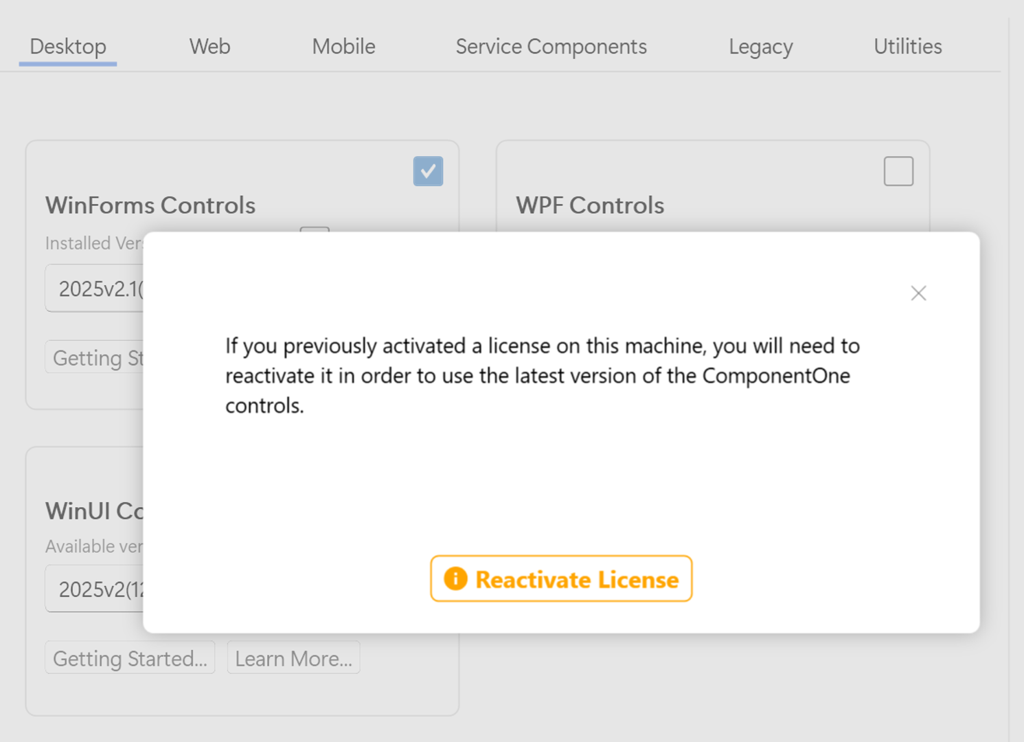
Reactivation is required only if:
The license was purchased before February 23, 2026, and
You are updating to version 2025 v2.1 or later.
This is a one-time step. Reactivating on the same machine does not increase the activation count.
If your serial key is registered to your account, you can find it under My Licenses.
Launch from Visual Studio
In Visual Studio 2017 or later:
1. Open Tools → MESCIUS → License Manager
2. Enter your serial key and complete the activation
The interface can also be used to:
View installed licenses
Refresh a license
Deactivate a license