


- SpreadJS Overview
- Getting Started
- JavaScript Frameworks
- Best Practices
-
Features
- Workbook
- Worksheet
- Rows and Columns
- Headers
- Cells
- Data Binding
- Data Manager
- TableSheet
- GanttSheet
- ReportSheet
- Data Charts
- JSON Schema with SpreadJS
- SpreadJS File Format
- Data Validation
- Conditional Formatting
- Sort
- Group
- Formulas
- What-If Analysis
- Serialization
- Keyboard Actions
- Shapes
- Floating Objects
- Barcodes
- Charts
- Sparklines
- Tables
- Pivot Table
- Slicer
- Theme
- User Management
- Culture
- AI Assistant
- SpreadJS Designer
- SpreadJS Designer VSCode Plugin
- Tutorials
- SpreadJS Designer Component
- SpreadJS Collaboration Server
- Touch Support
- Formula Reference
- Import and Export Reference
- Events
- API Documentation
- Release Notes
Top 10 Rule
The top 10 rule highlights a specified number or percentage of the highest or lowest values in a range. Use the Top10ConditionType enumeration to specify whether to match from the top or bottom of the range.
By default, the rank parameter specifies an exact count of cells to highlight. Set isPercent to true to treat the rank as a percentage instead.
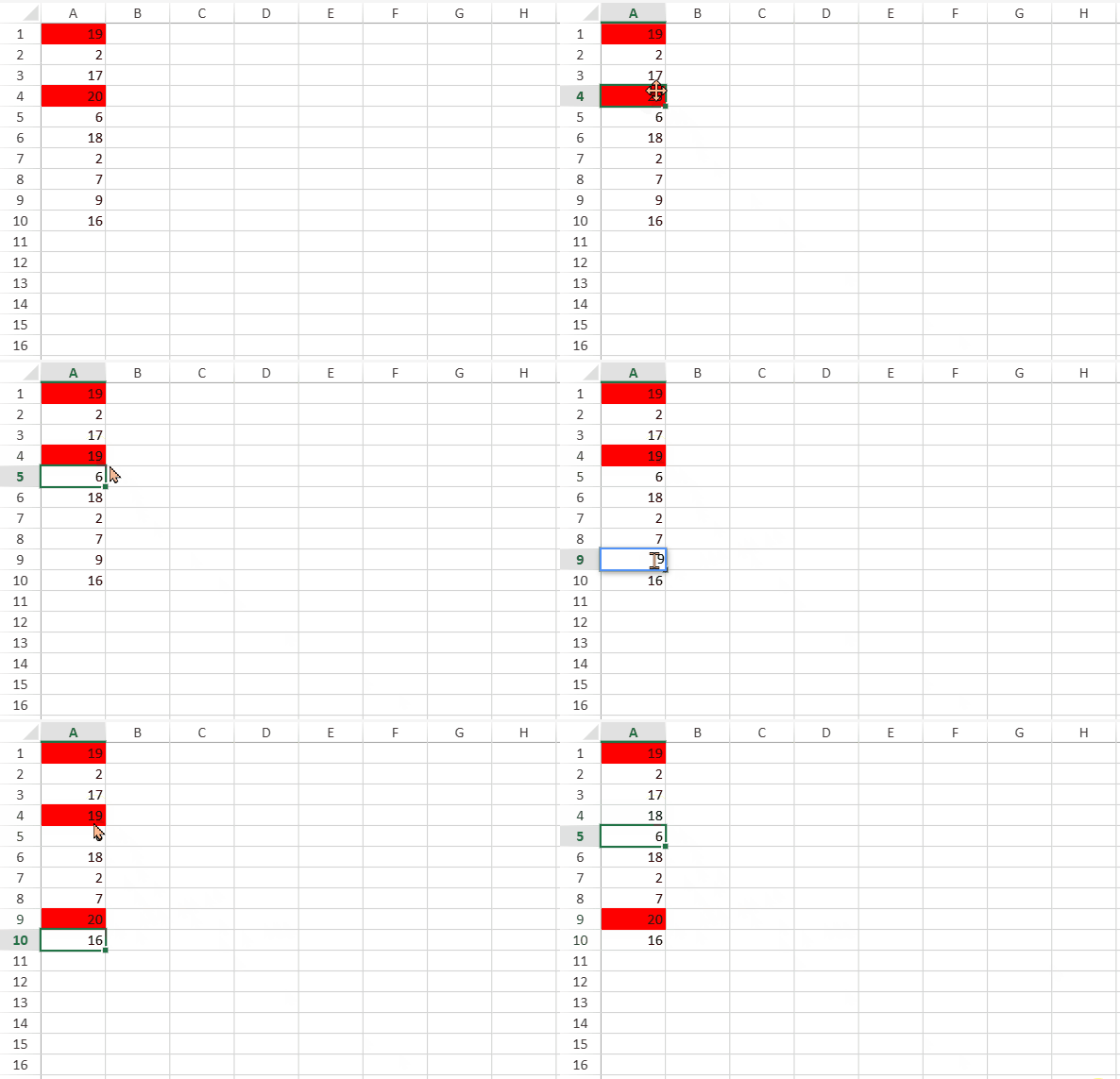
Percent Mode
When isPercent is true, the hit count is calculated from non-empty numeric cells in the range, not the total number of cells.
If the range contains no non-empty numeric values, no cells are highlighted.
If at least one non-empty numeric value exists, at least one cell is always highlighted.
Example
Basic Setting
// data
for (var row = 0; row < 10; row++) {
    var randomValue = Math.floor(Math.random() * 20) + 1;
    sheet.setValue(row, 0, randomValue);
}
var ranges = [new GC.Spread.Sheets.Range(0, 0, 10, 1)];
// style
var style = new GC.Spread.Sheets.Style();
style.backColor = "red";
Count-based rule
The following code sample highlights the top 2 values in the range:
activeSheet.conditionalFormats.addTop10Rule(GC.Spread.Sheets.ConditionalFormatting.Top10ConditionType.top, 2, style, ranges);Percent-based rules
SpreadJS provides three equivalent ways to create a percent-based top/bottom rule.
Using the NormalConditionRule constructor:
var topRule = new GC.Spread.Sheets.ConditionalFormatting.NormalConditionRule(
    GC.Spread.Sheets.ConditionalFormatting.RuleType.top10Rule,
    ranges,style, undefined, undefined, undefined, undefined, undefined,
    GC.Spread.Sheets.ConditionalFormatting.Top10ConditionType.top, 20, true /* isPercent */
);
activeSheet.conditionalFormats.addRule(topRule);
Using NormalConditionRule setters:
var topRule = new GC.Spread.Sheets.ConditionalFormatting.NormalConditionRule();
topRule.ruleType(GC.Spread.Sheets.ConditionalFormatting.RuleType.top10Rule);
topRule.type(GC.Spread.Sheets.ConditionalFormatting.Top10ConditionType.top);
topRule.rank(20);
topRule.isPercent(true);
topRule.style(style);
topRule.ranges(ranges);
topRule.stopIfTrue(true);
activeSheet.conditionalFormats.addRule(topRule);
Using addTop10Rule:
activeSheet.conditionalFormats.addTop10Rule(GC.Spread.Sheets.ConditionalFormatting.Top10ConditionType.top, 2, style, ranges, true /* isPercent */);