Quick Start
This section demonstrates how to display data using the ListView control.
Step 1: Add the Control
Add the C1ListView control to the layout.
XML
<Window
    x:Class="ListViewExplorer.MainWindow"
    xmlns:c1="using:C1.WinUI.ListView"
    Title="ListViewExplorer">
    <Grid>
      <c1:C1ListView x:Name="listView" Margin="50 50 0 0"></c1:C1ListView>
    </Grid>
</Window>
Step 2: Bind Data
Assign a collection to the ItemsSource property.
CSharp
//Create list and add item to it
public static List<Items> GetData()
{
    return new List<Items>
    {
        new Items
        {
            Heading = "Mission: No Child Hungry",
            Description = "Send food kits with immunity boosters and high protein food",
            ImagePath = "Assets/image1.png"
        },
        new Items
        {
            Heading = "Mission: Help the homeless",
            Description = "Save a homeless child",
            ImagePath = "Assets/image2.png"
        },
        new Items
        {
            Heading = "Mission: Elder Lives Matter",
            Description = "Provide the aged with care",
            ImagePath = "Assets/image3.png"
        },
        new Items
        {
            Heading = "Reduce pandemic risk",
            Description = "Send immunity boosters to clinics",
            ImagePath = "Assets/image4.png"
        }
    };
}
//Bind the list to the control
listView.ItemsSource = GetData();
Step 3: Define Item Template
Define a DataTemplate to control item layout and appearance.
XML
<c1:C1ListView x:Name="listView" Margin="50 50 0 0">
    <c1:C1ListView.ItemTemplate>
        <DataTemplate>
            <StackPanel Orientation="Horizontal">
                <Image Source="{Binding ImagePath}" Width="175" Height="90" />
                <StackPanel>
                    <TextBlock FontSize="14" TextWrapping="Wrap" Height="90" Width="175">
                        <Run Text="{Binding Heading}" />
                        <LineBreak />
                        <Run Text="{Binding Description}" FontStyle="Italic" Foreground="LightSlateGray"/>
                    </TextBlock>
                    <Button Content="Donate" Width="100"/>
                </StackPanel>
            </StackPanel>
        </DataTemplate>
    </c1:C1ListView.ItemTemplate>
</c1:C1ListView>
Step 4: Run the Application
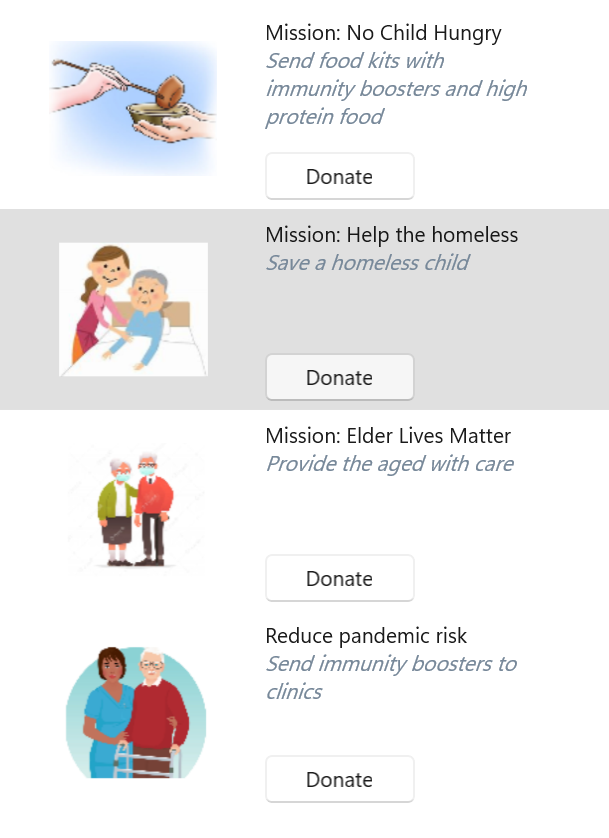
The application displays a list of items using the defined template.