


- List for WinForms Overview
- Key Features
- Design-Time Support
- Quick Start
- Data Binding
- List Items
- Data Views
- Data Presentation
- Format
- Split Presentation
- Search
- Sort
- Navigation
- Scroll Bar
- Selection
- Virtualization
- Display Images
- ToolTips
- Bookmarks
- Export, Import, and Print
- Customization
- Styling and Appearance
- Integration with C1Combo
Selection
List supports various ways of item selection through mouse or keyboard. Let us explore these ways.
Selection Modes
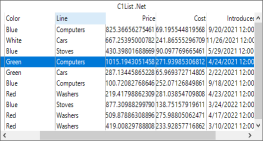
By default, List allows selection of an entire row or column by clicking the corresponding header. However, the default behavior can be changed to allow selection in units of rows, columns, etc., by using SelectionMode property of the C1List class. The property accepts values from the SelectionModeEnum enumeration.
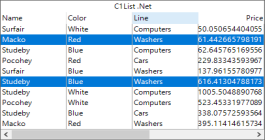
The following table provides a brief description and a quick snapshot of how selection looks like in each of these modes.
Selection Mode | Description | Snapshot |
|---|---|---|
Default | Allows selection of an entire row or column by clicking the corresponding header. |
|
One | Allows selection of one list item. |
|
MultiExtended | Allows selection of multiple list items by pressing the Shift key. |
|
Checkbox | Allows selecion of list items using checkboxs. |
|
MultiSimple | Allows selection of non-contiguous list items and returns a bookmark for the selected row. |
|

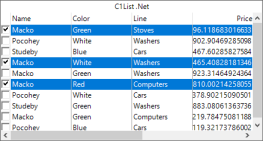
The following code snippet demonstrates how to enable checkbox selection by setting SelectionMode to Checkbox.
c1List1.SelectionMode = C1.Win.List.SelectionModeEnum.CheckBox;