


- List for WinForms Overview
- Key Features
- Design-Time Support
- Quick Start
- Data Binding
- List Items
- Data Views
- Data Presentation
- Format
- Split Presentation
- Search
- Sort
- Navigation
- Scroll Bar
- Selection
- Virtualization
- Display Images
- ToolTips
- Bookmarks
- Export, Import, and Print
- Customization
- Styling and Appearance
- Integration with C1Combo
Display Images
You can use foreground images to add visual cues to static list elements such as caption bars, column headers, and column footers. Foreground images are specified by the ForegroundImage property of the Style class. These images can be displayed beside some text or in place of it, but can not be displayed over text.
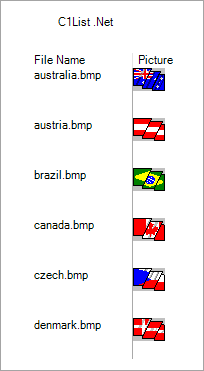
Use the following steps to add image to the List control. In the following example, we have subscribed to the FetchCellStyle event to display images in cells.
Subscribe to Form_Load event and add the following code to the Form_Load Event Handler to fire the FetchCellStyle event.
// Fire the FecthCellStyle event.
this.c1List1.Splits[0].DisplayColumns[1].FetchStyle = true;
this.c1List1.FetchCellStyle += C1List1_FetchCellStyle;
Add the following code to the C1List1_FetchCellStyle event handler to add images to the cells of List control. Please note that the following code picks the images from a specified directory in the application.
private void C1List1_FetchCellStyle(object sender, C1.Win.C1List.FetchCellStyleEventArgs e)
 {
     if (e.Col == 1)
     {
         e.CellStyle.ForeGroundPicturePosition = C1.Win.C1List.ForeGroundPicturePositionEnum.PictureOnly;
         e.CellStyle.ForegroundImage = Image.FromFile("../../Image.bmp");
         }
 }