Bookmarks and Hyperlinks
C1.Word supports document navigation through bookmarks and external navigation through hyperlinks. The AddBookmark method can be called as a paired start/end sequence or as a single combined call. The Hyperlink property automatically attaches a URL to objects added after it is set.
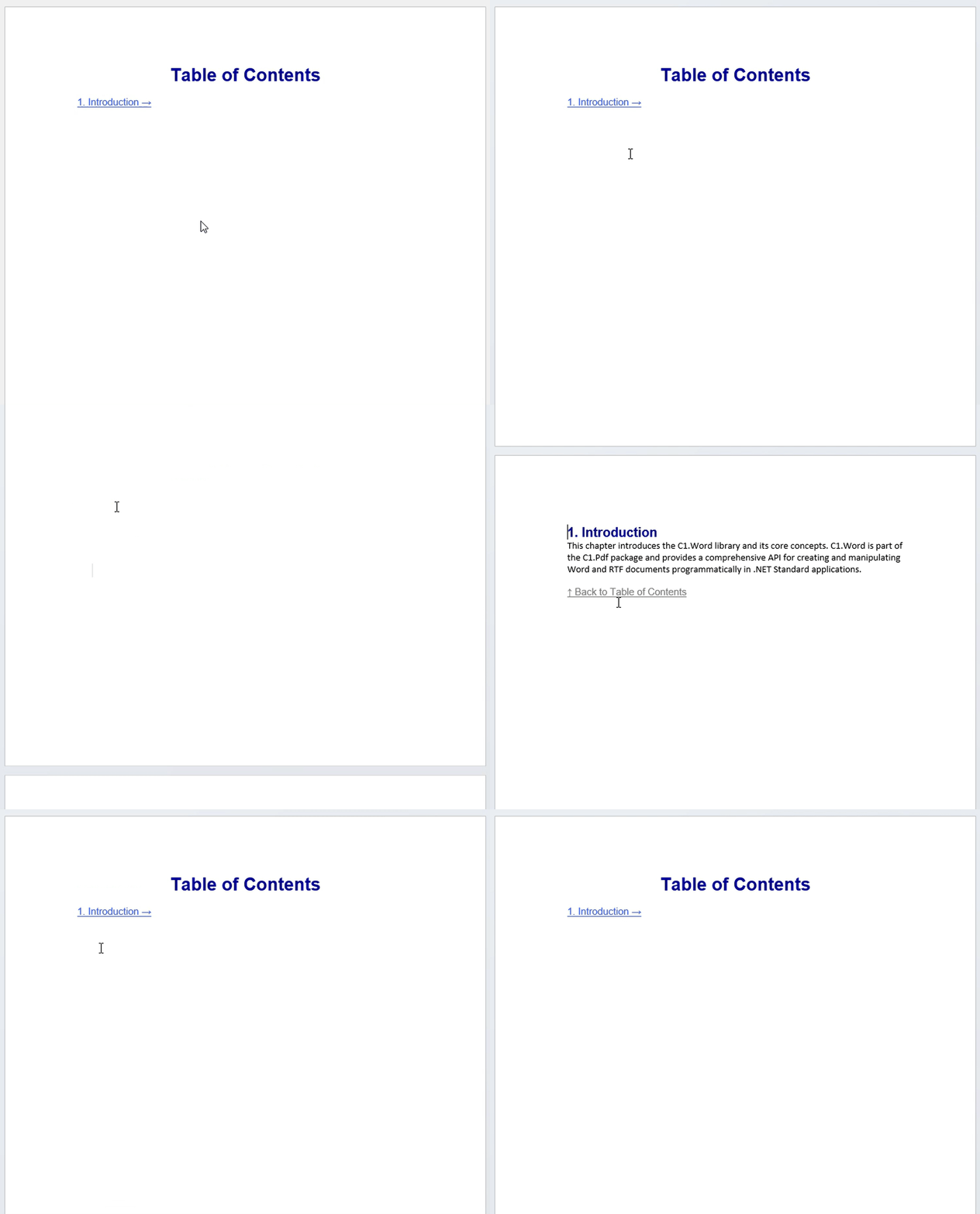
The following example builds a two-page document with a table of contents. The contents entry links to a bookmark on the second page, and a link on that page returns the reader to the top of the contents page.
C1WordDocument doc = new C1WordDocument();

// Place bookmark at top of TOC page
doc.AddBookmark("TableOfContents");
doc.AddParagraph("Table of Contents", new C1.Util.Font("Arial", 22, C1.Util.FontStyle.Bold), Color.DarkBlue, RtfHorizontalAlignment.Center);
doc.LineBreak();

//TOC entry — build RtfHyperlink directly
RtfHyperlink hyperlink = new RtfHyperlink("Chapter1", Color.RoyalBlue, RtfUnderlineStyle.Single);  // bookmark name as target

RtfParagraph hyperlinkText = new RtfParagraph();
hyperlinkText.Content.Add(new RtfString("1. Indtroduction →", new C1.Util.Font("Arial", 12)));
hyperlink.Content.Add(hyperlinkText);  // add content into hyperlink
doc.Add(hyperlink);  // add hyperlink to document
doc.LineBreak();

// PAGE 2 — CHAPTER 1
doc.PageBreak(false);
doc.AddBookmark("Chapter1");
doc.AddParagraph("1. Introduction", new C1.Util.Font("Arial", 16, C1.Util.FontStyle.Bold, Color.DarkBlue, RtfHorizontalAlignment.Left));
doc.AddParagraph("Introduction Content", new C1.Util.Font("Arial", 12);, Color.Black);
doc.LineBreak();

// Back to TOC link
RtfHyperlink backHyperlink = new RtfHyperlink("TableOfContents", Color.Grey, RtfUnderlineStyle.Single);
RtfParagraph backHyperlinkText = new RtfParagraph();
backHyperlinkText.Content.Add(new RtfString("↑ Back to Table of Contents", new C1.Util.Font("Arial", 12)));
backHyperlink.Content.Add(backHyperlinkText);
doc.Add(backHyperlink);
The document behaves like the following demonstration: