


- ASP.NET MVC
- Getting Started
- Configuring your MVC Application
- Adding NuGet Packages to your App
- Adding Controls
- Client-Side Support
- Globalization
-
Working with Controls
- Accordion
- Barcode
- CollectionView
- DashboardLayout
- Excel
- File Manager
- Financial Charts
- FlexChart
- FlexGrid
- FlexMap
- FlexPie
- FlexRadar
- FlexReport
- FlexSheet
- FlexViewer
- Gauge
- Input Controls
- MultiRow
- TransposedMultiRow
- OLAP
- Sunburst Chart
- TabPanel
- TreeMap
- TreeView
- Styling
- ASP.NET MVC Samples
- Release History
Search During IME Composition
Autocomplete and MultiAutocomplete can search for matching items while text is being composed through an Input Method Editor (IME).
IME input is commonly used for languages such as Chinese, Japanese, and Korean. By default, the controls search after IME composition is committed. Set SearchDuringComposition to trueto filter items using the text currently being composed.
Searches performed during composition continue to use the configured MinLength, Delay, and MaxItems settings.
The default value of SearchDuringComposition is false.
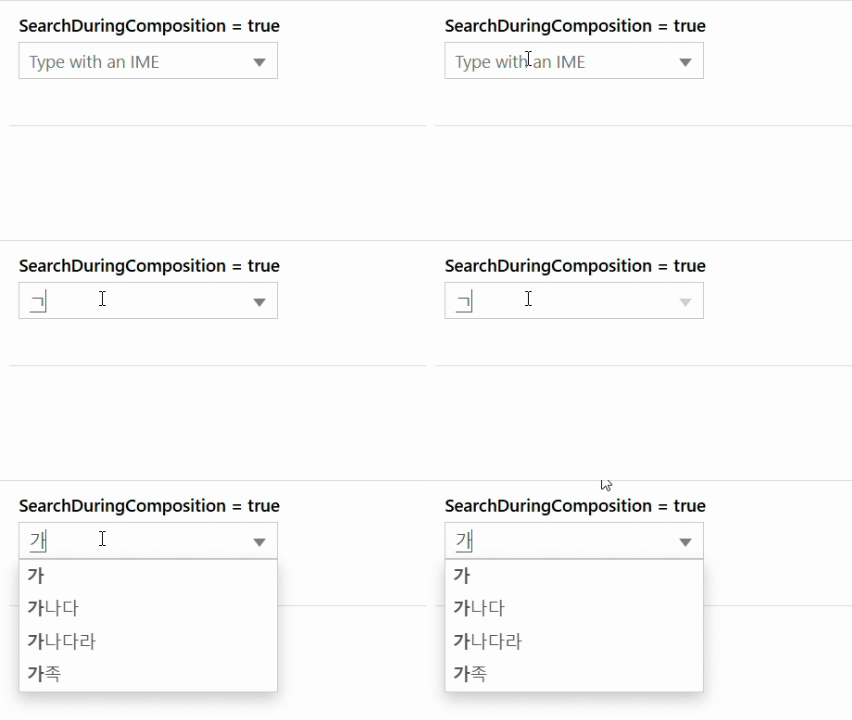
The following example configures Autocomplete to search Korean text during composition.
In Code
Controller
public ActionResult Index()
{
    var items = new List<string>
    {
        "가",
        "가나다",
        "가나다라",
        "가족",
        "강아지",
        "한국",
        "한국어",
        "한강"
    };
    return View(items);
}
View
@model IList<string>
@(Html.C1().AutoComplete()
    .Bind(Model)
    .MinLength(1)
    .SearchDuringComposition(true)
    .Placeholder("Type with an IME"))