


-
Spread for ASP.NET Product Documentation
-
Developer's Guide
- Getting Started
- Understanding the Product
- Namespaces Overview
- Working with the Spread Designer
- Customizing User Interaction
- Customizing the Appearance
- Customizing with Cell Types
- Managing Data Binding
- Managing Data in the Component
- Managing Formulas
- Managing File Operations
- Using Sheet Models
- Maintaining State
- Working with the Chart Control
- Using Touch Support with the Component
- Assembly Reference
- Client-Side Scripting Reference
- Import and Export Reference
-
Developer's Guide
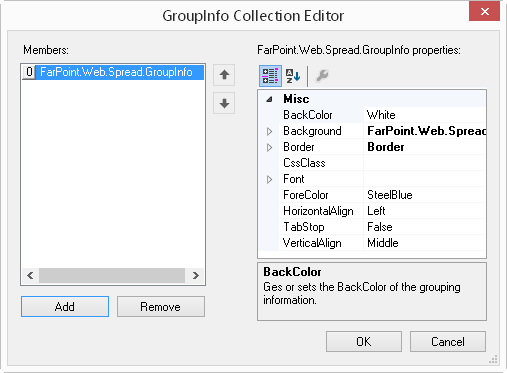
GroupInfo Collection Editor
You can set basic formatting for group headers with the GroupInfo Collection Editor of the Spread Designer. You can launch the GroupInfo Collection Editor from the Spread Designer by selecting the sheet from the drop down on the right side of the designer and choosing GroupInfos under the Misc section.
For more information on grouping and grouping headers, refer to Customizing Grouping of Rows of User Data.